
A utility that comes in handy for any users that needs to quickly batch rotate and resize movies from the comfort of their desktop.. #Batch rotate #Resize movie #Rotate picture #Batch #Rotation #Resizer
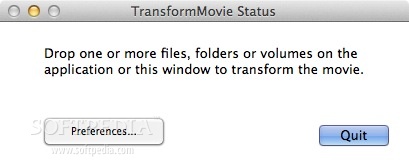
TransformMovie is a simple utility designed to help you rotate and resize your movies image, add filter effects and more. The app is able to work with popular video file formats and is extremely easy to use.
To process a video using TransformMovie, simply drag and drop files or a folder on top of the app’s main window or on the Dock icon.
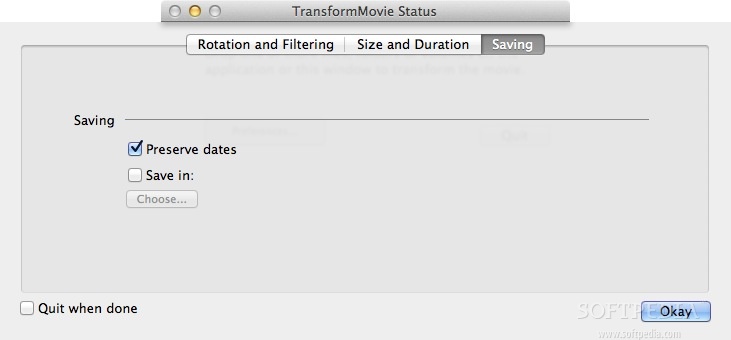
TransformMovie will apply the modifications specified in the Preferences window and then prompts you where to export the output video (you can set up a default output location via the Preferences panel).
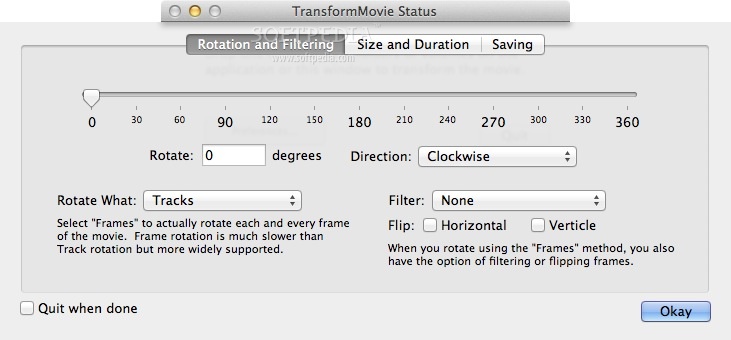
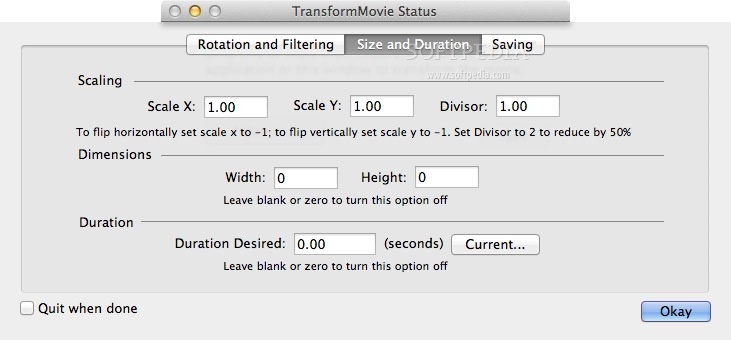
The TransformMovie customization capabilities are organized in three categories: Rotation and Filtering, Size and Duration and Saving.
You can choose to rotate the entire video track or process the file frame by frame: the first option is a lot faster, while the second also allows you to apply different filters to the image. However, we were able to rotate the videos only on tracks mode: the app crashed when it had to deal with frames.
We also encountered problems when we tried to resize the video or change the movie duration: the app either crashed or the change was not visible.
The developers recommend installing additional QuickTime components, such as Perian, but we already had the latest Perian version installed on the system before launching TransformMovie.
TransformMovie is able to successfully rotate videos in no time but has problems when it has to deal with processing the video frame by frame and with resizing or adjusting the movie duration. Since the developers provide a fully featured trial version you can see for yourself if it suits your needs.
What's new in TransformMovie 1.3.1:
- Maintenance update.
TransformMovie 1.3.1
add to watchlist add to download basket send us an update REPORT- runs on:
- Mac OS X 10.6.6 or later (Intel only)
- file size:
- 748 KB
- filename:
- TransformMovie.dmg
- main category:
- Video
- developer:
- visit homepage
ShareX

7-Zip

Windows Sandbox Launcher

Microsoft Teams

Bitdefender Antivirus Free

IrfanView

4k Video Downloader

calibre

Context Menu Manager

Zoom Client

- calibre
- Context Menu Manager
- Zoom Client
- ShareX
- 7-Zip
- Windows Sandbox Launcher
- Microsoft Teams
- Bitdefender Antivirus Free
- IrfanView
- 4k Video Downloader