
Powerful, secure, and customizable mail client with a tabbed interface, multitasking features, support for add-ons, and an open codebase. #Mail client #News reader #Chat client #Mail #Chat #E-mail

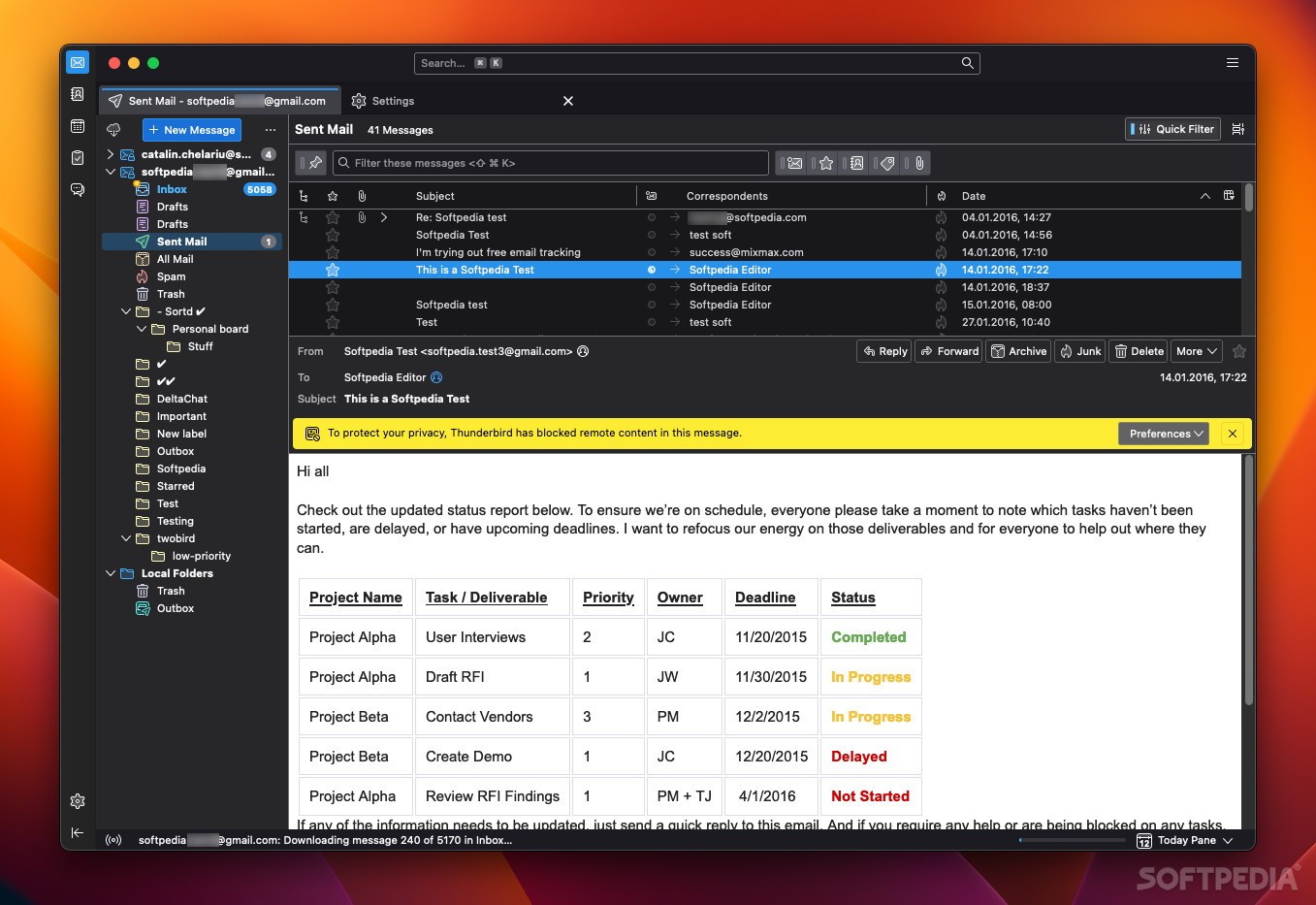
Apple’s built-in mail client is the choice of most Mac users, largely thanks to its simplicity and quick configuration. It’s purposely designed to offer few advanced features, which most users won’t need, offering a streamlined, intuitive experience.
If you feel like you need more than that, Mozilla’s Thunderbird may be worth a look. It’s an open-source mail client with rich customization, security, and multitasking features, and it is also available on Windows and Linux. Recent UI improvements have polished the client’s outdated looks, and it now runs natively on Apple Silicon.
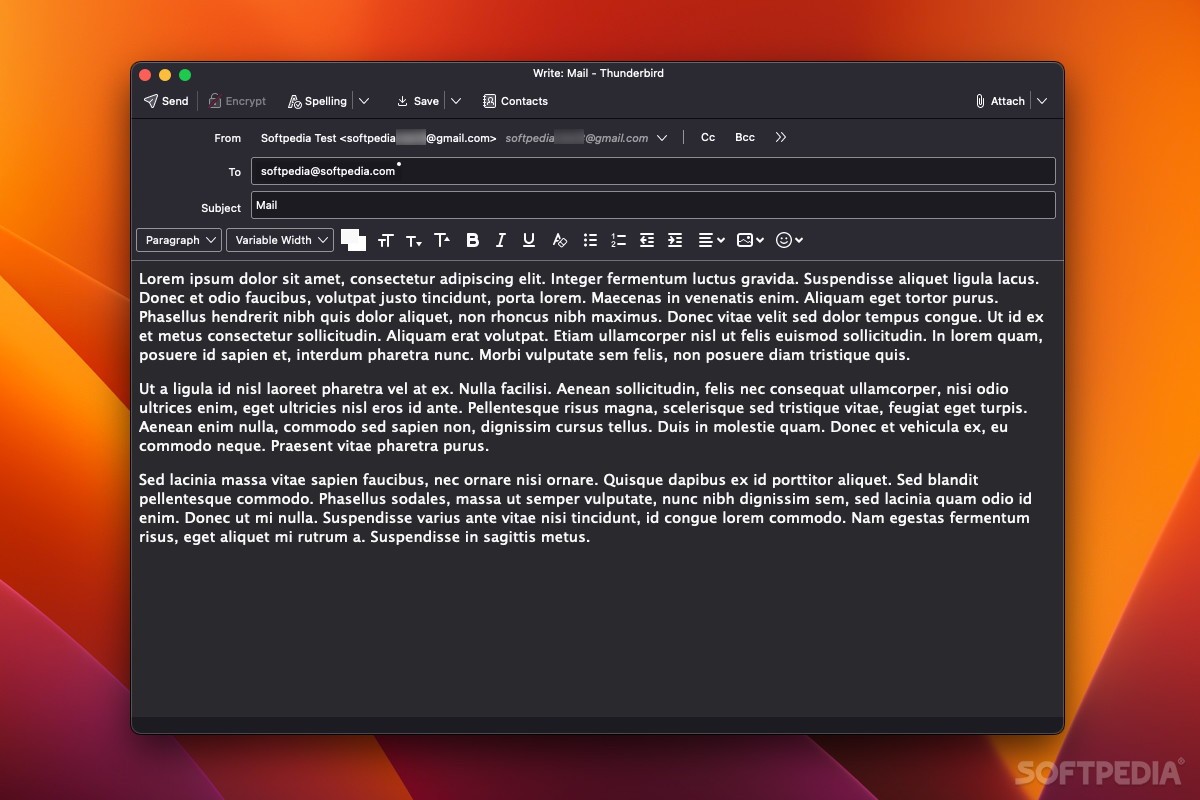
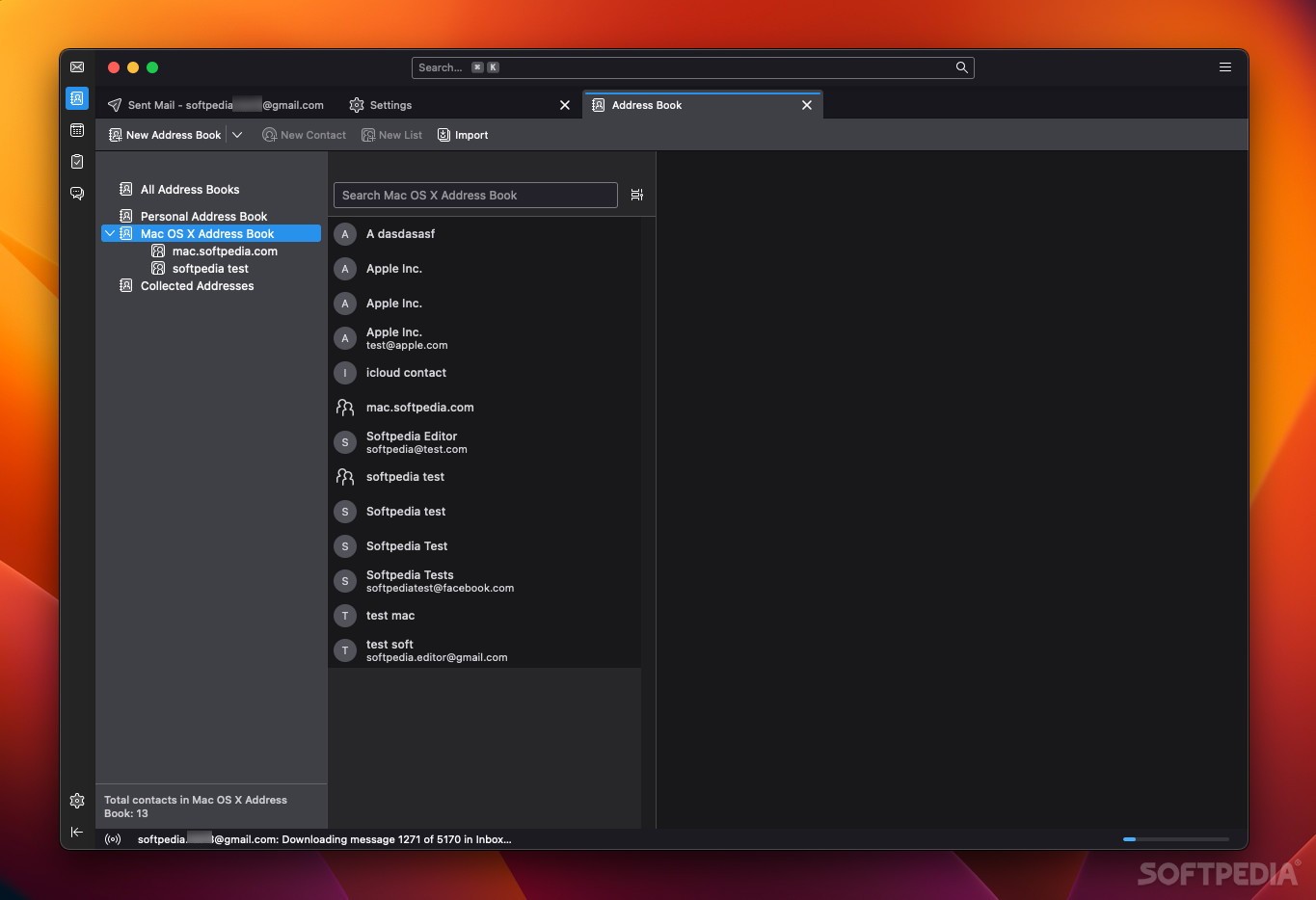
If you only get an email once in a blue moon, tabs might not seem like such an attractive feature, but then Thunderbird probably isn’t for you. Those accustomed to opening and switching between several emails at once, maybe while also composing a new one, will find it invaluable.
The main window features a classic layout, with your folders on the left, the email list up top, and the email preview at the bottom. All panels can be resized, and items can be filtered, sorted, and managed via accessible controls.
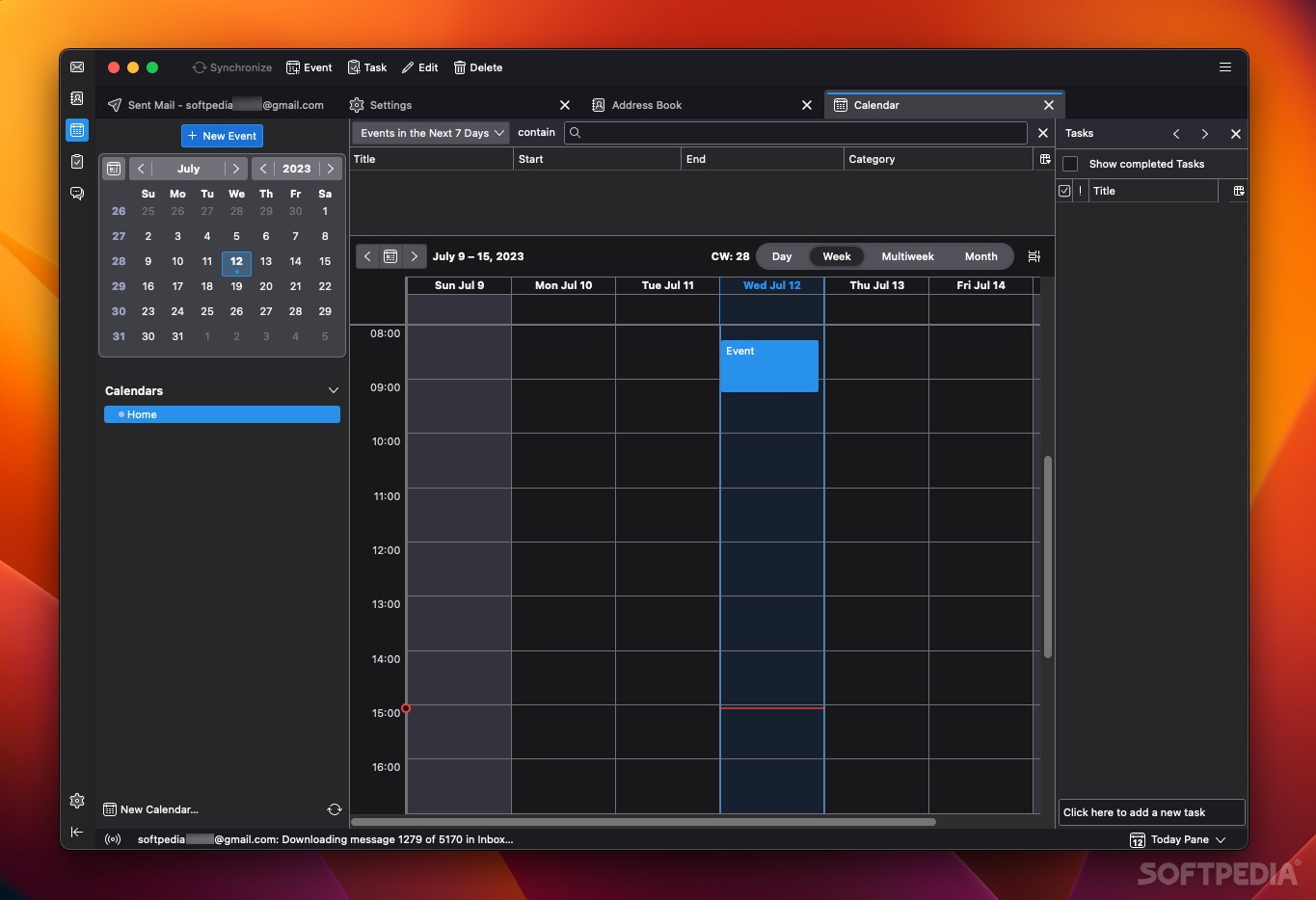
The built-in calendar helps you keep track of events, and you can even use add-ons to add integration with Google Calendar.
When launched for the first time, Thunderbird will simply ask you for your email address and then try to fill in all the necessary data automatically. This wizard makes it much easier to get started, and it should work with all major email providers.
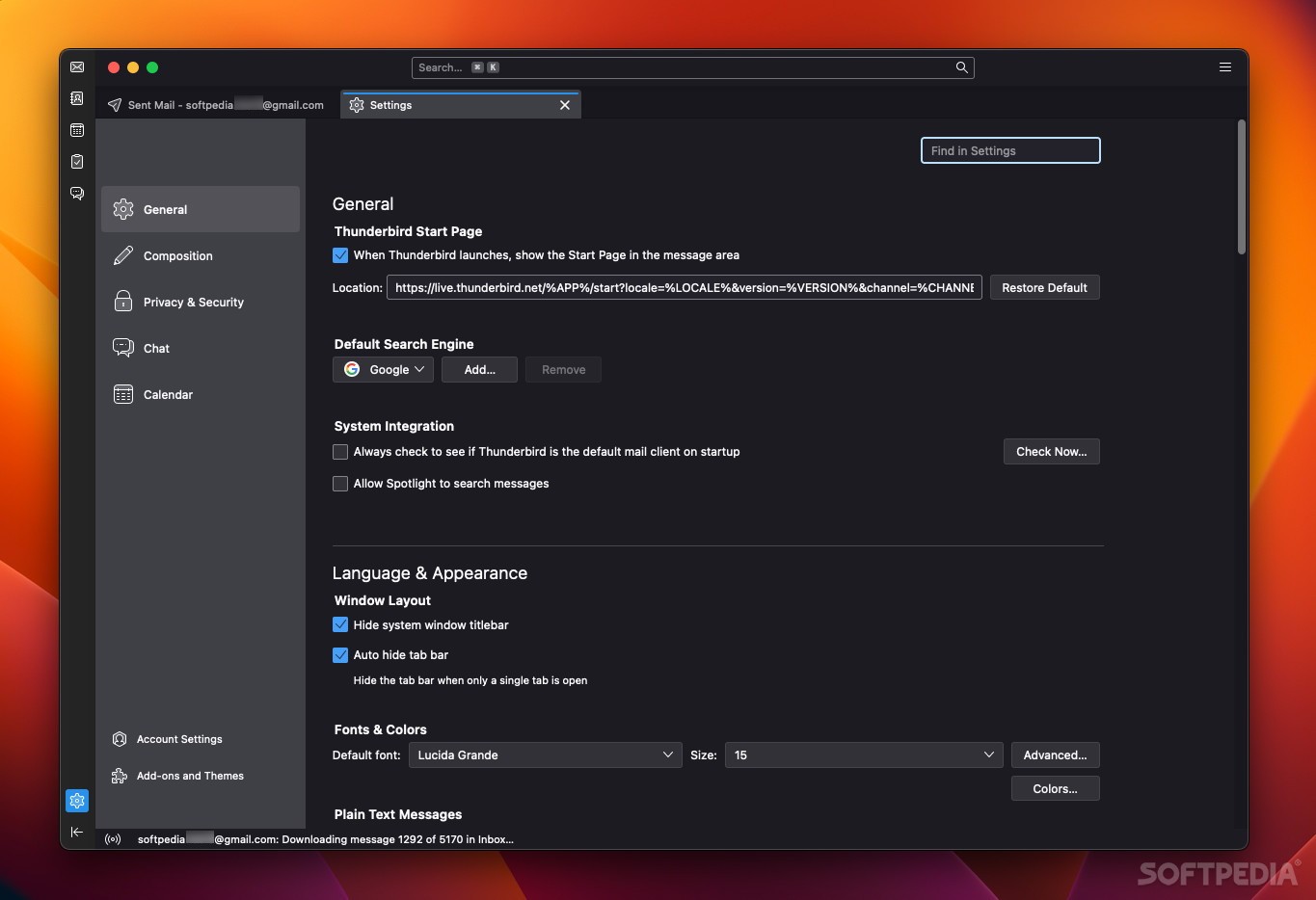
If you do need to tweak the settings, they are all easily accessible in the redesigned Preferences section. Just like the app’s general design, the settings menu is reminiscent of a browser, and it is opened in a new tab.
While Apple’s security practices are admirable, the transparency of open-source software will always make it an attractive offer when compared to a closed-source alternative.
Privacy-wise, Thunderbird has you covered. Just like in Firefox and other browsers, you can send a “Do Not Track” signal to websites that serve remote content into email messages. The app also blocks remote images entirely until you choose to display them.
The client does a good job of detecting both junk mail and potentially malicious content, such as phishing attempts. It also supports end-to-end encryption out of the box, which it previously required a plugin for.
Plenty of features are built into the app, and you can add many more via add-ons. There are over 1500 to choose from, providing support for various services, new features, and more. For instance, the very useful Send Later functionality can easily be added, which really should be integrated into the main app.
In short, Thunderbird is powerful, customizable, and secure email client for multitaskers and fans of open-source software. It is a great Apple Mail alternative for users who want more features and personalization, and it no longer looks outdated thanks to its recent UI facelift.
Download Hubs
Thunderbird is part of these download collections: E-Mail Client
What's new in Thunderbird 115.10.1:
- Changes:
- Added Thunderbird Supernova branding to about:dialog
- Fixes:
Thunderbird 115.10.1 / 126.0 Beta 1 / 127.0 Daily
 Softpedia Editor's Pick
add to watchlist
add to download basket
send us an update
REPORT
Softpedia Editor's Pick
add to watchlist
add to download basket
send us an update
REPORT
- runs on:
- macOS 10.12 or later (Universal Binary)
- file size:
- 133.5 MB
- filename:
- Thunderbird 115.10.1.dmg

- main category:
- Internet Utilities
- developer:
- visit homepage
Bitdefender Antivirus Free

IrfanView

7-Zip

ShareX

calibre

Windows Sandbox Launcher

Microsoft Teams

Zoom Client

Context Menu Manager

4k Video Downloader

- Zoom Client
- Context Menu Manager
- 4k Video Downloader
- Bitdefender Antivirus Free
- IrfanView
- 7-Zip
- ShareX
- calibre
- Windows Sandbox Launcher
- Microsoft Teams