
A handy and practical PDF reader and note-taker that provides the necessary tools to annotate scientific papers or other types of documents. #Pdf reader #Note taker #Note editor #PDF #Read #Write
The Preview application that comes as a built-in utility within macOS is capable of opening PDF documents and even includes basic annotation tools: you can underline text, add text boxes, thoughts bubbles, and so on.
Skim is an open source project that includes all these basic PDF management functions, but also offers support for working with AppleScript, Apple Remote Control, LaTeX, SyncTeX, BibDesk, and more.
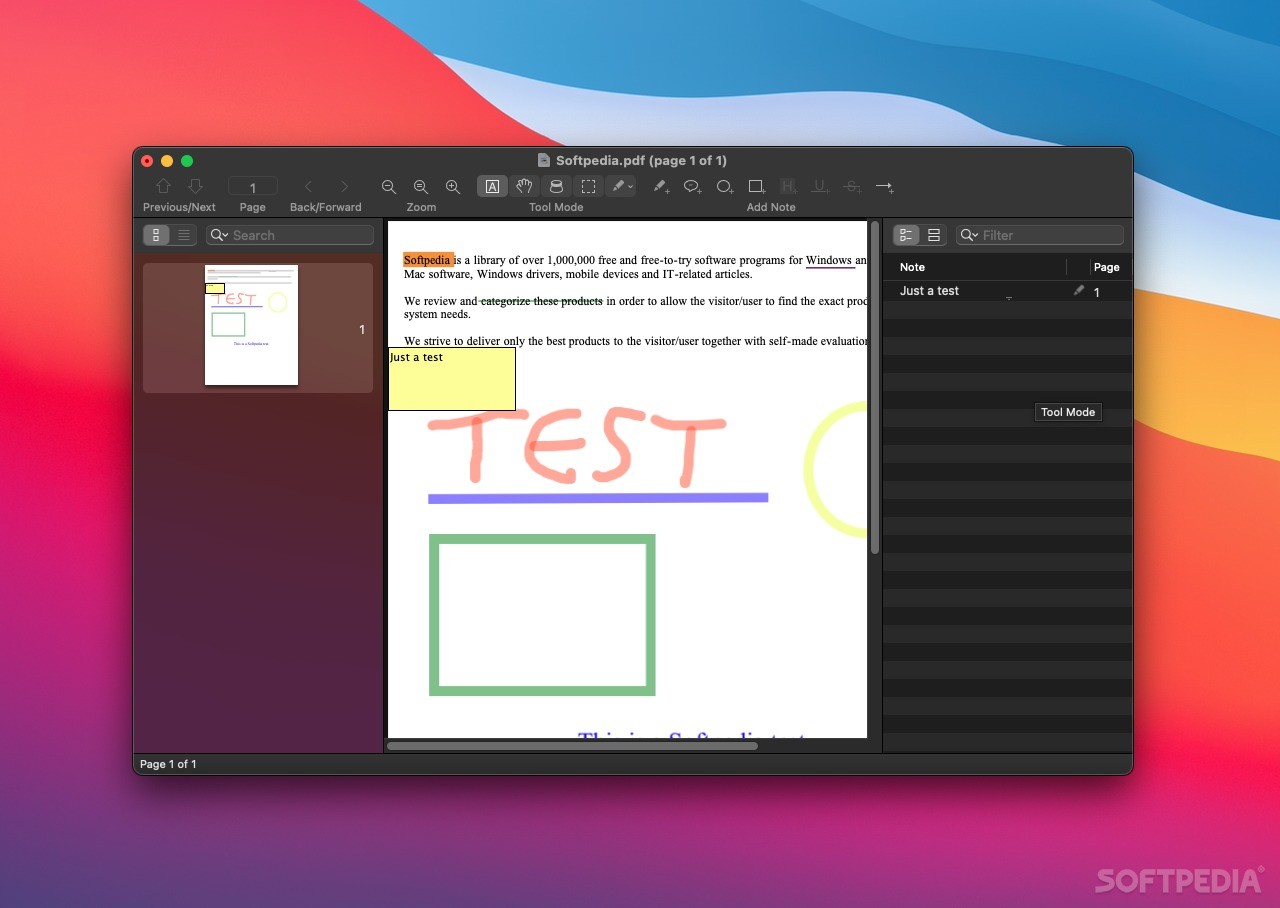
The Skim main window is visible only when working on a document, so you must start by opening a PDF file. Skim allows you to quickly navigate the file by viewing the pages thumbnails or the table of contents, while the center area is reserved for visualizing the PDF content. At the same time, Skim features a third panel that displays your notes in list mode.
For your convenience, the top area of the Skim main window provides both navigation buttons and annotation tools: their icons and names are mostly self-explanatory (hoover your mouse on top of each icon to see the tool name).
Via the Skim Preferences window you can adjust general details concerning the app’s look, such as the display appearance or the default note colors. Most importantly, in the Sync panel, you can easily enable the “Check for file changes” function and choose a PDF-TeX Sync preset.
Skim offers you the possibility to synchronize the source TeX file with the PDF document, as long as both Skim and the TeX editor know about one another. By default, Skim is able to work with popular TeX editors, such as TextMate, BBEdit, LyX, TeXMaker or MacVim, but you can also create your own custom presets.
To summarize, Skim proposes a clean and organized environment for performing basic PDF annotation tasks: the app’s main window provides quick access to most tools, and you can find your way around without too much trouble.
Also noteworthy is that Skim also comes with a PDF-TeX Sync function, and that you are able to visualize the source TeX code corresponding to a certain line in the PDF document.
What's new in Skim 1.7.2:
- New Features:
- Allow highlighting all search results, through context menu.
- Allow displaying thumbnails or contents while searching.
- Add swipe actions to show/hide or delete in snapshot table.
Skim 1.7.2
add to watchlist add to download basket send us an update REPORT- runs on:
- macOS 10.13 or later (Universal Binary)
- file size:
- 11.7 MB
- filename:
- Skim-1.7.2.dmg
- main category:
- Word Processing
- developer:
- visit homepage
Microsoft Teams

Windows Sandbox Launcher

Bitdefender Antivirus Free

7-Zip

Zoom Client

IrfanView

calibre

ShareX

paint.net

4k Video Downloader

- ShareX
- paint.net
- 4k Video Downloader
- Microsoft Teams
- Windows Sandbox Launcher
- Bitdefender Antivirus Free
- 7-Zip
- Zoom Client
- IrfanView
- calibre