Search Perform an advanced search query SOFTPEDIA
 
SOFTPEDIA
Updated one minute ago
HomeSubmit a program for being reviewedAdvertise on our websiteGet help on surfing our websitesSend us your feedbackGet information about our XML/RSS backend and how to use itBrowse the news archiveVisit our discussion forumVizitati forumul in limba romana


NormalFreeware onlyShareware only

PDF2Office Professional 4.0

Click to download PDF2OfficeIf you developed this product, click here to download your SoftPedia Pick Award
Add to download basket
Send update information
View more screenshots
Rating: Good (3.6/5)
Rated by: 22 user(s)
Recent news
- Creative Comes After Apple&...
- Apple Patent for Multiple D...
- Greenpeace Thinks It Made A...
- Apple and Full Sail Initiat...
- A Greener Apple
- Apple Revamps Apple Store S...
- iPhone Could Have A Bigger ...

 Downloads: 16,138
 Developer: Recosoft Corporation | More programs by this producer
 License: Trial
 Price: 129 $ to buy 
 OS: Mac OS X 10.3.9 or later
 Binary format: Universal Binary
 Size: 22 MB
 Download time: 56K: 53m 38s  64K: 46m 56s  128K: 23m 28s  768K: 3m 54s
 Last Updated: February 8th, 2008 19:28
 Category: MAC HD :: Word Processing
 Read reviews (0) Add a review Refer to friend Subscribe

PDF2Office description Download
PDF2Office is a comprehensive PDF document conversion and data extraction tool.

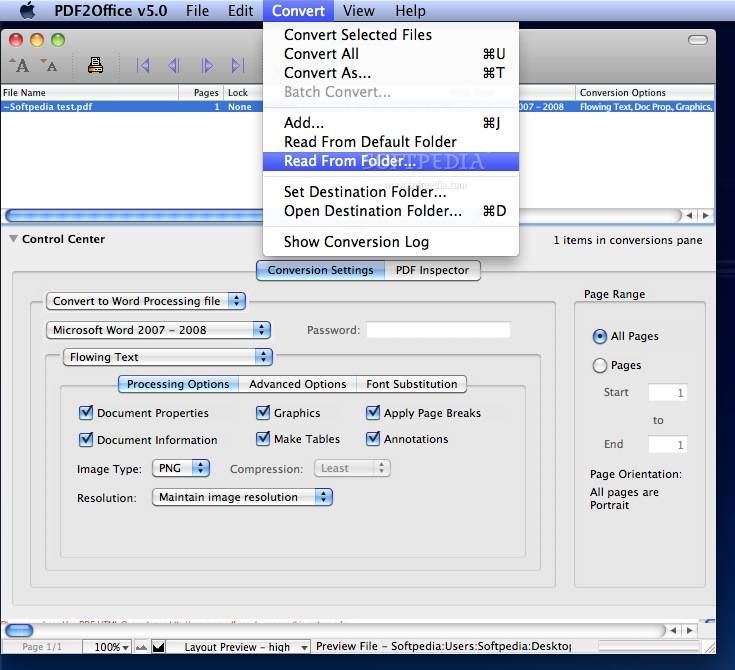
PDF2Office converts PDF documents into fully editable Microsoft® Word, RTF, AppleWorks, HTML and other files recreating the original construction and layout of the document.

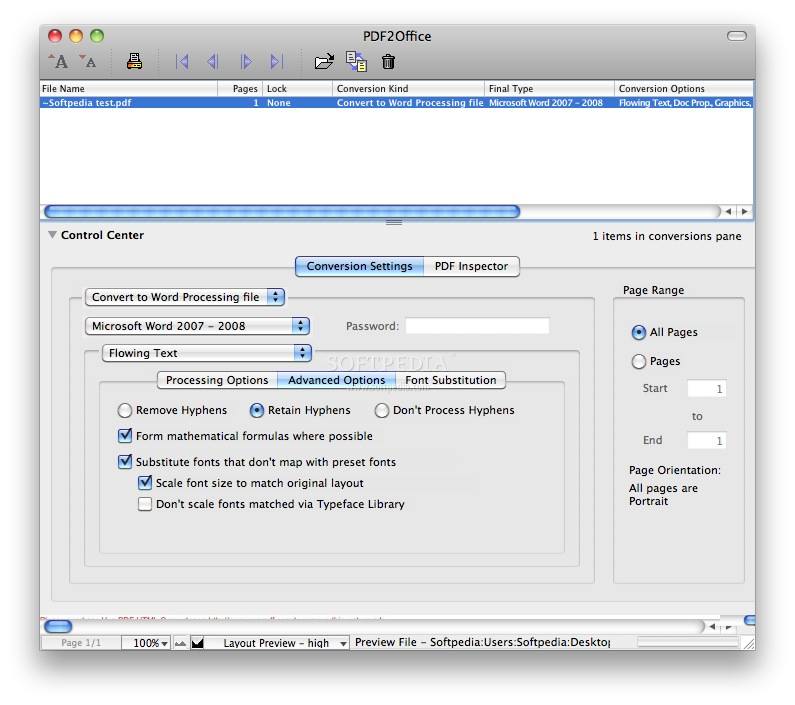
PDF2Office forms paragraphs; applies styles; regroups independent graphics elements; extracts images; creates tables; processes headers/footers; endnotes/footnotes and columns/sections, all automatically - without any intervention.
PDF2Office will integrate seamlessly with Microsoft Word X/2004, allowing you to directly open PDF documents within Microsoft Word.

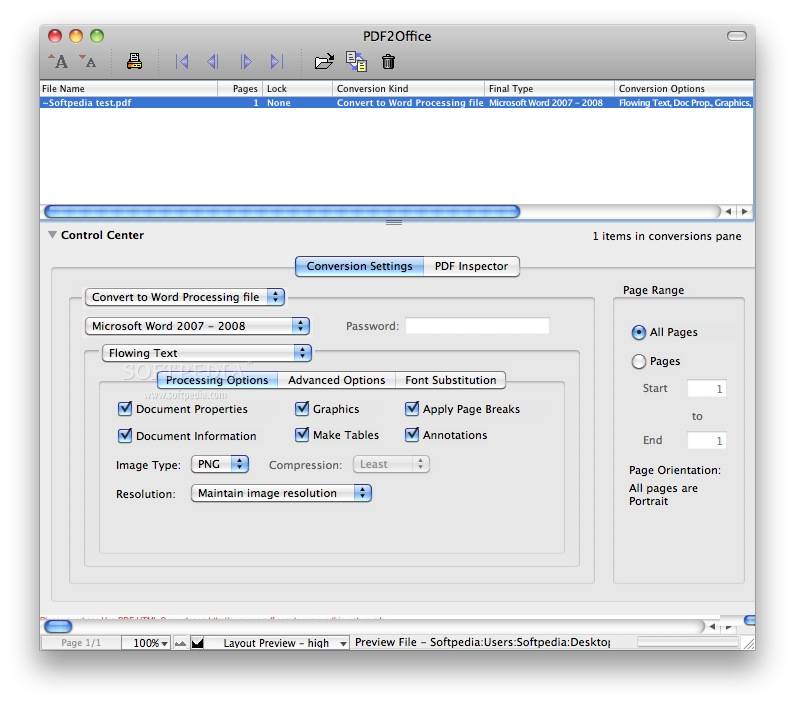
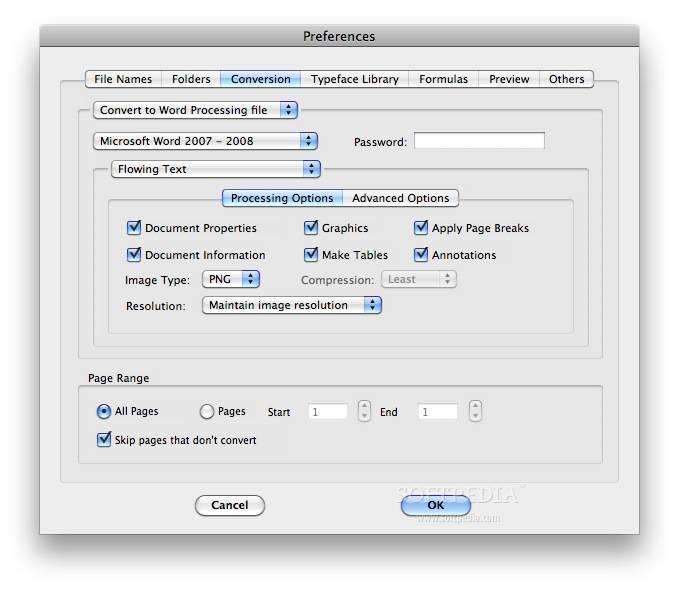
PDF2Office provides options for converting a range of pages in a PDF document into popular word processing formats as well as image types such as JPEG, Photoshop, PNG and TIFF. Furthermore, it offers the capability to extract images from specific pages within a PDF document.

PDF2Office takes a PDF document and performs the following processing -

1. Forms Paragraphs and applies indentations (justification is set to left or center)
2. Applies text styles and retains font information (or font mapping is performed)
3. Constructs Page properties such as Margins and Page breaks where appropriate
4. Interpolates Columns and Section breaks
5. Matches Headers and Footers where possible
6. Forms Endnotes/Footnotes
7. Identifies and Creates Tables
8. Regroups intersecting and overlapping Graphics
9. Processes all images (except JBIG format) and re-groups intersecting sliced images

Here are some key features of "PDF2Office":

· Convert PDF documents to Microsoft Word, RTF, AppleWorks and other common files
Convert PDF documents into fully editable Microsoft Word, Microsoft PowerPoint, RTF, AppleWorks, Unicode, Text and HTML files. PDF2Office intelligently builds paragraphs, sections, columns, creates tables and regroups independent graphics to fully recreate the layout of the original file.
· Create PowerPoint slideshows instantly
Create slideshows instantly by simply converting PDF files to PowerPoint files. Recover and re-use data in existing PDF files in your PowerPoint documents.
· Open PDF documents directly within Microsoft Office Products
PDF2Office integrates seamlessly with Microsoft Office product family allowing you to directly open PDF documents within Microsoft Word, PowerPoint, SharePoint Designer and FrontPage
· Click Open
Right/Control click on a PDF document on the desktop and have it open in Microsoft Word.
· Convert PDF documents to graphics files*1
Convert each PDF page as a JPEG, PICT, TIFF or other image file, and specify compression and resolution settings.
· Simple
Simply drag and drop to convert files using PDF2Office's easy-to-use all-in-one interface.
· Quick
PDF2Office will convert the PDF file within seconds.
· Extract
Extract text, images and/or other data from specific pages.
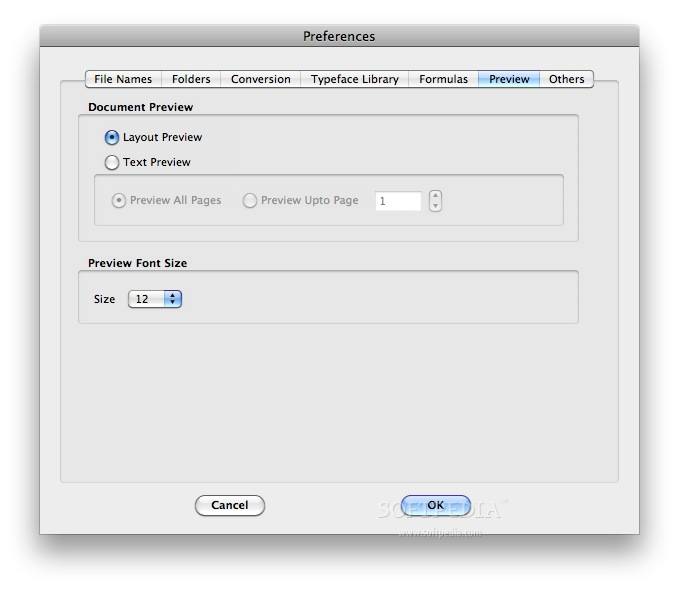
· Quick Preview
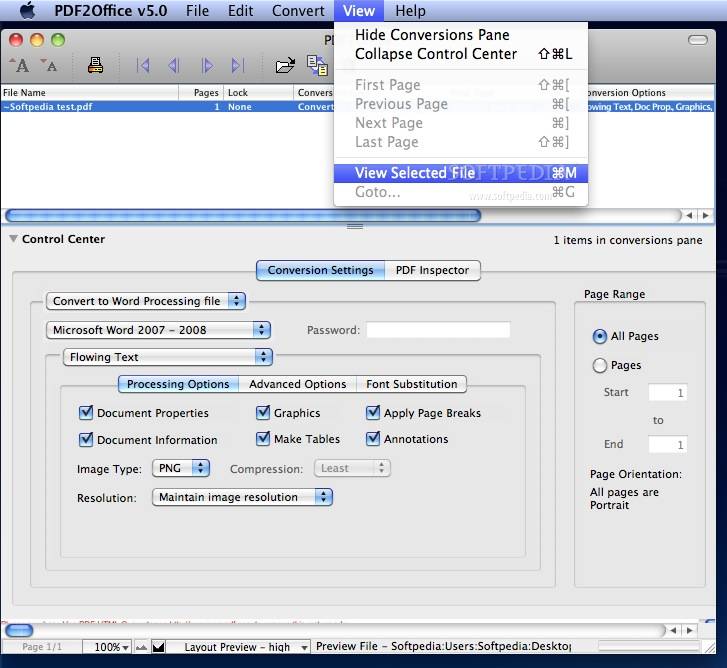
Quickly view the text/native pages of a PDF document.
· Multilanguage/Asian Language Support
Supports English, Japanese, Chinese, Korean and Western European-language data contained in PDF documents.
· Batch Convert
Convert multiple files with one click.
· Password Protected PDF files
Convert or Open password-protected PDF documents.
· Log Your Work
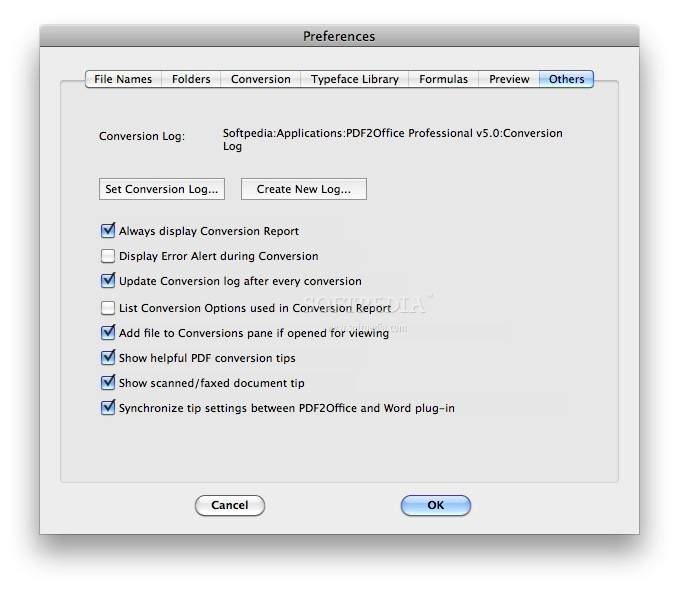
· Automatically create a log of all files converted.


Requirements:

· Power Macintosh G3 computer equipped with at least a 300Mhz processor, or a Macintosh equipped with an Intel processor.
· Microsoft Word X/2004/2008 to open PDF documents directly within Microsoft Word


Limitations:

· 7-day trial
· You are allowed to convert 10 PDF documents using the trial version.
· All output is watermarked
· Only the first 5 pages are converted for all conversions besides the "Convert PDF page to an image" and "Format as an editable static form" processing types
· For the "Convert PDF to an image" and "Format as an editable static form" processing types, only the first page is converted
· For the "Convert only images to" and "Convert each page as an image" conversion kind only the 1st page is converted


What's New in This Release:

· Mac OS X 10.5 Leopard support: PDF2Office Professional is fully compliant with Mac OS X 10.5 (Leopard).
· Integration with Microsoft Word 2008: PDF2Office has been enhanced to provide seamless integration with Microsoft Word 2008. Additionally, you can customize the behavior of the PDF2Office plug-in for Word.
· PDF2Office Desktop Server: PDF2Office is now based on a client-server architecture. PDF2Office Desktop Server performs the conversions, insulating PDF2Office and Microsoft Word from the conversion process.
· Universal Binary: PDF2Office Professional v4.0 is a universal binary. Converting PDF files to any format executes natively on Macintosh computers equipped with either the Intel or PowerPC processor.
· Additional Processing Types: When converting PDF files to Word or RTF formats, you can now convert each page in a PDF file as an image and convert PDF files that are static forms into formatted documents for easy form entry by typing inside a text box that overlays the form image.
· Convert PDF documents to Web Page format: A new Convert to Web Page format Conversion Kind has been added. The PDF-to-HTML conversion engine has also been completely overhauled to provide more precise control over the conversion result.
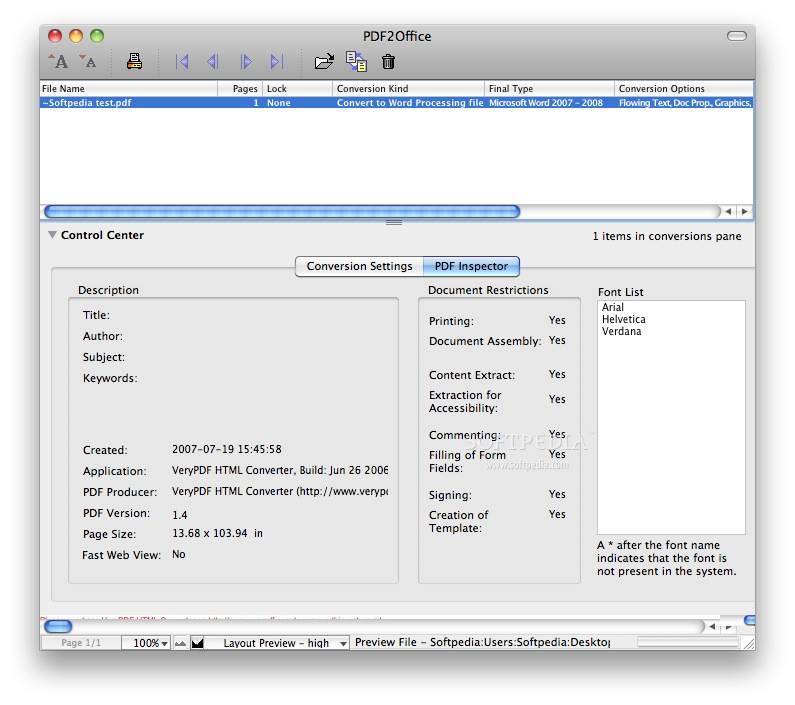
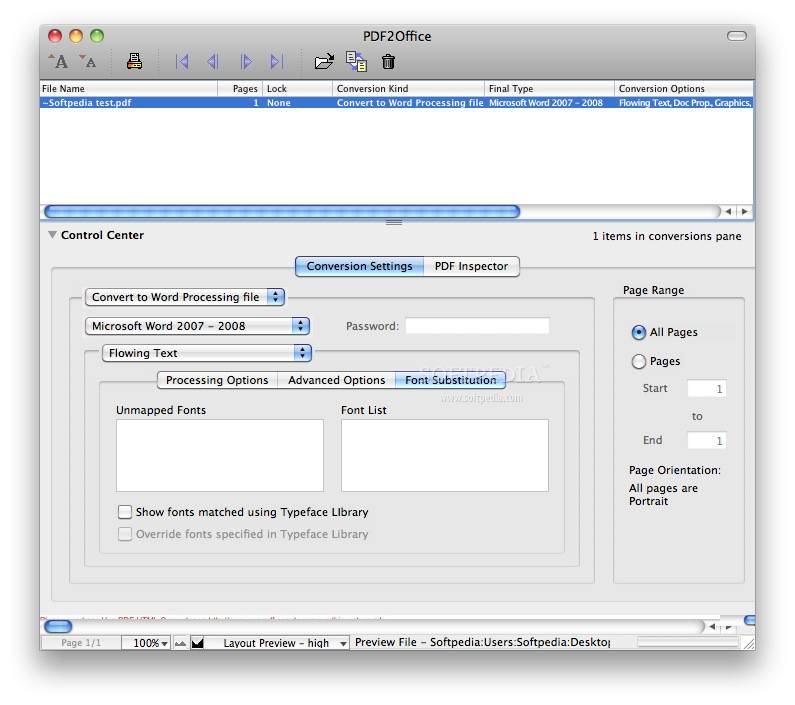
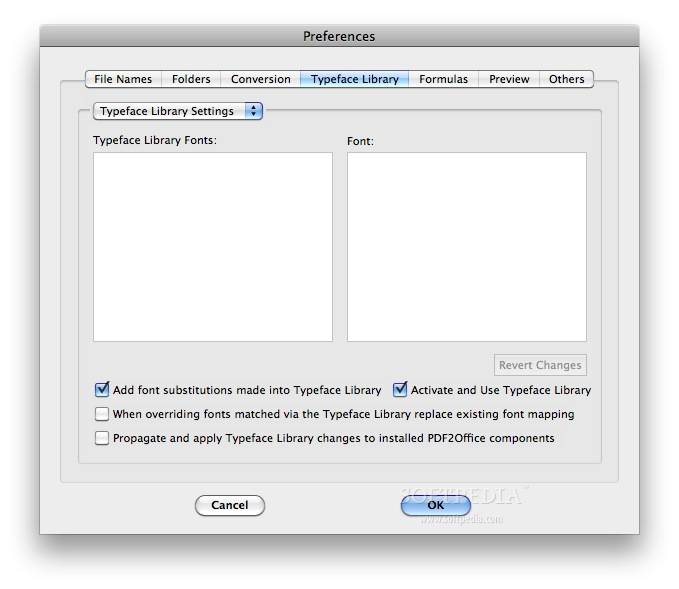
· Enhanced Font Substitution: The Font Substitution mechanism has been enhanced so that each font that could not be matched can be substituted with a specific font.
· Image Specification and Resolution DPI settings: You can now specify the image conversion type when converting a PDF file to Word, PowerPoint, RTF or HTML format. Additionally, you can specify the resolution of images being converted.
· Enhanced Retain Layout conversion: The Retain Layout conversion has been significantly enhanced to offer even more exact layout retention. Text box/text frame generation has been dramatically reduced, and tables are also formed during Retain Layout conversion.
· PDF Reconstruction v4 engine: PDF2Office Professional 4.0 includes the latest PDF Reconstruction v4.1 engine. The v4.1 engine includes a completely new PDF data processing technology, which improves the reliability of the conversion. This results in enhanced paragraph formation, table recognition, column generation, graphics processing and complex layout arrangement. Limited clipping path support has been introduced for lines and rectangles.
· Enhanced Performance and Conversion Speed: Conversions are now up to 70% faster and utilize less memory then before.... [ read full changelog ]


Softpedia guarantees that PDF2Office Professional 4.0 is 100% CLEAN, which means it does not contain any form of malware, including but not limited to: spyware, viruses, trojans and backdoors.

This software product was tested thoroughly and was found absolutely clean, therefore it can be installed with no concern by any computer user.However, it should be noted that this product will be retested periodically and the award may be withdrawn, so you should check back on this page from time to time.

PDF2Office Download PDF2Office Screenshots
Find Related Downloads Buy PDF2Office


RECOMMENDED PROGRAMS IN THIS CATEGORY ( Word Processing )  

File Deamon 2.6
File Deamon - File management tool
1 MB | Mac OS X 10.1 or later | Shareware
screenshot
update
PDF2Office Professional 4.0
PDF2Office Professional is a comprehensive PDF document conversion and data extraction tool
22 MB | Mac OS X 10.3.9 or later | Trial
screenshot
pick | update
Grammatica Spelling and Grammar Checker 7.0.1
Grammatica is a powerful bilingual grammar and spell checker
6.66 MB | Mac OS X 10.3 or later | Trial
screenshot
update
BBEdit 8.7.2
BBEdit is a powerful text and HTML editor
15.44 MB | Mac OS X 10.4 or later | Trial
screenshot
pick | update
Arabic Genie 3.2
Arabic Genie - Arabic text converter & editor
4.5 MB | Mac OS 8.6 or later / OS X | Trial
screenshot
update
Apple Pages 3.0.2
Apple Pages - Word processor & page layout
27.8 MB | Mac OS X 10.3.9 or later | Comercialware
screenshot
update
Final Draft 7.1.3
Final Draft - Screenwriting software for film, TV and theater
17.5 MB | Mac OS X 10.3.9 or later | Trial
screenshot
update

MOST POPULAR PROGRAMS IN THIS CATEGORY ( Word Processing )  

Microsoft Word X 11.1
Microsoft invites you to test drive a free prerelease version of Microsoft Word X for Mac.
22.8 MB | Mac OS 10.2.8 or later. | Freeware
screenshot
pick | update
File Deamon 2.6
File Deamon - File management tool
1 MB | Mac OS X 10.1 or later | Shareware
screenshot
update
NFOViewer 0.3b
NFOViewer - Viewer for .nfo files
36 KB | Mac OS X | Freeware
screenshot
update
PDF2Office Professional 4.0
PDF2Office Professional is a comprehensive PDF document conversion and data extraction tool
22 MB | Mac OS X 10.3.9 or later | Trial
screenshot
pick | update
AbiWord 2.4.6
AbiWord is a free word processing program similar to Microsoft Word
9.0 MB | Mac OS X 10.2 or later | GPL
screenshot
pick | update
Grammatica Spelling and Grammar Checker 7.0.1
Grammatica is a powerful bilingual grammar and spell checker
6.66 MB | Mac OS X 10.3 or later | Trial
screenshot
update
BBEdit 8.7.2
BBEdit is a powerful text and HTML editor
15.44 MB | Mac OS X 10.4 or later | Trial
screenshot
pick | update

go to top  


Welcome!
Hello, Guest

Login if you have a Softpedia.com account.

Otherwise, register for one.

Main categories:
  • Dashboard Widgets
  • Automator Actions & Workflows
  • Spotlight Plugins & Utilities
  • Antivirus
  • Audio
  • Business
  • Communications
  • Compression Tools
  • Developer Tools
  • Development
  • Drivers
  • DTP/Prepress
  • Educational
  • Finance
  • Font Tools
  • Games
  • Graphics
  • HTML Tools
  • Internet Utilities
  • iPod Tools
  • Math/Scientific
  • Multimedia
  • Network/Admin
  • Screensavers
  • Security
  • System Utilities
  • Utilities
  • Video
  • Desktop
  • Word Processing
  • iPhone Applications
  • Week's best:
  • Adobe Reader 9.0
  • GraphicConverter 6.1...
  • Mozilla Firefox 3.0 ...
  • Adium 1.3 Beta 6 / 1...
  • Vuze (formerly Azure...
  • Apple Mac OS X Updat...
  • Apple Security Updat...
  • G-Force Gold 3.8.3
  • Speed Download 5.0.4
  • Microsoft Messenger ...
  • OpenOffice.org 3.0 B...
  • SoundConverter 20080...
  • PlugINCool 1.1.1
  • LimeWire X 4.18.3
  • Mozilla Firefox 3.0 ...
  • Butler 4.1.6
  • NeoOffice 2.2.4 Patc...
  • RAR 3.80 Beta 2
  • Adium 1.3 Beta 6 / 1...
  • Opera 9.51 Build 488...
  • © 2001 - 2008 Softpedia. All rights reserved.
    Softpedia™ and Softpedia™ logo are registered trademarks of SoftNews NET SRL.
    Copyright Information | Privacy Policy | Terms of Use | Contact Softpedia | Update your software | Archive