
An advanced, multilingual word processor that enables you to quickly add citations or bibliography to your projects and much more #Word processor #Text editor #Page layout #Write #Layout #Citation
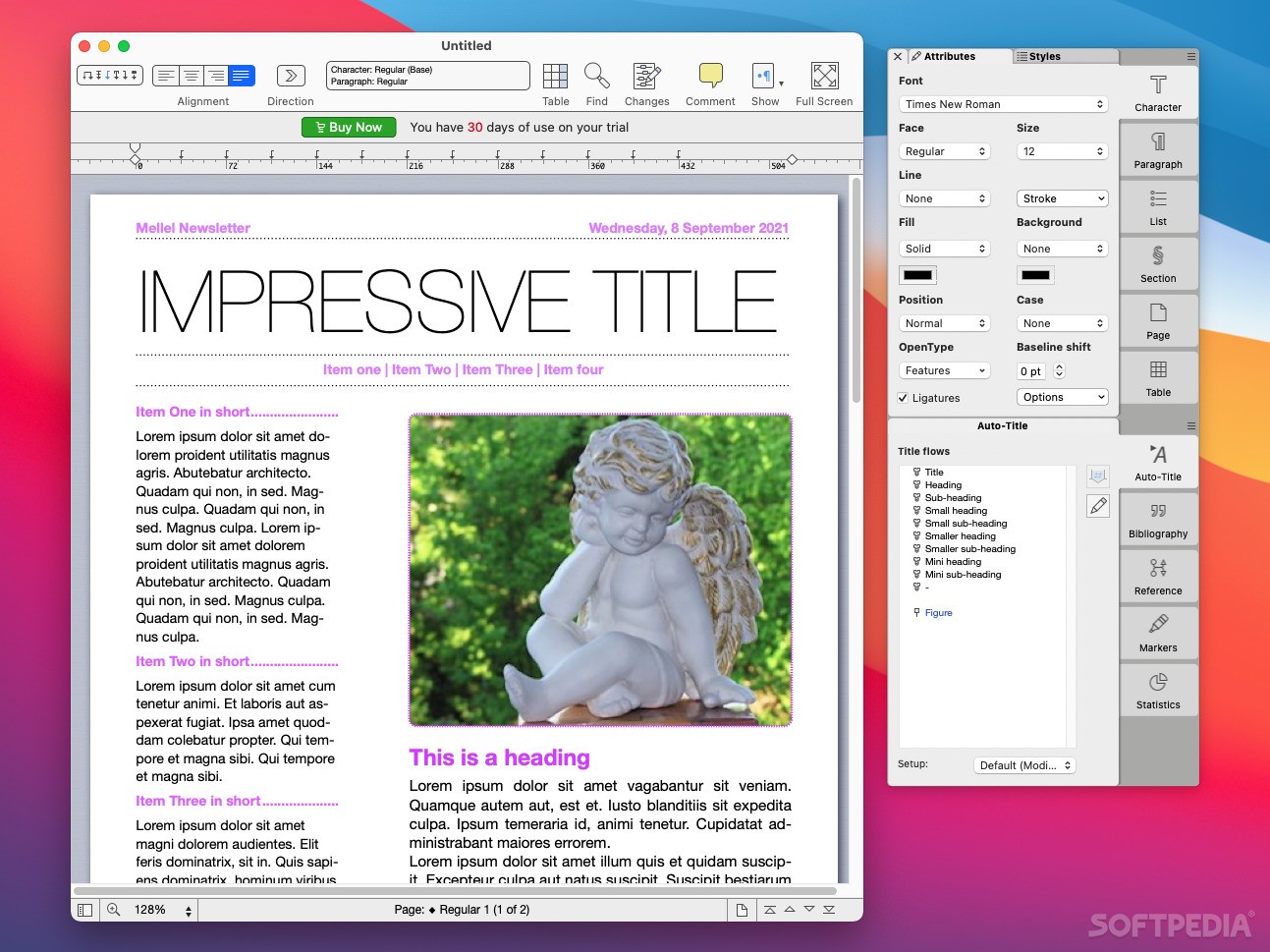
Keeping complex documents in order is not an easy task, especially if you need to include various tables, lists, images, footnotes, references and much more. Mellel is a powerful word processor that comes with an Outline tool designed to help you manage your document in an efficient manner.
To get you started, Mellel provides a collection of document templates organized by type: default (portrait with white / blue / yellow background, landscape, letter or letter landscape), letter, envelope, resume, form, newsletter, certificate and other. Simply select the document type and start editing.
Mellel includes all the classic text editing tools and its interface is organized in a manner familiar to anyone that has used a text processor before. However, to avoid cluttering its main window, Mellel is providing the Attributes and styles customization options in a separate panel.
If you are dealing with large documents, enabling the Outline panel can prove to be extremely beneficial: here you can view the project’s structure and quickly jump to specific areas.
Mellel enables you to attach footnotes and endnotes, to add reference notes anywhere you like, to include headings and titles or to manage the document bibliography, the used citations and more.
Other useful capabilities include the possibility to create a Table of Contents and to count the elements included in the project in a very organized manner. You are able to specify exactly what should be counted: words, images, citations, tables, footnotes and more.
Of course, Mellel offers you the possibility to include images and graphics into your projects but that does not mean that the document flow is interrupted: you get to wrap text around them and make everything look very natural.
The Mellel app can also be successfully used to process small documents and the predefined templates will also further simplify your work.
However, Mellel’s advanced capabilities will prove to be extremely useful if you need to manage large documents that have a large bibliography and include multiple references, citations, footnotes and so on.
What's new in Mellel 6.0.3:
- Bug Fixes:
- Fixed an issue that caused the display to sometimes not refresh properly showing blank pages or the text of other pages when inserting page breaks and performing other changes.
- Fixed a problem that caused Mellel to crash sometimes when redrawing list based palettes.
- Fixed an issue that caused Mellel to hang sometimess when pasting and insrting text.
Mellel 6.0.3
add to watchlist add to download basket send us an update REPORT- runs on:
- macOS 10.13 or later (Universal Binary)
- file size:
- 93.8 MB
- filename:
- mellel_60305.dmg
- main category:
- Word Processing
- developer:
- visit homepage
Context Menu Manager

Windows Sandbox Launcher

Zoom Client

Microsoft Teams

calibre

4k Video Downloader

IrfanView

7-Zip

Bitdefender Antivirus Free

ShareX

- 7-Zip
- Bitdefender Antivirus Free
- ShareX
- Context Menu Manager
- Windows Sandbox Launcher
- Zoom Client
- Microsoft Teams
- calibre
- 4k Video Downloader
- IrfanView