
Versatile video editor suitable for both beginners and professional content creators, with plenty of advanced features and an intuitive design. #Edit Video #Video Editor #Create Video #Video #Trim #Crop

Content creation is a big business nowadays, and it is an option for more people than ever before. That means intuitive video editors are in high demand, especially if that ease-of-use doesn't translate into a lack of advanced features.
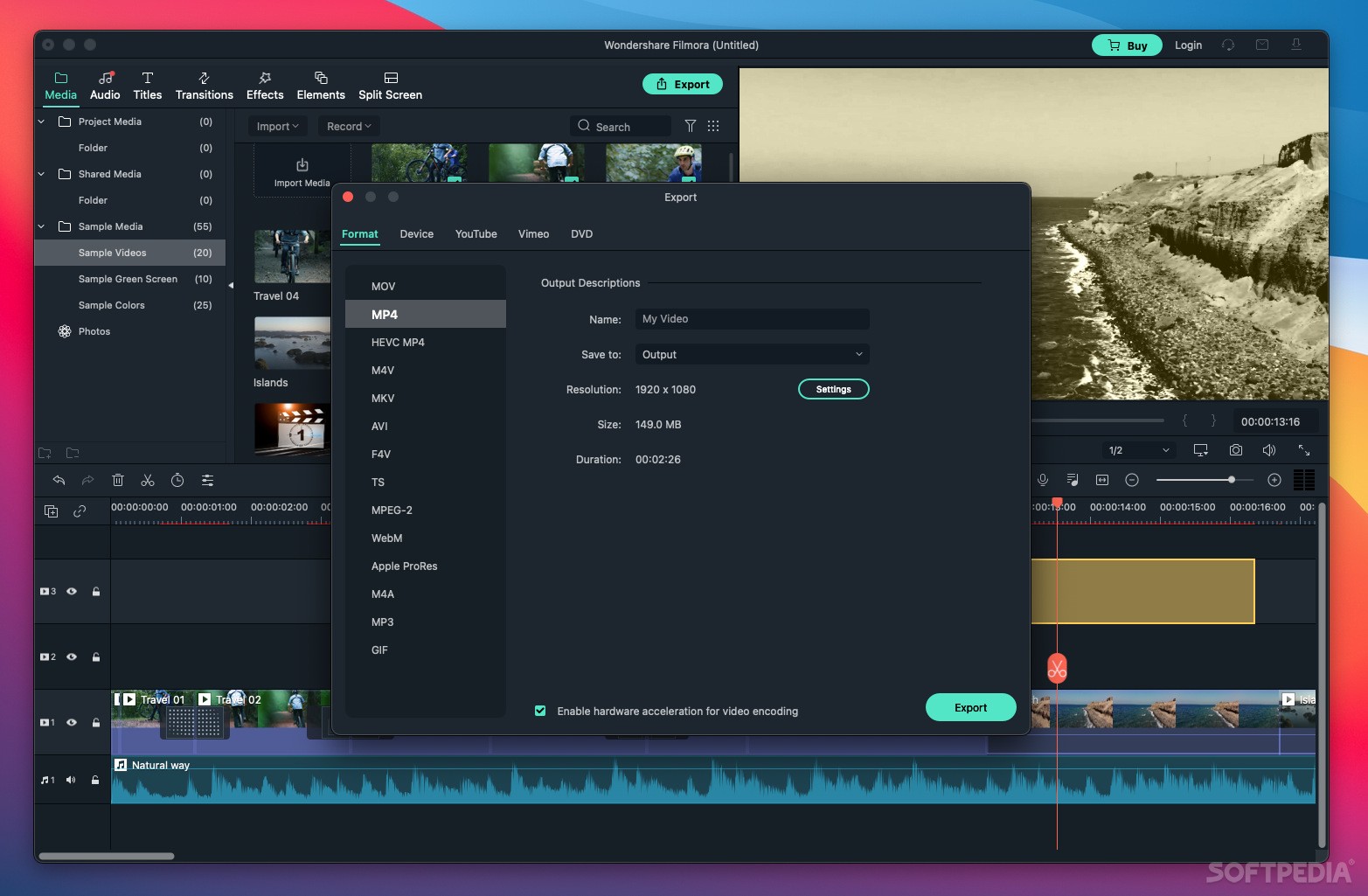
Filmora is a powerful yet surprisingly accessible application that helps you process your raw recordings into high-quality videos. It's significantly cheaper than most professional-grade solutions, and it offers more features than entry-level video editors.
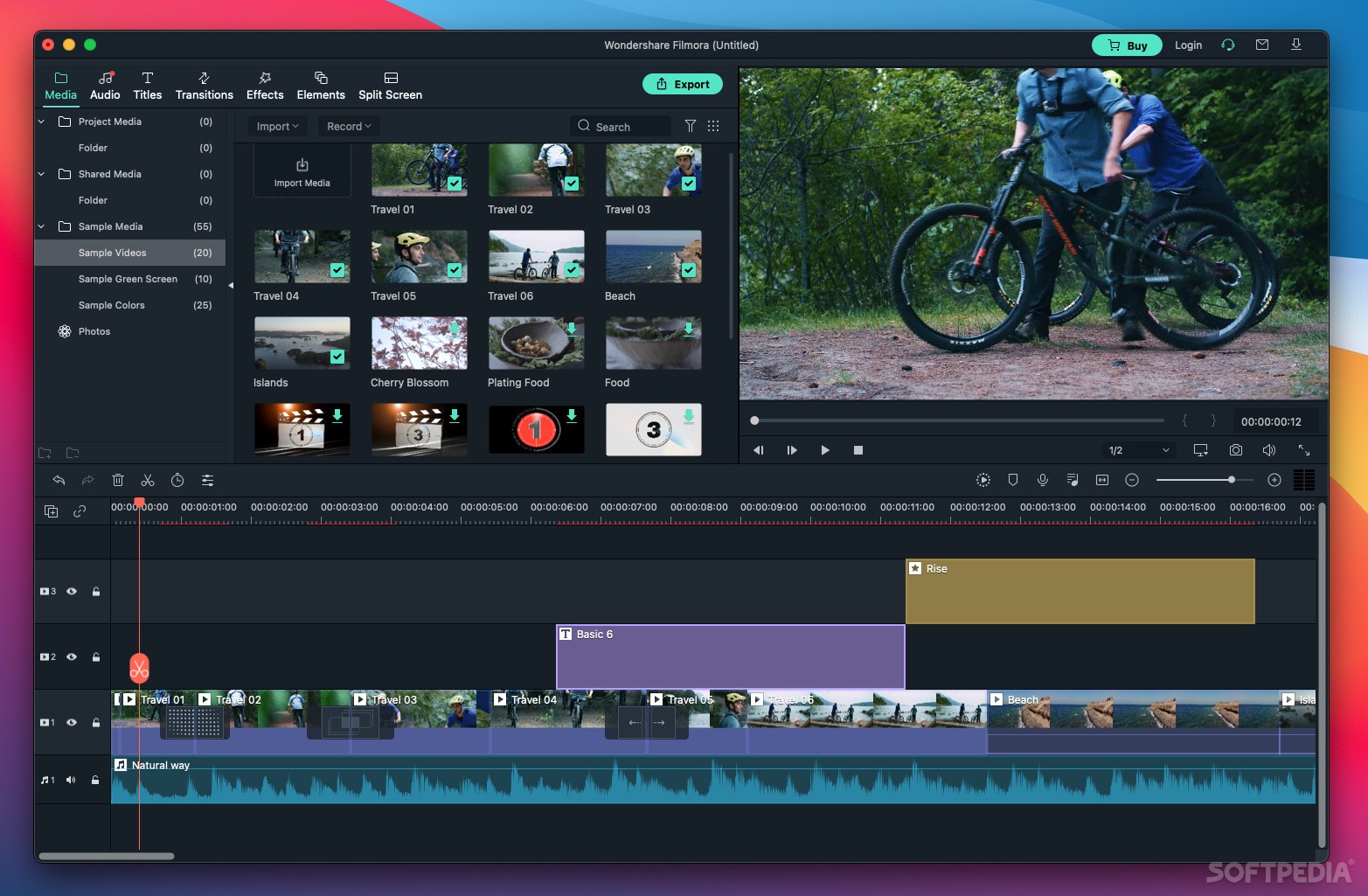
Almost every popular video editor uses the same standard layout, and Filmora doesn't try to fix what isn't broken. You can manage your media and effects from the top-left panel, add them to the timeline, and then see the results in the video preview.
Even if you've never edited a video before, it is very easy to get started with Filmora. Everything you need is generally no more than a couple of clicks away, and the extensive documentation should help you get going on the right track.
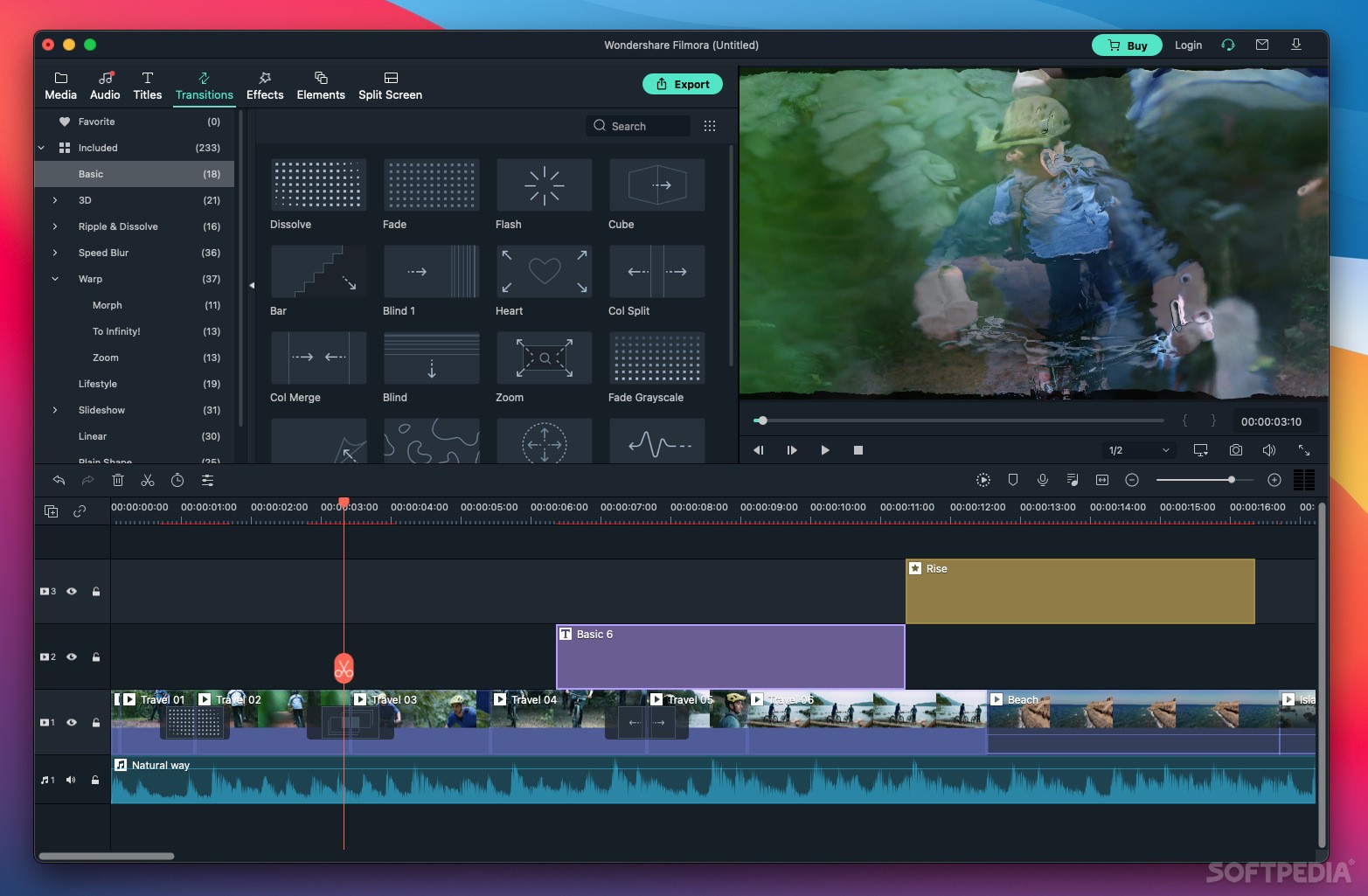
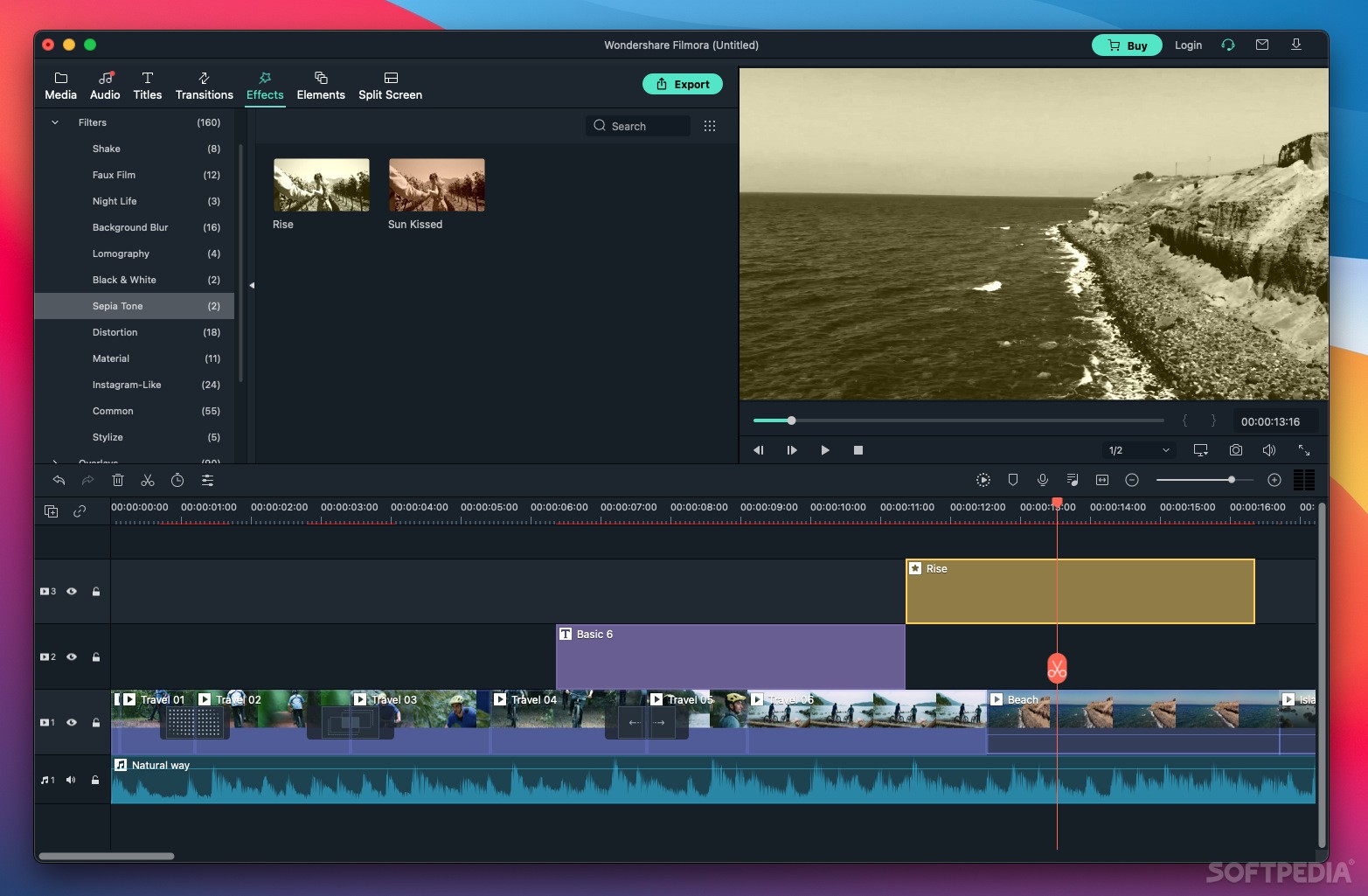
The app offers a large collection of video and audio samples, transitions, and effects, as well as split-screen templates that help you depict scenes where multiple videos need to be shown on different screens.
All the usual basic editing features are included, as well as more advanced ones like motion tracking and auto reframing, which allow you to track moving objects and crop the focal point based on your directions. What's more, Filmora comes with competent keyframing capabilities, enabling users to create smooth, seamless animations. The latest version also lets users trim HEVC videos with the Instant Cutter tool, which will save you a lot of time.
While not yet a native Apple Silicon app, Filmora should run well on M1 systems via Rosetta 2 emulation, if not quite taking full advantage of the new processors' capabilities.
For MacBook Pro users, the recently added Touch Bar support will be great news, as this allows you to access various tools and features more easily.
Overall, Filmora is a great choice for content creators that are serious about their work but don't want to shell out for industry-standard video editing solutions. It is powerful enough for the vast majority of users, and it is a more affordable alternative.
What's new in Filmora 13.0:
- AI Copilot Editing:
- Editing videos is now as effortless as conversing with a copilot. This AI enables video editing through text instructions while analyzing and offering useful insights.
- AI Text-Based Editing:
Filmora 13.0.25.1074
add to watchlist add to download basket send us an update REPORT- runs on:
- macOS 10.15 or later (Intel only)
- file size:
- 514.3 MB
- filename:
- filmora-mac_full718.dmg
- main category:
- Video
- developer:
- visit homepage
7-Zip

Context Menu Manager

calibre

ShareX

Bitdefender Antivirus Free

Microsoft Teams

IrfanView

4k Video Downloader

Zoom Client

Windows Sandbox Launcher

- 4k Video Downloader
- Zoom Client
- Windows Sandbox Launcher
- 7-Zip
- Context Menu Manager
- calibre
- ShareX
- Bitdefender Antivirus Free
- Microsoft Teams
- IrfanView