
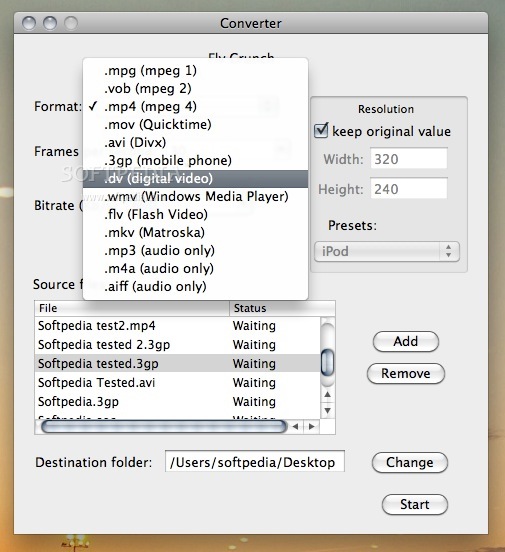
User-oriented and powerful video and audio converter OS X application that can be used to encode multimedia files between popular formats such as FLV, MPEG, MP3, and AIFF. #Video converter #Video encoder #Convert video #Converter #Encoder #Flv
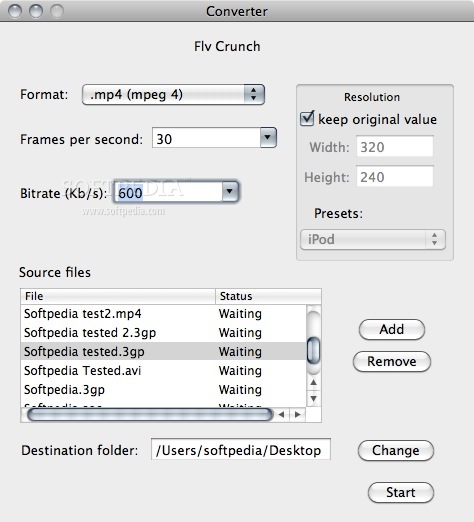
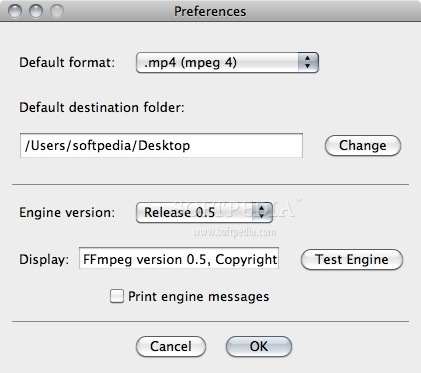
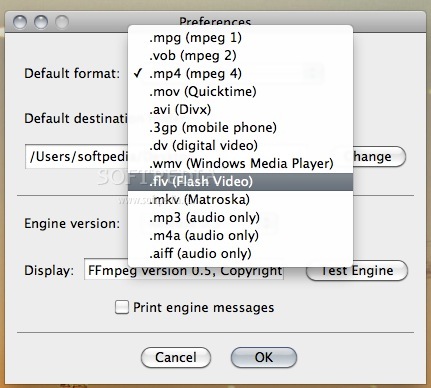
Flv Crunch is a free and very easy-to-use audio and video converter for Apple's desktop operating system. The utility can convert between numerous files such as FLV, MPEG, MP3, AIFF and much more.
Originally, the Flv Crunch application was designed to convert only FLV files (downloaded YouTube videos), but has grown into a universal media converter. This said, Flv Crunch solves the problem of finding a reliable FLV converter that actually works without spending any money.
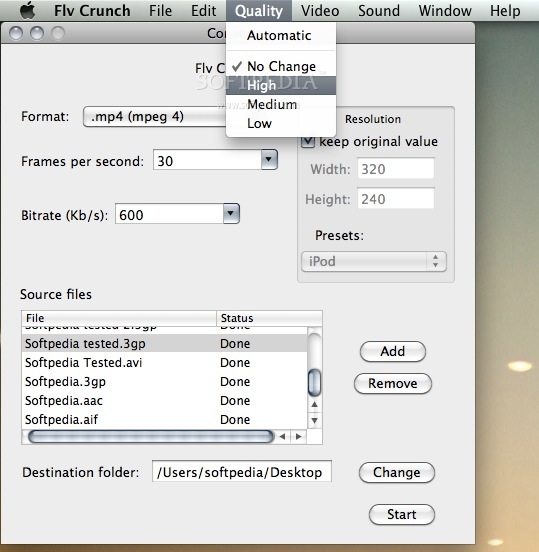
Flv Crunch features a highly intuitive interface, multiple handy features and a fast conversion engine. From the main window, you can set the output file format and optionally change the frames per second, bitrate, resolution as well as output folder.
A key feature included in the conversion tool is the ability to change the video resolution. You can set the width and height of the video as well as preset (for different screens sizes) from the main window of the application.
Moreover, you can also change the video frame rates to any number and the bitrates to any value from the main window as well.
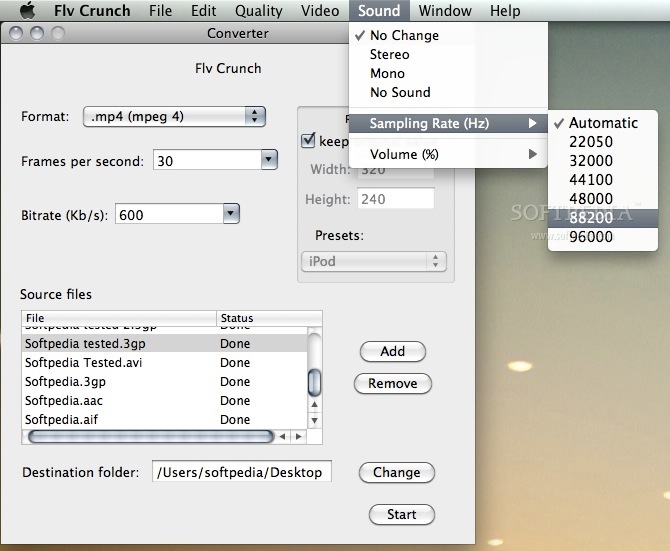
In addition to that, Flv Crunch features a menu for changing the sound: the stereo, mono and no sound options are available here. You can also modify the sampling rate and volume for the files to be converted from the Sound menu.
The quality of your videos can also be changed via the Quality menu and four options can be seen here: No Change, High, Medium, and Low.
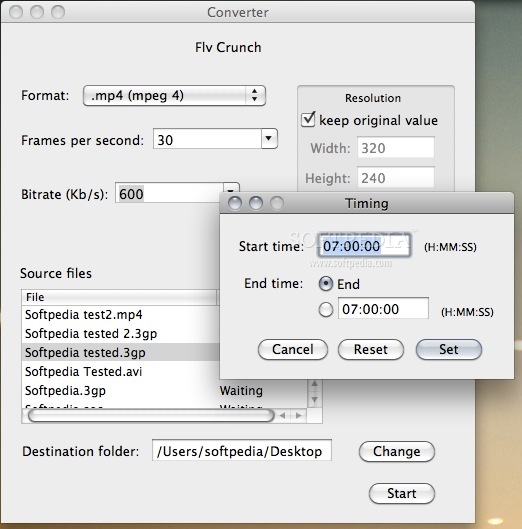
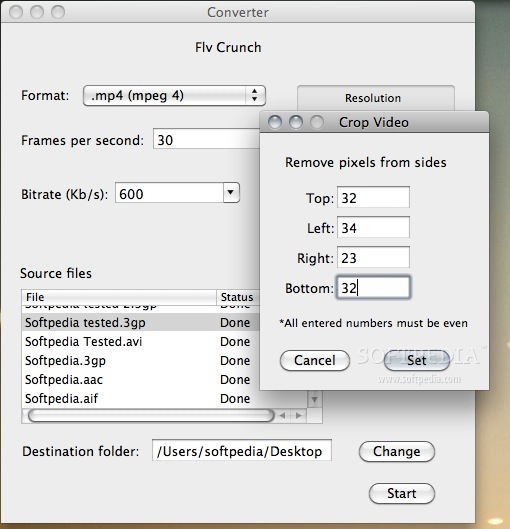
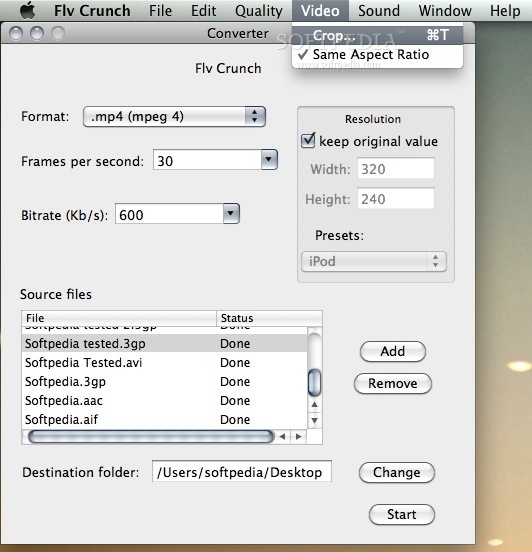
What's more, you can also crop videos using any custom values in the Crop Video window which can be invoked through the Video menu.
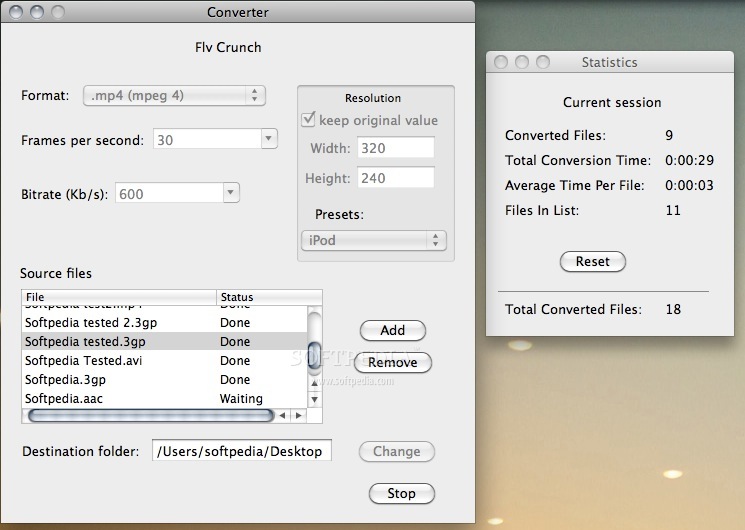
As a bonus feature, the Flv Crunch utility can perform optional actions and display alerts at the end of the conversion process, which can be toggled from the Conversion menu.
Flv Crunch is a reliable and fast conversion OS X utility that includes a comprehensive toolset for any user who wants to effortlessly convert media files between multiple file formats.
On top of that, the license reads "Free", which is amazing taking into account its powerful capabilities.
Download Hubs
Flv Crunch is part of these download collections: Convert MPEG-4, Convert WMA to MP3, MP3 Creators, Convert FLV
What's new in Flv Crunch 1.5.1:
- Fixed a bug that causes the selected sampling rate to change when simply opening the preferences.
- Fixed a bug that caused the selected sampling rate to change after a conversion.
- Fixed a bug that prevented m4v files from being added to the file list.
Flv Crunch 1.5.1
 Softpedia Editor's Pick
add to watchlist
add to download basket
send us an update
REPORT
Softpedia Editor's Pick
add to watchlist
add to download basket
send us an update
REPORT
- runs on:
- Mac OS X 10.1 or later (PPC & Intel)
- file size:
- 8.6 MB
- filename:
- Flv Crunch 1.5.1.zip
- main category:
- Video
- developer:
- visit homepage
7-Zip

4k Video Downloader

ShareX

Context Menu Manager

Bitdefender Antivirus Free

Microsoft Teams

Zoom Client

IrfanView

Windows Sandbox Launcher

calibre

- IrfanView
- Windows Sandbox Launcher
- calibre
- 7-Zip
- 4k Video Downloader
- ShareX
- Context Menu Manager
- Bitdefender Antivirus Free
- Microsoft Teams
- Zoom Client