
Will transform your Mac into a small but very efficient television studio which can be used to produce Internet streaming shows. #Webcam effect #Web cam effect #Webcam FX #Webcam #Effect #FX
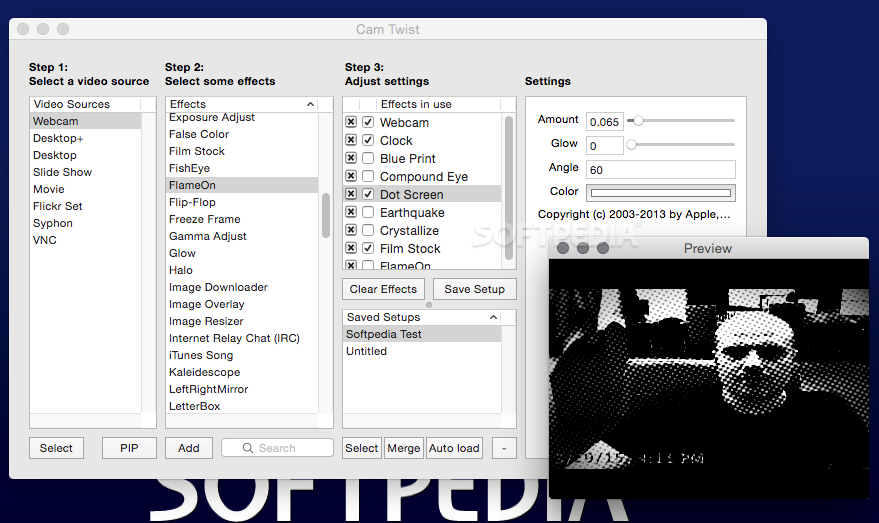
CamTwist is a simple to use yet powerful macOS application that provides you with a large collection of video effects that can be applied to your camera feed in order to produce professional looking shows in no time.
Moreover, the CamTwist utility offers two main work areas: the Effects window and the CamTwist Studio window.
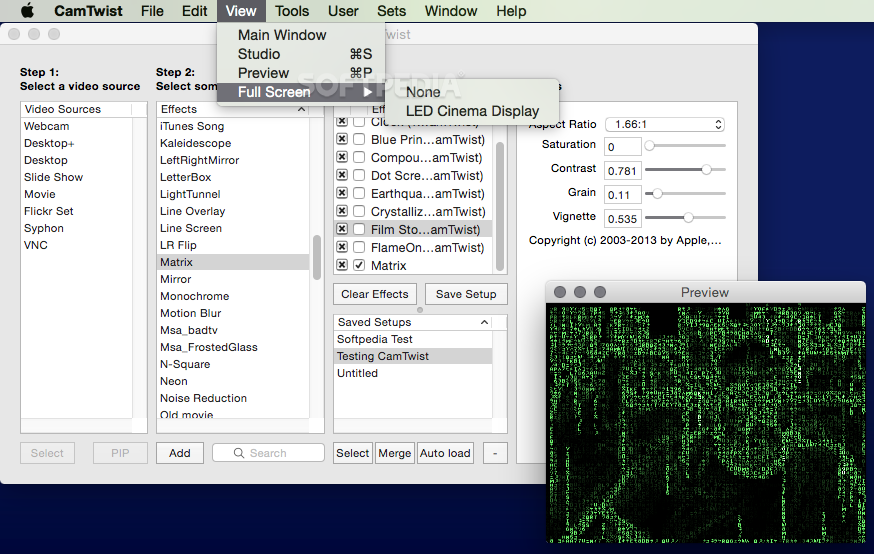
In the CamTwist Effects window you can set up the video source, preview the video effects or adjust and save setups. Usually, you need to open the Preview window (via the Command+P hotkey or through the Tools menu) to see the results.
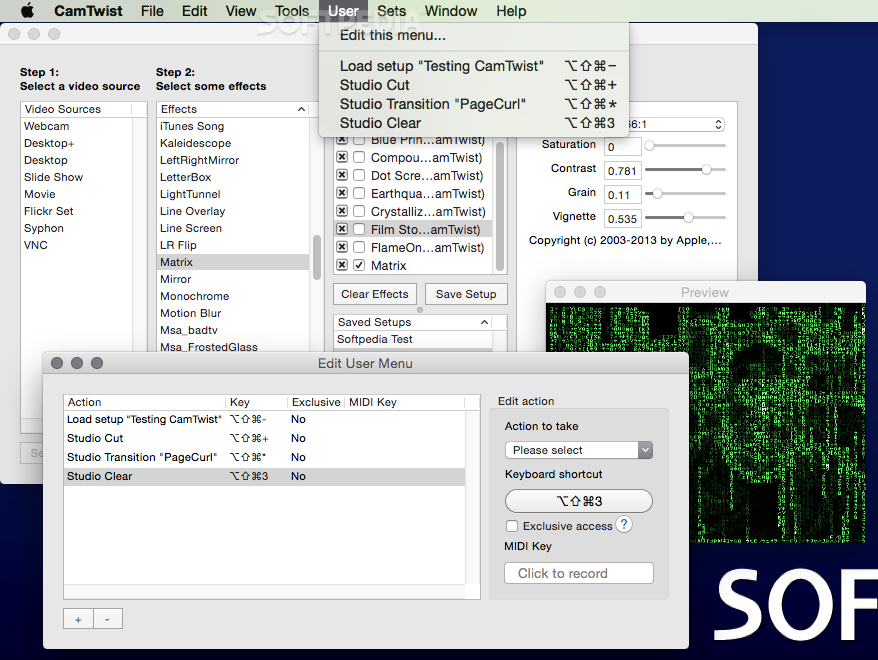
The CamTwist Studio window also allows you to set up multiple buttons, each with his own preset. This way you can easily apply frequently used effects through a single click.
The drop down effects menu situated on the bottom left corner allows you to launch different transitions and adjust their time span.
As an extra advantage, the CamTwist app offers you the possibility to use different video sources, not only a webcam.
You can choose to broadcast your entire desktop or only a certain area, the window of a specific application, a movie, a slideshow, a Flickr set or the desktop of a VNC host.
To broadcast the CamTwist video feed and all applied effects to the internet you must select the application as the video driver in Ustream or in any other video streaming app.
CamTwist is very useful if you want to record podcasts or even broadcast live shows while applying simple yet highly effective video effects and transitions.
To conclude, CamTwist is a streamlined and user-friendly tool designed to make it as easy as possible to quickly switch between different camera effects and achieve amazing results with the least possible effort.
Download Hubs
CamTwist is part of these download collections: Webcam Managers
What's new in CamTwist 3.4.3:
- Fix for Desktop selection bug
CamTwist 3.4.3
add to watchlist add to download basket send us an update REPORT- runs on:
- OS X 10.10 or later (Intel only)
- file size:
- 6.6 MB
- filename:
- CamTwist_3.4.3.dmg
- main category:
- Video
- developer:
- visit homepage
ShareX

IrfanView

7-Zip

Microsoft Teams

Context Menu Manager

4k Video Downloader

Windows Sandbox Launcher

calibre

Zoom Client

Bitdefender Antivirus Free

- calibre
- Zoom Client
- Bitdefender Antivirus Free
- ShareX
- IrfanView
- 7-Zip
- Microsoft Teams
- Context Menu Manager
- 4k Video Downloader
- Windows Sandbox Launcher