MAC CATEGORIES:


NEWS ARCHIVE >>
SOFTPEDIA REVIEWS >>

7-DAY TOP DOWNLOAD

#
Program
iPhone and iPod
Firmware 3.1.2

14,467
Internet Explorer
5.2.3

6,290
aMule 2.2.6
3,497
Apple GarageBand
Update 5.1

3,372
RAR Expander 0.8.5
Beta 3 / 0.8.4

3,356
Toast Titanium
10.0.4

3,189
aMSN 0.98.1
3,091
Apple iLife '09
2,980
Kid Pix Deluxe 3X
Update 1.2.4

2,724
AC3 Codec 0.4
2,717

WEEK'S BEST

  • VueScan 8.5.39
  • Opera 10.10 Build ...
  • Dropbox 0.7.73 RC ...
  • Adobe Lightroom 3....
  • Google Earth 5.1.3...
  • Camino 2.0
  • Vuze (formerly Azu...
  • Safari 4.0.4
  • OnyX 2.1.1
  • FileZilla 3.3.0.1
  • Quicksilver 1.0 Be...
  • Cocktail 4.6.1
  • Picasa 3.5.2.90
  • Adobe Shockwave Pl...
  • VLC Media Player 1...
  • LimeWire X 5.4.1 B...
  • Apple iTunes 9.0.2
  • VirtualBox 3.1.0 B...
  • FileZilla 3.3.0.1
  • Mozilla Firefox 3....
  • aMSN 0.98.1
  • NeoOffice 3.0.1 Pa...
  • VMware Fusion 3.0....
  • Quinn 3.5.7
  • App Store Expense ...
  • Ableton Live 8.0.9
  • Parallels Desktop ...
  • Alarm Clock Pro 9....
  • Dock Spaces 3.10
  • Dropbox 0.7.73 RC ...
  • Home / Mac / Utilities
     Report spyware

    Typinator 3.6

    Download button

    Downloads: 4,089  Add to download basket  Tell us about an update
    User Rating:
    Rated by:
    Good (3.6/5)
    23 user(s)
    Developer:

    License / Price:

    Size / OS:

    Binary Format:

    Last Updated:

    Category:
    Ergonis | More programs
    Demo / USD 24.99 | BUY the full version
    2.7 MB / Mac OS X 10.4 or later
    Universal Binary Universal Binary
    September 30th, 2009, 22:09 GMT [view history]
    C: \ Utilities

     Read user reviews (0)  Add a review  Refer to a friend  Subscribe


    Typinator description


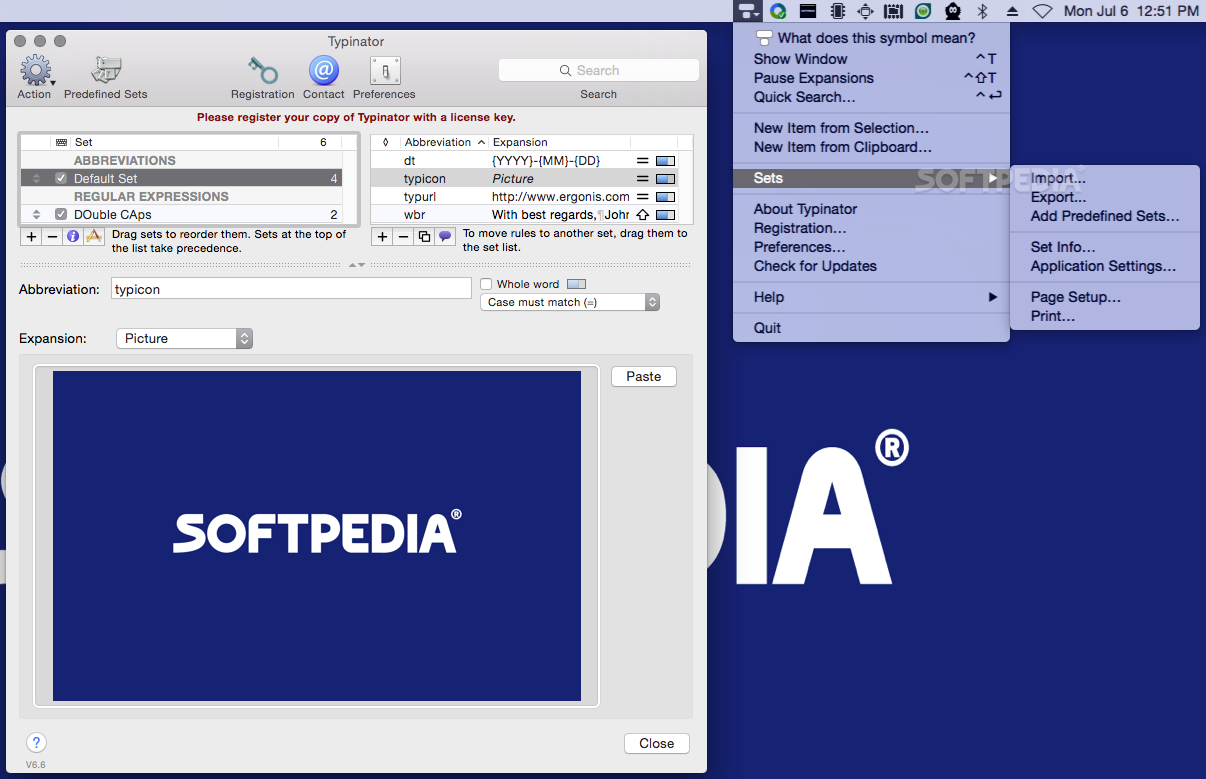
    A typing accelerator that will automate typing of frequently used text and graphics

    Have you ever experienced the tedium and frustration of having to repeatedly type your name, e-mail address, home page url, or other words or phrases again, again and again?

    Or do you frequently need to quickly insert images like your signature, location plan, or company logo into documents? Do you often introduce errors when retyping standard business text?

    Are you looking for an automatic text software that handles such issues for you?

    Typinator is an automatic text software that boosts your productivity and eliminates errors by automating the process of inserting frequently used text and graphics.

    You can use Typinator to...
    · quickly type greeting phrases,
    · set up a list of standard text fragments to be used in e-mail replies,
    · insert the current date and/or time in arbitrary formats with a few keystrokes,
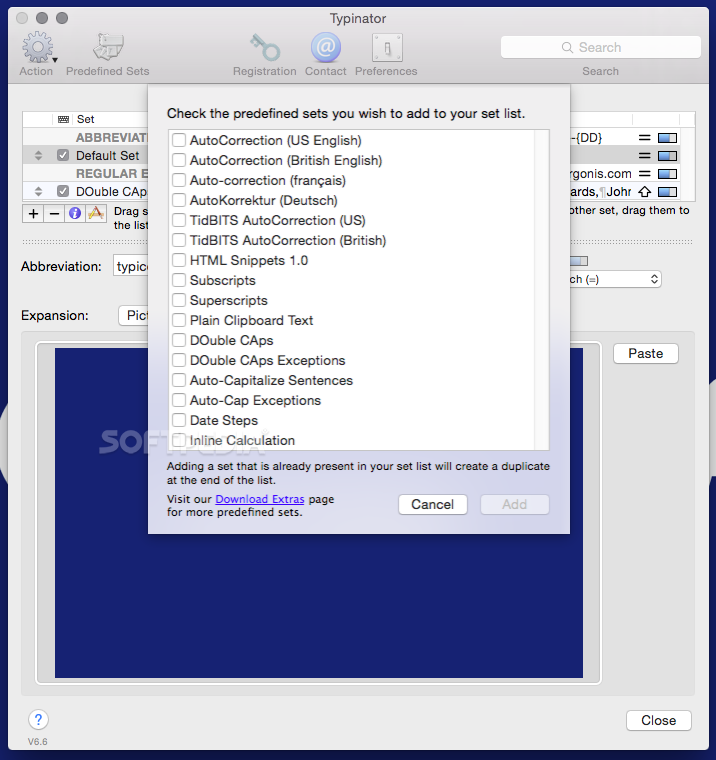
    · Auto-correct your most frequent typos in all applications system-wide,
    · "type" pictures, such as smilies or bullets,
    · insert Unicode symbols by typing a few special regular characters (e.g., type "->" to insert an arrow symbol),
    · define shorthands for frequently used Unix commands,
    · quickly create templates for code fragments, if you are a programmer, and more.

    Here are some key features of "Typinator":

    · Easy to configure - Just define your abbreviations and replacements.
    · Simple to use - Just type your abbreviation - You do not need to press a special key or enter a special character.
    · Works across all the applications used on your system.
    · "Type" pictures
    · Date & Time placeholders - Define replacement text that contains date and/or time placeholders when the abbreviation is used, the text will be expanded with the current date and time inserted into your text
    · Full Unicode support
    · Easy to Install - no special service needs to be installed.

    Limitations:

    · Only 5 abbreviations possible.

    What's New in This Release: [ read full changelog ]

    · Synchronization support for Dropbox and iDisk.
    · Typinator now allows abbreviations that begin with a space character.
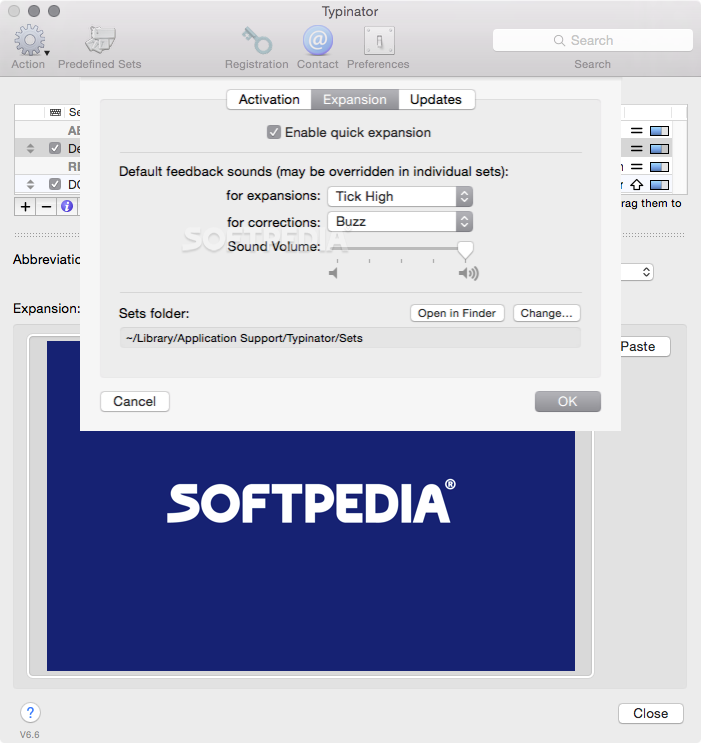
    · It is now possible to select in which folder Typinator should store abbreviation sets.
    · More flexible adaptation to applications with special requirements.
    · Typinator now has a support interface that simplifies registration and various support activities.
    · The version check now includes dynamic updates of special cases for certain applications.
    · Added more diagnostic information to support mail messages.
    · Faster and more robust change management of set files.
    · Typinator now allows the option "case affects expansion" for abbreviations that contain only a single letter.
    · Clipboard saving and restoration is now done more efficiently.
    · Cursor positioning within multi-line expansions is now much faster in most Cocoa applications.
    · Typinator now considers new word-break rules in Snow Leopard during cursor positioning.
    · Fixes a problem that caused cursor positioning for expansions without a cursor marker in certain applications.
    · Avoids a slight delay during handling of the first keystroke after a switch to another application.
    · Faster identification and collection of application-specific abbreviations.
    · Works around problems in World of Warcraft, MYOB AccountEdge and TeamAgenda that caused insertion of the expansion without deleting the abbreviation.
    · Fixes a problem that caused leftover abbreviations and incorrect cursor positioning in Adobe ExtendScript Toolkit and World of Warcraft.
    · Works around a problem that caused expansions to fail in Chromium, FirstClass, Papyrus, Perforce, and Mariner Write.
    · Works around a problem in 4thDimension that caused expansions to appear as a series of "a".
    · Fixes a problem with tabs and multi-line expansions in TextMate.
    · Fixes a problem that caused insertion of spaces in the middle of long expansions in InDesign.
    · Works around an issue that caused slow expansion and incorrect handling of multi-line expansions in AlphaX.
    · Typinator now correctly inserts paragraph breaks in multi-line expansions in Nisus Writer Pro.
    · Typinator now works around a problem that caused Adobe ExtendScript Toolkit to crash during execution of a script when a Typinator abbreviation was expanded previously.
    · Typinator now correctly disables itself when the Citrix ICA CLient is the active application.
    · Typinator works around a bug in Snow Leopard that caused crashes during import or export of sets.
    · Fixes a problem that could result in a series of empty sets.
    · Avoids warning messages about certain deprecated methods under Snow Leopard.
    · Works around a problem in MS Word that caused the creation of bookmarks for every copied piece of text when Typinator is active.
    · Localized short date formats no longer contain the trailing periods that have been introduced in Snow Leopard.
    · Works around a problem with quick expansion in Tex-Edit Plus.
    · Works around crashes caused by incorrect clipboard contents created by MaxBulk Mailer.

        Softpedia guarantees that Typinator 3.6 is 100% CLEAN, which means it does not contain any form of malware, including spyware, viruses, trojans and backdoors. [read more >]


    TAGS:

    typing accelerator | auto-correct typo | accelerate typing | typing | accelerate | automate


    HTML code for linking to this page:


    Go to top

    Windows tabGames tabDrivers tabMac tabLinux tabScripts tabMobile tabHandheld tabGadgets tabNews tab

    SUBMIT PROGRAM   |   ADVERTISE   |   GET HELP   |   SEND US FEEDBACK   |   RSS FEEDS   |   ENTER NEWS SITE   |   ENGLISH BOARD   |   ROMANIAN FORUM