
A stylish and easy to use task management application for macOS that enables you to create, filter and organize tasks by different criteria. #Task manager #Project organizer #Gtd manager #Gtd #Task #To do
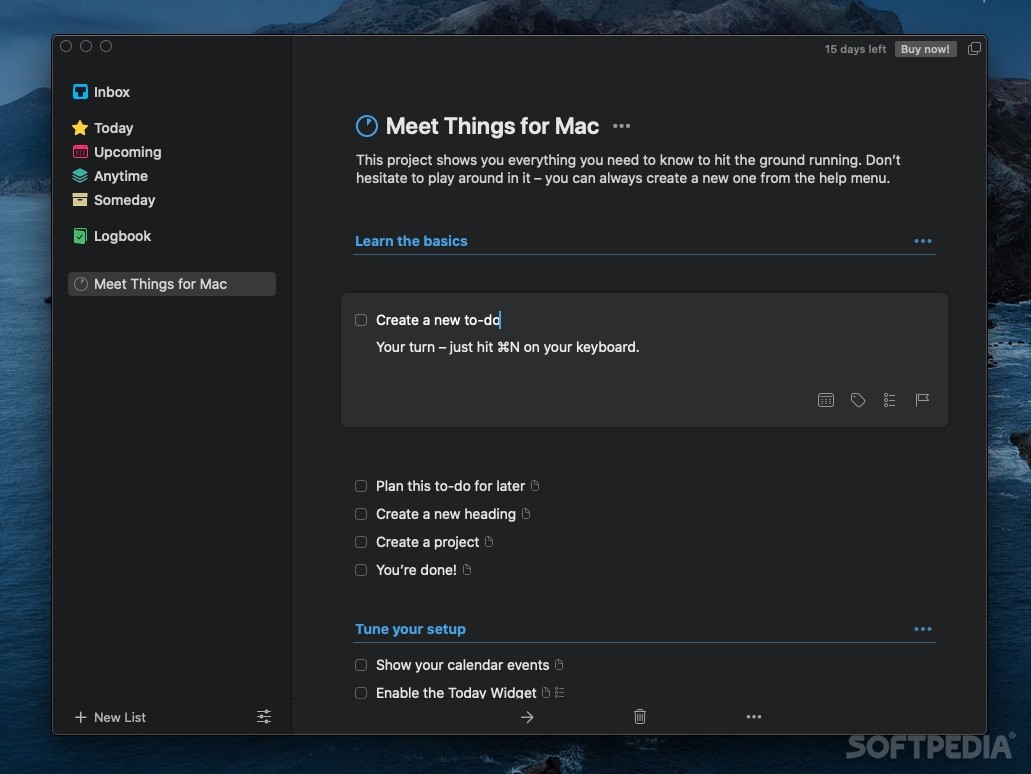
Keeping a close eye on your projects and upcoming tasks is highly advisable, especially if you have a busy schedule.
Things is a macOS app that can help you track assignments related to a certain project, allows you to organize them by associating tags, can sync the data in the Cloud, and much more.
Things integrates with Apple’s Reminders, which means that you will be able to visualize to-do items defined on your iPhone and synced to your Mac via iCloud.
However, keep in mind that Things does not provide support for using time based alarms (on import, Things will consider the alarm time to be the task due date).
Things offers you the possibility to input new tasks in the Inbox area: set up a title, add a personal tag or a priority level, add text notes, and set up a due date. The application is also able to handle repetitive events.
The personal tags are useful when you want to find specific entries by employing the search bar placed in the bottom right corner of the app’s main window. Moreover, Things allows you to use Projects, and Areas of Responsibility to organize the tasks in a more structured manner.
By default, Things comes with 4 predefined smart folders that can help you visualize details about future assignments. As a result, you can decide to focus on daily activities, or on tasks that have been scheduled for the near / distant future. Last but not least, the Logbook area allows you to see a list of completed jobs.
Things offers simple but efficient solutions for keeping track of upcoming tasks related to specific projects, events, areas of responsibility, and so on.
Since Things integrates with Reminders, you can easily import to-do entries created on your iPhone using Siri. At the same time, the iCloud sync functionality enables you to quickly send your database to all your devices.
What's new in Things 3.20.5:
- Fixed a bug with the Find & Replace function inside a to-do's notes.
- Fixed a bug with the appearance of a heading's "•••" popover inside a project.
Things 3.20.5
add to watchlist add to download basket send us an update REPORT- runs on:
- macOS 10.13 or later (Universal Binary)
- file size:
- 39.8 MB
- filename:
- Things3.zip
- main category:
- Utilities
- developer:
- visit homepage
Microsoft Teams

ShareX

calibre

Context Menu Manager

Windows Sandbox Launcher

Zoom Client

IrfanView

7-Zip

4k Video Downloader

Bitdefender Antivirus Free

- 7-Zip
- 4k Video Downloader
- Bitdefender Antivirus Free
- Microsoft Teams
- ShareX
- calibre
- Context Menu Manager
- Windows Sandbox Launcher
- Zoom Client
- IrfanView