
A minimalist menu bar app for macOS that provides quick access to a calendar view, allows you to view the time for different locations, and more. #Menubar calendar #Menubar clock #World clock #Clock #Time #Calendar
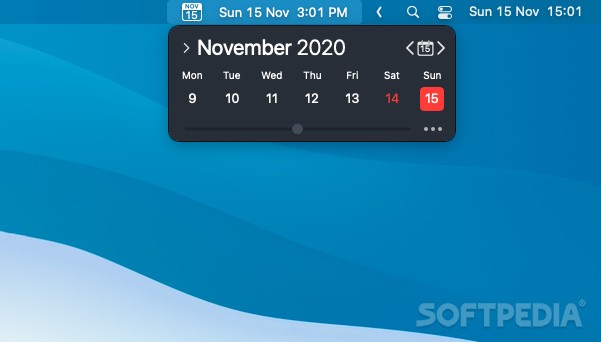
macOS offers you the possibility to place a date and time menu in your status bar, allowing you to always know the time on your current location. However, the menu does not have too many customization options.
The Clock is a small status bar menu app that provides access to a time menu, much in the same macOS style, but also contains additional features: displays a calendar, allows you to monitor multiple time zones, can display break alarms and more.
The Clock resides in your status bar menu and does not require much user interaction. At the same time, most of its functions are just one click away: simply press the status bar icon and you will be able to view its main window.
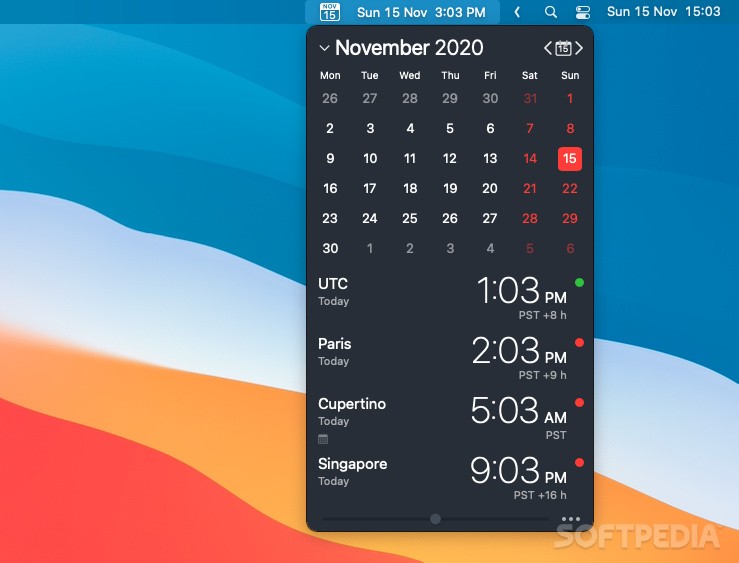
The Clock main panel is separated in two areas: the top contains the calendar view, while on the bottom you can see all the clock set up for various time zones. You can easily add new entries to the locations list, but you can also personalize the app via the Preferences.
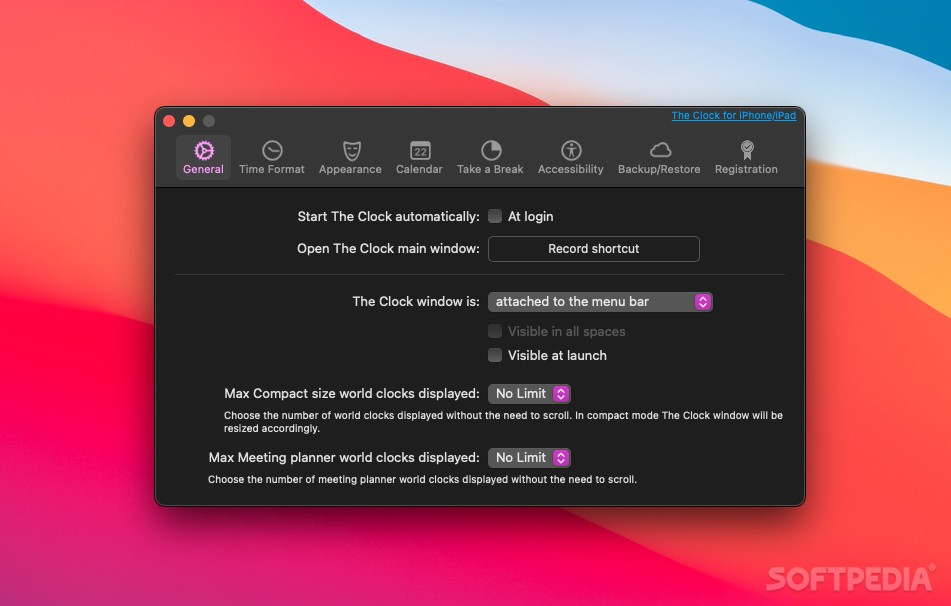
Via Preferences window you can set up a keyboard shortcut for activating the app’s panel, you can change the interface color theme, you can decide to hide the calendar, or you can change the default time format.
The app provides a wide range of possibilities when it comes to time and date options: you can show the time with seconds, flash the time separators, use a 24 hours clock, show military time zone, displays the date and the day of the week, and much more.
Last but not least, The Clock allows you to set up a break timer: you can adjust its frequency (30 minutes, 45 minutes, 1 hour, 1 hour and a half, 2 hours) and the time length for the break (2 / 5 / 10 / 15 minutes).
The Clock combines many useful tools in a minimalist, very organized user interface. You are able to view a calendar, monitor multiple time zones, and set up break timers without having to deal with different apps, which is certainly time efficient.
What's new in The Clock 4.9:
- macOS Sonoma ready.
- [Other] small Bugs fixed and Improvements.
The Clock 4.9
add to watchlist add to download basket send us an update REPORT- runs on:
- macOS 11.0 or later (Universal Binary)
- file size:
- 9.3 MB
- filename:
- the_clock.zip
- main category:
- Utilities
- developer:
- visit homepage
ShareX

calibre

Microsoft Teams

4k Video Downloader

IrfanView

paint.net

7-Zip

Zoom Client

Bitdefender Antivirus Free

Windows Sandbox Launcher

- Zoom Client
- Bitdefender Antivirus Free
- Windows Sandbox Launcher
- ShareX
- calibre
- Microsoft Teams
- 4k Video Downloader
- IrfanView
- paint.net
- 7-Zip