
An easy to use and intuitive application designed to help you browse, preview and extract the content of different types of archives. #Extract archive #Archive browser #Archive preview #Extract #Archive #Browse
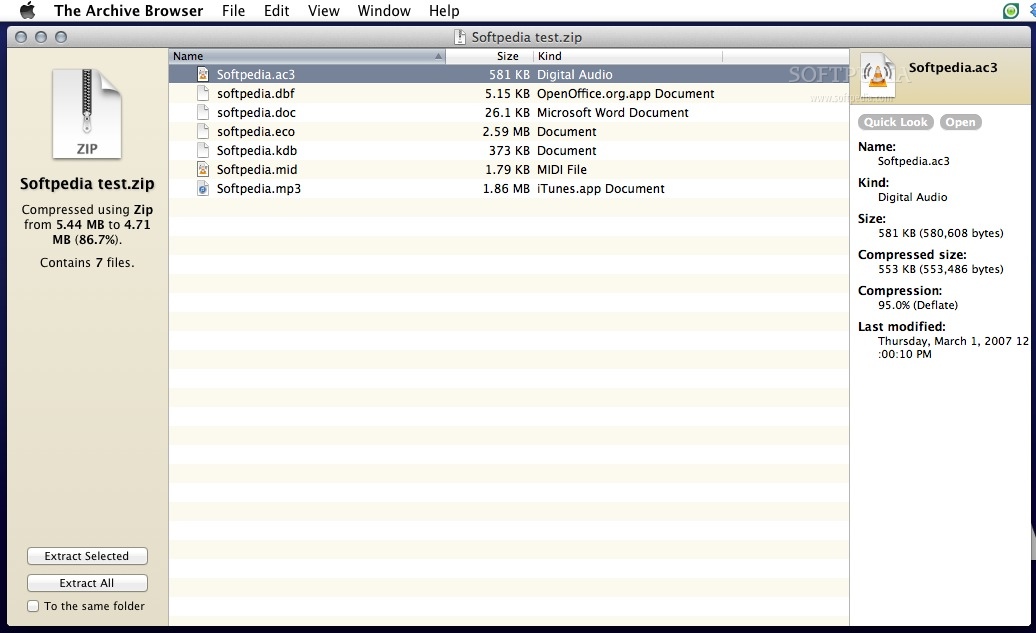
The Archive Browser is a macOS utility that lets you browse the contents of archives, as well as extract them.
It will let you open files from inside archives, and lets you preview them using Quick Look.
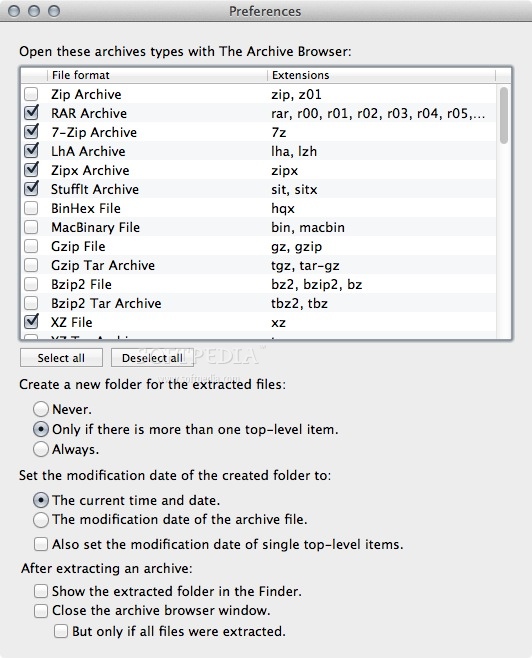
The Archive Browser is based on The Unarchiver, which means it can handle a large number of different archive formats.
The Archive Browser can handle common formats like Zip, RAR, 7-zip, Tar, Gzip and Bzip2, as well as older formats like StuffIt, DiskDoubler, LZH, ARJ and ARC.
The Archive Browser can also handle other kinds of formats, like CD and DVD images such as ISO, BIN, MDF, NRG and CDI, many Windows self-extracting EXE files, and can even extract media from Flash SWF files.
The Archive Browser will also handle different filename encodings gracefully.
For the curious, The Archive Browser will also show you a lot of information about the archives and their contents.
A detailed list with all formats supported by The Archive Browser is available HERE.
System requirements
- 64-bit processor
Limitations in the unregistered version
- 30 days trial
What's new in The Archive Browser 1.11.2:
- Minor bugs fixed.
The Archive Browser 1.11.2
add to watchlist add to download basket send us an update REPORT- runs on:
- Mac OS X 10.6 or later (Intel only)
- file size:
- 6.2 MB
- filename:
- TheArchiveBrowser.zip
- main category:
- Utilities
- developer:
- visit homepage
7-Zip

4k Video Downloader

Bitdefender Antivirus Free

Context Menu Manager

Zoom Client

Windows Sandbox Launcher

IrfanView

Microsoft Teams

calibre

ShareX

- Microsoft Teams
- calibre
- ShareX
- 7-Zip
- 4k Video Downloader
- Bitdefender Antivirus Free
- Context Menu Manager
- Zoom Client
- Windows Sandbox Launcher
- IrfanView