
Batch PDF file manipulation utility for the macOS platform featuring a simple to use, reliable and user-friendly interface, nicely integrated within the OS. #PDF manipulator #Merge PDFs #PDF splitter #Combiner #Merger #Splitter
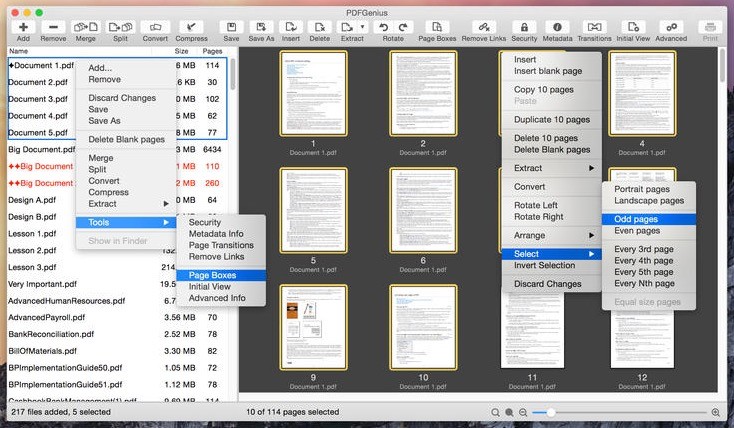
PDFGenius is a highly versatile macOS application that offers a wide variety of tools to manipulate and handle PDF documents, such as to merge, split, extract, delete, enrich, protect or convert PDFs quickly and effortlessly.
Basically, PDFGenius helps you do anything with PDFs with the exception of editing the contents. Thus, while processing and modifying PDFs, their contents (i.e the font, text, style, formatting and other properties) remain the same before and after the manipulation process.
The PDFGenius application features a straightforward user interface that includes a toolbar at the top and bottom with shortcuts to various common actions, such as adding / removing files, zooming, saving or rotating the documents and viewing the number of total and selected files.
The documents you add are displayed on the left side of the main window where you can select any of them and perform batch-processes simultaneously. Moreover, the selected documents are displayed as custom sized thumbnails in the main area of the interface.
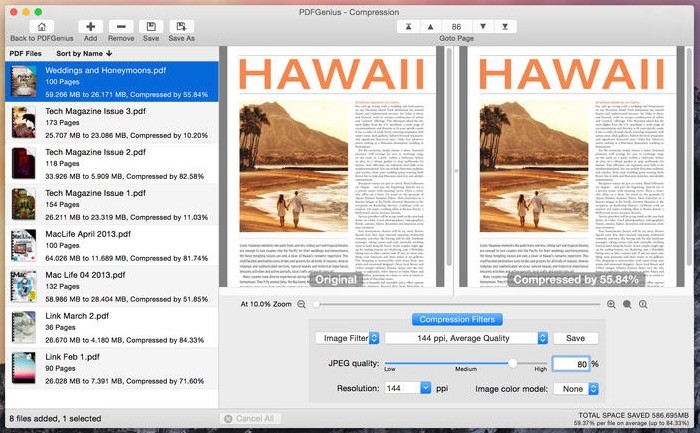
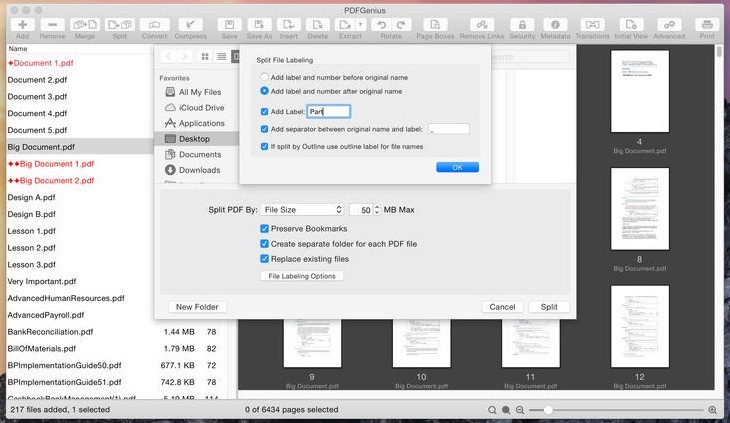
Some functions include merging PDFs into a single one, splitting PDFs into smaller ones (based on page count, file size or top-level outline), converting documents into several popular image formats, extracting pages in a PDF and creating a new document from them.
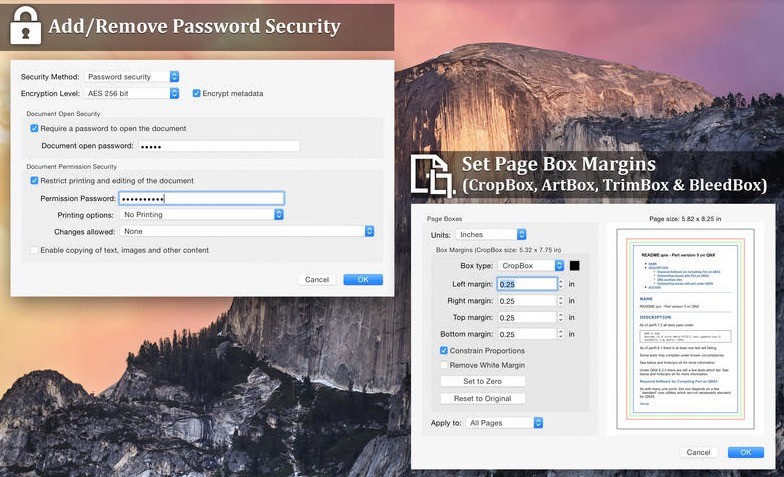
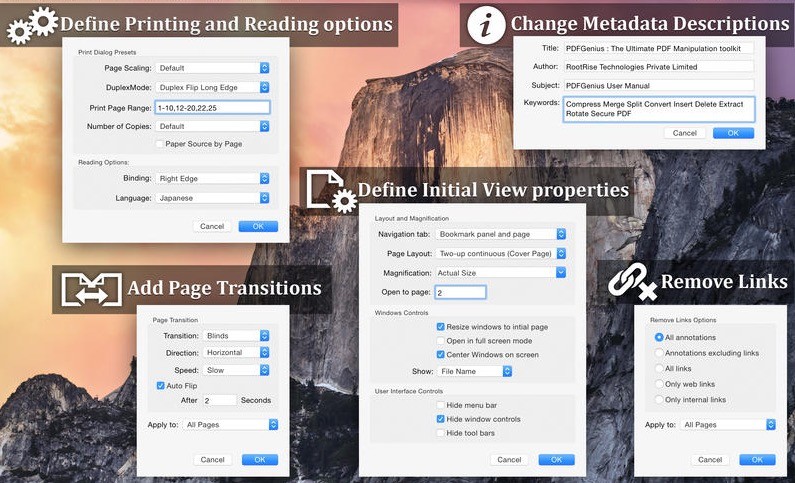
In addition to this, PDFGenius also enables you to insert blank pages into PDFs, delete pages, rotate pages, reorder and shuffle pages, protect PDFs with a custom password, modifyg or insert metadata description, insert page boxes or remove links.
To sum it all up, the PDFGenius utility is a Swiss-army knife of PDF manipulation designed from the ground up to combine all the features you need to work with PDFs and supports batch processing.
On top of that, the price / value ratio is also quite good, considering the huge set of features PDFGenius brings to the table.
What's new in PDFGenius 4.15:
- UI improvements to streamline with latest macOS.
- Select "Include annotation" checkbox to display filled PDF form fields into converted images.
- Other bug fixes and improvements.
PDFGenius 4.15
add to watchlist add to download basket send us an update REPORT- runs on:
- macOS 10.15 or later (Universal Binary)
- file size:
- 9.9 MB
- main category:
- Utilities
- developer:
- visit homepage
7-Zip

calibre

ShareX

Microsoft Teams

paint.net

4k Video Downloader

IrfanView

Bitdefender Antivirus Free

Zoom Client

Windows Sandbox Launcher

- Bitdefender Antivirus Free
- Zoom Client
- Windows Sandbox Launcher
- 7-Zip
- calibre
- ShareX
- Microsoft Teams
- paint.net
- 4k Video Downloader
- IrfanView