
Flexible, easy-to-use and powerful macOS software utility for converting, resizing, watermarking and renaming a wide range of image formats, including raw. #Convert icon #Icon converter #Icon conversion #Converter #Icon #Conversion
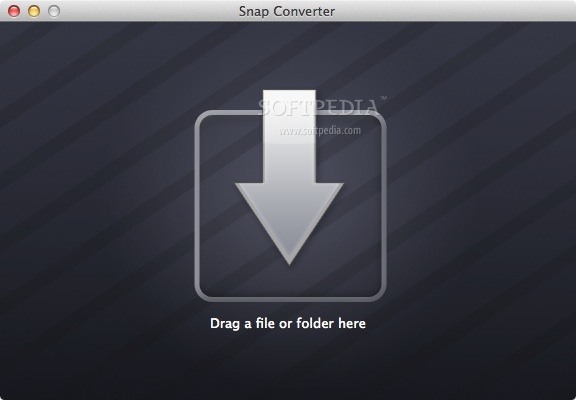
Snap Converter is a very handy all-in-one macOS utility that enables you to convert, resize, rename and watermark multiple images at once. The application is designed for casual users who need a day-to-day tool for working with images.
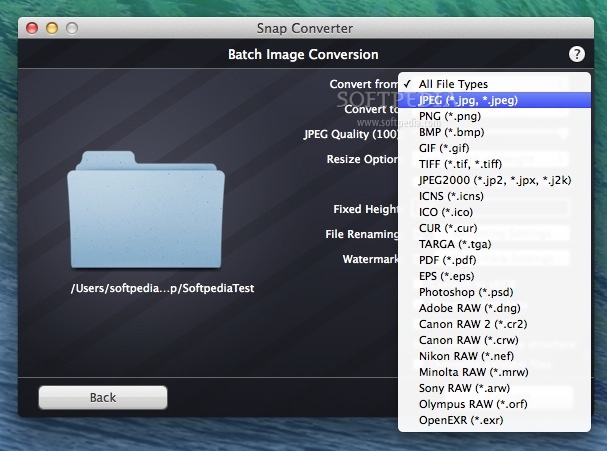
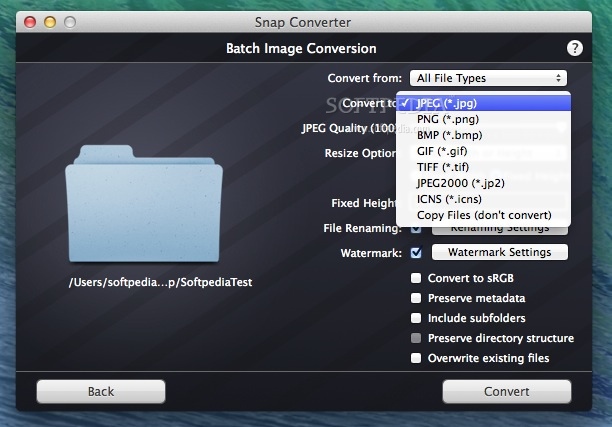
Various image types can be imported into Snap Converter, including ICO, JPG, PNG, BMP, GIF, TIF, ICNS, TGA, CUR, PDF, PSD and more. The application can convert pictures only to the following formats: JPG, PNG, BMP, GIF, TIF, JP2 and ICNS.
What’s great about Snap Converter is that it can convert raw image files, such as DNG, CRW, CR2, NEF, MRW or ARW. However, this feature should not be taken for granted, as the app can not recognize all raw image files from certain camera models.
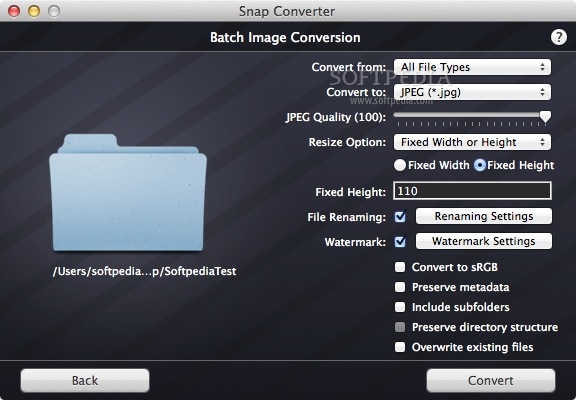
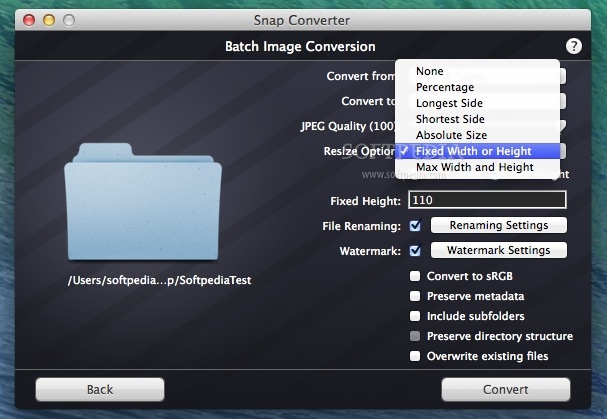
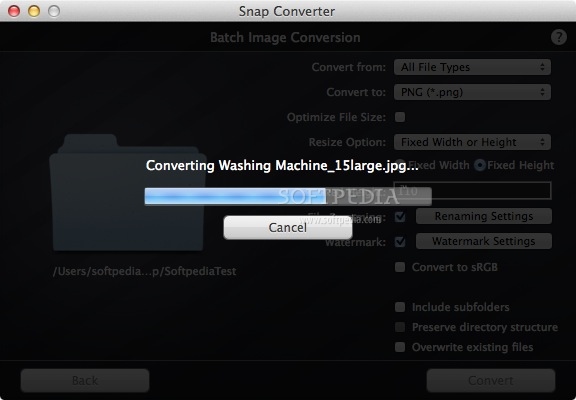
Working with this utility is incredibly simple. Just drag and drop selected images or entire folders onto the initial screen. Afterwards, you can access all the functions from one single window. First of all, you can choose the output image format from a drop-down menu.
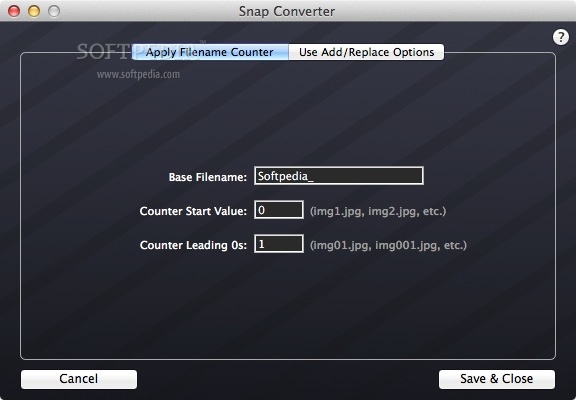
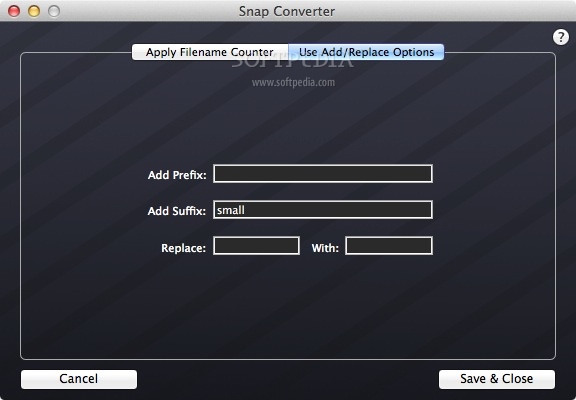
You have several resize options at your disposal: by percentage, longest side, shortest side, absolute side, fixed width or height and max width and height. Also, you can access the renaming settings where you can change the base filename, add counters, prefixes, suffixes and replace text strings.
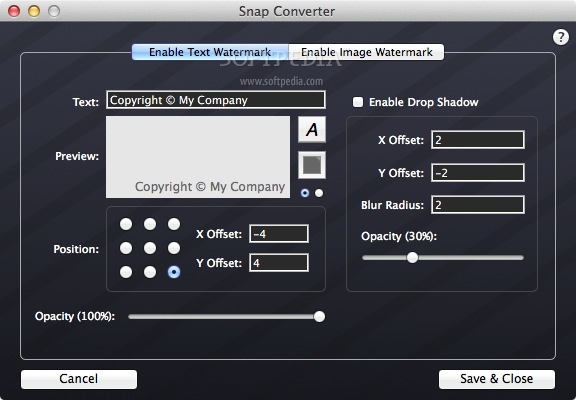
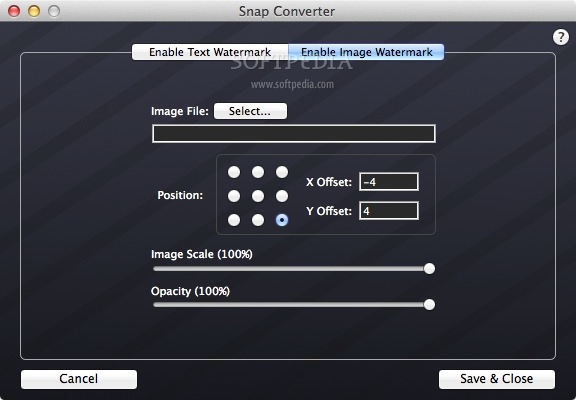
Below the resize settings, you have access to the watermark preferences. Both text and image watermarks are supported. What’s more, you can select the position, X and Y offsets, opacity, toggle shadow, choose the image scale and preview the watermarks.
To conclude, Snap Converter is a wonderfully simple app for daily image conversion needs. It is a breeze to operate and supports a wide assortment of functions. The advantage is that it can read numerous raw images and that all options are condensed into a single interface.
What's new in Snap Converter 3.0.1:
- Snap Converter is now fully 64-bit
- Fixed an issue with the progress bar during batch conversion in Mojave
Snap Converter 3.0.1
add to watchlist add to download basket send us an update REPORT- runs on:
- Mac OS X 10.6.6 or later (Intel only)
- file size:
- 5.7 MB
- main category:
- Utilities
- developer:
- visit homepage
IrfanView

Microsoft Teams

Zoom Client

calibre

Windows Sandbox Launcher

ShareX

Bitdefender Antivirus Free

7-Zip

4k Video Downloader

paint.net

- 7-Zip
- 4k Video Downloader
- paint.net
- IrfanView
- Microsoft Teams
- Zoom Client
- calibre
- Windows Sandbox Launcher
- ShareX
- Bitdefender Antivirus Free