
Powerful and straightforward mouse and keyboard sharing utility that makes it easy for you to control multiple macs with a single mouse and keyboard #Share mouse #Share keyboard #Mouse sharing #Share #Mouse #Keyboard
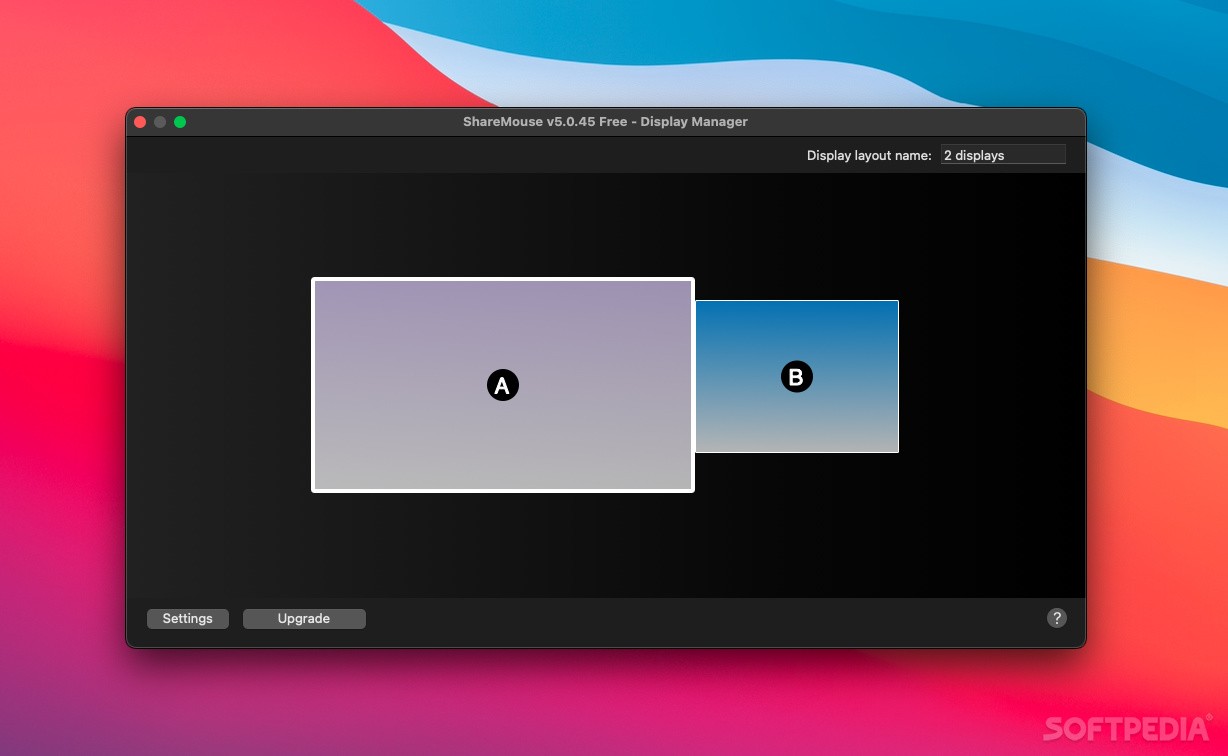
ShareMouse is a lightweight, user-friendly and practical macOS application that makes it possible for you to take control over multiple computers connected to the same network.
In other words, you can share your mouse and keyboard with Mac and Windows based systems and, as a result, remotely control the other computer using the mouse and keyboard connected to your Mac.
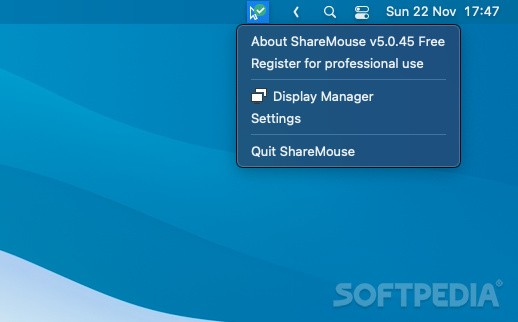
ShareMouse is designed to live in your Mac’s status bar, from where you can open the Monitor Manager, as well as the Settings window.
Moreover, the great thing about the ShareMouse app is that you are not required to press any key to take control over a shared computer.
The Monitor Manager window allows you to quickly and easily place the location of other connected computers in relation to your Mac’s desktop. Hence, you can virtually place multiple machines around your Mac and simply move your mouse over to gain control over a certain computer.
What is more, ShareMouse allows you to transfer files to networked machines by simply dragging and dropping files from one desktop to another. At the same time, ShareMouse is capable to share the clipboard between multiple computers with a single key press.
On top of that, ShareMouse is a cross-platform utility and it allows you to take control over a Windows based computer using your Mac and vice versa.
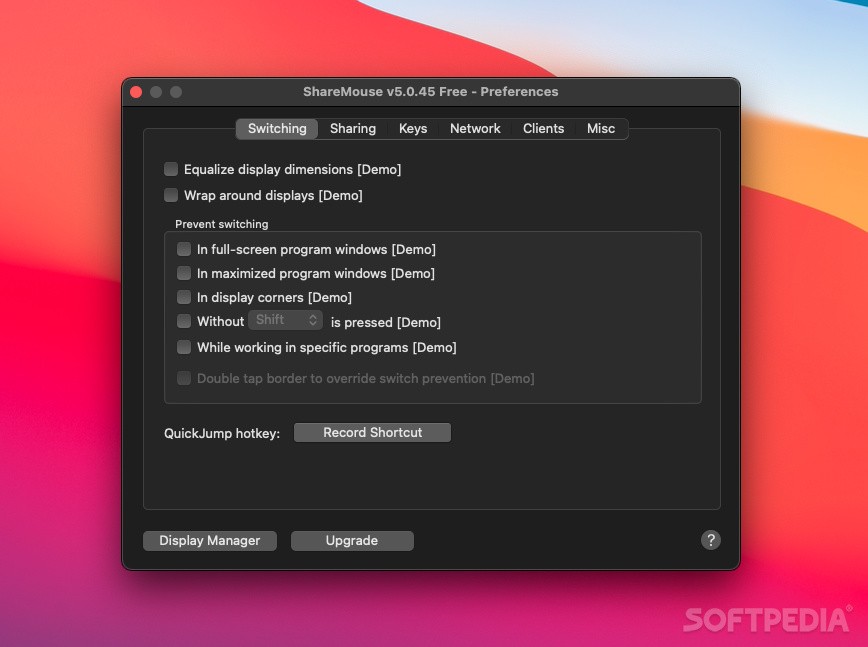
Via its Preferences window, you can enable or disable the file sharing and pasteboard synchronization feature, and change the default hokey for pasteboard share.
ShareMouse enables you to map keys and assign different functions to the Command, Option and Control keys based on the operating system under which the keys are used.
Moreover, ShareMouse's Network tab helps you effortlessly protect your computers and encrypt your connections using a custom password.
What's new in ShareMouse 6.0.62:
- Fix:
- Enable/Disable Hotkey.
ShareMouse 6.0.62
add to watchlist add to download basket send us an update REPORT- runs on:
- macOS 10.14.6 or later (Universal Binary)
- file size:
- 2 MB
- filename:
- ShareMouseSetup.dmg
- main category:
- System Utilities
- developer:
- visit homepage
IrfanView

Bitdefender Antivirus Free

ShareX

7-Zip

Microsoft Teams

Context Menu Manager

4k Video Downloader

calibre

Windows Sandbox Launcher

Zoom Client

- calibre
- Windows Sandbox Launcher
- Zoom Client
- IrfanView
- Bitdefender Antivirus Free
- ShareX
- 7-Zip
- Microsoft Teams
- Context Menu Manager
- 4k Video Downloader