
Allows you to control your Mac's NFS features, offering a host of tools for easier management through an intuitive user interface. #NFS controller #Configure NFS #Monitor NFS #NFS #Configuration #Monitor
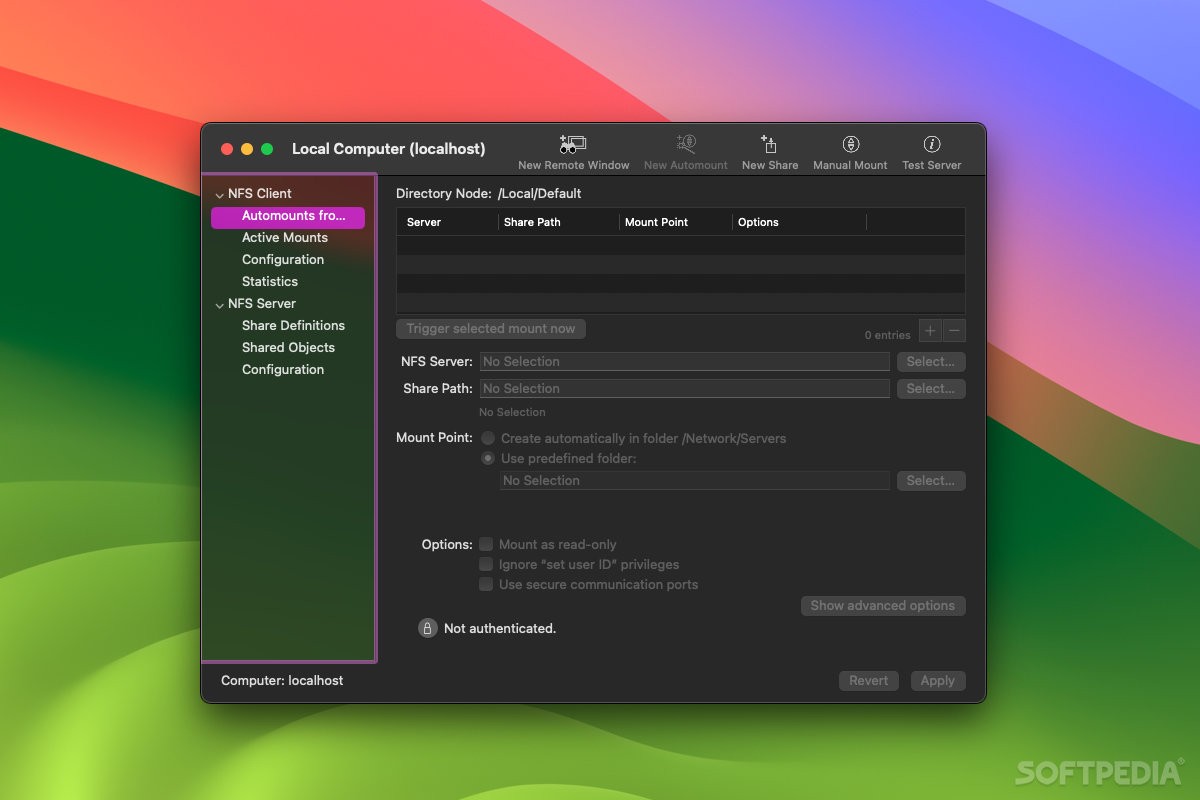
NFS, or Network File System, is a Unix industry standard used to share files on a network. Macs have the capability to serve as an NFS server or NFS client, though configuring your system for these purposes can be quite a difficult process.
NFS Manager was made to simplify your job when trying to set up and manage NFS servers or clients. It allows you to handle everything from a simple graphic user interface, either for one system or for all other Macs on a network.
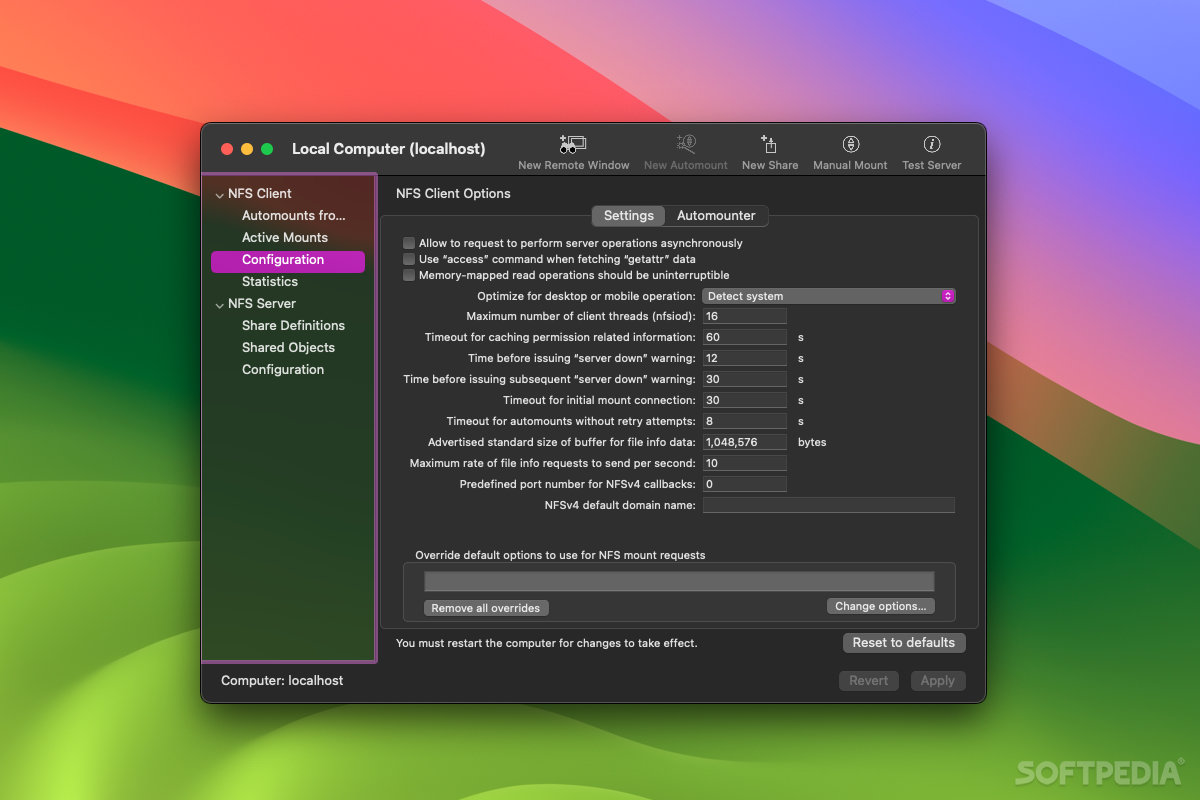
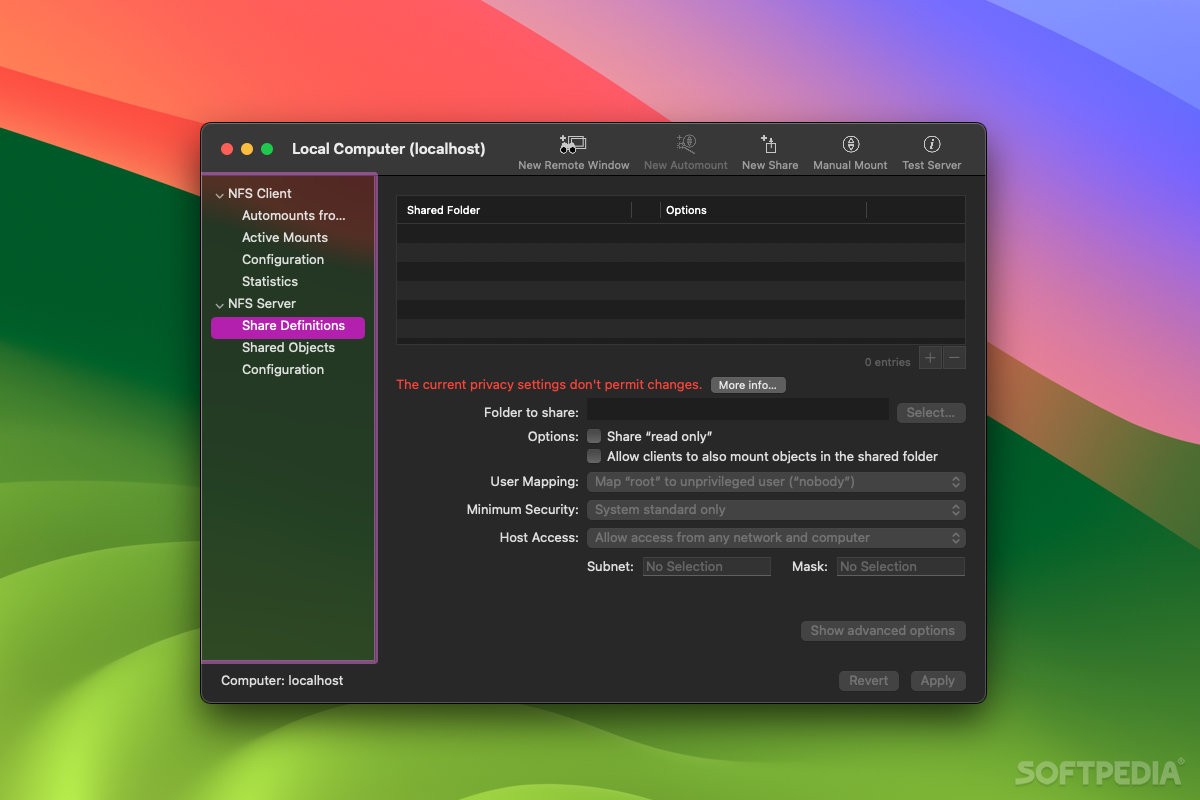
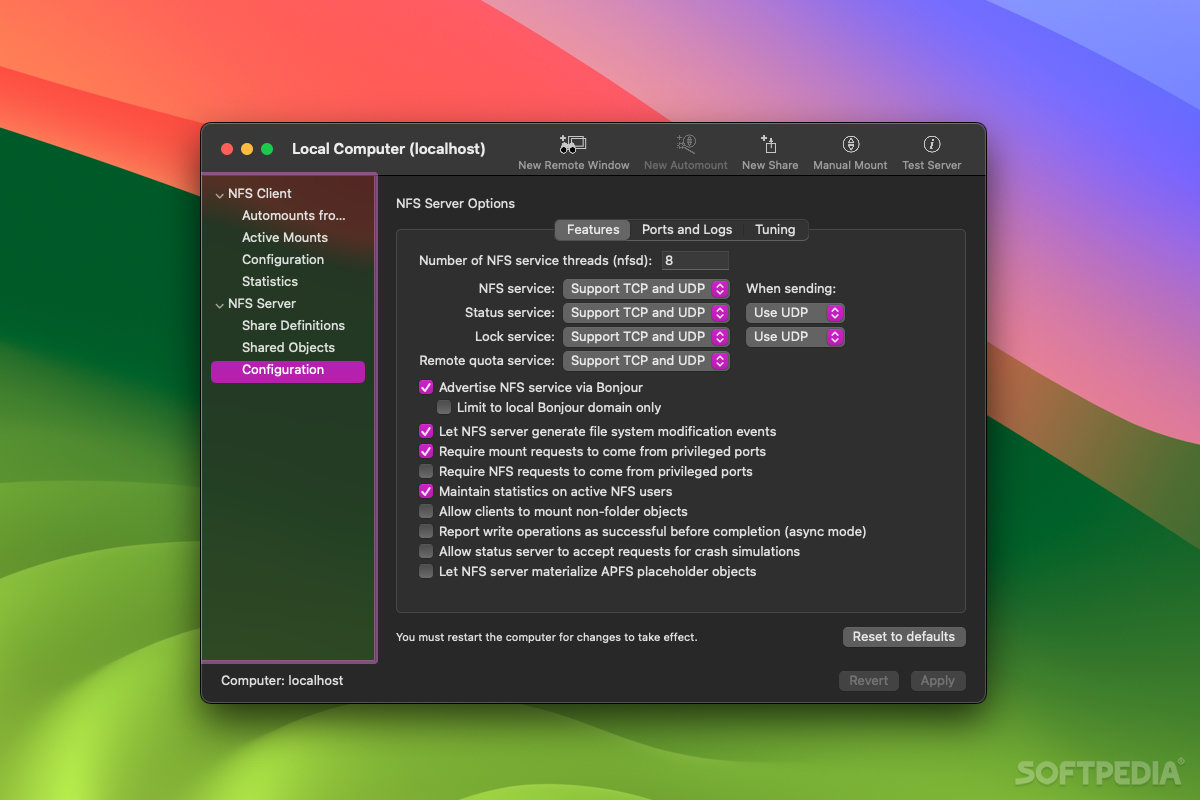
Functions and settings are split into two groups, for configuring either NFS clients or servers. For the former, you can manage automounts and active mounts, configure various settings, and view statistics. For the latter, you can manage shared objects and share definitions, as well as tweak server preferences.
You can store automount entries on all active Open Directory servers available on your system, and manual NFS mounts can be established in just a few simple steps. Non-standard connection options can be used, as opposed to the NFS features available via Finder.
Automount entries can be shared with the whole network, allowing you to configure NFS clients from a single Mac, no matter how many of them you have on a network.
Limitations in the unregistered version
- A nag screen will appear each time you launch the application or you save changes in the NFS configuration.
What's new in NFS Manager 5.8 Build 240116:
- Administrators can return to the previous stricter authorization policies if needed.
- Added new feature to detect volumes with file systems which are not supported by Apple’s NFS server as early as possible (only on macOS 13 and later).
- Code to support early beta versions of macOS 14 Sonoma has been removed. In particular, the changed data protection policy for the macOS automounter has been updated.
- Modernized organization of language support files.
NFS Manager 5.8 Build 240116
add to watchlist add to download basket send us an update REPORT- runs on:
- macOS 11.0 or later (Universal Binary)
- file size:
- 10.2 MB
- filename:
- NFSManager.dmg
- main category:
- Utilities
- developer:
- visit homepage
Bitdefender Antivirus Free

IrfanView

Microsoft Teams

4k Video Downloader

Windows Sandbox Launcher

calibre

Context Menu Manager

Zoom Client

7-Zip

ShareX

- Zoom Client
- 7-Zip
- ShareX
- Bitdefender Antivirus Free
- IrfanView
- Microsoft Teams
- 4k Video Downloader
- Windows Sandbox Launcher
- calibre
- Context Menu Manager