
Installs and/or updates your Dropbox to the latest forum build. #Dropbox updater #Update Dropbox #Update checker #Dropbox #Updater #Installer
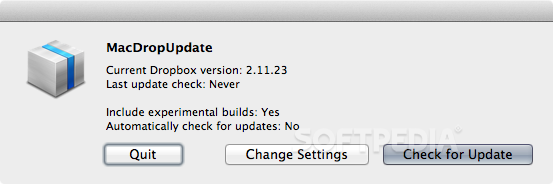
MacDropUpdate is a free and simple to use automatic updater for Mac OS X that can automatically download, install and update your Dropbox to the latest forum build of Dropbox.
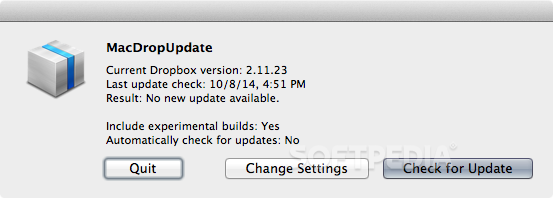
Once you have installed MacDropUpdate, it will run automatically every 6 hours. You can also, if you want to, check for new versions of Dropbox whenever you want by simply launching MacDropUpdate.
You can tell if MacDropUpdate has run by looking at its Growl notifications (which can be turned off in the Growl preferences, if you so desire), and by looking at the log file, which, by default, is located at "~/Library/Logs/MacDropUpdate.txt".
MacDropUpdate is released and licensed under the terms of the Creative Commons Attribution-NonCommercial-ShareAlike 3.0 Unported license.
System requirements
- Internet connection
MacDropUpdate 3.0
add to watchlist add to download basket send us an update REPORT- runs on:
- Mac OS X (Intel only)
- file size:
- 430 KB
- filename:
- MacDropUpdate.app.zip
- main category:
- Utilities
- developer:
- visit homepage
ShareX

IrfanView

calibre

Bitdefender Antivirus Free

Context Menu Manager

4k Video Downloader

Microsoft Teams

Windows Sandbox Launcher

7-Zip

Zoom Client

- Windows Sandbox Launcher
- 7-Zip
- Zoom Client
- ShareX
- IrfanView
- calibre
- Bitdefender Antivirus Free
- Context Menu Manager
- 4k Video Downloader
- Microsoft Teams