
Helps you to quickly create a bootable macOS (Lion, Mountain Lion, Mavericks, Yosemite, El Capitan, Sierra, High Sierra and Mojave) USB disk via an intuitive and powerful user interface #Create bootable disk #Bootable USB disk #Burn bootable DVD #Bootable disk #Bootable USB #USB key
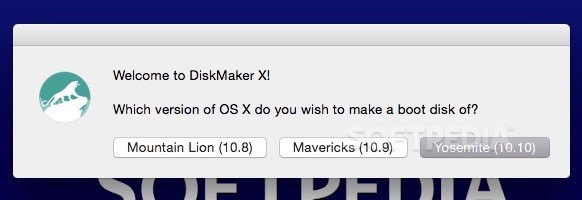
DiskMaker X is a lightweight and very easy-to-use macOS utility specially made to help you create a bootable drive from macOS installer packages, with support for the last three macOS releases, from Mavericks (10.9) to Catalina (10.15).
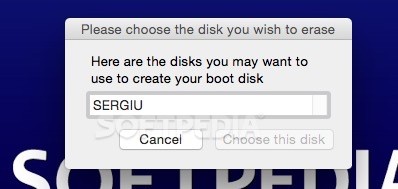
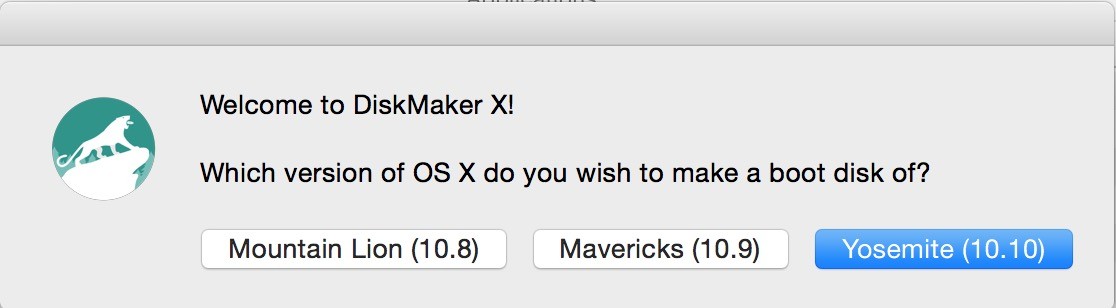
DiskMaker X comes with a user-oriented interface and an intuitive built-in wizard that makes it easy for you to find the macOS install app and create a bootable install disk.
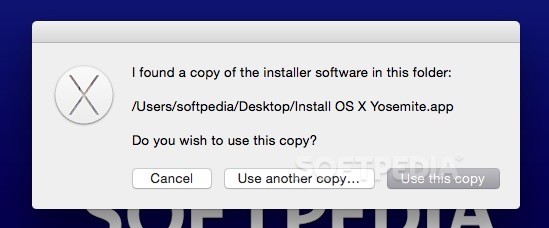
One of the first things you need to do once you launch DiskMaker X, is to select the version of macOS of which you want to make a boot disk of. DiskMaker X is capable to automatically find the macOS install packages with the help of Spotlight.
If the found macOS installation package is not the one you want to use for the bootable drive, you always have the option to use another copy and browse your Mac’s hard disk for the desired installer.
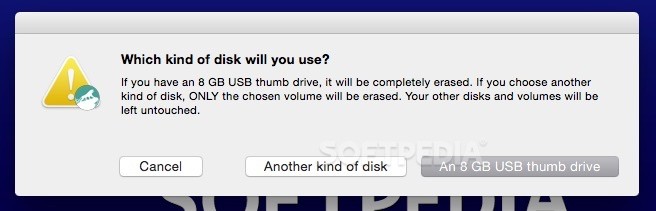
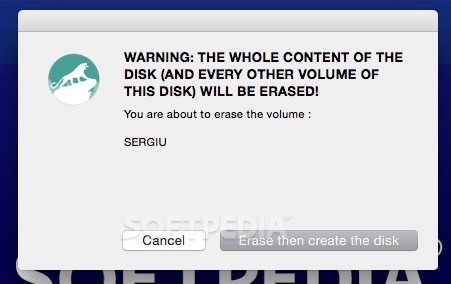
It is also worth mentioning that DiskMaker X will erase the entire content, including other volumes on the thumb drive you want to use as a bootable disk. Consequently, it is recommended to backup your data on another disk before initiating the building process.
However, if you decide to use another type of disk, DiskMaker X will only erase the selected volume, leaving other disks and volumes untouched.
DiskMaker X comes as an answer for Mac users that need a quick, simple and reliable way to create bootable USB drives and disk drives that can be used to install or reinstall the operating system on various Macs.
Moreover, we appreciated DiskMaker X's uncluttered interface with clear and easy to follow instructions that can be followed even by the most inexperienced Mac users.
What's new in DiskMaker X 9.0:
- Compatible with macOS Catalina Install app
- Notarized for use with macOS Catalina
- Updated the minimail USB thumb drive requirement (now 16 GB)
- Updated French localization
DiskMaker X 9.0
 Softpedia Editor's Pick
add to watchlist
add to download basket
send us an update
REPORT
Softpedia Editor's Pick
add to watchlist
add to download basket
send us an update
REPORT
- runs on:
- macOS 10.9 - 10.15 (Intel only)
- file size:
- 6.3 MB
- filename:
- DiskMaker_X_9.dmg
- main category:
- Utilities
- developer:
- visit homepage
7-Zip

4k Video Downloader

Microsoft Teams

Context Menu Manager

IrfanView

Zoom Client

Bitdefender Antivirus Free

ShareX

calibre

Windows Sandbox Launcher

- ShareX
- calibre
- Windows Sandbox Launcher
- 7-Zip
- 4k Video Downloader
- Microsoft Teams
- Context Menu Manager
- IrfanView
- Zoom Client
- Bitdefender Antivirus Free