
Juggles all of the web browsers on your Mac so that the one you want is the one you get. #Choose browser #Remember browser #Pick browser #Launch #Run #Choose
Normally your Mac only knows about one browser at a time. If your Mac knows Safari, then it always gives you Safari.
To change that browser, you actually have to open up Safari and change its preferences. Highbrow makes your Mac smarter so that it can remember the browser that you're using, not just the one you previously set in Safari's preferences.
Alternatively, you can have Highbrow ask you which browser to use whenever you click on a link.
Of course, sometimes you will just want to say what you want. In that case, you will be able to just pick the browser you want from the menubar, and your Mac will always use the browser that you have picked.
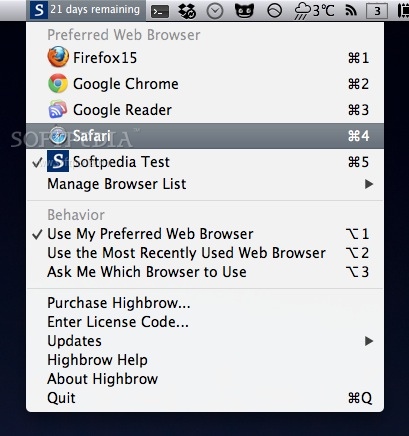
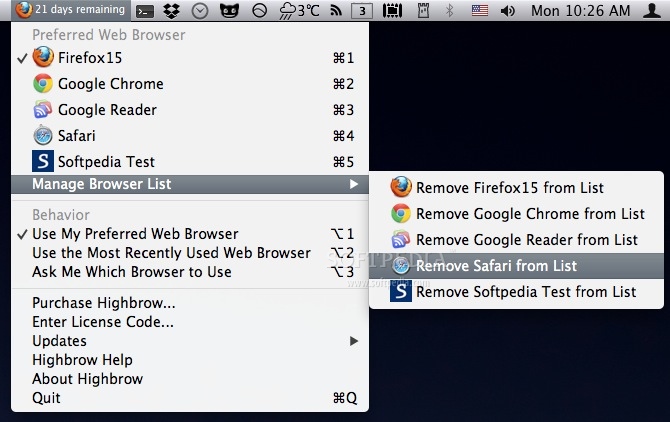
Highbrow hangs out in your menubar and has three separate behaviors. You select the one that will best suite your style. If you click on the Highbrow icon in your menubar, then you'll see the three options listed under "Behavior".
When using this option, your Mac will feel pretty much the same way it did before you installed Highbrow. The only difference is that you can now change your Mac's browser at will from the menubar by selecting a different preferred browser.
This option really gets Highbrow working for you. Now whenever you switch from one browser to another, your Mac will use the new browser. Thus, if you use Safari, but launch Firefox then your Mac will use Firefox to open links. Switch to Safari again and now your Mac knows to use Safari to open links.
When using this option, your Mac will present you with a list of browsers to choose from whenever you click on a link.
Limitations in the unregistered version
- 20 days trial period.
What's new in Highbrow 1.1.0:
- Updated for Mac OS X v10.8 (Mountain Lion)
- Gatekeeper Enabled
- Retina Support
Highbrow 1.1.0
add to watchlist add to download basket send us an update REPORT- runs on:
- Mac OS X 10.7 or later (Intel only)
- file size:
- 2.3 MB
- filename:
- Highbrow.dmg
- main category:
- Utilities
- developer:
- visit homepage
Windows Sandbox Launcher

ShareX

IrfanView

4k Video Downloader

calibre

Microsoft Teams

Bitdefender Antivirus Free

7-Zip

Context Menu Manager

Zoom Client

- 7-Zip
- Context Menu Manager
- Zoom Client
- Windows Sandbox Launcher
- ShareX
- IrfanView
- 4k Video Downloader
- calibre
- Microsoft Teams
- Bitdefender Antivirus Free