
A desktop client that enables you to use the FRITZ!Box to send faxes, make calls and access answer machine features from your Mac.. #Send fax #Answering machine #Calling machine #Sender #Fax #Telephone
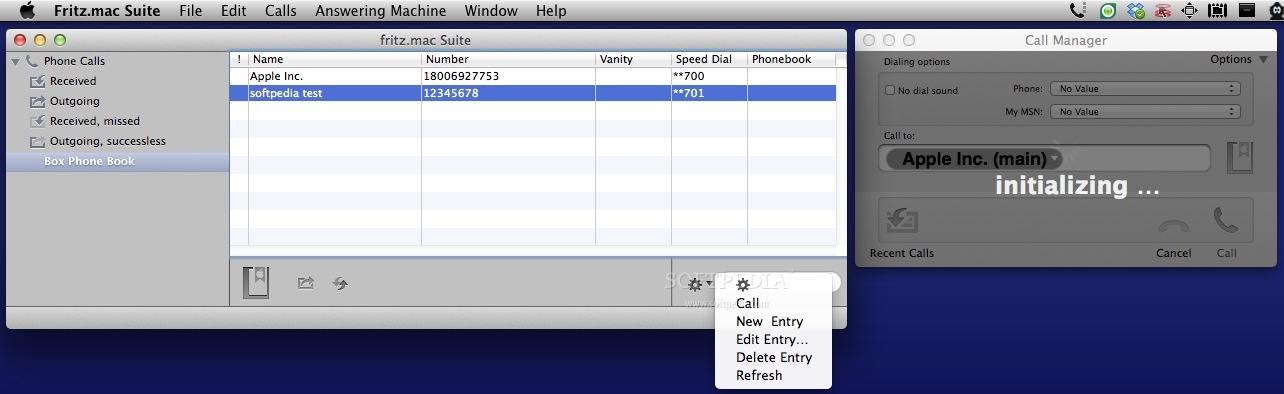
The German company AVM GmbH produces the FRITZ!Box residential gateway devices that may include ADLS or cable modems, and a LAN-WAN router, among other functions. Fritz.mac Suite is a Mac app that, in combination with a FRITZ!Box, can be employed to convert your computer into a telephony, fax and answering machine.
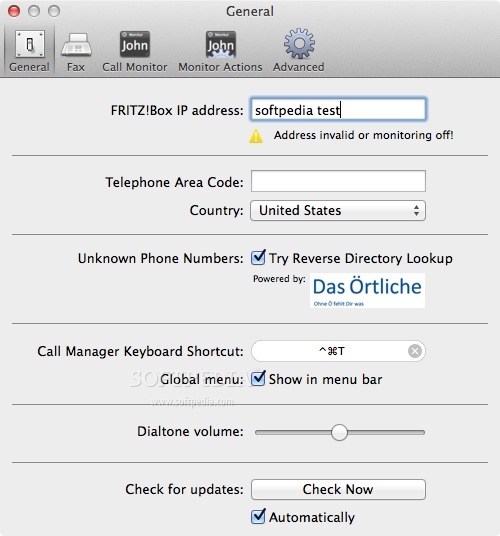
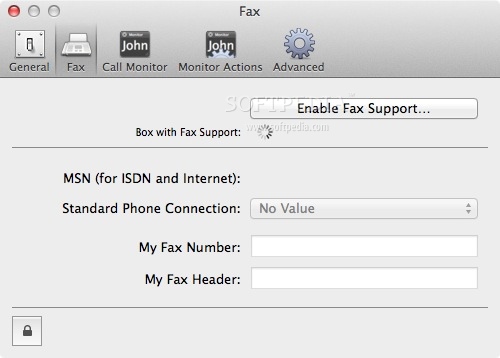
To get started, input the FRITZ!Box IP address in the Fritz.mac Suite Preferences, select your country and provide the telephone area code. The same window allows you to enable the Fax support and choose the phone connection type (ISDN, Analog, or Internet/VoIP). At the same time, you can set up your Fax number and create a Fax header.
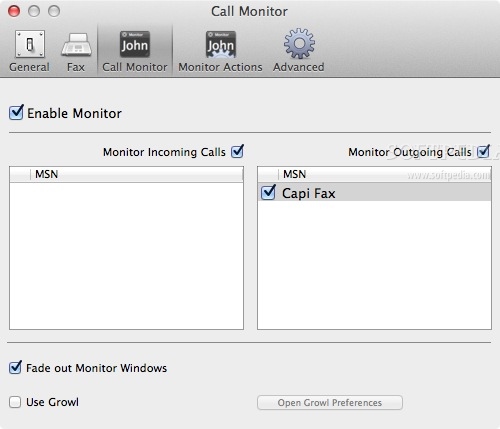
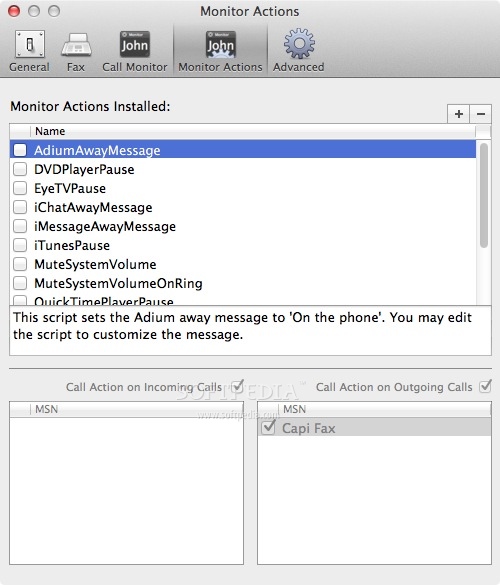
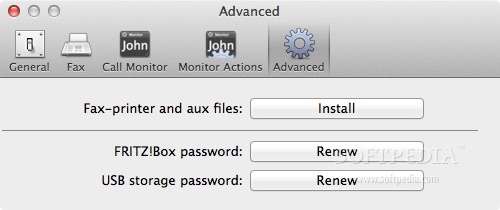
Fritz.mac Suite is able to monitor both incoming and outgoing calls, comes with a large number of actions that can be triggered when receiving or making a call (you can mute the system volume for example), and allows you to change the FRITZ!Box password.
The Fritz.mac Suite main window is separated in two main areas: on the left you can view a list of smart folders, while on the right you can navigate their content. Moreover, the app’s functionalities are organized by purpose: phone calls or Box phone book.
If you allow Fritz.mac Suite to access your Contacts.app, you will be able to import contact details with a simple double click. On the other hand, the app allows you to add new entries to the phone book manually: you must provide at least a name and a telephone number, but you can also mark them as important or assign a speed dial code.
Fritz.mac Suite can be used to make or receive calls, and send or receive faxes, all from the commodity of your Mac computer. The app even includes an answering machine function, so if you are using a FRITZ!Box residential gateway device, you can use Fritz.mac Suite to manage you contacts, track your calls, and more.
Download Hubs
Fritz.mac Suite is part of these download collections: Fax Clients
Fritz.mac Suite 2.6.1 Build 4729
add to watchlist add to download basket send us an update REPORT- runs on:
- Mac OS X 10.5 or later (PPC & Intel)
- file size:
- 8.6 MB
- filename:
- fritz.macSuite2.dmg
- main category:
- Business
- developer:
- visit homepage
Bitdefender Antivirus Free

ShareX

Zoom Client

paint.net

Microsoft Teams

7-Zip

4k Video Downloader

Windows Sandbox Launcher

IrfanView

calibre

- Windows Sandbox Launcher
- IrfanView
- calibre
- Bitdefender Antivirus Free
- ShareX
- Zoom Client
- paint.net
- Microsoft Teams
- 7-Zip
- 4k Video Downloader