MAC CATEGORIES:


NEWS ARCHIVE >>
SOFTPEDIA REVIEWS >>

7-DAY TOP DOWNLOAD

#
Program
iPhone and iPod
Firmware 3.1.2

17,548
Internet Explorer
5.2.3

7,948
RAR Expander 0.8.5
Beta 3 / 0.8.4

4,946
aMule 2.2.6
4,124
Flv Crunch 1.3
3,935
Toast Titanium
10.0.4

3,577
RAR for Mac OS X
3.90

3,532
Apple iLife '09
3,499
Matlab 7.9
3,431
aMSN 0.98.1
3,294

WEEK'S BEST

  • Quicksilver 1.0 Be...
  • Cocktail 4.6
  • Picasa 3.5.2.90
  • Adobe Shockwave Pl...
  • VLC Media Player 1...
  • LimeWire X 5.4.0 B...
  • Apple iTunes 9.0.2
  • VirtualBox 3.0.10 ...
  • FileZilla 3.3.0 RC...
  • Mozilla Firefox 3....
  • aMSN 0.98.1
  • NeoOffice 3.0.1
  • VMware Fusion 3.0....
  • Quinn 3.5.7
  • App Store Expense ...
  • Ableton Live 8.0.9
  • Parallels Desktop ...
  • Alarm Clock Pro 9.2
  • Dock Spaces 3.05
  • Dropbox 0.7.56 / 0...
  • OpenOffice.org 3.2...
  • Adium 1.4 Beta 15 ...
  • Second Life 1.23.5...
  • µTorrent 0.9.3 Bu...
  • Opera 10.10 Beta B...
  • Adobe Reader 9.2
  • VirtualBox 3.0.10 ...
  • RealPlayer 11.1.0 ...
  • Bean 2.4.1
  • Senuti 1.1.7
  • Home / Mac / Utilities
     Report spyware

    Delicious Library 2.3 Build 11635

    Softpedia Pick Award
    Download button

    Downloads: 1,819  Add to download basket  Tell us about an update
    User Rating:
    Rated by:
    Good (3.6/5)
    25 user(s)
    Developer:

    License / Price:

    Size / OS:

    Binary Format:

    Last Updated:

    Category:
    Delicious Monster | More programs
    Demo / USD 40.00 | BUY the full version
    19.7 MB / Mac OS X 10.3 or later
    Universal Binary Universal Binary
    October 22nd, 2009, 07:49 GMT [view history]
    C: \ Utilities

     Read user reviews (1)  Add a review  Refer to a friend  Subscribe


    Delicious Library description


    Run your very own library from your home or office using our impossibly simple interface

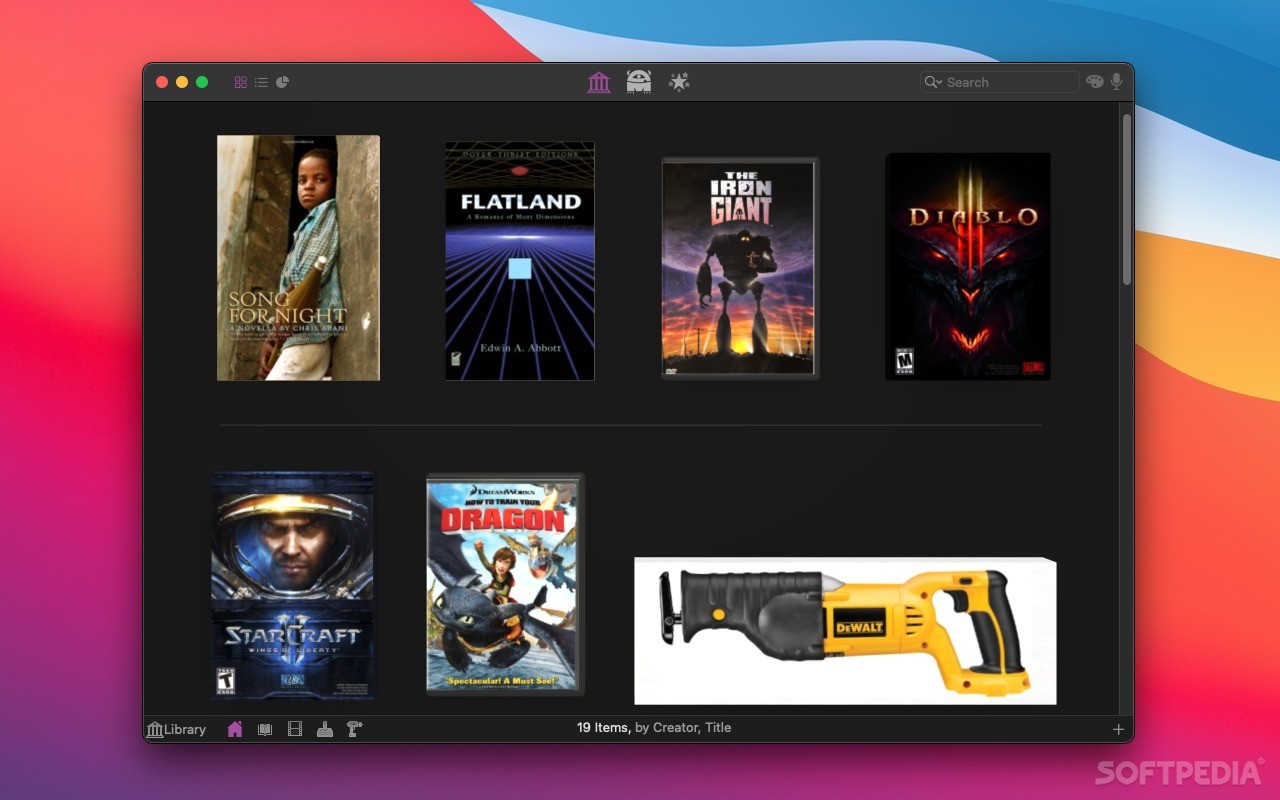
    Delicious Library's digital shelves act as a visual card-catalog of your books, movies, music, software, toys, tools, electronics, and video games.

    A scan of a barcode is all Delicious Library needs to add an item to your digital shelves, downloading tons of info from the internet like the author, release date, current value, description, and even a high-resolution picture of the cover.

    Run your very own library from your home or office using our impossibly simple interface.

    Import your entire library using our exclusive full-speed iSight video barcode scanner, our Flic Wireless Laser Bar Code Scanner, or (the slow way) entering the titles by hand.

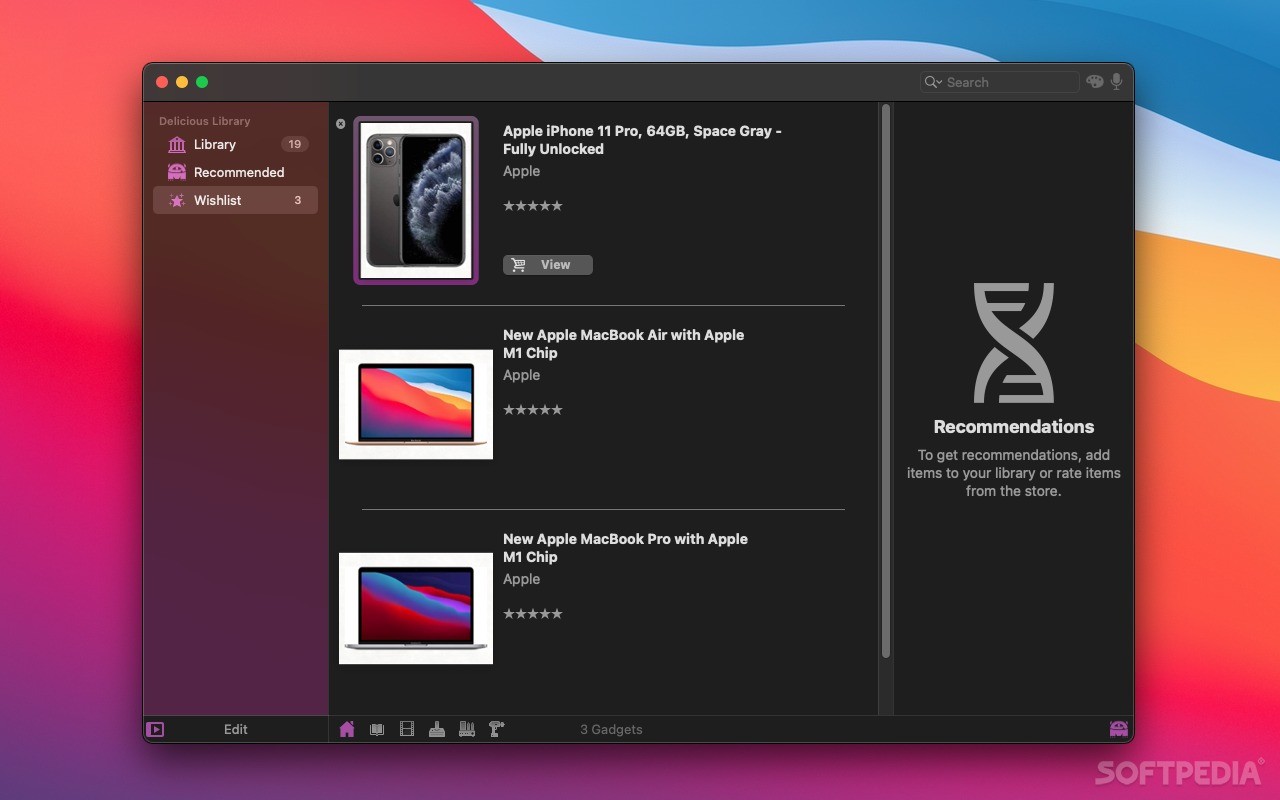
    Once you have all of your items in your Mac, you can browse though your digital shelves, check stuff out to friends using Apple's built-in Address Book and calendar, and find new items to read, watch, and play using Library's recommendations.

    Here are some key features of "Delicious Library":

    · iSight scanning.
    · Recommendations.
    · Email friends.
    · iPod sync.
    · Flexible import.
    · Voice search.
    · Personal ratings.
    · Custom collections.
    · Bluetooth scanning.
    · Item checkout.
    · Live searching.
    · Printing.
    · Web actions.
    · Cover browsing.
    · Fun to use.

    Limitations:

    · Can't add more then 25 items while in demo mode.

    What's New in This Release: [ read full changelog ]

    Fixes for Snow Leopard:
    · Fixed hang on Snow Leopard when switching from list view to cover view.
    · Fixed graphical glitches and slowness when scrolling in cover view (especially with large collections).
    · Fixed the "beam-in" animation for adding items, and the "burning" animation for deleting books on Snow Leopard.
    · Fixed our most common crasher on Snow Leopard, where launching fails with a message about "_kCAEmitterLayerFill".
    · Fix crasher when user would duplicate selected items (⌘-D).
    · Only register the first 10,000 characters with speech recognition under 10.6.0 and 10.6.1, since Snow Leopard will do a 1-minute timeout otherwise, argh. Apple bug #7146027.
    · The long-delayed Help files are finally here! (I'm sorry this took so long.) These are still being finalized, so please report anything that seems odd using the built-in bug reporter (under the "Help" menu).
    Publishing:
    · FTP site editing is much more sane. Copy and paste now work when editing FTP sites.
    · Sites added from Transmit now have fancy quotes around them in the list, like “Delicious Monster,” so it's clearer where they came from.
    · Use a much smarter algorithm to add the folder "/deliciouslibrary" to the end of the path the user gives us, so we won't WON'T WON'T add it twice if the user happened to end her path with "/". DUR DUR DUR.
    · If the user doesn't have a card set in Address Book OR doesn't have an image on that card, we use a default image when publishing to the web, instead of exporting a broken link and/or crashing sometimes.
    · We now ALWAYS publish HTML files when we publish the user's website - in the past, we tried to be clever and NOT publish a file if it was the same size as the previous one, but for HTML that hack isn't too smart.
    · On Snow Leopard we don't reset the currently selected FTP site back to 'none' every time you look at it.
    · Don't double-escape entities (like "&" showing up as "&") when publishing to iWeb.
    · Cover view graphics are zippier thanks to some tricks from the author of CoreAnimation.
    · Selecting very large shelves is faster.
    · Loading and using a file where you have a friend (or multiple friends) who is no longer in your Address Book is now MUCH faster.
    iSight Scanning Items:
    · Don't pop up two scanner windows when we launch and the scanner preference is on, DUH DUH DUH.
    · Scanning items by EAN is now supported by Amazon France (even though it's documented not to work), so we allow scanning of items like 3596972080128.
    · We pop up an error panel if the user's Mac clock is set wrong and prompt her to fix it in System Preferences, since we can't fetch information from Amazon after August 15, 2009 without a correct timestamp.
    Bluetooth Scanners:
    · Fixed a crasher that would sometimes hit when we first pair with a scanner.
    · Added auto-detection and auto-pairing of scanners under Snow Leopard (just as it always worked under Leopard).
    · We now recognize and work with more revisions of Microvision's RoV scanner.
    Manual Item Lookup:
    · Manually looking up for items with apostrophes in their names (') works again.
    · If a user is looking up a 10, 12, or 13-digit number, then remove spaces and dashes for her, so that, for instance, "978-0-316-01876-0" will correctly look up as "9780316018760", the latter of which actually works on Amazon.
    · Because sqlite files can sometimes become corrupted when a Mac is suddenly shut down or crashes, I've written a utility to repair corrupted files. To use the utility, just hold down the "shift" key when launching Delicious Library 2. This should solve the problems of the few users are having upgrading from version 2.0.x to 2.1 or beyond, when those users have some slight corrupting in their old file.
    Details:
    · Setting / editing a user synopsis is now undoable, as it always should have been.
    · Added the "series" field back to Music, because some people were using it to store metadata.
    · The fields "title", series", "subtitle", "notes", and "location" now sort numbers as humans expect, so that if you have books titled "Manga 1", "Manga 2", ..., "Manga 10", "Manga 11", then they sort in that order (eg, NOT "Manga 1", "Manga 10", "Mange 11", "Manga 2", ..., as a computer would do it).
    · Recognize "DreamCast" as a platform as well as format.
    · Fix for the "I have become confused" bug on save where 'userSynopsis' is reported as not being valid after editing details for an item.
    Interface:
    · Change keyboard shortcut for "Sell this" to command-shift-S, because command-shift-$ is screenshot, DUR.
    · Hooked-up the 'Add Manually' button that appears if an item lookup fails.
    · We now correctly re-launch Delicious Library 2 after we upgrade and/or move Delicious Library 2 automatically to the /Applications folder, instead of CLAIMING to do so and then not really doing it. (This will only affect the next update the user does, NOT this update.)
    · Fix a missing term in the localization that caused exceptions for Swedes when adding shelves.
    Feedback Panel:
    · Sending feedback works more reliably with Apple Mail under Snow Leopard.
    · We don't launch Apple Mail when the feedback panel is first shown.
    · We don't launch Apple Mail ever if the user has never set it up; we just submit our bug using whatever the default handler for "mailto:" URLs is.
    · Added code to make problem reports MUCH more meaningful to us (the developers).

      Softpedia guarantees that Delicious Library 2.3 Build 11635 is 100% CLEAN, which means it does not contain any form of malware, including spyware, viruses, trojans and backdoors. [read more >]


    TAGS:

    book library | digital shelves | barcode scanner | library | book | shelf


    HTML code for linking to this page:


    Go to top

    Windows tabGames tabDrivers tabMac tabLinux tabScripts tabMobile tabHandheld tabGadgets tabNews tab

    SUBMIT PROGRAM   |   ADVERTISE   |   GET HELP   |   SEND US FEEDBACK   |   RSS FEEDS   |   ENTER NEWS SITE   |   ENGLISH BOARD   |   ROMANIAN FORUM