
A user-friendly technical piece of software for macOS designed to help you control your Arduino board using no more than 80 widgets #Control Arduino board #Control board #Arduino controller #Arduino #Controller #Board
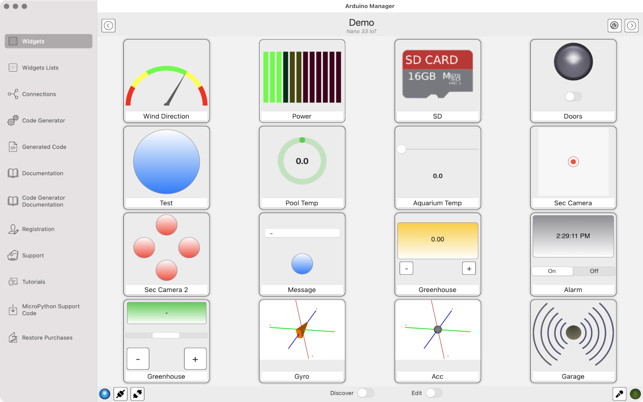
Arduino Manager is an effective macOS application that enables you to communicate with your Arduino board through an intuitive user interface that supports numerous widgets. You can monitor various information, depending on the widget and control the board as you see fit.
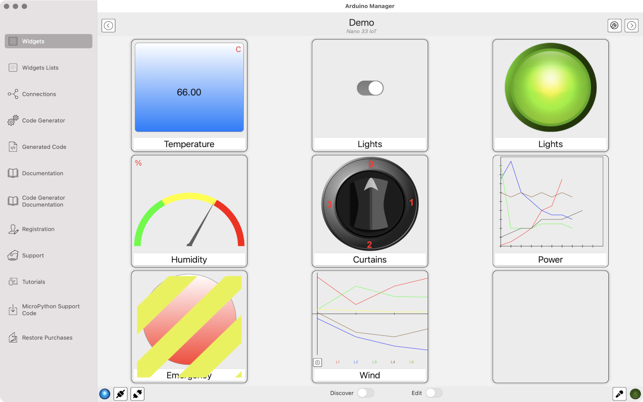
The application reads data from connected Arduino devices via an Arduino Wi-Fi Shield, Ethernet Shield or through a USB port. Moreover, it features a plain-looking GUI comprised of 4 tabs. In each tab, you can store 20 widgets, thus up to 80 widgets can be active.
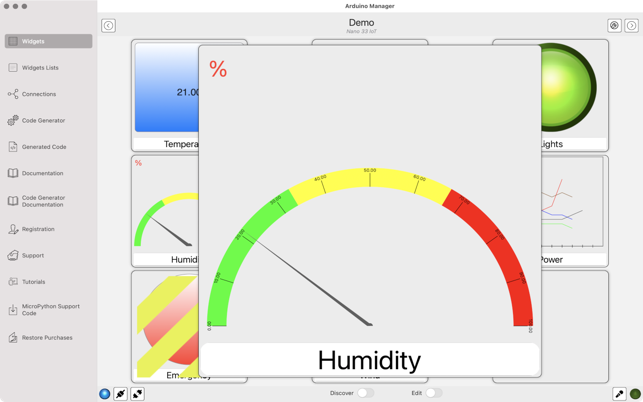
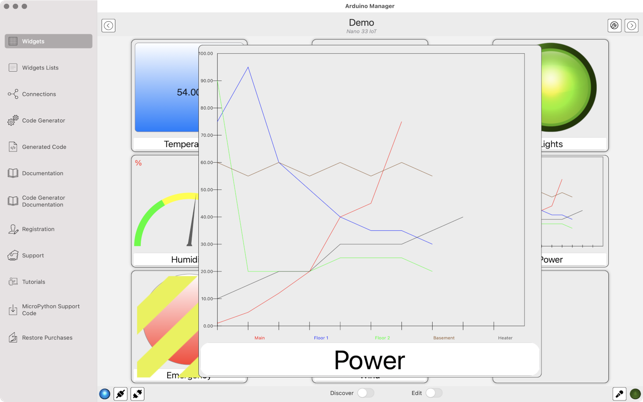
Each widget is capable of sending and receiving data, such as values or numbers coming from the Arduino board. As you may notice when operating the app, widgets display either a number or a sketch that represents a value on the board.
Another benefit of using Arduino Manager is that it supports multiple boards, but only one at a time. This is made possible thanks to the Configuration widget. Whenever you want to switch boards, you need to click this widget first.
The application enables you to generate the communication infrastructure between a chosen iOS device and your Arduino board. In the process, the code in each widget can also be shared, which reduces the difficulty of coding your board. The Code Generator feature is responsible for this.
To give you some examples of included widgets, we can mention the Push Button widget, Knob widget, Display widget, LED widget, Switch widget, Graph widget, Alarm widget, etc. You can read about all of them in more detail on the app’s homepage.
All things considered, Arduino Manager is quite a powerful application that comes with extensive support for receiving and sending data to your Arduino device. The app uses no more than 80 widgets, which you can add or remove, to perform different functions from a grid interface.
What's new in Arduino Manager 20.3.0:
- Support for Uno R4 WiFi using BLE
- Code Generator: support for Uno R4 WiFi using BLE
Arduino Manager 20.3.0
add to watchlist add to download basket send us an update REPORT- runs on:
- macOS 12.0 or later (Intel only)
- file size:
- 12.5 MB
- main category:
- Utilities
- developer:
- visit homepage
IrfanView

Zoom Client

Microsoft Teams

calibre

Windows Sandbox Launcher

Bitdefender Antivirus Free

ShareX

7-Zip

Context Menu Manager

4k Video Downloader

- 7-Zip
- Context Menu Manager
- 4k Video Downloader
- IrfanView
- Zoom Client
- Microsoft Teams
- calibre
- Windows Sandbox Launcher
- Bitdefender Antivirus Free
- ShareX