
Easily sync files and folders.. #Sync folder #Source folder #Destination folder #Sync #Synchronize #Match
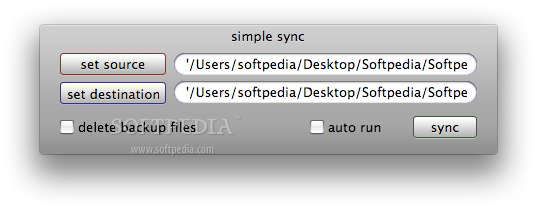
simple sync is an applescript application for syncing a 'source' folder to a 'destination' folder – performing a backup basically. It uses the unix shell script 'rsync', so, as with all shell scripts, you use 'em at your own risk – once a file is deleted or overwritten that's it, there's no going back.
With the 'delete backup files' button selected, when you remove something from the source folder, and then run simple sync, those files will be removed from the backup as well (so basically the backup will always be a direct clone of the source.
Left unchecked, and simple sync will leave all files in the destination folder – so you'll have to delete them manually.
Clicking the 'auto run' button is useful if you want to automate the backup procedure. simple sync will give you 5 seconds to cancel the sync (if you want to sync something else) and then it will run 5 seconds later (so if you intended to cancel the sync and missed the cancel button, just quit the program and start again).
Download Hubs
simple sync is part of these download collections: Synchronize Folders
What's new in simple sync 1.2:
- Now works with OSX 10.4 (Tiger).
simple sync 1.2
add to watchlist add to download basket send us an update REPORT- runs on:
- Mac OS X 10.5 or later (PPC & Intel)
- file size:
- 209 KB
- filename:
- simple_sync.zip
- main category:
- System Utilities
- developer:
- visit homepage
calibre

ShareX

4k Video Downloader

paint.net

Bitdefender Antivirus Free

Microsoft Teams

IrfanView

Windows Sandbox Launcher

7-Zip

Zoom Client

- Windows Sandbox Launcher
- 7-Zip
- Zoom Client
- calibre
- ShareX
- 4k Video Downloader
- paint.net
- Bitdefender Antivirus Free
- Microsoft Teams
- IrfanView