
A minimalist Mac app designed to bring back the Apple Menu to your status bar, but also provides quick access to other frequently used locations. #App launcher #Application launcher #Menu launcher #Launcher #Run #Open
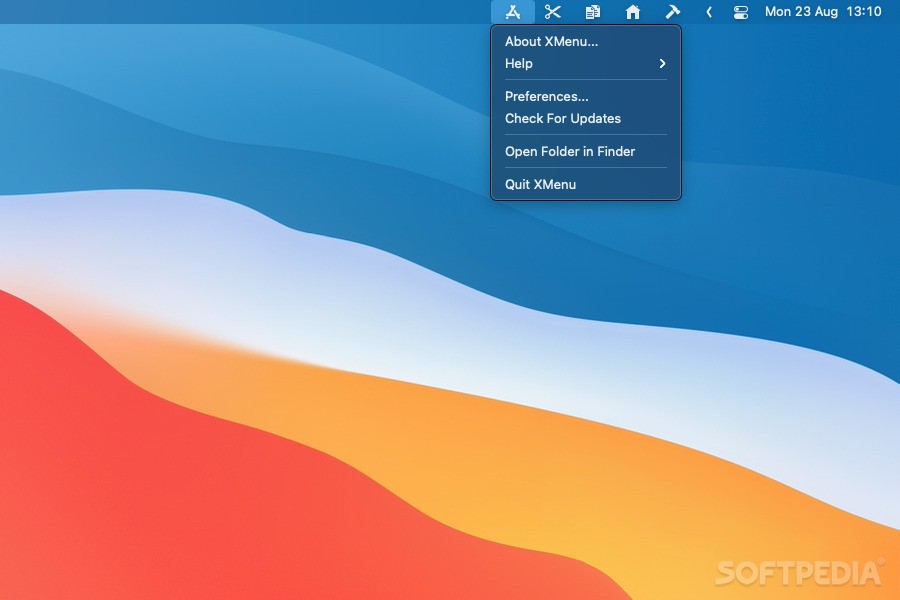
XMenu is an unobtrusive status bar utility designed to provide quick access to your Applications directory: the app adds an icon to the right side of the status bar, allowing you to launch any utility in no time. You can also choose to include other locations in order to further optimize your workflow.
The XMenu application automatically integrates in your status bar by placing a small Applications icon between the volume and search tools.
If you click on the XMenu icon, you will see a list with all installed apps, so all you have to do is select the one you want to launch.
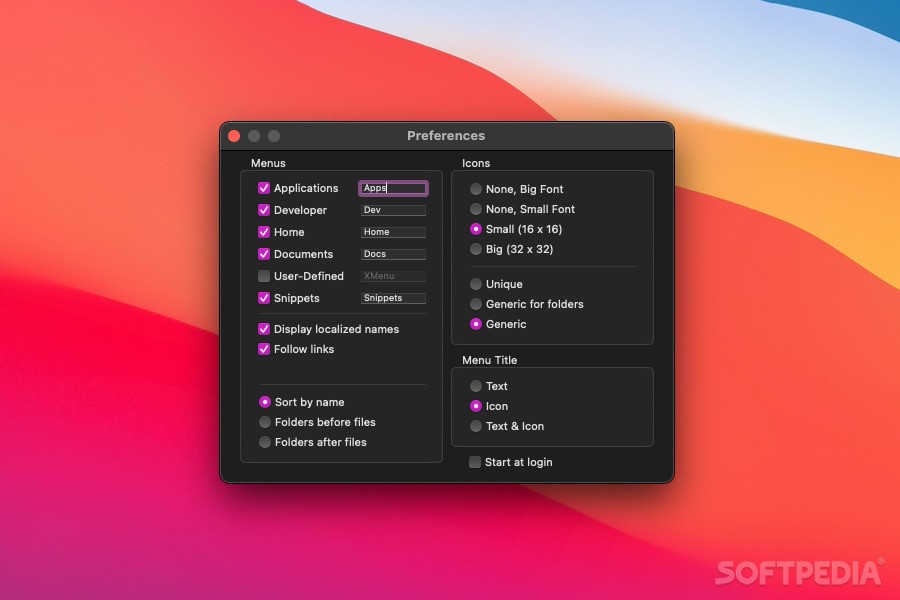
However, if you right click on the XMenu icon, you will gain access to the contextual menu and be able to access the Preferences. This is extremely important because you will have the option to add new menus to the status bar: Developer, Home, Documents, User Defined, or Snippets.
The User Defined menu provides access to a Custom directory that is placed within the Application Support XMenu folder. All you have to do is make aliases for your favorite folders and place them in the Custom directory: via the appropriate menu, you will be able to visualize the directory content, open the folders in a Finder window, or launch any of the included files.
The same rule applies to the text snippets menu: simply copy the ones you want to employ to the XMenuApplication Support folder.
Other customization options include the possibility to adjust the icon size, the menu type (text or icon), or to change the sorting method (by name, folders before files, or folders after files).
What's new in XMenu 1.9.11:
- This release brings full support for M1-based Macs and improves the Brazilian Portuguese localization as well as the overall reliability.
XMenu 1.9.11
add to watchlist add to download basket send us an update REPORT- runs on:
- macOS 10.11 or later (Universal Binary)
- file size:
- 2.3 MB
- filename:
- XMenu.app.zip
- main category:
- System Utilities
- developer:
- visit homepage
IrfanView

Bitdefender Antivirus Free

7-Zip

paint.net

calibre

Zoom Client

Windows Sandbox Launcher

ShareX

4k Video Downloader

Microsoft Teams

- ShareX
- 4k Video Downloader
- Microsoft Teams
- IrfanView
- Bitdefender Antivirus Free
- 7-Zip
- paint.net
- calibre
- Zoom Client
- Windows Sandbox Launcher