MAC CATEGORIES:


NEWS ARCHIVE >>
SOFTPEDIA REVIEWS >>

7-DAY TOP DOWNLOAD

#
Program
iPhone and iPod
Firmware 3.1.3

41,202
Internet Explorer
5.2.3

7,868
Toast Titanium
10.0.6

4,262
Kid Pix Deluxe 3X
Update 1.2.4

4,249
Apple GarageBand
Update 5.1

4,026
Matlab 7.9
3,664
Apple iLife '09
3,656
AC3 Codec 0.4
3,240
RAR for Mac OS X
3.92 Beta 1 / 3.91

3,184
Halo 2.0.3
3,109

WEEK'S BEST

  • LimeWire X 5.5.0 B...
  • iPhone and iPod Fi...
  • VLC Media Player 1...
  • Speed Download 5.2...
  • Mozilla Firefox 3....
  • Thunderbird 3.1 Al...
  • Adobe Shockwave Pl...
  • Parallels Desktop ...
  • CrossOver 8.0.3
  • QuarkXPress 8.15
  • Adobe Reader 9.3
  • Vienna 2.5.0.2500 ...
  • Alarm Clock Pro 9....
  • GraphicConverter 6...
  • Mozilla Firefox 3....
  • Transmission 1.83
  • FileZilla 3.3.1
  • Deep Freeze 4.51.2...
  • VueScan 8.6.10
  • Vuze (formerly Azu...
  • Floola 5.4
  • Opera 10.50 Build ...
  • ClamXav 2.0.5 Beta...
  • OnyX 2.1.3
  • Adobe Flash Player...
  • Dropbox 0.7.105
  • Adobe Lightroom 3....
  • WireShark 1.2.6
  • VirtualBox 3.1.4 B...
  • OpenOffice.org 3.2.0
  • Home / Mac / System Utilities
     Report spyware

    VMware Fusion 3.0.1 Build 215242

    Download button

    Downloads: 38,705  Add to download basket  Tell us about an update
    User Rating:
    Rated by:
    Good (3.2/5)
    44 user(s)
    Developer:

    License / Price:

    Size / OS:

    Binary Format:

    Last Updated:

    Category:
    VMware Inc | More programs
    Trial / USD 79.99 | BUY the full version
    0 KB / Mac OS X 10.4.11 or later
    Intel only Intel only
    December 11th, 2009, 08:01 GMT [view history]
    C: \ System Utilities

     Read user reviews (2)  Add a review  Refer to a friend  Subscribe


    VMware Fusion description

    Allows Intel-based Macs to run x86 operating systems, such as Windows, Linux, NetWare and Solaris.

    VMware Fusion is a brand new  VMware desktop product for the Mac that allows Intel-based Macs to run x86 operating systems, such as Windows, Linux, NetWare and Solaris, in virtual machines at the same time as Mac OS X.

    VMware Fusion is built on VMware's rock-solid and advanced desktop virtualization platform that is used by over four million users today.

    With Fusion, you can run traditional PC applications on your Mac: if you need to run PC applications, you can now do so by leveraging the power of virtual machine technology.

    NOTE: Free registration is required in order to download the trial version.

    Here are some key features of "VMware Fusion":

    · Say goodbye to the Start menu and Taskbar and run Windows applications directly from the Dock. Minimize Windows applications to the Dock, switch between Windows or Mac applications with Expose, find and instantly launch any Windows application, drag and drop files between Windows and the Mac, and use familiar Mac keyboard shortcuts to copy and paste between Windows and Mac applications.
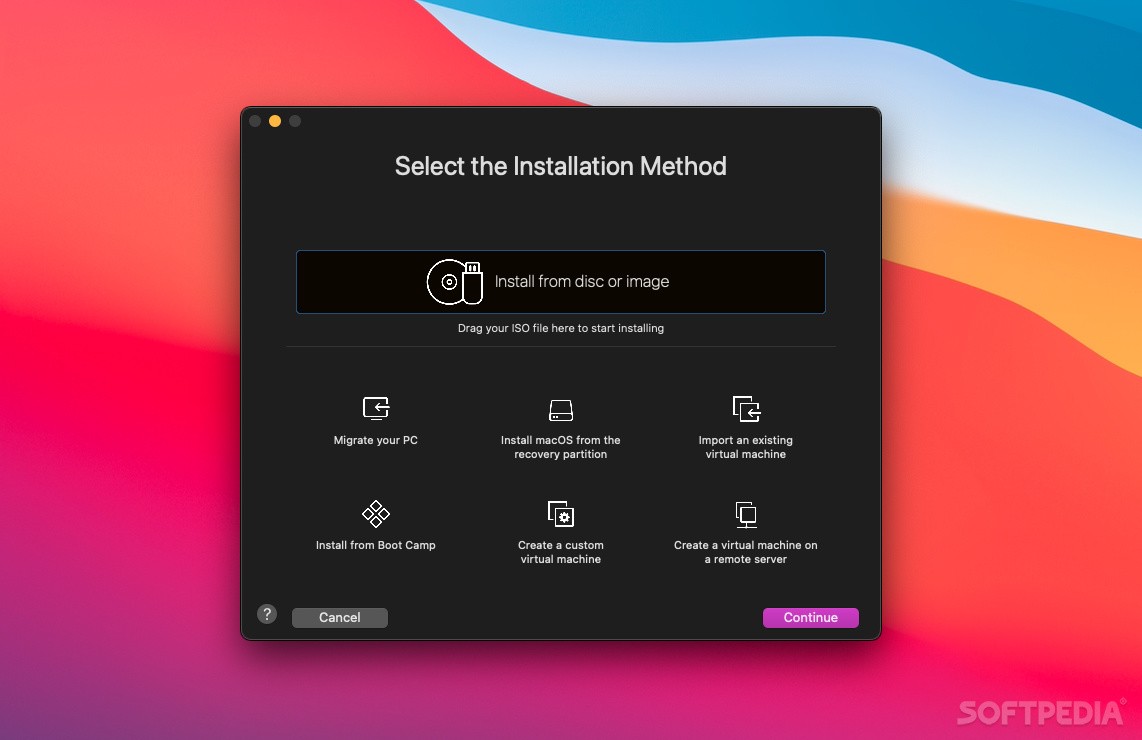
    · VMware Fusion makes it easy to install and run Windows, Linux and other operating systems on your Intel-based Mac as virtual machines, giving you the power to use multiple operating systems simultaneously-and without rebooting your computer.
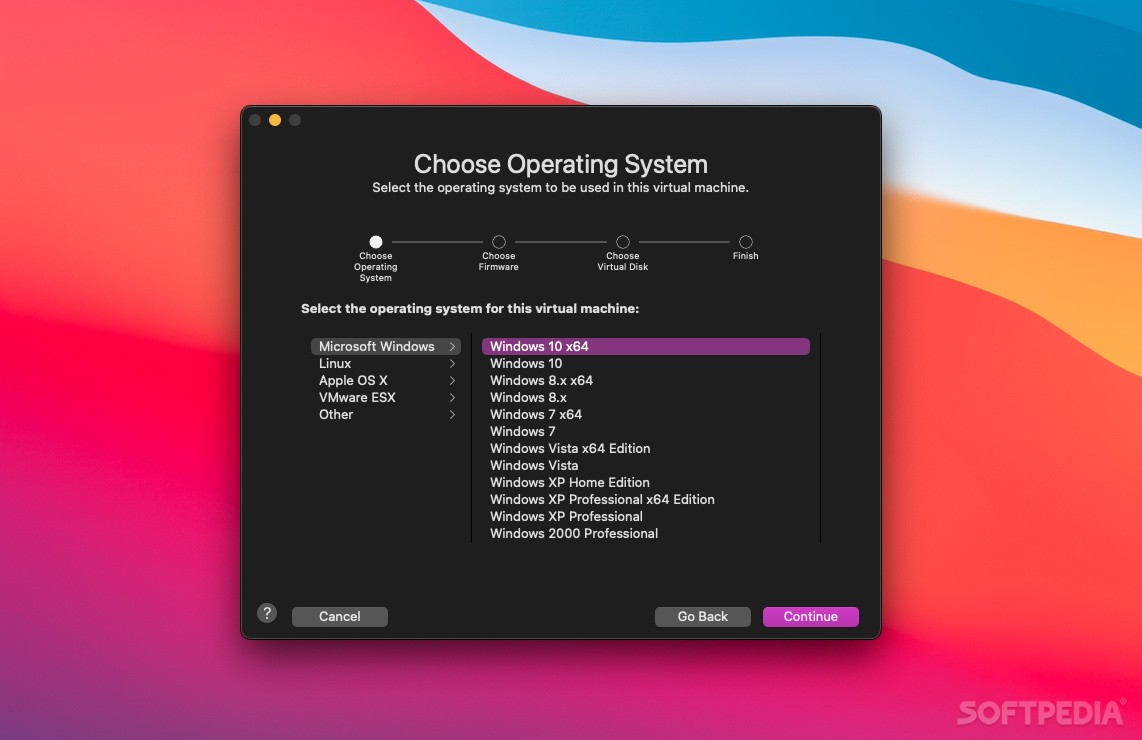
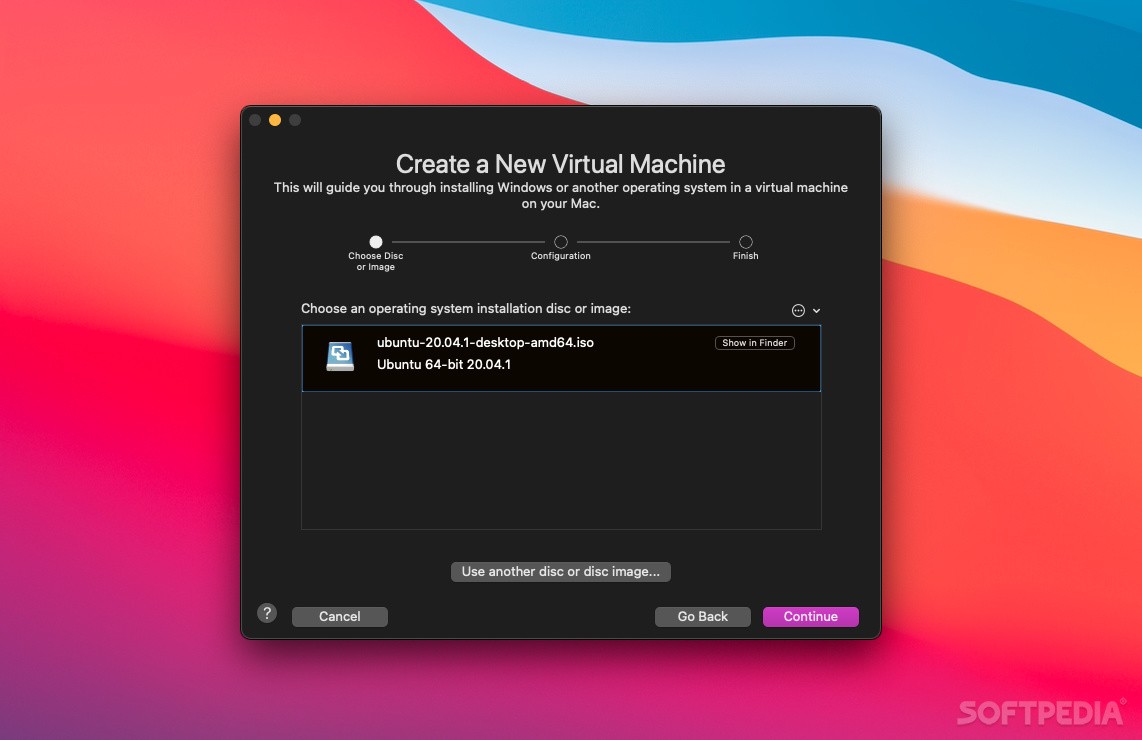
    · Installing Windows has never been easier, thanks to the Windows Easy Install feature in VMware Fusion. Just answer a few simple questions and insert your Windows installation disc-VMware Fusion will automatically create a Windows virtual machine that is optimized for your Mac. You can also use the New Virtual Machine Assistant to create virtual machines that can run Windows, Linux, BSD or any of the more than 60 different operating systems supported by VMware Fusion.
    · Already running Windows XP or Windows Vista on your Mac using Apple's Boot Camp? No problem. VMware Fusion automatically detects your Boot Camp partition and lets you access it as a virtual machine, giving you the flexibility to run Windows XP or Windows Vista alone or side-by-side with Mac OS X.
    · VMware Fusion makes it easier than ever for Windows users to make the switch to a Mac. To move from a PC to VMware Fusion, use the free VMware Converter Starter Edition to transform your Windows PC into a VMware Fusion-compatible virtual machine, then copy the virtual machine from your PC to your Mac. To move from Parallels Desktop to VMware Fusion, use the free VMware Importer (beta) to move your Parallels Desktop virtual machines into VMware Fusion virtual machines.
    · The Cocoa- native user interface gives you features you expect including customizable toolbars to make VMware Fusion work just the way you work.
    · Your complete virtual machine is stored in a single, easy-to-manage package. Move your virtual machines to an iPod, another hard drive, or Mac simply by copying a file.
    · VMware Fusion offers experimental support for hardware-accelerated 3D graphics in Windows XP virtual machines, making it possible to run DirectX 9.0 applications and play select 3D games on your Mac.
    · Only VMware Fusion gives you the ability to leverage the power of the dual-core processors found in most Intel-based Macs with exclusive support for VMware Virtual SMP technology.
    · VMware Fusion is compatible with a wider range of operating systems than any competing product and offers exclusive support for 64-bit operating systems and virtual machines with up to 8 GB of memory.
    · Only VMware Fusion can use the full 16 GB of memory available with the Mac Pro and Xserve, giving you the ability to run a large number of virtual machines at the same time.
    · VMware Fusion lets you get the most out of your Mac hardware-from the SuperDrive to iSight cameras-in any virtual machine. You also get complete support for proprietary video cameras, GPS, Bluetooth, and other USB 2.0 devices that only work in Windows.
    · VMware Fusion allows virtual machines to safely share a single network connection, effortlessly switching between wired and wireless AirPort/Wi-Fi connections.
    · VMware Fusion runs Windows inside a secure and isolated virtual machine, protecting Mac OS X and your Mac hardware in the event that Windows crashes or becomes unstable. VMware Fusion also gives you the ability to suspend and protect your virtual machines.
    · Protect your PC-take a Snapshot of your virtual machine to save a stable state of your PC that you can quickly return to if something goes wrong.
    · Use the Suspend feature in VMware to freeze the exact state of your virtual machine so that you can quickly resume work without restarting Windows and opening all your applications.
    · Only VMware Fusion gives you the most complete support for Microsoft Windows Vista Business, Enterprise, Ultimate, Windows XP, Linux, Solaris, or any of the more than sixty supported PC operating systems. Share files between virtual machines and your Mac with drag and drop, copy and paste text, and resize virtual machine desktops with ease.
    · Take advantage of over 550 third-party virtual appliances, which are ready-to-use virtual machines designed to meet specific needs, and available to Mac users from the VMware Virtual Appliance Marketplace with just the click of your mouse.

    Requirements:

    · An Intel-based Mac (to run 64-bit operating systems, an Intel Mac with a Core 2 Duo or Xeon processor is required)
    · 512MB of RAM (1 GB or more recommended)
    · 275MB free disk space for VMware Fusion
    · 1GB free disk space for each virtual machine (10 GB or more recommended)
    · You must register in order to download.

    Limitations:

    · 30 days trial period.

    What's New in This Release: [ read full changelog ]

    Highlighted New and Improved Features:
    · Faster 3D performance, with Windows Experience scores 20-80% faster than before on Mac OS X Snow Leopard
    · Reduced time for resuming virtual machines
    · Supports import of standalone VHD disks into VMware virtual machines
    · Supports import of Parallels Desktop 5 virtual machines into VMware virtual machines
    · New 64-bit native networking subsystem to match the 64-bit native engine

    PC Migration Agent and Migration Assistant Improvements:
    · Adds support for Windows Server 2008 R2
    · Installer localized into all supported languages
    · Shows progress that VMware Tools are being installed in last step of migrating the PC
    · Does not automatically show the PC Migration Agent application in the resulting virtual machine
    · Adds only one network adapter to imported PC virtual machines

    Unity View Improvements:
    · "Always On" Applications menu defaults to the active virtual machine, and if more than one virtual machine is running, the menu defaults to the one that has focus
    · Fixes a problem in which the "Always On" Application menu was not populated in some cases
    · Improves the Aero-in-Unity experience with better interactive performance and easier readability of window titles
    · Improves Unity view interactive performance for 32-bit Windows applications running on 64-bit Windows operating systems
    · Ability to dismiss system tray menus in Unity view with only one click
    · Small mouse wheel scroll increments work correctly in Unity view
    · Fixes keyboard focus issues in Unity view when multiple windows are opened and closed
    · Fixes a problem in which Adobe Fireworks, Photoshop, and some other applications would drop out of Unity view, causing the Waiting for Unity window to appear
    · Fixes a problem in which VMware Fusion would fail when processing very large icons from Windows applications
    · Fixes a problem in which VMware Fusion could not create Windows applications in the dock for those with really long application names

    Shared/Mirrored Folders Improvements:
    · Outlook 2007 preview works with Mirrored Folders enabled
    · Applications no longer crash when saving exceedingly long path and file names with mapped drives
    · Saving files in shared folders with a PC using ZoneAlarm antivirus software no longer causes Windows to fail

    WDDM (Windows Vista and Windows 7) Graphics Improvements:
    · Windows Experience graphics scores are 20-80% better than VMware Fusion 3.0
    · Greatly improved HD video playback for Windows Vista and Windows 7
    · Older games (including Diablo II, Homeworld, and others) play now on Windows Vista and Windows 7
    · Windows Media Player no longer stretches video
    · Fuzzy text in Windows Aero is fixed
    · Interactive performance on ATI video cards with Aero is greatly improved in combination with Mac OS X 10.6.2
    · Windows 7 no longer boots to an incorrect resolution

    General Graphics Improvements:
    · Fixes fuzzy text in WPF applications
    · Improved 3D performance

    Linux Improvements:
    · Adds support for Ubuntu 9.10 32-bit and 64-bit editions, including Easy Install and Unity view
    · Fixes choppy sound problems with newest Linux guests with kernel version 2.6.30+
    · Fixes Easy Install problems when double quotes were used in password
    · Improves Tools support for latest 2.6.z kernels

    FreeBSD Improvements:
    · Prebuilt modules for FreeBSD 8.x

    Mac OS X Server Improvements:
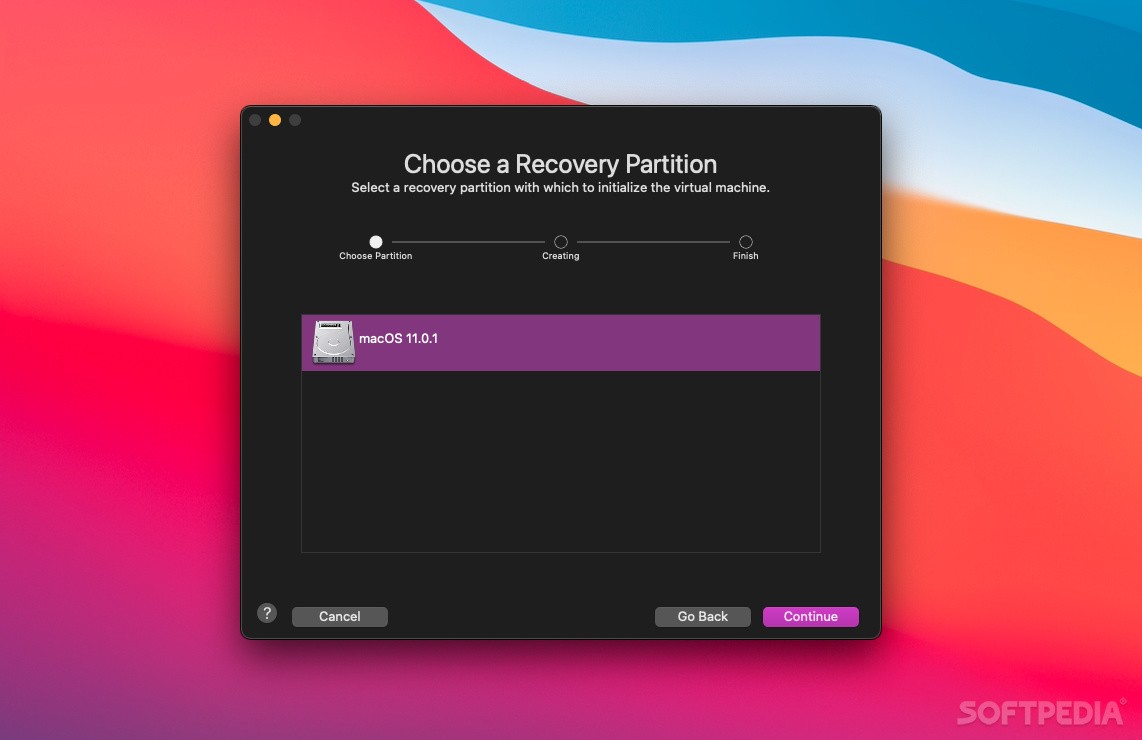
    · Faster boot times for Mac OS X Server guests

    Other Fixes and Improvements:
    · Multicore support for Windows 7 works correctly for all editions of Windows 7. Previously it did not work for Windows Home Premium, Home Basic, and Starter editions
    · Fixes a performance problem in which Spotlight would continually search the Mac for virtual machines when the Virtual Machine Library was left open, causing slow downs
    · Fixes a problem in which the VMware Tools included with VMware Fusion 2.0.5 would not be updated correctly
    · Fixes a problem in which it was not possible to use a CD drive on certain hardware-specific versions of Mac OS X 10.6.1. This is also fixed by upgrading to Mac OS X 10.6.2
    · Fixes a problem in which the ThinPrint driver would cause printing problems in 64-bit Windows Boot Camp partitions
    · Favorite virtual machine opens correctly when launching VMware Fusion 3
    · Contains a fix for Link State Propagation for bridged networking that previously failed, in some cases, after installing VMware Fusion 3.0
    · Fixes a problem in which you could not switch Spaces desktops away from a full-screen virtual machine if the Full Screen view title bar was hidden
    · Fixes miscellaneous memory leaks in the VMware Fusion UI and during AutoProtect snapshots
    · Speeds up navigation in the Virtual Machine Library when you have 10 or more virtual machines
    · Removes console log spew by VMware Fusion Helper
    · In the Preview window, the View mode buttons show enabled and selected state
    · Fixes black flash when suspending a virtual machine in Single Window view
    · Virtual Machine Library and Preview window previously had poor quality for European language users

        Softpedia guarantees that VMware Fusion 3.0.1 Build 215242 is 100% CLEAN, which means it does not contain any form of malware, including spyware, viruses, trojans and backdoors. [read more >]


    TAGS:

    vmware tool | virtual machine | windows on mac | vmware | virtual | virtualization


    HTML code for linking to this page:


    Go to top

    Windows tabGames tabDrivers tabMac tabLinux tabScripts tabMobile tabHandheld tabGadgets tabNews tab

    SUBMIT PROGRAM   |   ADVERTISE   |   GET HELP   |   SEND US FEEDBACK   |   RSS FEEDS   |   ENTER NEWS SITE   |   ENGLISH BOARD   |   ROMANIAN FORUM