
A handy and easy-to-use screen grabber that enables you to record videos or capture your Mac's screen with just a few mouse clicks. #Screen capture #Screen recorder #Record screencast #Screen #Grabber #Capture
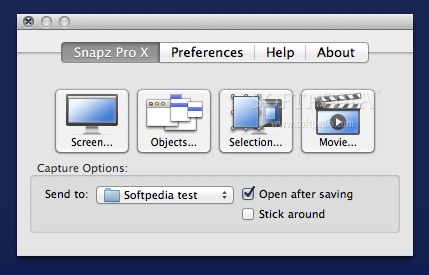
Snapz Pro X is a lightweight and unobtrusive OS X application especially designed to help you record or capture your Mac's screen quickly and effortlessly.
Moreover, the Snapz Pro X app features a well-designed interface designed to help you to easily and rapidly choose the type of capture mode according to the task you need to perform.
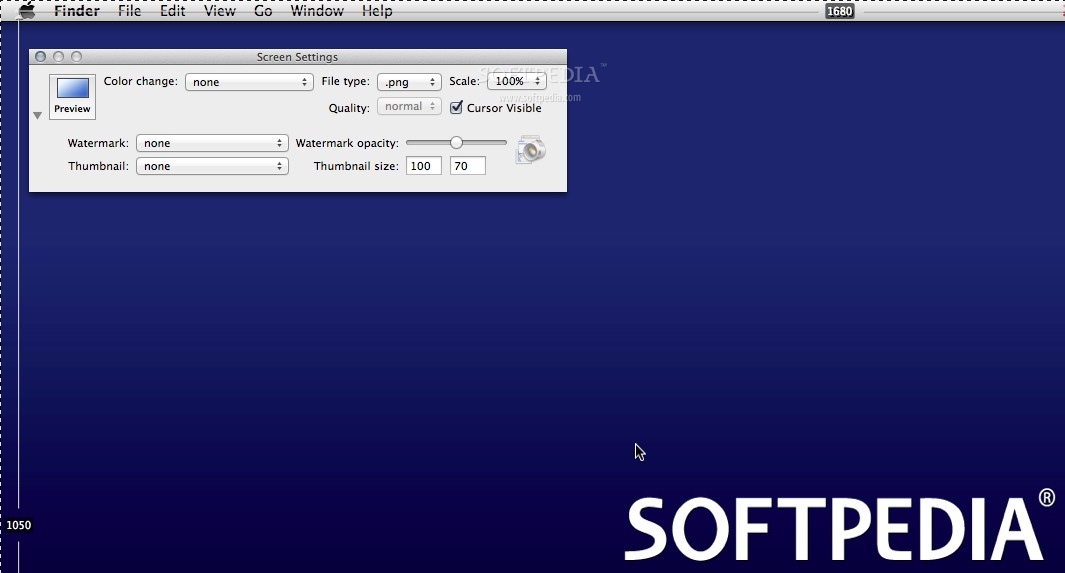
The first mode allows you to take a screenshot of your entire screen, while the second mode enables you to grab only the selected menus, windows or objects.
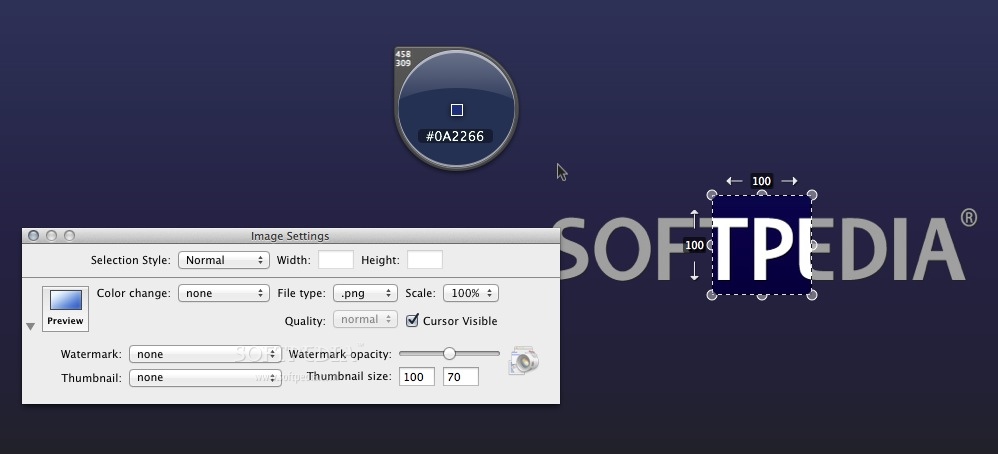
The third mode helps you take a screenshot only of the selected part of the screen. All three modes are accompanied by a Settings window from which you can set the quality of the screenshot, the scale and the format of the output file.
Snapz Pro X allows you to add your own watermark and generate a thumbnail for each screenshot. You can also adjust the watermark opacity and add a border.
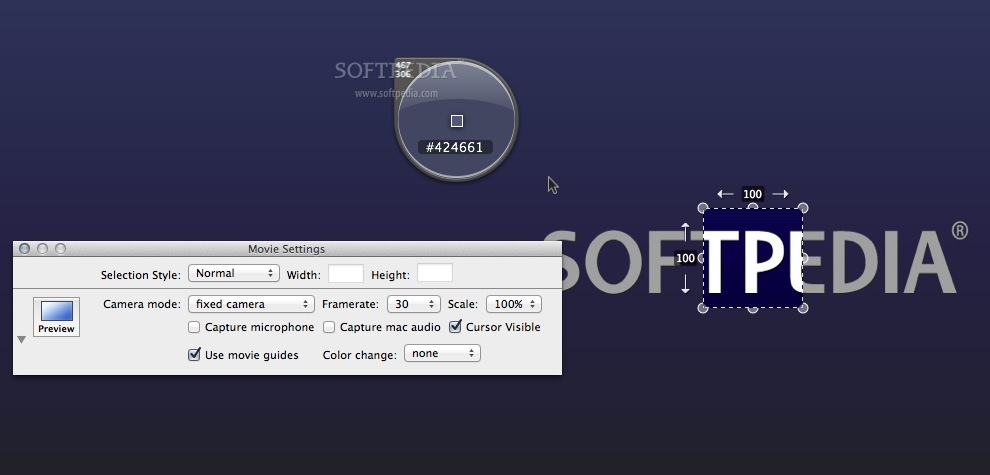
By accessing the Movie Settings window, you will be able to choose the camera mode, the selection style, set the frame-rate along with the width and height of the video and choose the source of the audio.
What is more, depending on the type of screencast you wish to make, you can switch between the “Fixed camera”, “Follow the cursor” and “Smooth pan camera” modes.
Another Snapz Pro X feature worth mentioning is the built-in Color picker that enables you to view the Hex color code for the color located under the mouse cursor.
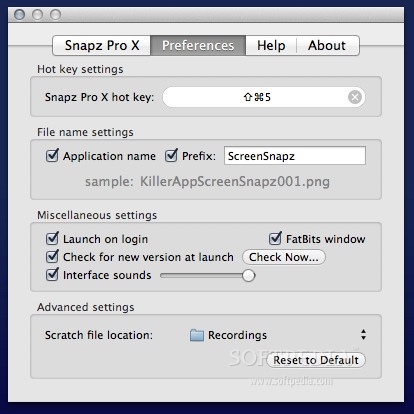
As a supplementary bonus, from Snapz Pro X’s Preferences tab, you can change the default hotkey and change the file naming settings, and you can also effortlessly toggle the sound interfaces and adjust their volume.
Snapz Pro X lives up to its promised ease of use by providing you with a comprehensive toolset designed to offer you everything you need for capturing and recording your Mac’s screen quickly and with great ease.
Download Hubs
Snapz Pro X is part of these download collections: Video Grabber, Video Capture
What's new in Snapz Pro X 2.6.1:
- Fixed the 'kext' to be signed and work properly with OS X Sierra
- Added multiple fixes for Sierra support
- Numerous bug fixes and enhancements
Snapz Pro X 2.6.1
 Softpedia Editor's Pick
add to watchlist
add to download basket
send us an update
REPORT
Softpedia Editor's Pick
add to watchlist
add to download basket
send us an update
REPORT
- runs on:
- Mac OS X 10.7.4 or later (Intel only)
- file size:
- 17.4 MB
- filename:
- SnapzProX2.dmg
- main category:
- System Utilities
- developer:
- visit homepage
Microsoft Teams

calibre

IrfanView

4k Video Downloader

Bitdefender Antivirus Free

Zoom Client

ShareX

Context Menu Manager

7-Zip

Windows Sandbox Launcher

- Context Menu Manager
- 7-Zip
- Windows Sandbox Launcher
- Microsoft Teams
- calibre
- IrfanView
- 4k Video Downloader
- Bitdefender Antivirus Free
- Zoom Client
- ShareX
