
Your personal macOS housekeeper that helps you maintain a clean and organize computer without spending time sorting and labeling your files. #Clean folder #Organize folders #Trash manager #Clean #Organize #Automation
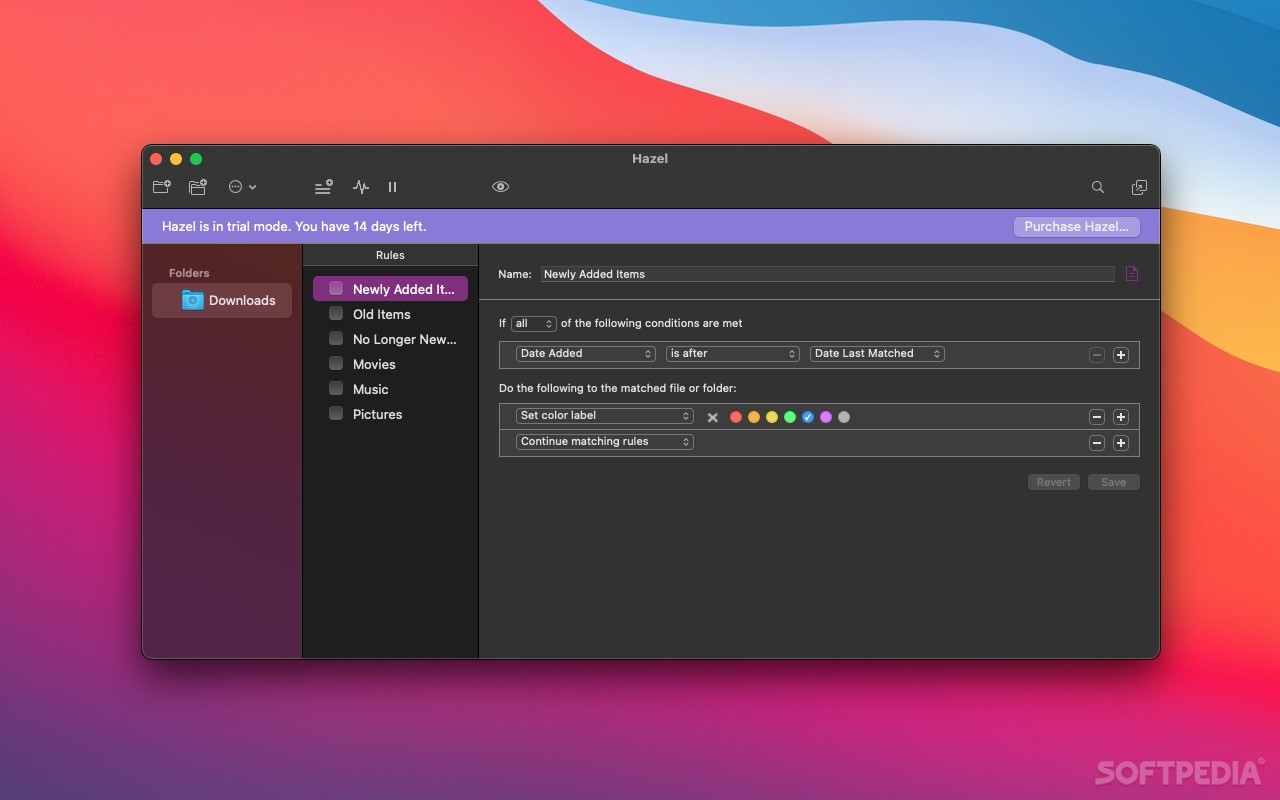
Hazel is a well-thought-out System Preferences pane designed to run in the background and automatically organize, move and label files for you.
Hazel is capable to monitor the desired folders and automatically organize your files according to your own rules. The great thing about Hazel, is that its rule interface is similar to Apple Mail and, as a result, you can quickly figure out how to define your rules.
You can have Hazel move files from one folder to another based on the name, date, type and email address or website it cam from. In other words, you can automatically move your music in the Music folder, films in the Movies folder, remove download from the desktop and keep your workspace clean and organized.
What is more, Hazel can archive, open, label and add Spotlight comments. Moreover, you can have Hazel rename your files and organize them in subfolders based on their name, date or any combination of attributes you like. Thanks to Hazel’s rule-based engine, you can create handy workflows to optimize your disk space usage and file organization.
Although, Hazel quietly runs in the background, you can still access its status bar menu to start or stop haze, run the desired rules and open the log.
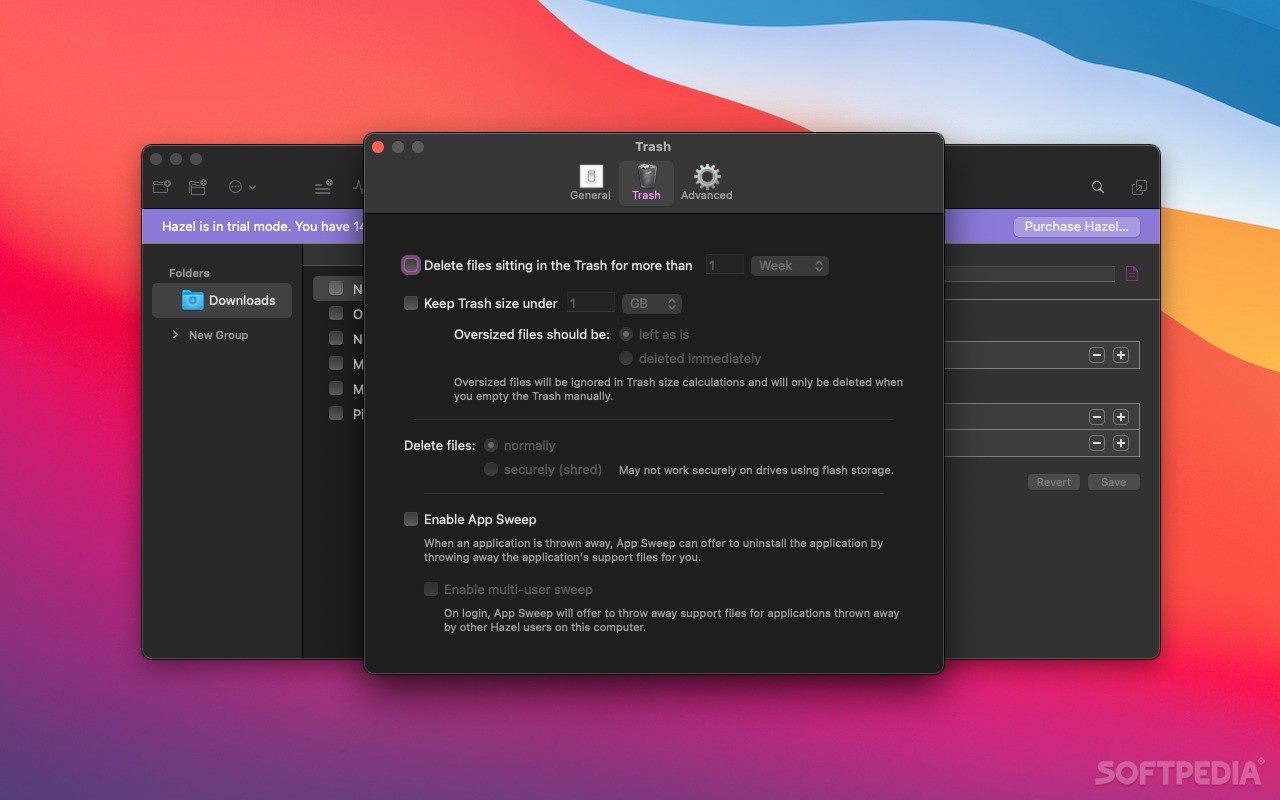
App Sweep is another useful feature that helps you delete applications along with their support files. On top of that, you can re-install the support files if you accidentally deleted an app. Hazel can also work for all existing users and delete support files of uninstalled applications once they login.
You can use Hazel to import files into your iPhoto and iTunes library, into a specific playlist, photo album or Aperture project.
The advanced Spotlight integration enables you to use the desired Spotlight attribute while defining your rules. Consequently, you can sort photos by aperture or shutter speed and rename audio files from a specific artist, album or year.
You can even configure Hazel to manage your Trash and keep it under a certain size. Hazel can also shred files and automatically delete files that have been in the Trash for a long period of time.
What's new in Hazel 5.3.4:
- Fixed throwing away of files on external volumes when the volume does not have its own trash. Should now behave like pre-5.3.3 where such files would end up in the home trash instead of failing outright.
Hazel 5.3.4
add to watchlist add to download basket send us an update REPORT- runs on:
- macOS 10.15 or later (Universal Binary)
- file size:
- 22.3 MB
- filename:
- Hazel-5.3.4.dmg
- main category:
- System Utilities
- developer:
- visit homepage
Zoom Client

Bitdefender Antivirus Free

IrfanView

ShareX

calibre

Microsoft Teams

4k Video Downloader

Windows Sandbox Launcher

7-Zip

Context Menu Manager

- Windows Sandbox Launcher
- 7-Zip
- Context Menu Manager
- Zoom Client
- Bitdefender Antivirus Free
- IrfanView
- ShareX
- calibre
- Microsoft Teams
- 4k Video Downloader