
Command line based and open source keylogger that starts automatically at login and runs in the background to stealthily record all key strokes to a log that you can review later on. #Keyboard logger #Log keyboard #Keystroke logger #Keylogger #Key logger #Key-logger
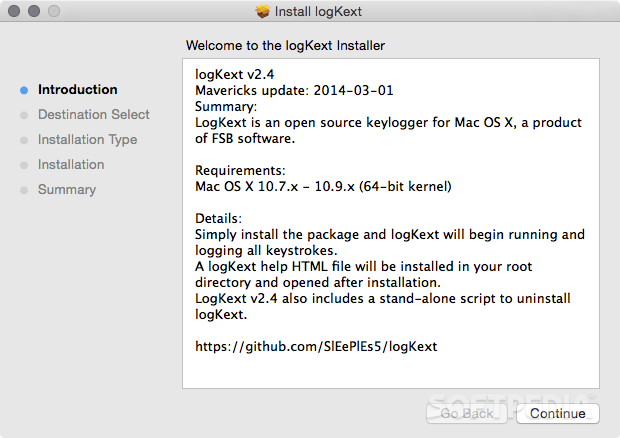
If you're a parent and you want to make that you kids are doing their homework and not wasting time on your Mac while you're away, chatting with their friends or playing games, you can use a keylogger to keep up with what they're doing when you're out and about.
One such utility, designed to make it as easy as possible for any parent to track their kids' computer usage, is logKext, a command line based and open source keylogger that starts automatically at login and runs in the background to stealthily record all key strokes to a log that you can review later on.
Once you install and configure logKext, with the help of the online README file, the keylogger will being running in the background to avoid detection so that your kids don't have any idea they're being supervised.
In order to overview what logKext has been recording while you were away, you will have to open a Terminal window and run the LogKextClient program, an interactive and simple to use command-line interface designed to enable you to control and adjust the keylogger's settings with ease.
The most important thing LogKextClient can help you do is to open the keystroke log. To do this, you have to use the "open" command which tells the keylogger to save a plain text copy of the log to your Mac's desktop.
This text file can be opened using any text editor you have at hand and makes it simple for you to see what people that have been using your Mac have been typing. For a list of all available commands, you can type "help" and hit the RETURN key.
Taking all said in consideration, logKext will make your life easier when having to monitor your youngsters computer usage habits, with the help of its capability to automatically record key strokes and save them to a log.
What's new in logKext 2.4:
- This is a binary release of logKext 2.4, ready to install.
- It's worth noting that since I couldn't get this to package properly in Release mode (this needs a new packaging mechanism), this is technically a debug build. It works fine, and the single architecture isn't a problem since all 10.7+ machines are 64-bit anyway, but any number of things could go wrong.
logKext 2.4
add to watchlist add to download basket send us an update REPORT- runs on:
- Mac OS X 10.7 or later (Intel only)
- file size:
- 47 KB
- filename:
- logKext-2.4.pkg
- main category:
- Security
- developer:
- visit homepage
Microsoft Teams

Zoom Client

Context Menu Manager

4k Video Downloader

ShareX

calibre

Bitdefender Antivirus Free

Windows Sandbox Launcher

7-Zip

IrfanView

- Windows Sandbox Launcher
- 7-Zip
- IrfanView
- Microsoft Teams
- Zoom Client
- Context Menu Manager
- 4k Video Downloader
- ShareX
- calibre
- Bitdefender Antivirus Free