
A free and efficient security utility that stores your collection of important service access information such as passwords, username and PIN codes. #Password collection #Password vault #Keep passwords #Password #Store #Secure
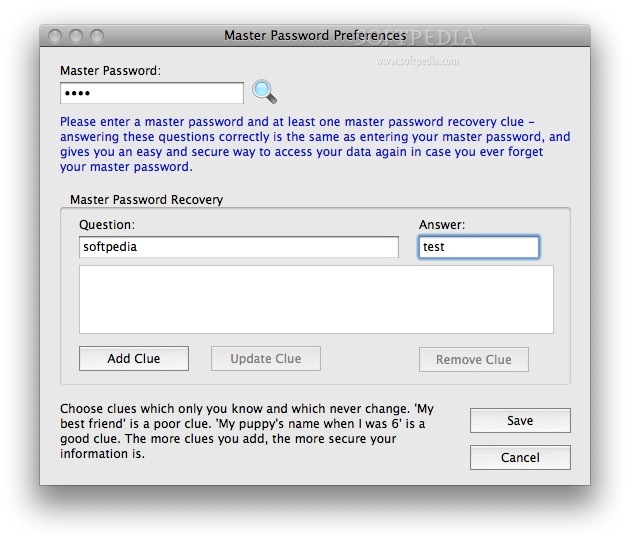
PasswordVault Lite is a cross-platform password manager application designed to automate the process of logging into websites by securely storing your collection of usernames, passwords, PIN numbers or internet banking accounts.
It must be said that PasswordVault Lite works by protecting your data via a very strong 256-bit double-layer Blowfish encryption system. Also, PasswordVault has a smart in-built password recovery system that ensures your data is as safe as it can be and cannot be accessed by third parties.
Right off the bat, when you start PasswordVault Lite, a username must be created, alongside a “master password”, that will provide you with complete access over the application’s functions and features.
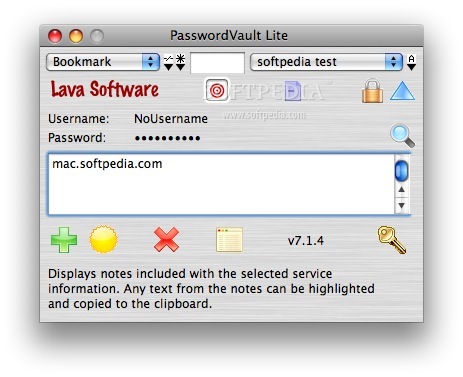
Getting to grips with PasswordVault Lite is an easy process, because of its minimalistic and very colorful user interface that doesn't quite follow Apple's OS X Human Interface Guidelines for design.
Moreover, PasswordVault Lite organizes and keeps all your passwords and usernames in a safe and protected database, and, once you open a website in your browser, with a few clicks, the passwords and usernames will be filled in, thus, allowing to log on quickly and seamlessly.
Another worth mentioning feature is that PasswordVault Lite will block and fight “phishing" and will protect your information by blocking fraudulent e-mails that could compromise your accounts' security.
PasswordVault Lite also offers protection from "keyloggers” that record every keystroke made on your Mac by making it possible to effortlessly log in on any website without having to type your password.
PasswordVault Lite can run off USB drives, so that you can take it with you and keep all your passwords protected even when you’re not using your personal Mac.
By and large, the Internet is clearly not 100% safe and attacks or loss of information happen, and that is why PasswordVault Lite is a must-have utility and using it is a good step towards improving your privacy.
What's new in PasswordVault Lite 8.4.0:
- [Opt] If the Vandana font is available, it is now selected automatically on launch for the username and password text. This font shows clear distinctions between similar letters, such as l (lowercase L) and I (uppercase i), making it much easier for users to read and manually enter a username or password correctly into website (and other) logins.
- [Opt] When PasswordVault contained a very large number of services (eg. 5000), updating of popup menus could take several seconds, particular when the 'All' category was selected. The number of services displayed in the popups has now been limited to 200, ensuring very fast updates.
- [Opt] All code signing certificates for the MacOS and Windows versions have been updated, to ensure maximum security when running the PasswordVault app.
PasswordVault Lite 8.4.0
 Softpedia Editor's Pick
add to watchlist
add to download basket
send us an update
REPORT
Softpedia Editor's Pick
add to watchlist
add to download basket
send us an update
REPORT
- runs on:
- OS X 10.11 or later (Intel only)
- file size:
- 27.9 MB
- filename:
- passwordvaultlite.dmg
- main category:
- Security
- developer:
- visit homepage
calibre

ShareX

Windows Sandbox Launcher

IrfanView

paint.net

Zoom Client

4k Video Downloader

7-Zip

Microsoft Teams

Bitdefender Antivirus Free

- 7-Zip
- Microsoft Teams
- Bitdefender Antivirus Free
- calibre
- ShareX
- Windows Sandbox Launcher
- IrfanView
- paint.net
- Zoom Client
- 4k Video Downloader