
Remove the DNSChanger Trojan Horse, also known as OSX.RSPlug.A and OSX/Puper from your Mac.. #Remove trojan #Trojan scanner #Dnschanger removal #Remove #Scan #Remover
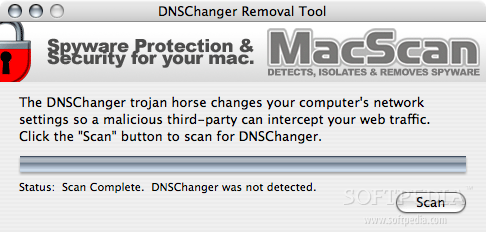
DNSChanger Removal Tool is a free tool thta will help you easily scan for and remove the DNSChanger Trojan Horse, also known as OSX.RSPlug.A and OSX/Puper from your Mac.
The DNSChanger trojan horse will change your computer's network settings to allow malicious third-parties to intercept your web traffic.
Once downloaded and installed, the DNSChanger Trojan Horse changes the DNS settings on the computer, redirecting websites entered by the user to malicious sites. If personal information is entered on these malicious websites, it can lead to identity theft.
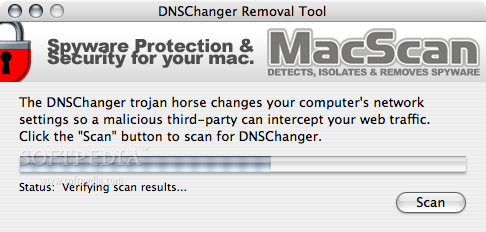
Upon launching DNSChanger Removal Tool, click the Scan button to scan for the DNSChanger trojan horse. DNSChanger Removal Tool will scan your computer for the DNSChanger trojan horse, and alert you if it is detected.
If the DNSChanger trojan horse is detected, DNSChanger Removal Tool will give you the option to remove it. If the DNSChanger trojan horse is detected and removed, you will need to restart your computer to clear out the bad DNS entries added by the DNSChanger Trojan Horse.
Download Hubs
DNSChanger Removal Tool is part of these download collections: Detect Malware, Trojan Remover, Removal Tools
What's new in DNSChanger Removal Tool 2.0:
- Updated support for the latest variants of the DNSChanger Trojan Horse.
- Slight changes to the user interface.
DNSChanger Removal Tool 2.0
add to watchlist add to download basket send us an update REPORT- runs on:
- Mac OS X 10.3.9 or later (PPC & Intel)
- file size:
- 523 KB
- filename:
- DNSChangerRemovalTool.dmg
- main category:
- Security
- developer:
- visit homepage
Bitdefender Antivirus Free

7-Zip

IrfanView

4k Video Downloader

Zoom Client

calibre

paint.net

Microsoft Teams

Windows Sandbox Launcher

ShareX

- Microsoft Teams
- Windows Sandbox Launcher
- ShareX
- Bitdefender Antivirus Free
- 7-Zip
- IrfanView
- 4k Video Downloader
- Zoom Client
- calibre
- paint.net