
An unobtrusive utility that enables you to track and monitor your Mac's network activity and view the inbound and outbound traffic #Network monitor #Network traffic #Traffic monitor #Monitor #Network #Traffic
Network Inspector is a self-explanatory macOS application designed to provide you with all the required tools and features to help you view and visualize your Internet traffic.
Moreover, the lightweight Network Inspector utility can be bought, downloaded and installed via the Mac App Store with just a few mouse clicks. Thanks to the small size of the application you can complete the installation process in just a few seconds.
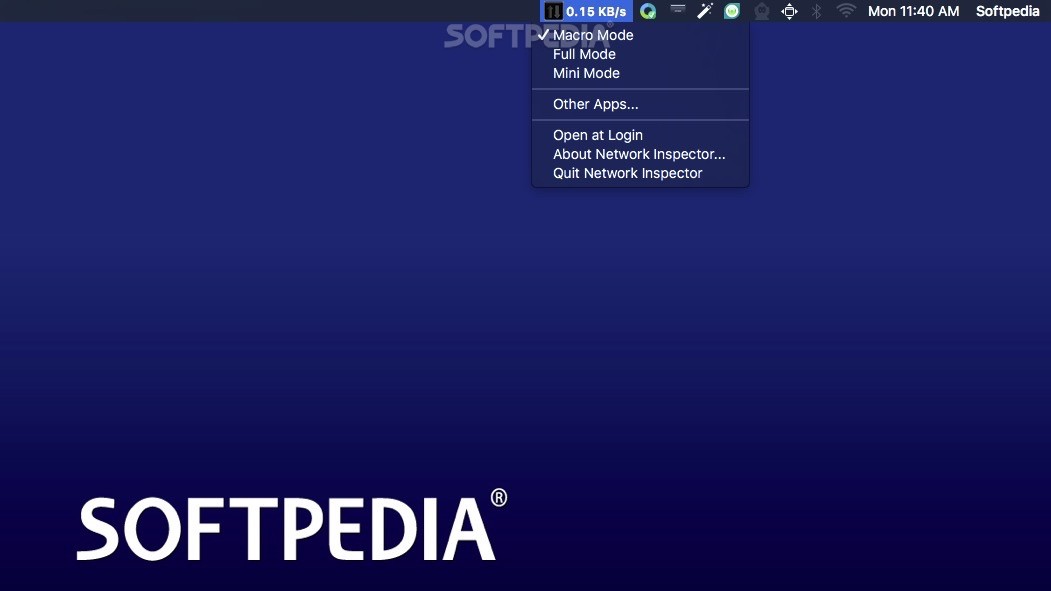
Network Inspector features a user-oriented interface and comes with three different display modes, Macro, Mini and Full Mode. From Network Inspector’s status bar menu you can access any of the aforementioned modes, quit the application and enable it to start at Login.
The Macro Mode might be the most practical display method since it does not require any space from your Mac’s desktop. Thanks to the Macro Mode you can view the upload or download speed directly in the status bar.
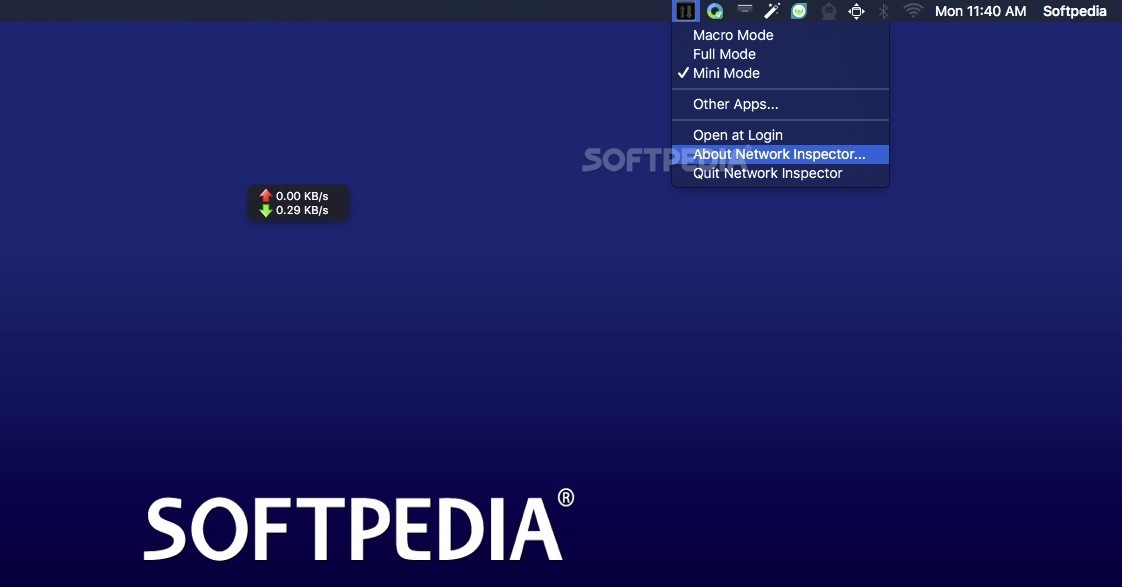
If you want to view both speeds at the same time you can quickly and easily enable the Mini Mode. The transparent window displays the upload speed next to a red upward pointing arrow and the download speed next to a green downward pointing arrow.
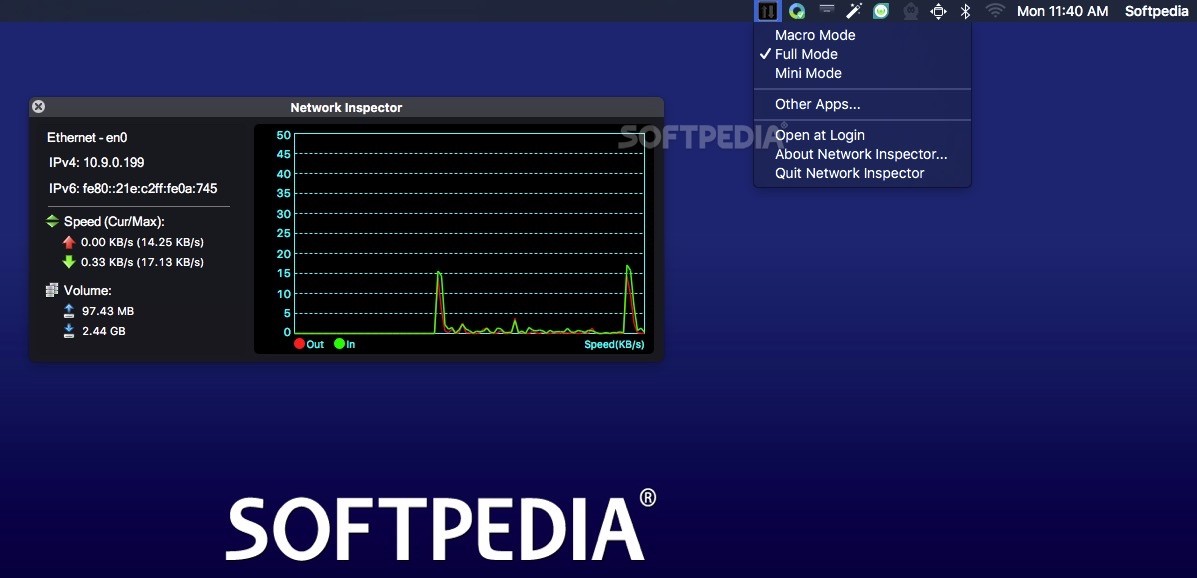
However, if you need to view detailed information about your network connection, such as the network device, IPv4 and IPv6 address, the current and maximum upload and download speed along with the amount of data uploaded or downloaded, you should enable the Full Mode display.
Another great feature available in the Network Inspector app is the animated chart located in the right panel of the main window, designed from the ground up to help you monitor your Mac’s network usage in real time.
The speed of both download and upload traffic is calculated in KB/s and, as expected, the download speed is represented by a green line while the upload speed is represented by a red line.
The Network Inspector application is a practical and very easy-to-use OS X utility that can be used to effortlessly track and monitor your Mac's network traffic and speed via the menu bar.
What's new in Network Inspector 2.2:
- Download data volume display to three decimal places
Network Inspector 2.2
add to watchlist add to download basket send us an update REPORT- runs on:
- OS X 10.8 or later (Intel only)
- file size:
- 1.6 MB
- main category:
- Network/Admin
- developer:
- visit homepage
calibre

7-Zip

Context Menu Manager

Bitdefender Antivirus Free

Zoom Client

4k Video Downloader

IrfanView

Windows Sandbox Launcher

Microsoft Teams

ShareX

- Windows Sandbox Launcher
- Microsoft Teams
- ShareX
- calibre
- 7-Zip
- Context Menu Manager
- Bitdefender Antivirus Free
- Zoom Client
- 4k Video Downloader
- IrfanView