Softpedia
 

MAC CATEGORIES:


GLOBAL PAGES >>
NEWS ARCHIVE >>
SOFTPEDIA REVIEWS >>
MEET THE EDITORS >>
WEEK'S BEST
  • Reason 7.0.1 Build 3510
  • Apple iTunes 11.0.3
  • CrossOver Mac 12.2.1 Bu...
  • Skype 6.4.60.833
  • Mozilla Firefox 21.0 / ...
  • Skitch 2.5.2 Build 262792
  • Apple iMovie 9.0.9
  • Tunnelblick 3.2.9 / 3.3...
  • Sublime Text 2.0.1 Buil...
  • Avidemux 2.6.4
  • Home > Mac > Network/Admin
     Report malware

    Mosh 1.2.2

    Download button

    Downloads: 267  Tell us about an update
    User Rating:
    Rated by:
    Excellent (5.0/5)
    1 user(s)
    Developer:

    License / Price:

    Size / OS:

    Binary Format:

    Last Updated:

    Category:
    Keith Winstein | More programs
    GPL / FREE
    283 KB / Mac OS X 10.6 or later
    -
    September 30th, 2012, 07:41 UTC [view history]
    Home / Network/Admin

     Read user reviews (0)  Refer to a friend  Subscribe

    Mosh description

    More robust and responsive SSH replacement, especially over Wi-Fi, cellular, and long-distance links

    Mosh is a free and open source remote terminal application that allows roaming, supports intermittent connectivity, and provides intelligent local echo and line editing of user keystrokes.

    Mosh is a replacement for SSH. It's more robust and responsive, especially over Wi-Fi, cellular, and long-distance links.

    Mosh is free software, available for Mac OS X, GNU/Linux, and FreeBSD.

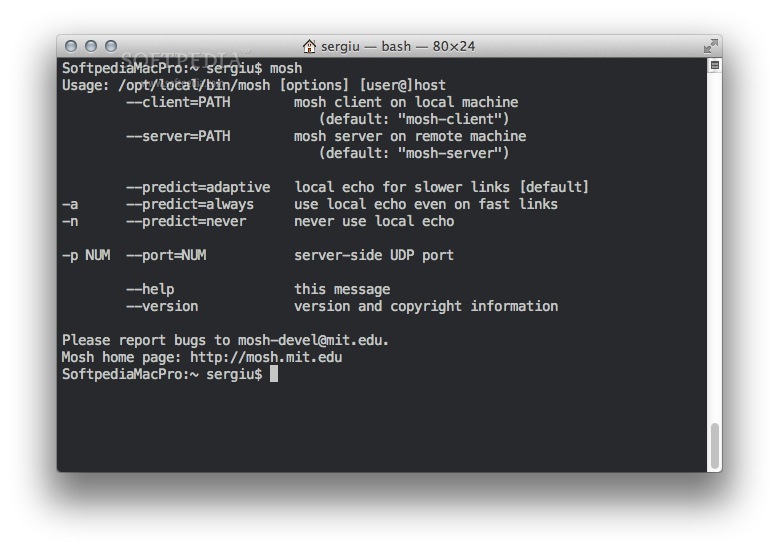
    How to install and run: Unarchive, open a Terminal window, go to Mosh's folder and run the following commands from the command line:

    ./autogen.sh
    ./configure
    make
    sudo make install
    mosh


    If you have MacPorts installed on your Mac you can easily install Mosh by running the following command in a Terminal window:

    sudo port install mosh

    Here are some key features of "Mosh":

    Change IP, stay connected:

    · Mosh automatically roams as you move between Internet connections. Use Wi-Fi on the train, Ethernet in a hotel, and LTE on a beach: you'll stay logged in. Most network programs lose their connections after roaming, including SSH and Web apps like Gmail. Mosh is different.

    Makes for sweet dreams:
    · With Mosh, you can put your laptop to sleep and wake it up later, keeping your connection intact. If your Internet connection drops, Mosh will warn you — but
    · the connection resumes when network service comes back.

    Get rid of network lag:
    · SSH waits for the server's reply before showing you your own typing. That can make for a lousy user interface. Mosh is different: it gives an instant response to typing, deleting, and line editing. It does this adaptively and works even in full-screen programs like emacs and vim. On a bad connection, outstanding predictions are underlined so you won't be misled.

    No privileged code, no daemon:
    · You don't need to be the superuser to install or run Mosh. The client and server are executables run by an ordinary user and last only for the life of the connection.

    Same login method:
    · Mosh doesn't listen on network ports or authenticate users. The mosh client logs in to the server via SSH, and users present the same credentials (e.g., password, public key) as before. Then Mosh runs the mosh-server remotely and connects to it over UDP.

    Runs inside your terminal, but better:
    · Mosh is a command-line program, like ssh. You can use it inside xterm, gnome-terminal, urxvt, Terminal.app, iTerm, emacs, screen, or tmux. But mosh was designed from scratch and supports just one character set: UTF-8. It fixes Unicode bugs in other terminals and in SSH.

    Control-C works great:
    · Unlike SSH, mosh's UDP-based protocol handles packet loss gracefully, and sets the frame rate based on network conditions. Mosh doesn't fill up network buffers, so Control-C always works to halt a runaway process.

    Requirements:

    · Apple Xcode

    What's New in This Release: [ read full changelog ]

    · Remove warning on out-of-order/duplicated datagrams
    · Add "experimental" prediction mode

     Softpedia guarantees that Mosh 1.2.2 is 100% FREE, which means it does not contain any form of malware, including spyware, viruses, trojans and backdoors. [read more >]


    TAGS:

    SSH replacement | remote terminal | SSH connection | remote | connect | SSH

    Go to top

    WindowsGamesDriversMacLinuxScriptsMobileHandheldNews

    SUBMIT PROGRAM   |   ADVERTISE   |   GET HELP   |   SEND US FEEDBACK   |   RSS FEEDS   |   UPDATE YOUR SOFTWARE   |   ROMANIAN FORUM