
Simple and handy app that enables you create soft subtitle movies for your iOS devices with just a couple clicks of a mouse button. #Add subtitle #Sync subtitle #Subtitle sync #Subtitle #Sync #Sub

iSubtitle is a well-designed and easy-to-use OS X application that helps you create soft subtitle movies for your iPhone, iPad, iPod, Apple TV or any other QuickTime based player or application.
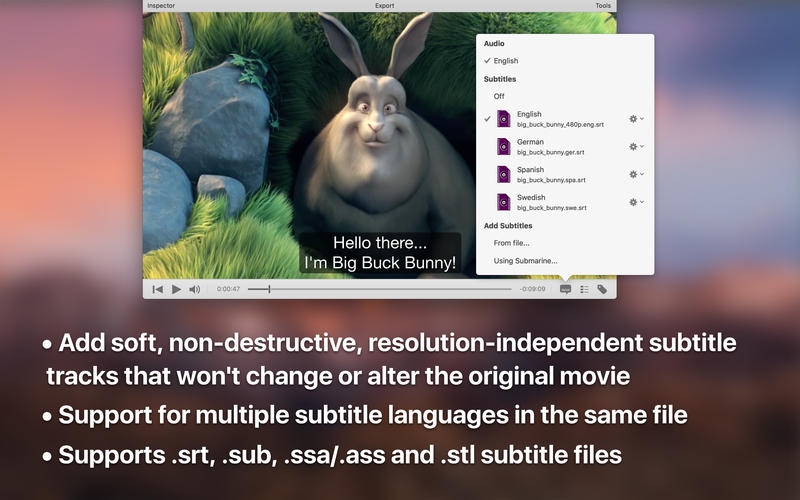
Moreover, the iSubtitle app uses Apple’s soft subtitle technology that enables you to create resolution independent tracks which can be rendered in real time as the movie is played.
iSubtitle also helps you create multi-language subtitles for the same movie, a fact that enables you to switch between different languages as you watch the video.
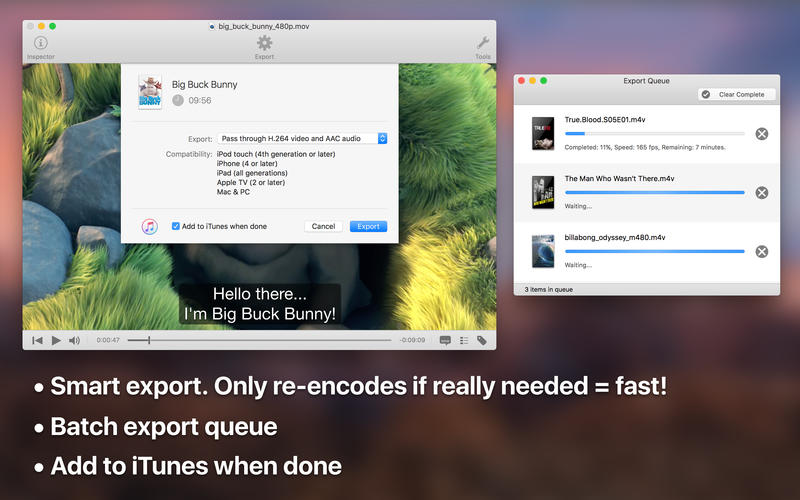
From iSubtitle’s main window, you can quickly and easily load the movie file, add the subtitles and output the new files without re-encoding the file. On the other hand, if the provided files are not supported by your device, you can batch re-encode them directly from within the application.
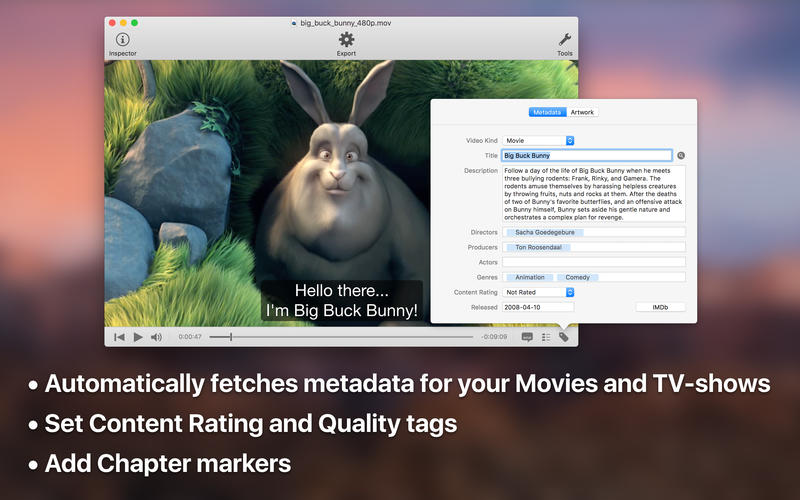
On top of that, iSubtitle offers you the option to tag your files and edit their metadata in order to make it easier for you to find the needed file in our ever-expanding collection of TV shows and movies. ISubtitle comes with built-in subtitle search engine with automatic download, unarchive and parsing.
If you already have the subtitle file, you’ll be happy to know that iSubtitle features support for most popular file formats, including SRT, SUB, SSA, ASS, STL, SCC and ITT. Also, Matroska subtitles, such as SSA/ASS and SRT are automatically converted to soft subtitle tracks on import.
ISubtitle is capable to automatically create chapter markers and edit the metadata of you files. It goes without saying that you can perform the above mentioned task manually as well and you can also watch movies in fullscreen directly from within the app.
ISubtitle is a powerful and handy OS X application designed to from the ground up to make it easy for you to create soft subtitled movies for your iOS devices.
What's new in iSubtitle 3.4.6:
- Playback with hardware decoding on the GPU for H.264 and H.265 (HEVC) video tracks.
- Playback with hardware decoding also works for containers like .MKV (Matroska)
- Playback with hardware decoding saves battery life and CPU cycles.
- Easily plays 4K video when hardware decoding is available.
iSubtitle 3.4.6
add to watchlist add to download basket send us an update REPORT- runs on:
- macOS 10.15 or later (Universal Binary)
- file size:
- 27.1 MB
- filename:
- iSubtitle_3.4.6.zip
- main category:
- Multimedia
- developer:
- visit homepage
7-Zip

Zoom Client

IrfanView

ShareX

Microsoft Teams

Windows Sandbox Launcher

Bitdefender Antivirus Free

calibre

Context Menu Manager

4k Video Downloader

- calibre
- Context Menu Manager
- 4k Video Downloader
- 7-Zip
- Zoom Client
- IrfanView
- ShareX
- Microsoft Teams
- Windows Sandbox Launcher
- Bitdefender Antivirus Free