
A very well organized media viewer that is able to handle more than 500 different file formats and includes conversion capabilities. #Image viewer #Image converter #Image browser #Image #Browse #Convert
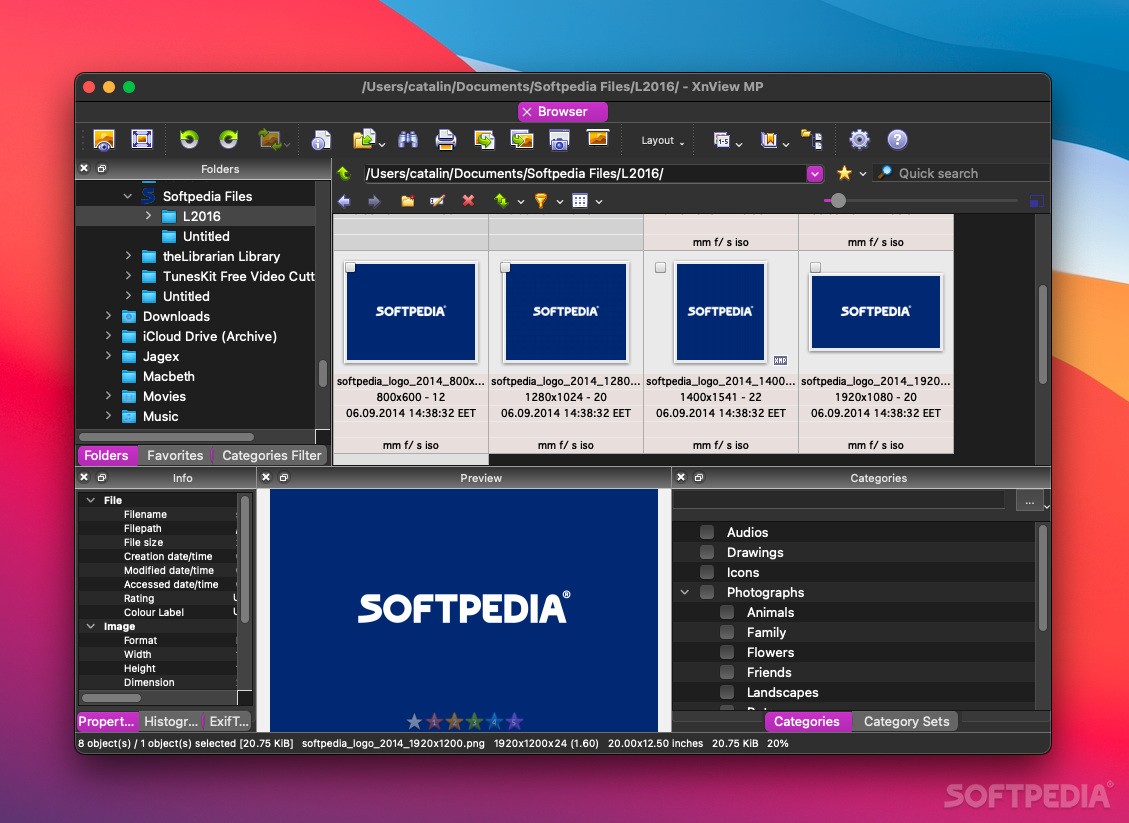
XnViewMP (formerly XnView) is a media browser that provides support for a large collection of file formats, and offers you the possibility to quickly convert them to about 70 different formats without too much trouble. Since the app includes batch processing capabilities, handling large photo albums is quite straightforward.
By default, the XnViewMP main window opens in browser mode, so you will be able to navigate your hard disk and select the files and folders you want to visualize. XnViewMP will display both the folder content, and extensive information about the currently selected file.
The app automatically generates thumbnails for the supported file formats, so you can easily decide which category you should assign to a specific image. XnViewMP comes with a predefined list of image categories, but you have the option to rename them, or add new ones.
XnViewMP offers you the possibility to switch to viewer mode, which means that you get to navigate the currently selected folder by using the arrow keys. At the same time, you can choose to enable the full screen mode and the slideshow functionality, and go through the photo album automatically.
The XnViewMP viewer also integrates a couple of basic image editing tools: you can rotate, resize or crop the images, adjust color related parameters, or visualize the extensive metadata information attached to the current image.
XnViewMP offers you the possibility to both view and organize your image collections and you see fit. At the same time, the app enables you to export your files to a file format of your choice.
Considering the large number of supported file formats, the built-in previewing tools, and the extensive conversion capabilities, XnViewMP can be a very useful addition to your software collection.
Download Hubs
XnViewMP is part of these download collections: Edit CDR, View CDR, View DPX, View PPM
What's new in XnViewMP 1.7.1:
- [New] JPEGLI encoder - viewtopic.php?t=46989
- [Bug] Paint - callout list - viewtopic.php?t=47075
- [Bug] Change timestamp - no error warning - viewtopic.php?t=47046
- [Bug] Thumbnails for cbz cbr - viewtopic.php?t=47090
XnViewMP 1.7.1
add to watchlist add to download basket send us an update REPORT- runs on:
- macOS 10.12 or later (Universal Binary)
- file size:
- 95.3 MB
- filename:
- XnViewMP-mac.dmg
- main category:
- Graphics
- developer:
- visit homepage
calibre

4k Video Downloader

7-Zip

ShareX

IrfanView

Microsoft Teams

Bitdefender Antivirus Free

Zoom Client

Context Menu Manager

Windows Sandbox Launcher

- Zoom Client
- Context Menu Manager
- Windows Sandbox Launcher
- calibre
- 4k Video Downloader
- 7-Zip
- ShareX
- IrfanView
- Microsoft Teams
- Bitdefender Antivirus Free