Search Perform an advanced search query SOFTPEDIA
 
SOFTPEDIA
Updated one minute ago
HomeSubmit a program for being reviewedAdvertise on our websiteGet help on surfing our websitesSend us your feedbackGet information about our XML/RSS backend and how to use itBrowse the news archiveVisit our discussion forumVizitati forumul in limba romana


NormalFreeware onlyShareware only

Miro 1.2.3

Click to download Miro
Add to download basket
Send update information
View more screenshots
Rating: Good (3.6/5)
Rated by: 21 user(s)
Recent news
- Creative Comes After Apple&...
- Apple Patent for Multiple D...
- Greenpeace Thinks It Made A...
- Apple and Full Sail Initiat...
- A Greener Apple
- Apple Revamps Apple Store S...
- iPhone Could Have A Bigger ...

 Downloads: 5,362
 Developer: Participatory Culture Foundation | More programs by this producer
 License: Freeware
 Price: FREE 
 OS: Mac OS X 10.3 or later
 Binary format: Universal Binary
 Size: 20.5 MB
 Download time: 56K: 49m 58s  64K: 43m 44s  128K: 21m 52s  768K: 3m 38s
 Last Updated: April 23rd, 2008 06:47
 Category: MAC HD :: Multimedia
 Read reviews (0) Add a review Refer to friend Subscribe

Miro description Download
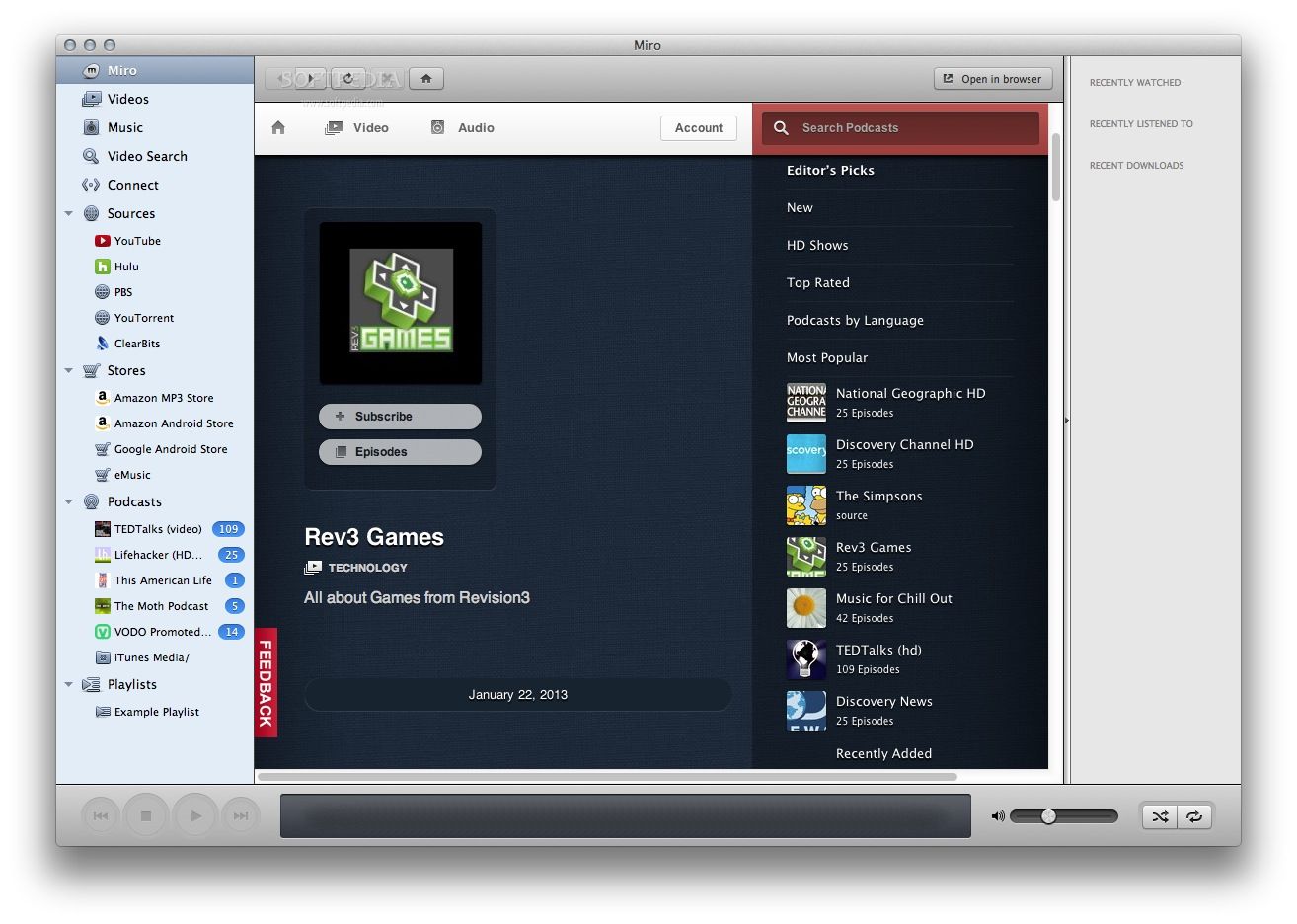
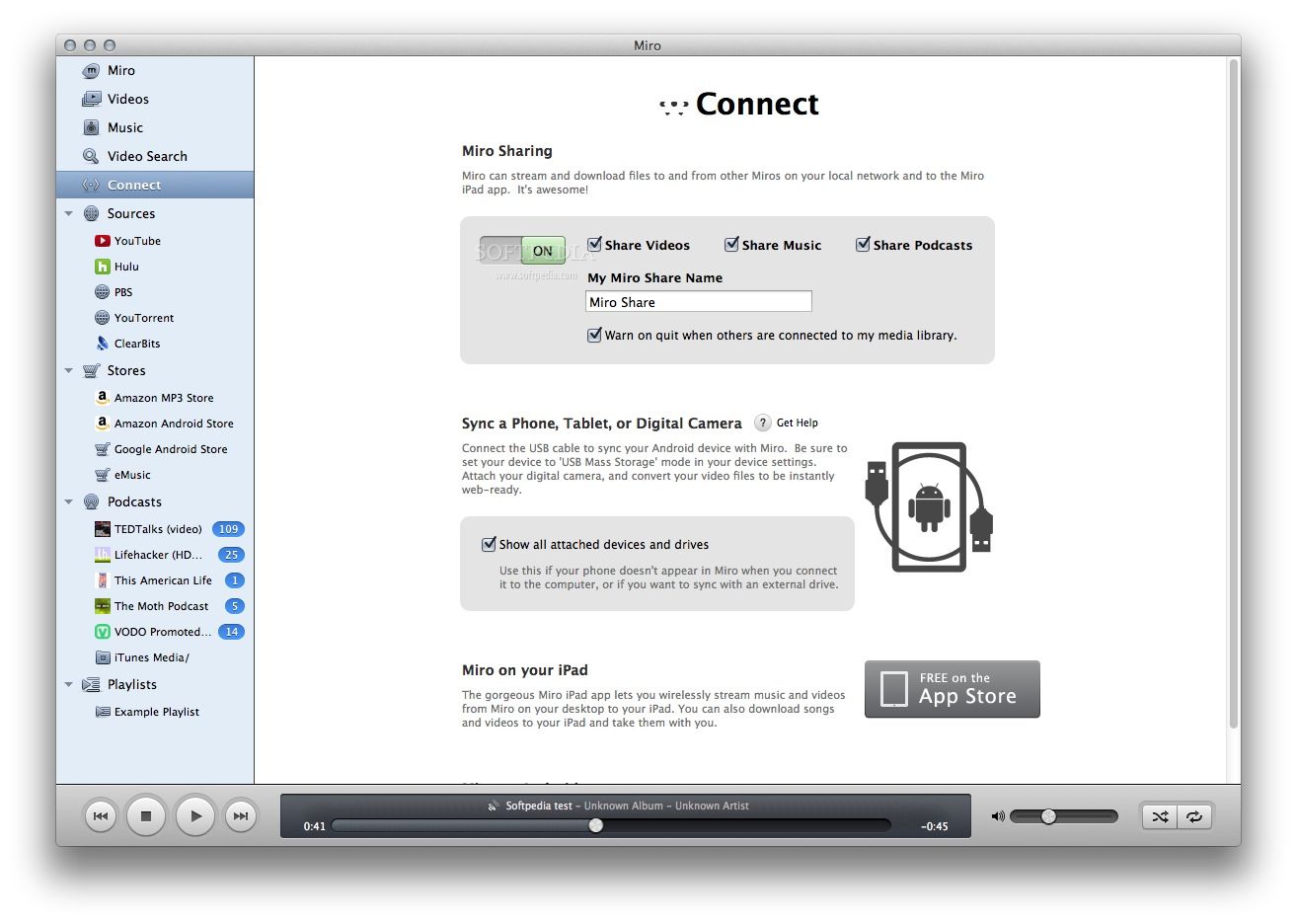
Miro is a program that helps you download and watch all the best internet TV shows and videos in one powerful application. New channels arrive daily in the built-in Channel Guide.

Stop squinting at tedious web videos - sit back and watch big, high resolution videos one after another. It's so easy to use that you'll be watching interesting videos in moments.

You've probably watched hundreds of tiny videos on websites - it's tedious. Democracy Player makes video on the internet less frustrating and more enjoyable.

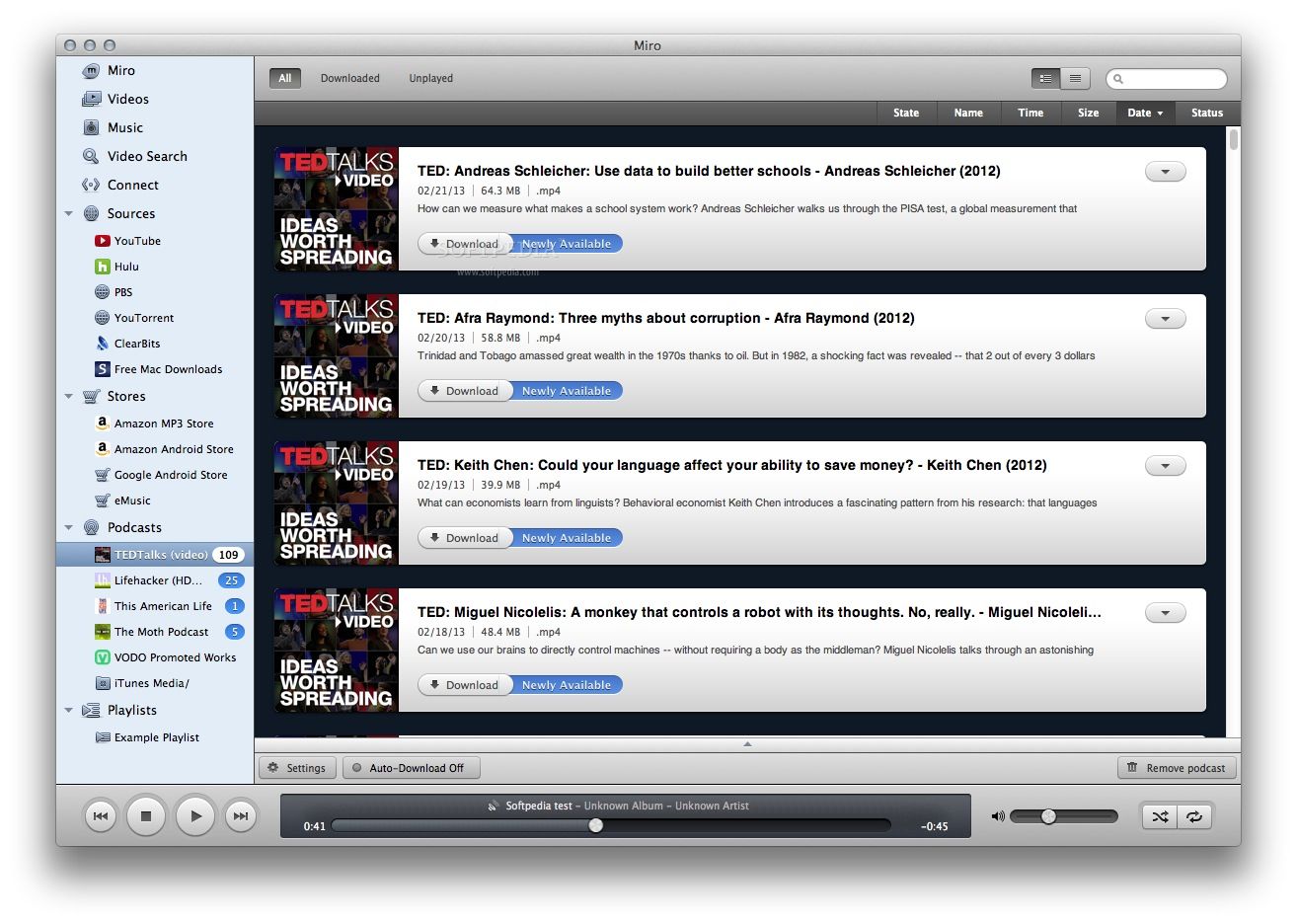
You can subscribe to channels of internet video, download videos, and watch them fullscreen, one after the other, all in one application. Internet video becomes internet TV. It's free and open for everyone to watch and broadcast.

Here are some key features of "Miro":

Watching
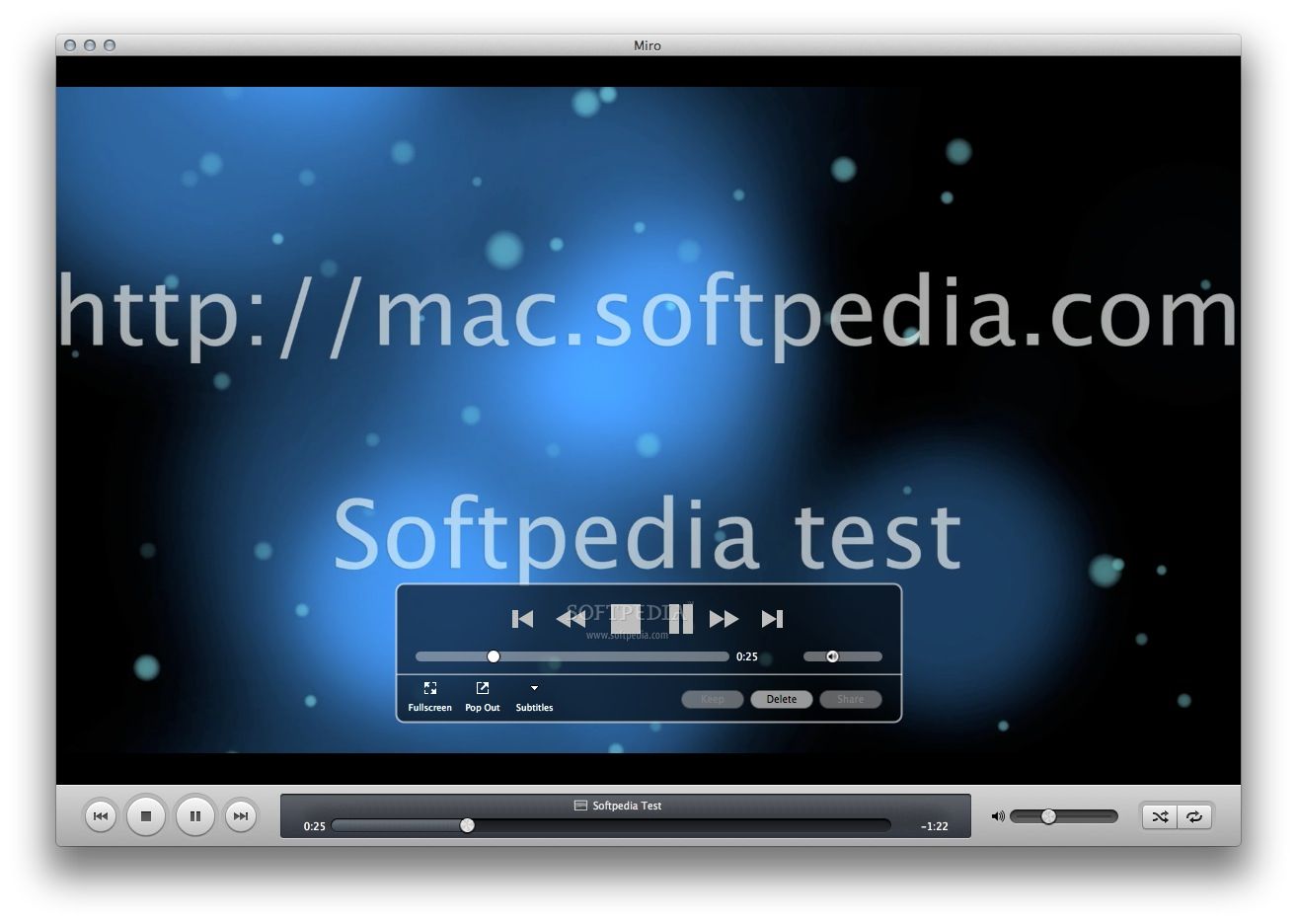
· Watch Fullscreen: Since Miro works so well for HD content, you'll find lots of video that looks beautiful in fullscreen on even the largest displays.
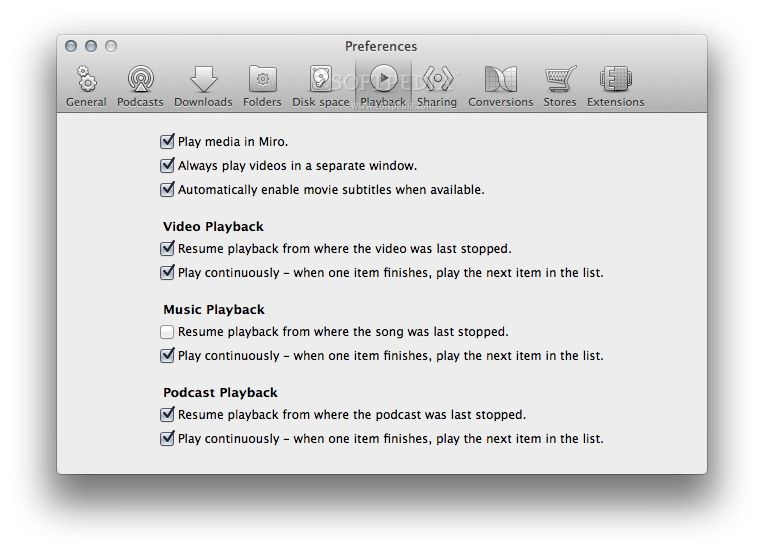
· Resume from Where You Stopped: Miro will remember where you stopped watching a video and will start at that point when you play it again.
· Play Almost Anything: Forget about the format wars. Miro can play MPEG, Quicktime, AVI, H.264, Divx, Windows Media, Flash Video, and almost every other major video format.
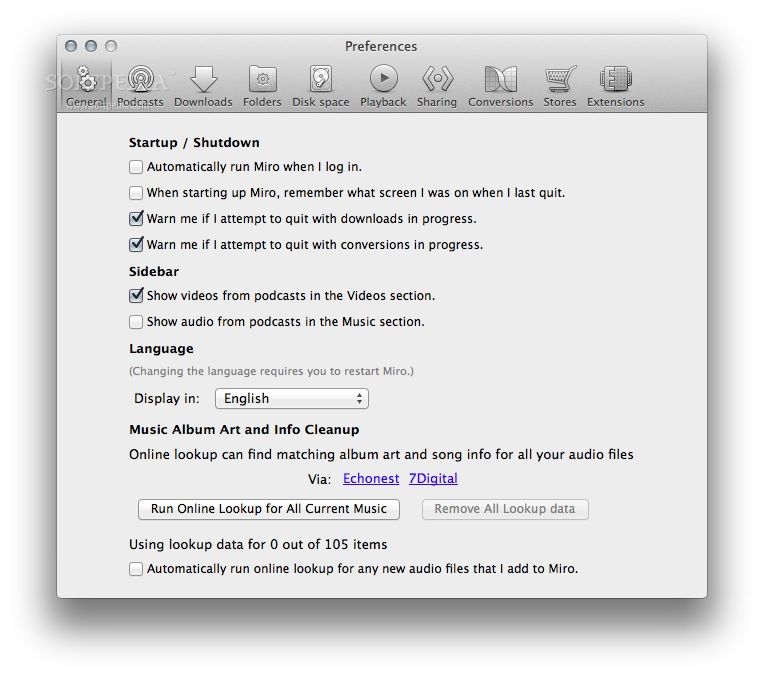
· One After Another: Set your Miro preferences to either play videos one after another (in the order they appear) or to play a video then stop. If you have Miro set to play videos one after another, you can always right-click on an individual video and have it play then stop.
· Keyboard Shortcuts: Keyboard shortcuts for all the key playback commands makes it easy to configure a remote control.

Organizing
· Video Playlists: Bring together your favorite videos into a playlist. You can drag them one by one or select a few and right-click to add to a playlist or odd create a new playlist that they will be added to.
· Thumbnail Creation: Miro will create a thumbnail for any video that doesn't have one.
· Channel and Playlist Folders: Group your channels by topic by creating folders. Do the same for playlists.
· Watch Any Folder: Videos can come in from lots of places-- a web browser, email, a p2p application, or Miro. Miro can watch any folder on your computer and include those videos in your collection. So when you save something to your desktop, for instance, it will show up in Miro without needing to be added manually.
· Move Your Library: Running out of space? Miro can move your video collection to any location on your system, such as an external hard drive.
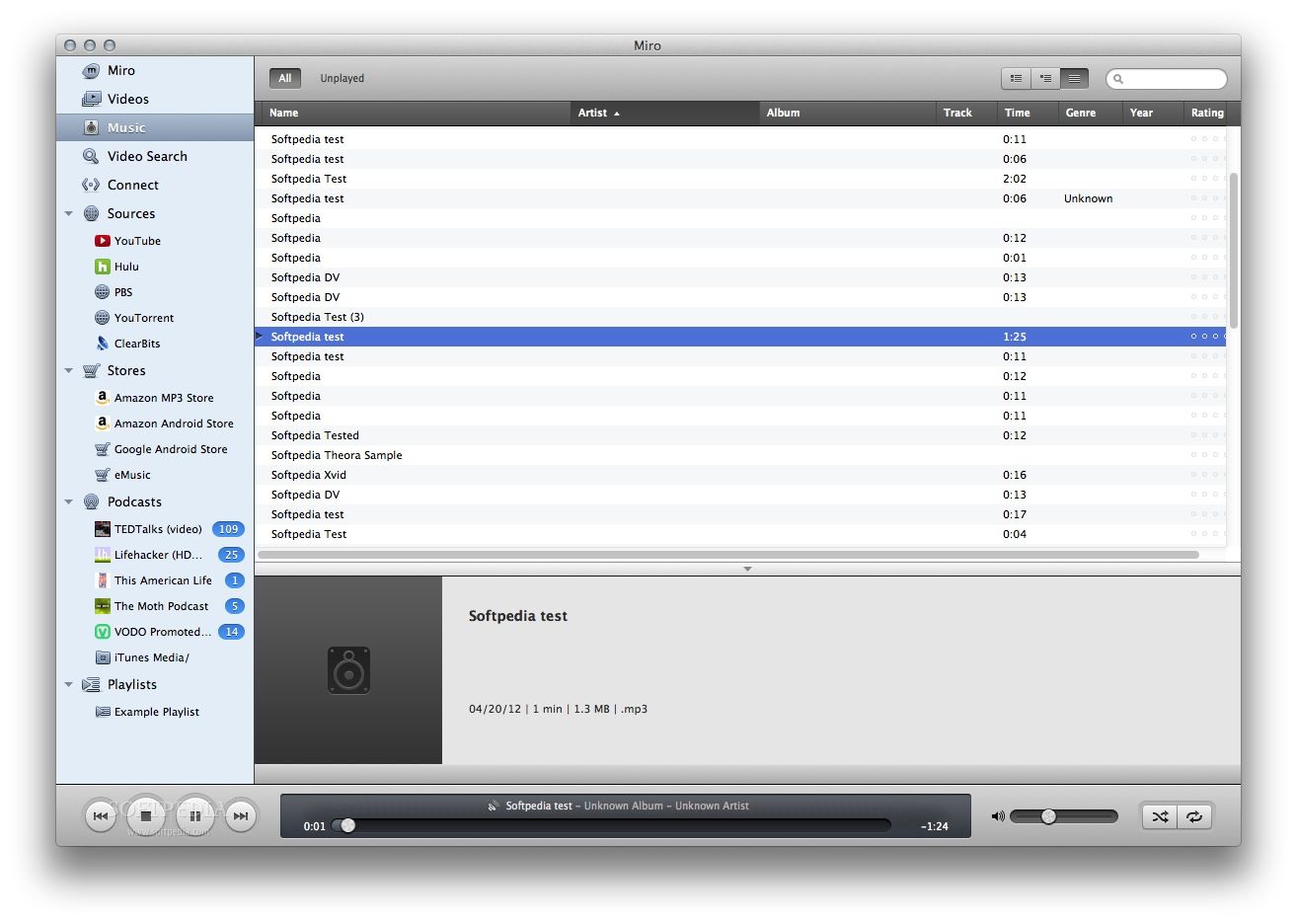
· Bring Your Videos Together: When you install Miro, you can search you computer to find all your video files and list them in your Miro Library.

Downloading
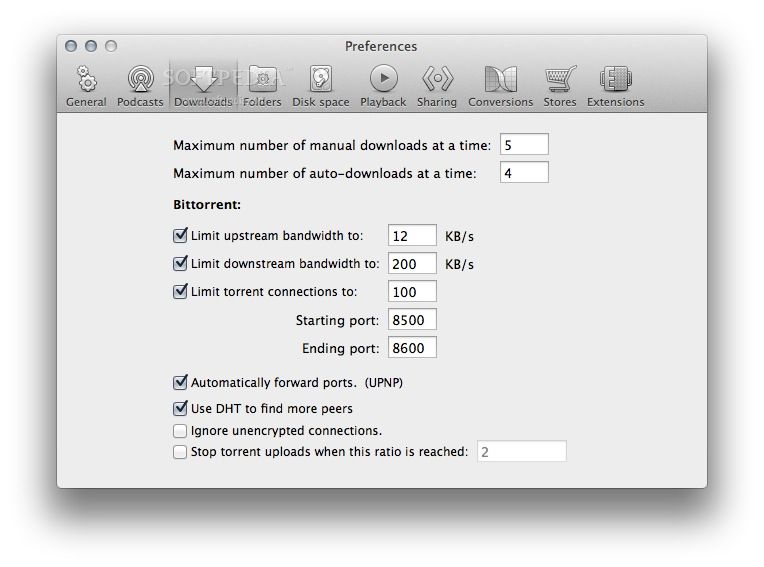
· Seamless BitTorrent: Miro can download individual BitTorrent files and torrents that are in feeds. When a video torrent is downloaded it will be in your channel and library ready to watch, just like any other video download.
· Individual Video Downloads: A menu item lets you paste in individual video URLs to start downloads.
· Auto-Expire: After you watch a video on a channel, it will stick around for a few days and then delete itself. You can choose to keep it permanently if you like and you can set the channel to save every video permanently, but most of the time we think you'll want to keep fresh stuff coming in and old stuff going out.
· Simple Disk Management: Simple tell Miro to reserve a certain amount of space on your hard drive and it will stop downloading new videos when it reaches that limit.
· Pause / Resume: Easily pause and resume any individual download, all downloads in one channel, or all Miro downloads.

Subscribing to Channels
· Video RSS: Video RSS feeds are at the core of our vision for internet TV. They provide a simple system that any publisher can use to distribute their content. Viewers can bring feeds from anywhere together into one place. Miro is compatible with more feeds than any other video app.
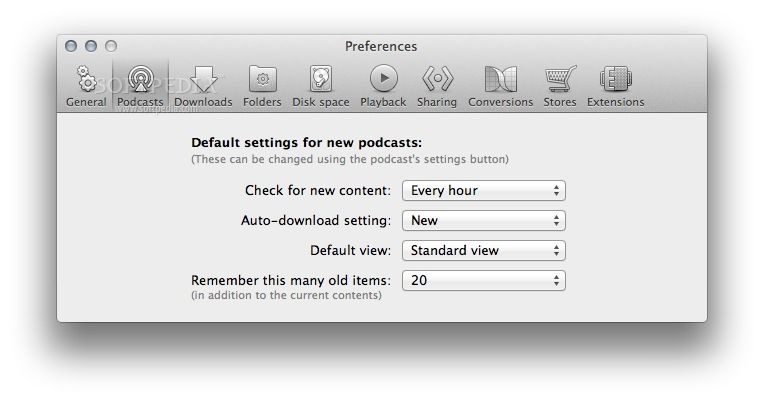
· Auto-Download: Set any channel to download new videos as soon as they are published. You can also tell channels to stop downloading new stuff if unwatched videos are piling up.
· 1-Click Subscribe Buttons: If someone comes to your website to see a video, take the chance to turn them into a subscriber. 1-click subscribe buttons let users go from web to Miro with a single click.
· Watch the Bubbles: Numbers in a blue bubble next to a channel name indicate that new videos have been published since you last viewed that channel. Green bubbles mean that there are new videos downloaded that you haven't watched yet. Move your cursor over a green bubble and it becomes a play button.
· Rename Channels: Right-click on any channel to rename it.

Openness
· Mac, Windows, Linux: Miro works beautifully on all three major operating systems. We make this effort because a new model for internet television has to be accessible to everyone.
· Global Community: Volunteers from around the world help test, translate, and code Miro. Only about 30% of our downloads come from the United States, where we're based.
· Translations: Miro is translated by volunteers into more than 40 languages and the Miro Guide lists channels from around the world in dozens of languages.
· Open Source: Miro is free, open-source software (licensed under the GPL). Anyone is free to change the source code, contribute bug fixes and features, and make new versions.
· Open Standards: As important as open source code, Miro's embrace of open standards helps encourage innovation and competition. Unlike proprietary video delivery systems, Miro works like the internet itself, utilizing open standards like RSS, HTTP, HTML/CSS, and BitTorrent.

Searching
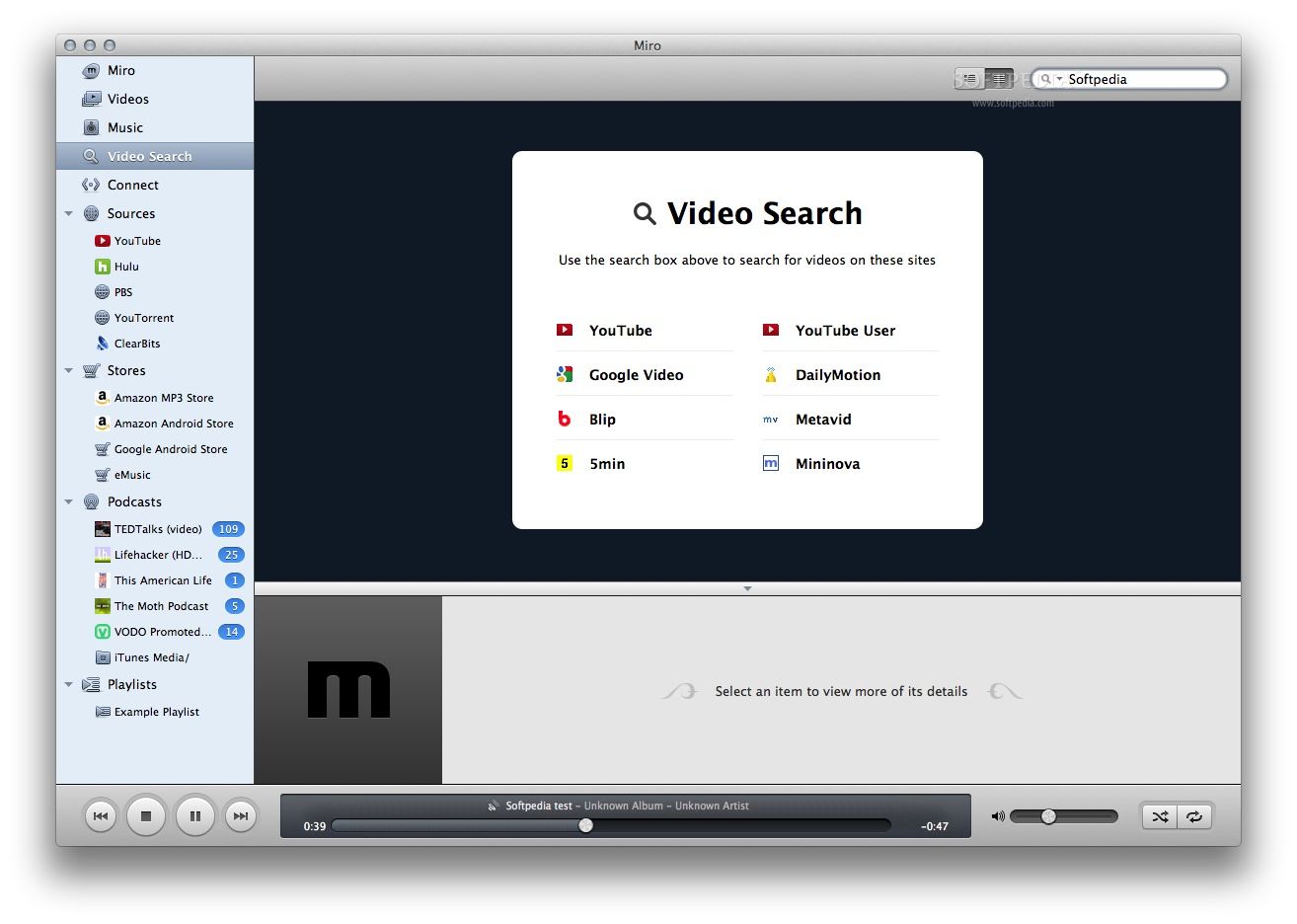
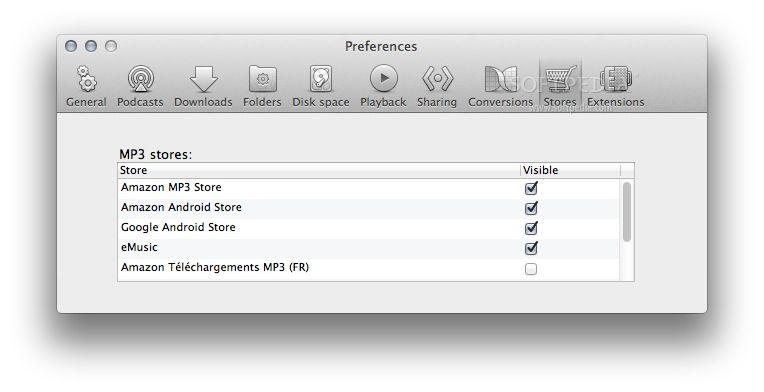
· Search Millions of Videos: Miro can search and download from the biggest video sites including YouTube, Yahoo!, Google Video, Blip, and more.
· Create Search Channels: Save any search to get new videos as they are published.
· Search Within a Channel: Save any search within a video feed as it's own channel. Want to auto-download BoingBoing TV but only when they mention 'steampunks'? Miro makes it easy.

The Miro Guide
· Best of Its Kind: The built-in and web accessible Miro Guide is a full-featured web service that is simply the most intuitive, most elegant, and most useful catalog of video RSS feeds anywhere.
· An Open Directory: Anyone can submit an RSS feed to the Miro Guide.
· Rate Channels: Like Netflix or Amazon, you can rate any channel in the Guide and get suggestions about channels you might like.
· Alternate Channel Guides: Maybe the best thing about the Miro Guide is that it doesn't lock you in. Anyone can create an alternative guide of videos and feeds and you can add that guide to your Miro.

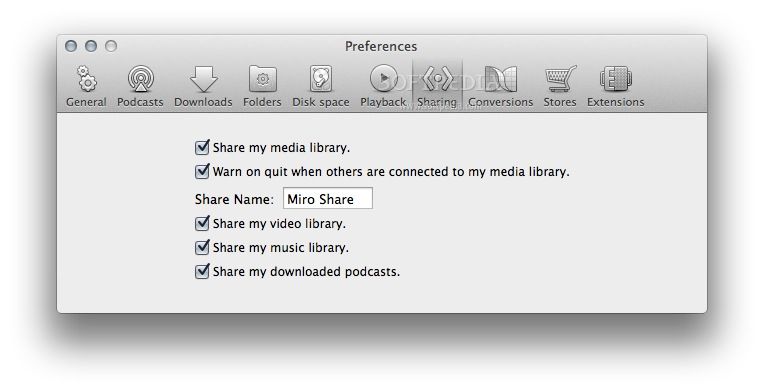
Sharing
· Email Channels and Videos: Every channel and video has an email button to quickly send a link to a friend.
· Post to Social Sites: Each video has links to post to Digg, Reddit, del.icio.us, and Video Bomb.
· Import / Export Your Channels: Got great collection of channels? Export your feeds as an OPML file and your friends can import it into their Miro or any other feed reader.


Requirements:

· QuickTime 7 or higher.


What's New in This Release:

· NEW Download mp4 from YouTube? if available and download flv if not
· FIXED Downloaded torrents disappear when play selected
· FIXED New counter doesn't update until selected
· FIXED Feeds duplicated when updating to co-branded version
· FIXED Problems with menus not being translated for windows-xul and gtkx11 platforms
· FIXED httpclient error
· FIXED Update to the latest VLC 0.8.6f
· FIXED Startup errors after install
· FIXED Startup errors due to unsupported locale
· FIXED Long cobranded titles get cut off on the installer display
· FIXED --theme option on windows causes problems with the tray icon code
· FIXED Holding down FF button doesn't work
· FIXED Thumbnails are downloaded but not displayed in Hardy
· FIXED Drag and drop does not work in Hardy
· FIXED Fix gtkx11 code so it works with xulrunner 1.9
· FIXED translation text cut off in preferences for de... [ read full changelog ]


Softpedia guarantees that Miro 1.2.3 is 100% CLEAN, which means it does not contain any form of malware, including but not limited to: spyware, viruses, trojans and backdoors.

This software product was tested thoroughly and was found absolutely clean, therefore it can be installed with no concern by any computer user.However, it should be noted that this product will be retested periodically and the award may be withdrawn, so you should check back on this page from time to time.

Miro Download Miro Screenshots
Find Related Downloads Similar freeware programs


RECOMMENDED PROGRAMS IN THIS CATEGORY ( Multimedia )  

Roxio Popcorn 3.0.2
Roxio Popcorn - Copy movies to DVD, iPod, PSP
n/a MB | Mac OS X 10.4.10 or later | Comercialware
screenshot
update
Apple Final Cut Studio 5.1.4
Apple Final Cut Studio - Video editing, compositing & special effects
n/a MB | Mac OS X 10.4.11 or higher | Comercialware
screenshot
update
CINEMA 4D 10.5
CINEMA 4D - 3D modeling, animation and rendering tool
192.04 MB | Mac OS X 10.3.9 or higher | Demo
screenshot
pick | update
Comic Life 1.4.1
Comic Life - Award winning photo comic app.
10.9 MB | Mac OS X 10.3.9 or later | Trial
screenshot
pick | update
Album Cover Finder 6.3.1
Album Cover Finder - A fun and easy way to search for album artwork and track listings
6.33 MB | Mac OS X 10.2 or later | Demo
screenshot
update
QMidi 1.8
QMidi is a MIDI and Karaoke player for the Mac
506 KB | Mac OS X 10.3 or later | Shareware
screenshot
update
Apple Aperture 2.1
Aperture offers everything you need to work with images after a shoot, from organizing to publishing
4.8 MB | Mac OS X 10.4.11 / 10.5.2 | Trial
screenshot
update

MOST POPULAR PROGRAMS IN THIS CATEGORY ( Multimedia )  

Roxio Popcorn 3.0.2
Roxio Popcorn - Copy movies to DVD, iPod, PSP
n/a MB | Mac OS X 10.4.10 or later | Comercialware
screenshot
update
FLV Viewer 0.4
FLV Viewer is a simple cross platform application that allows the user to watch local flv files.
2.9 MB | Mac OS X 10.3 or later | Freeware
screenshot
update
Fetch Art for iTunes 1.4.0
Fetch Art for iTunes helps you grab iTunes album cover of current song
654 KB | Mac OS X 10.4.9 or later | Freeware
screenshot
update
DGuitar 0.5.4
DGuitar is a Guitar Pro (*.GP4, *.GP3, GTP) viewer, player that works under MacOS X
2.8 MB | Mac OS X | GPL
screenshot
update
Apple Final Cut Studio 5.1.4
Apple Final Cut Studio - Video editing, compositing & special effects
n/a MB | Mac OS X 10.4.11 or higher | Comercialware
screenshot
update
CINEMA 4D 10.5
CINEMA 4D - 3D modeling, animation and rendering tool
192.04 MB | Mac OS X 10.3.9 or higher | Demo
screenshot
pick | update
Apple QuickTime 7.4.5
Apple QuickTime - Multimedia player and authoring system
56.7 MB | Mac OS X 10.3.9 or later | Freeware
screenshot
pick | update

go to top  


Welcome!
Hello, Guest

Login if you have a Softpedia.com account.

Otherwise, register for one.

Main categories:
  • Dashboard Widgets
  • Automator Actions & Workflows
  • Spotlight Plugins & Utilities
  • Antivirus
  • Audio
  • Business
  • Communications
  • Compression Tools
  • Developer Tools
  • Development
  • Drivers
  • DTP/Prepress
  • Educational
  • Finance
  • Font Tools
  • Games
  • Graphics
  • HTML Tools
  • Internet Utilities
  • iPod Tools
  • Math/Scientific
  • Multimedia
  • Network/Admin
  • Screensavers
  • Security
  • System Utilities
  • Utilities
  • Video
  • Desktop
  • Word Processing
  • Week's best:
  • Parallels Desktop 3....
  • Deep Freeze 4.03.071...
  • OpenOffice.org 3.0 B...
  • Easy Translator 2.9....
  • ReelBean 3.6 Build 1...
  • SoundConverter 20080...
  • Sound Studio 3.5.6
  • OpenOffice.org 3.0 B...
  • Microsoft Messenger ...
  • DayLite 3.7.3
  • OnyX 1.9.5
  • Adium 1.2.5
  • Opera 9.50 Beta 2 Bu...
  • CheckUp 1.1.1
  • MediaEdit 3.0.4
  • phpMyAdmin 2.11.6.0
  • LimeWire X 4.17.9 Be...
  • VueScan 8.4.71
  • Cyberduck 3.0 Beta 3...
  • GraphicConverter 6.1
  • © 2001 - 2008 Softpedia. All rights reserved.
    Softpedia™ and Softpedia™ logo are registered trademarks of SoftNews NET SRL.
    Copyright Information | Privacy Policy | Terms of Use | Contact Softpedia | Update your software | Archive