
A powerful and easy to use cross-platform application that was developed for helping its users to create, alter and inspect Matroska files. #Matroska analyzer #Mkv editor #Mkv generator #Analyzer #Matroska #Mkv
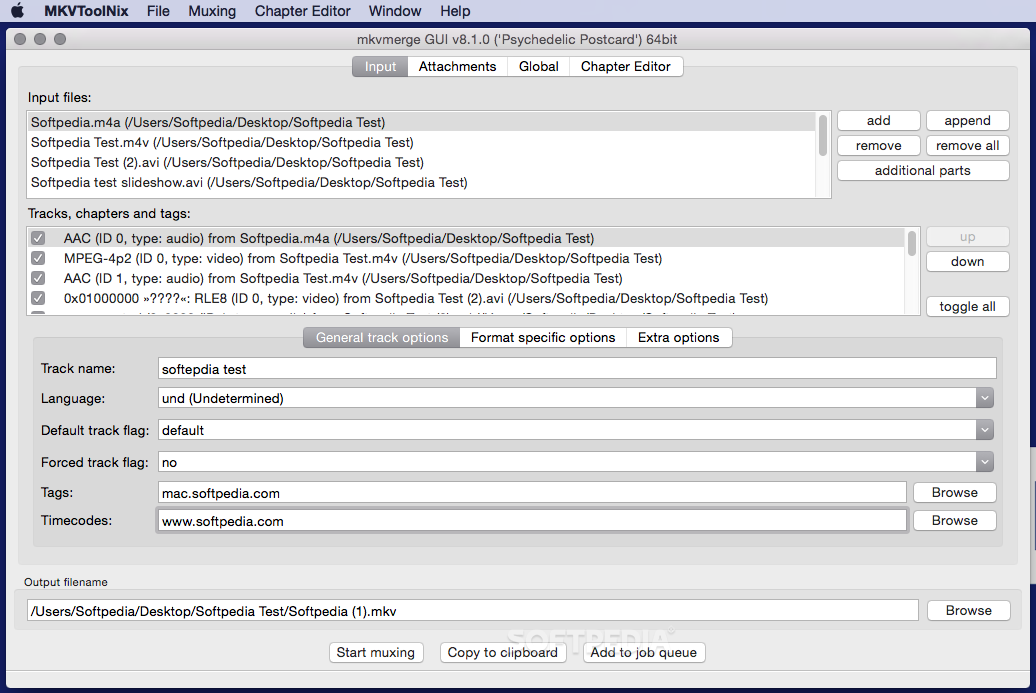
MKVToolNix is a powerful and streamlined multi-platform utility that gives you access to all the tools needed for creating and processing Matroska files on a Macintosh computer.
Even if it comes with a fully functional GUI, MKVToolNix can also be access from the command-line once you have it installed and configured on your Mac.
In order to do that you must add the path to the tools to your $PATH variable by running this command in the Terminal:
export PATH=/Applications/Mkvtoolnix.app/Contents/MacOS/:$PATH .
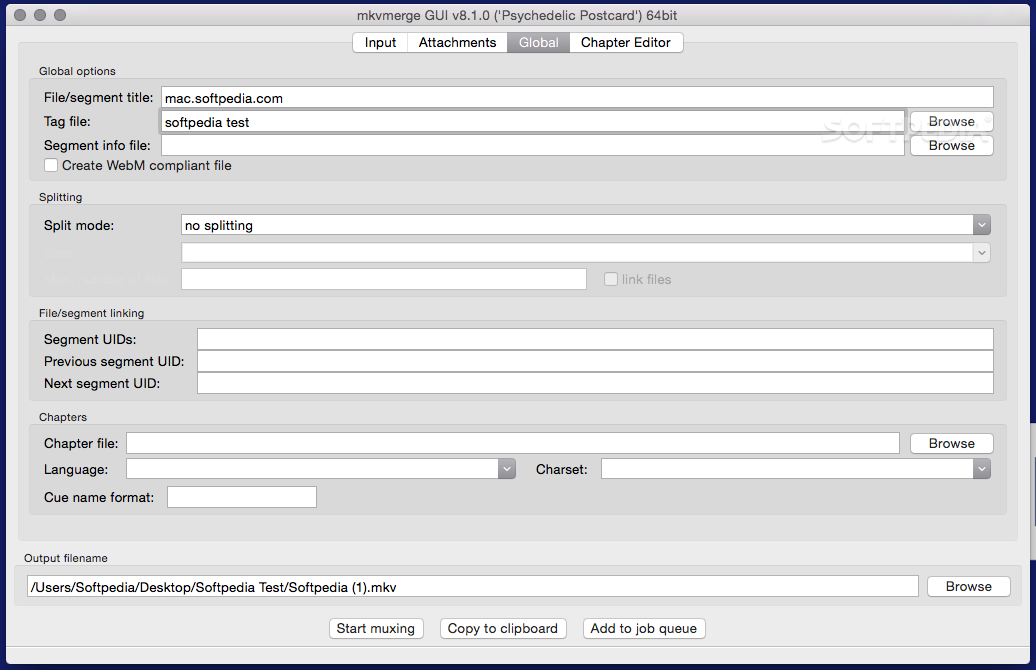
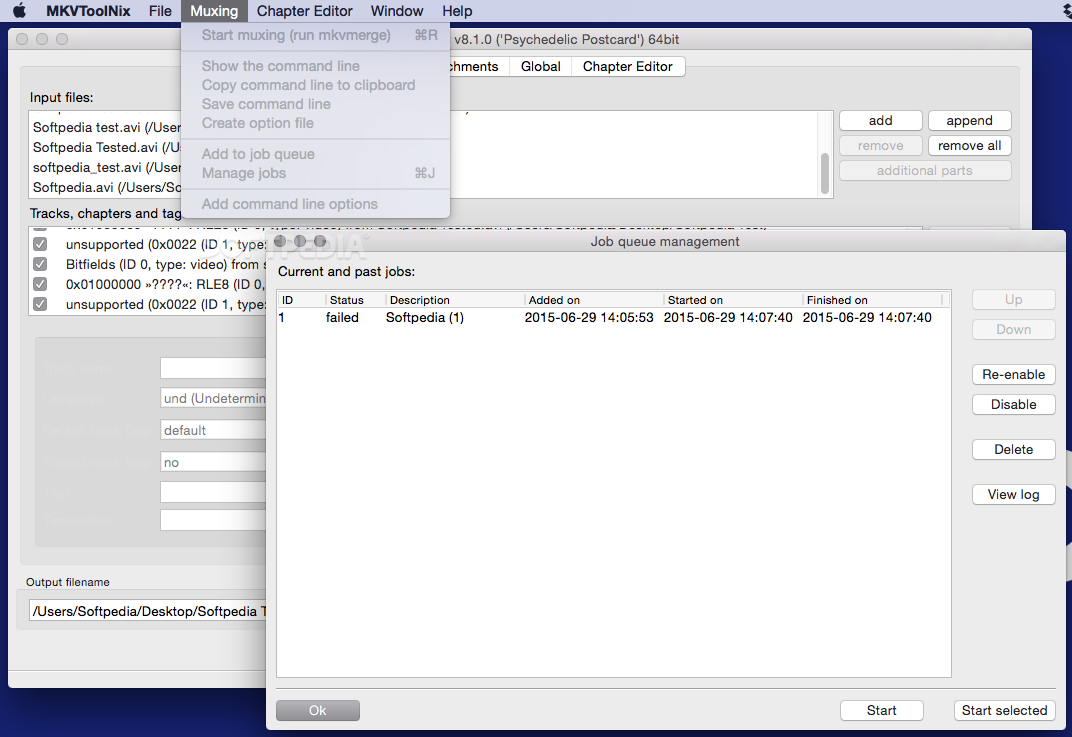
Moreover, via MKVToolNix’ main window, you will be able to quickly load the input files as well as customize tracks, tags and chapters.
MKVToolNix makes it simple and straightforward to change the track name, language, the default and forced track flag , tags and even timecodes. On top of that, you can also choose the output filename.
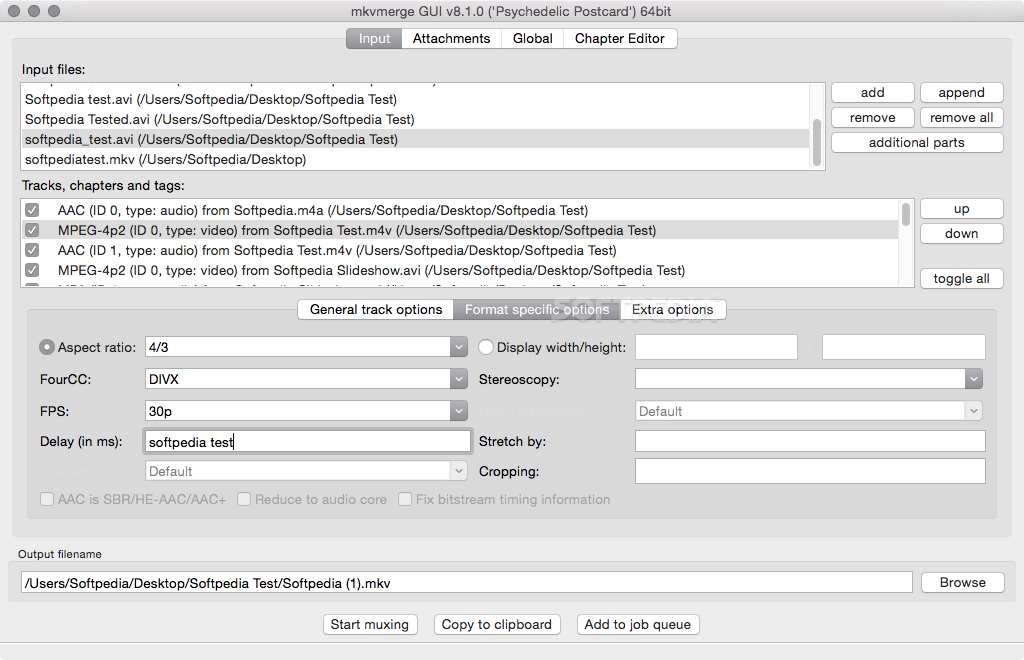
The MKVToolNix allows you to change the aspect ratio, display width and height, FPS, delay and stereoscopy, if available.
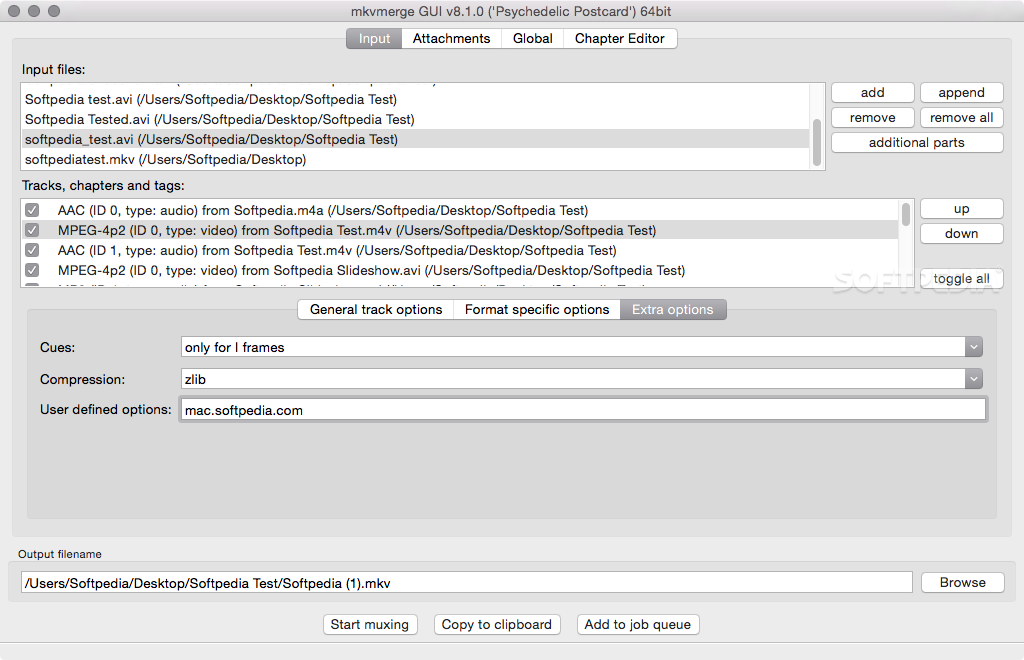
In addition to that, MKVToolNix also enables you to add cues for all frames, change the compression mode and even include your own, user defined options.
As an added advantage, you can use MKVToolNix you to merge multiple Matroska files if you need to. Not only that, but it also enables you to split videos after duration. Also, MKVToolNix can be employed to select the desired chapter file, change the application language, charset and cue name format.
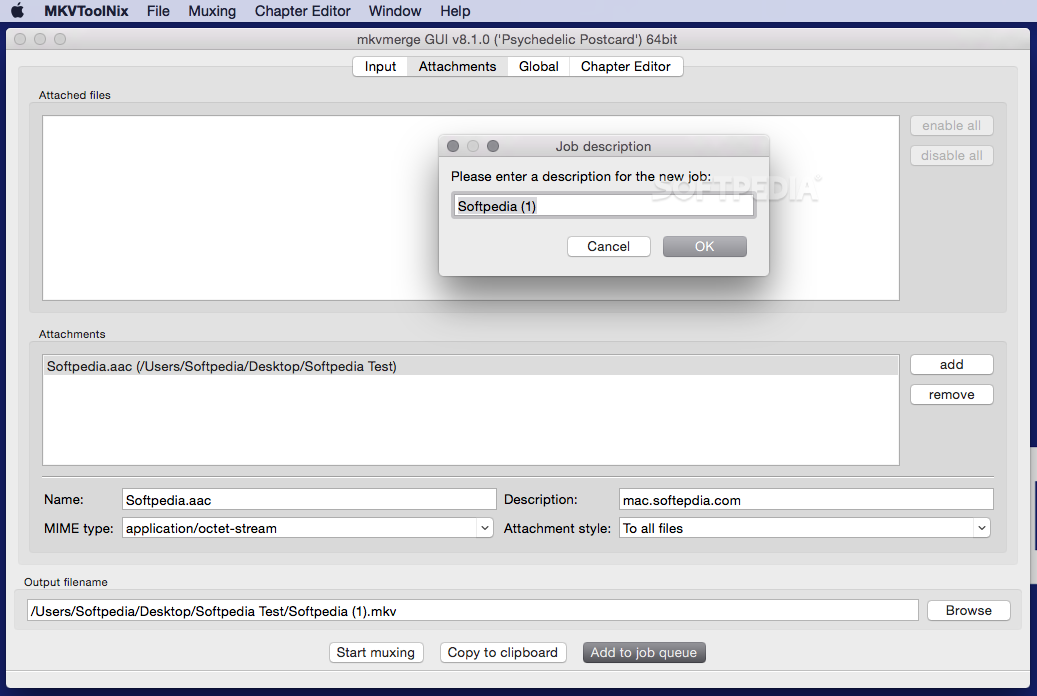
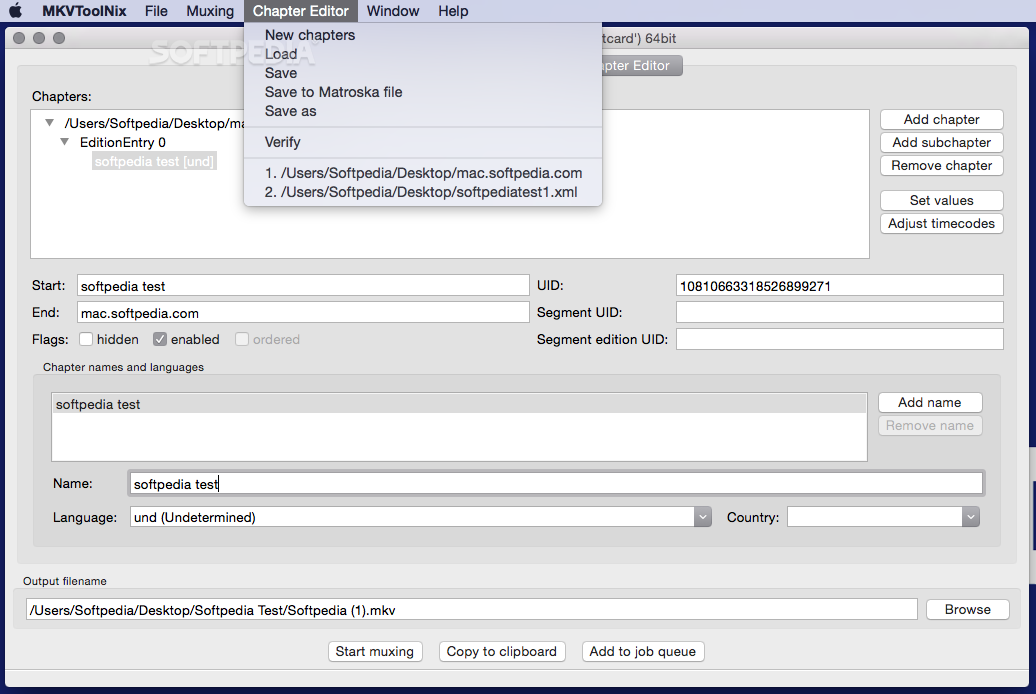
MKVToolNix includes a chapter editor designed to help you to rapidly and effortlessly create chapters and subs, while providing you with the necessary means to adjust timecodes in no time.
Download Hubs
MKVtoolnix is part of these download collections: MKV Creator, Make MKV, Convert MKV
What's new in MKVtoolnix 82.0:
- New features and enhancements:
- mkvmerge: Matroska reader: the "video alpha mode" track header property will be copied to the output file if present. Part of the implementation of #3643.
- mkvmerge: Matroska reader: the "video alpha mode" track header property will be reported in JSON identification mode as the track property `alpha_mode`. Part of the implementation of #3643.
MKVtoolnix 82.0
 Softpedia Editor's Pick
add to watchlist
add to download basket
send us an update
REPORT
Softpedia Editor's Pick
add to watchlist
add to download basket
send us an update
REPORT
- runs on:
- macOS 10.15 or later (Intel only)
- file size:
- 38.3 MB
- filename:
- MKVToolNix-82.0.dmg
- main category:
- Educational
- developer:
- visit homepage
Bitdefender Antivirus Free

Zoom Client

ShareX

Microsoft Teams

IrfanView

7-Zip

Context Menu Manager

Windows Sandbox Launcher

calibre

4k Video Downloader

- Windows Sandbox Launcher
- calibre
- 4k Video Downloader
- Bitdefender Antivirus Free
- Zoom Client
- ShareX
- Microsoft Teams
- IrfanView
- 7-Zip
- Context Menu Manager