
A practical and user-friendly application that enables you to quickly and effortlessly organize, edit, save and share your digital photos. #Photo organizer #Fix image #Adjust photo #Organizer #Adjust #Effect
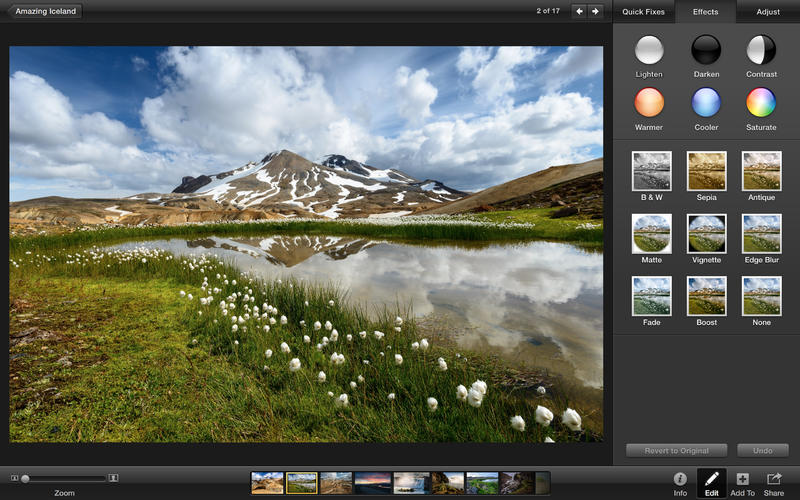
iPhoto is a fully-featured photo organizer and editor that enables you to import, manage, sort, edit and share your digital pictures from within a user-friendly and well-designed interface.
You can buy, download and install the latest version of iPhoto via the Mac App Store for $14.99. The installation process is pretty straightforward and can be completed in a couple of minutes depending on the speed of your Internet connection.
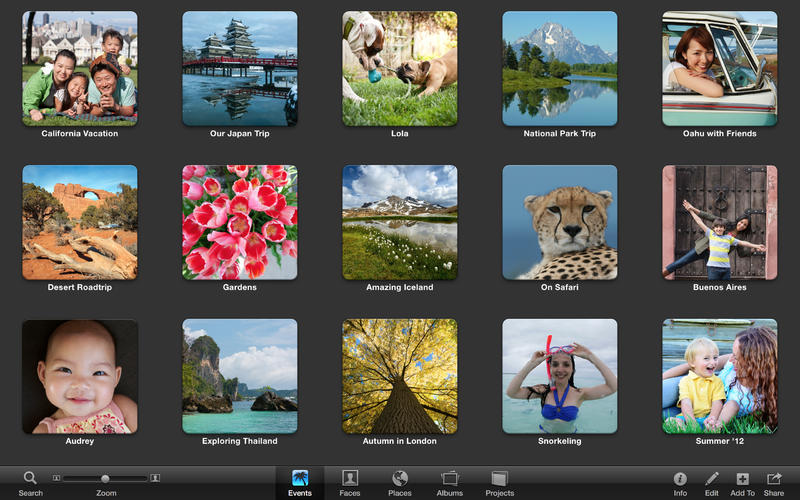
From iPhoto's main window you will be able to organize and sort your pictures using Places, Events and Faces. The full screen mode helps you take advantage of every pixel of your Mac display while the 64-bit support allows you to scroll smoothly between the photos.
On top of that, the intuitive built-in editing tools are designed to help you apply various photo effects, adjust the exposure of the picture, remove red-eye effect and enhance your favorite pictures by improving their color saturation and lighting with just a mouse click.
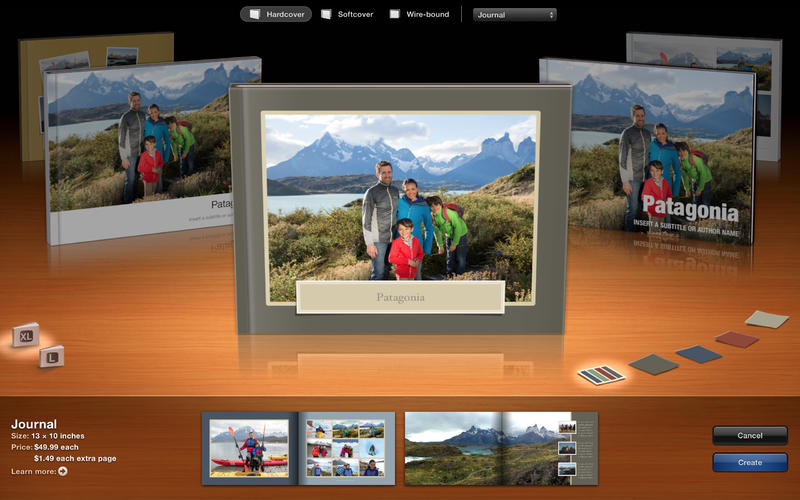
Thanks to the sharing feature you can send your photos to friends and family via Messages, create themed emails and post your pictures on Twitter, Facebook and Flickr. You can create photo books, greeting cards, calendars, slideshows and albums that you can share along with your videos via iCloud Photo Sharing.
iPhoto is also capable to import pictures from My Photo Stream to your library and add photos from your iPhoto library to My Photo Stream in order to view them on all your devices. Moreover, the iCloud Photo Sharing feature enables you to create shared photo streams to which you can invite friends and family to add their own photos, videos and comments.
IPhoto is a smooth-running and user-oriented application that enables you to handle, sort, edit, enhance, share and print your pictures.
What's new in iPhoto 9.4.3:
- Photos can now be deleted from My Photo Stream by dragging to the Trash
- Photos can now be exported from Photo Stream using the Export command in the File menu
- RAW images manually imported from My Photo Stream are now editable
- Fixes a bug that could cause manually-rotated photos to appear unrotated when shared to Photo Stream
iPhoto 9.4.3
add to watchlist add to download basket send us an update REPORT- runs on:
- Mac OS X 10.10 or later (Intel only)
- file size:
- 766.4 GB
- filename:
- iPhoto9.4.3Update.dmg


- main category:
- Multimedia
- developer:
- visit homepage
Microsoft Teams

Windows Sandbox Launcher

IrfanView

Context Menu Manager

calibre

4k Video Downloader

7-Zip

Zoom Client

ShareX

Bitdefender Antivirus Free

- Zoom Client
- ShareX
- Bitdefender Antivirus Free
- Microsoft Teams
- Windows Sandbox Launcher
- IrfanView
- Context Menu Manager
- calibre
- 4k Video Downloader
- 7-Zip