
Additional customization options for Final Cut Pro video exporting, with the option of batch processing and distributed encoding #Final Cut encoder #Convert video #Batch encoder #Encode #Convert #Final Cut

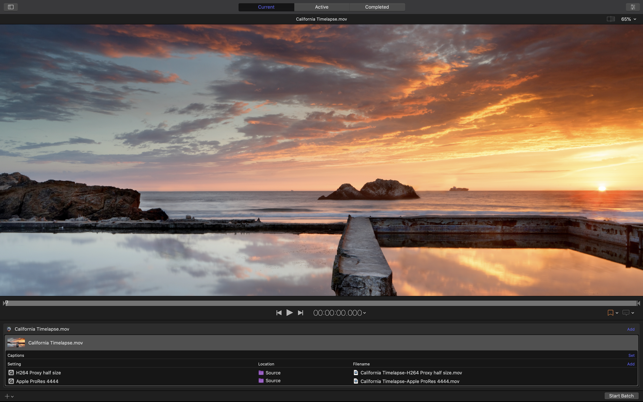
Final Cut Pro is a platform built around quick and hassle-free editing and sharing. This mindset extends to the app's export options, which don't allow for a lot of customization.
If you need more control over how videos are encoded, or you need to set up batch processes for large numbers of files, you might want to spring for Compressor. It integrates with Final Cut Pro to provide you with more flexible export options.
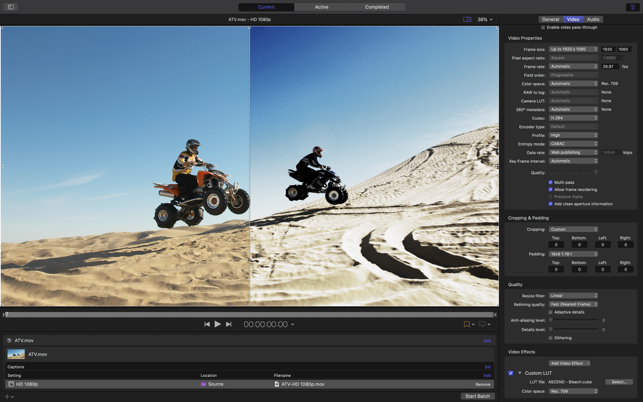
When you export a video with Final Cut Pro, you're essentially using Compressor presets designed for various use cases. When you buy this app, you get to customize these presets and set each parameter according to your needs.
Of course, you can also create new presets from scratch, and these can be shared with other instances of Final Cut Pro, even if the system they're running on doesn't have Compressor installed. If you use multiple workstations for encoding, you really only need to buy it once.
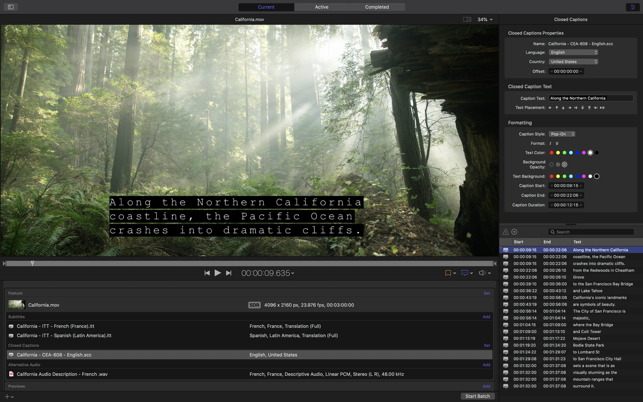
Compressor allows for more encoders to be used, custom LUTs, speeding up or slowing down videos, adding closed captions, creating iTunes Store Packages, and more. Of course, it also comes with the optimized processing you get when exporting directly from Final Cut Pro.
Editing studios will benefit from the app's batch processing and distributed encoding capabilities. You can use a preset to export multiple files in succession, and encoding jobs can be split between multiple workstations for quicker processing.
If you're wondering whether you need Compressor or not, you probably don't. If you're happy with the export options in Final Cut Pro and don't run a large number of workstations or high-volume encoding jobs, the standard app should be more than enough.
For those who want more fine-tuning options and even quicker processing, Compressor is a logical and easy upgrade to make.
What's new in Compressor 4.7:
- Export HEVC and H.264 files faster by simultaneously processing video segments across available media engines (requires macOS Sonoma or later and a Mac with Apple M1 Max, M1 Ultra, M2 Max, M2 Ultra, or M3 Max).
- Create, configure, and build stereoscopic packages for the iTunes Store.
Compressor 4.7
add to watchlist add to download basket send us an update REPORT- runs on:
- macOS 13.5 or later (Universal Binary)
- file size:
- 352 MB
- main category:
- Multimedia
- developer:
- visit homepage
Microsoft Teams

calibre

Zoom Client

4k Video Downloader

Windows Sandbox Launcher

ShareX

Bitdefender Antivirus Free

IrfanView

Context Menu Manager

7-Zip

- IrfanView
- Context Menu Manager
- 7-Zip
- Microsoft Teams
- calibre
- Zoom Client
- 4k Video Downloader
- Windows Sandbox Launcher
- ShareX
- Bitdefender Antivirus Free