Softpedia
 

MAC CATEGORIES:


GLOBAL PAGES >>
NEWS ARCHIVE >>
SOFTPEDIA REVIEWS >>
MEET THE EDITORS >>

WEEK'S BEST

  • 1Password 3.9.4
  • Transmission 2.50 ...
  • calibre 0.8.39
  • Mozilla Firefox 12...
  • Google Chrome 19.0...
  • Eagle 6.1.0
  • Carbon Copy Cloner...
  • WineBottler 1.2.3
  • Quicksilver ß64 Bu...
  • Skype 5.5.0.2340
  • Home > Mac > Math/Scientific
     Report malware

    MathType 6.7c

    Download button

    Downloads: 19,801  View global page NEW!  Tell us about an update
    User Rating:
    Rated by:
    Good (3.7/5)
    18 user(s)
    Developer:

    License / Price:

    Size / OS:

    Binary Format:

    Last Updated:

    Category:
    Design Science | More programs
    Trial / USD 97.00 buy button
    13.4 MB / Mac OS X 10.4.9 or later
    Universal Binary Universal Binary
    September 13th, 2011, 14:51 UTC [view history]
    Home / Math/Scientific

     Read user reviews (0)  Refer to a friend  Subscribe

    MathType description

    An innovative app that might be the best thing for writing equations since chalk

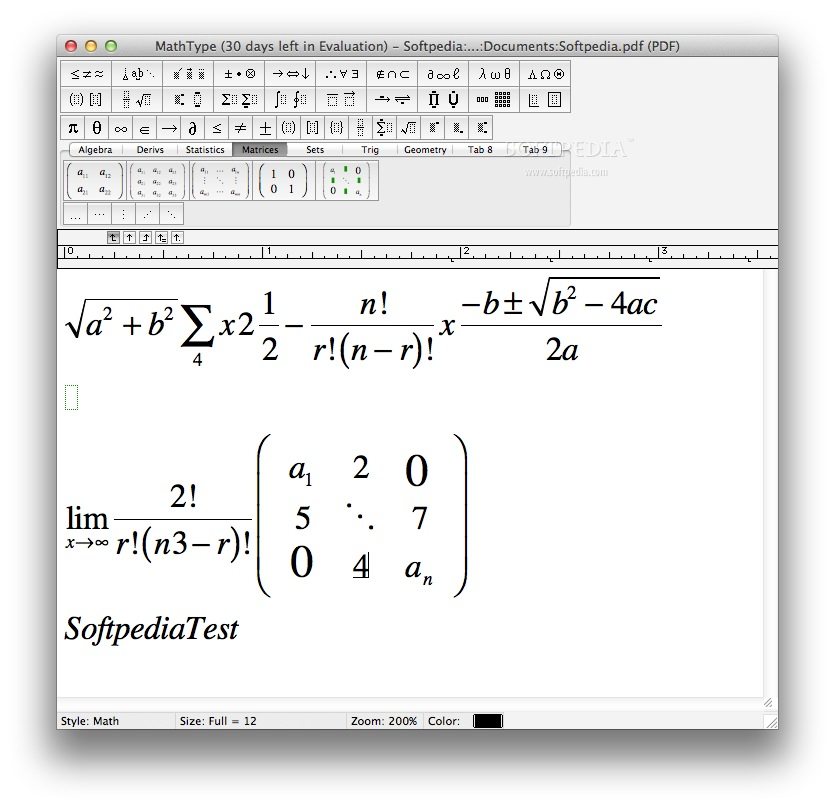
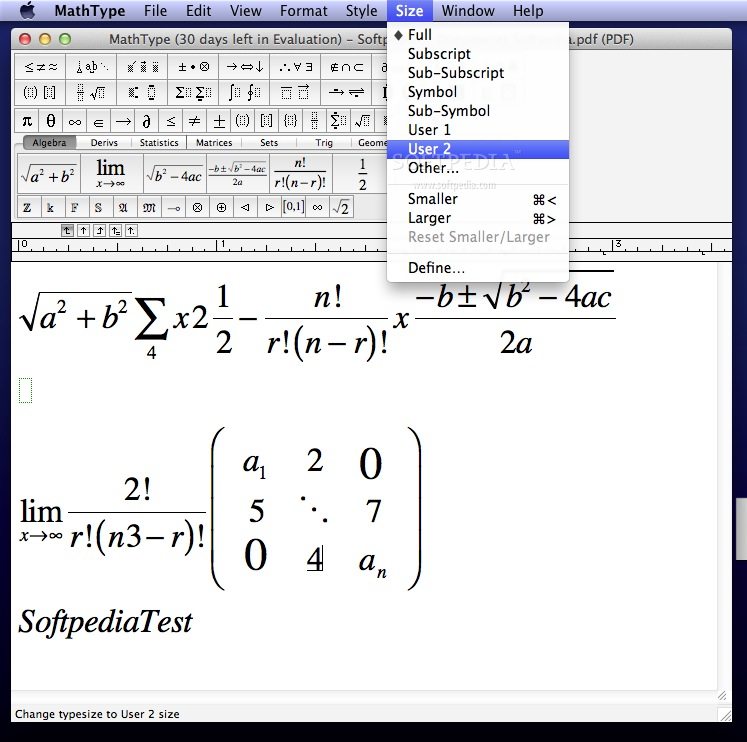
    Design Science MathType for Windows and Macintosh is a powerful interactive tool that will revolutionize the way you create print and web-based documents that contain math.

    MathType will work with any word processor, page layout utility, presentation app, HTML-authoring tool, plus other types of software, to create equations for research papers, class materials, web pages, slide presentations, journal articles and books.

    If you are familiar with our Equation Editor included in Microsoft Office, AppleWorks and other products, then you will really appreciate MathType's extra features.

    MathType will let you create a wider range of equations for a wider range of documents, and help you work much more efficiently. We've added an enormous amount of functionality that effectively transforms Microsoft Word into a state-of-the-art math word processor and web page editor.

    MathType includes our new MathPage technology that enables you to transform an entire Word document into a web page with equations that print and display beautifully in any modern Windows, Macintosh, Unix or Linux browser -- no existing product or technology yields better results or is easier to use.

    Here are some key features of "MathType":

    Works with Many Applications and Websites:
    · Apple iWork '09: MathType lets you add equations to documents, presentations, and spreadsheets in Pages, Numbers, and Keynote.
    · Microsoft Office 2008 and 2011: MathType lets you add equations to documents, presentations, and spreadsheets in Word, PowerPoint, and Excel.
    · Many Other Applications and Websites: MathType also works with over 500 applications and websites
    · Many Ways to Work: MathType can add equations to virtually any application or website into which you can paste or drag a graphic in PDF, EPS, or GIF format or in LaTeX or MathML math languages. Check our Works With section for details on how MathType works with your favorite apps and websites.

    More Symbols, Templates, and Fonts:
    · More Fonts: MathType has hundreds more symbols and templates than Equation Editor. Besides our exclusive Euclid™ math fonts, you can also make use of the 1000s of math symbols in fonts already on your computer, as well as math fonts you can download from the Internet.
    · Find Symbols: MathType's Insert Symbol dialog allows you to explore the available symbols and insert them with a click or keystroke.

    Three Ways to Create Equations:
    · Point-and-Click Editing with Automatic Formatting: Equations can be created quickly by choosing templates from MathType's palettes and typing into their empty slots. MathType applies mathematical spacing rules automatically as you type.
    · Type TeX or LaTeX: If you already know the TeX typesetting language, you can type it into the MathType window or directly into a Word document. TeX editing can be mixed with point-and-click editing so you get the best of both worlds. You can also paste in equations from existing TeX documents.
    · Type TeX or LaTeX directly into a Microsoft Word document: With MathType's unique TeX Toggle feature, you can type TeX directly into a Word document. When you are done, use the TeX Toggle command to turn it into a typeset equation. If you want to edit it later, use TeX Toggle again to turn it back into TeX to make your changes.

    Saves Time:
    · Save Expressions in the Toolbar: Drag frequently used equations and expressions to the MathType toolbar so they can be inserted later with just a click or a keystroke.
    · Keyboard Shortcuts: MathType has customizable keyboard shortcuts for virtually every symbol, template, and command.

    Easier to Use:
    · Toolbar and Menu in Microsoft Word 2011: MathType adds a toolbar and menu to Microsoft Word 2011, allowing quick access to its features and powerful commands to do equation numbering, produce great-looking math web pages, and much more. MathType also works with Word 2008 but lacks the toolbar and menu support.

    Better Results:
    · Color: Coloring an equation can make it stand out. Use color to highlight part of an equation and focus your students' attention on it. Show what changed in each step of a multi-step procedure.

    Requirements:

    · MathType 5.0.
    · 20 MB free hard disk space.
    · MathType is not RAM-intensive so listing its requirements is not necessary.
    · CD-ROM for installation (not required if MathType is downloaded).

    Limitations:

    · 30 days trial

    What's New in This Release: [ read full changelog ]

    · Mac OS X 10.7 Lion Support: MathType now supports Mac OS X 10.4.9 Tiger or later, including version 10.7 Lion.
    · Apple iWork '09 Support: Apple has picked MathType as its equation editor. If MathType is installed, a MathType Equation item appears on the Insert menu in all three iWork applications: Pages, Keynote, and Numbers.
    · Microsoft Office 2011 Support: MathType brings back its full functionality, including equation numbering, within Word 2011. MathType is also compatible with Office 2008 but not all features are available. Please see So what's the story with MathType and Microsoft Office 2008? for details.
    · Type TeX/LaTeX directly into a Microsoft Word document: If you already know the TeX typesetting language, you can enter equations quickly using that language in either the MathType editing window or directly into a Word document using the new TeX Toggle command.
    · Copy spreadsheet cells and word processing tables into
    · MathType as matrices: MathType lets you copy and paste a range o...

     Softpedia guarantees that MathType 6.7c is 100% CLEAN, which means it does not contain any form of malware, including spyware, viruses, trojans and backdoors. [read more >]


    TAGS:

    equation editor | write formula | MathType update | MathType | update | equation


    HTML code for linking to this page:


    Go to top

    WindowsGamesDriversMacLinuxScriptsMobileHandheldNews

    SUBMIT PROGRAM   |   ADVERTISE   |   GET HELP   |   SEND US FEEDBACK   |   RSS FEEDS   |   UPDATE YOUR SOFTWARE   |   ROMANIAN FORUM