
Strong and highly customizable spam filter utility designed to integrate with your e-mail client and to adapt to your mailing habits. #Spam filter #Block spam #Email filter #Filter #Spam #Block
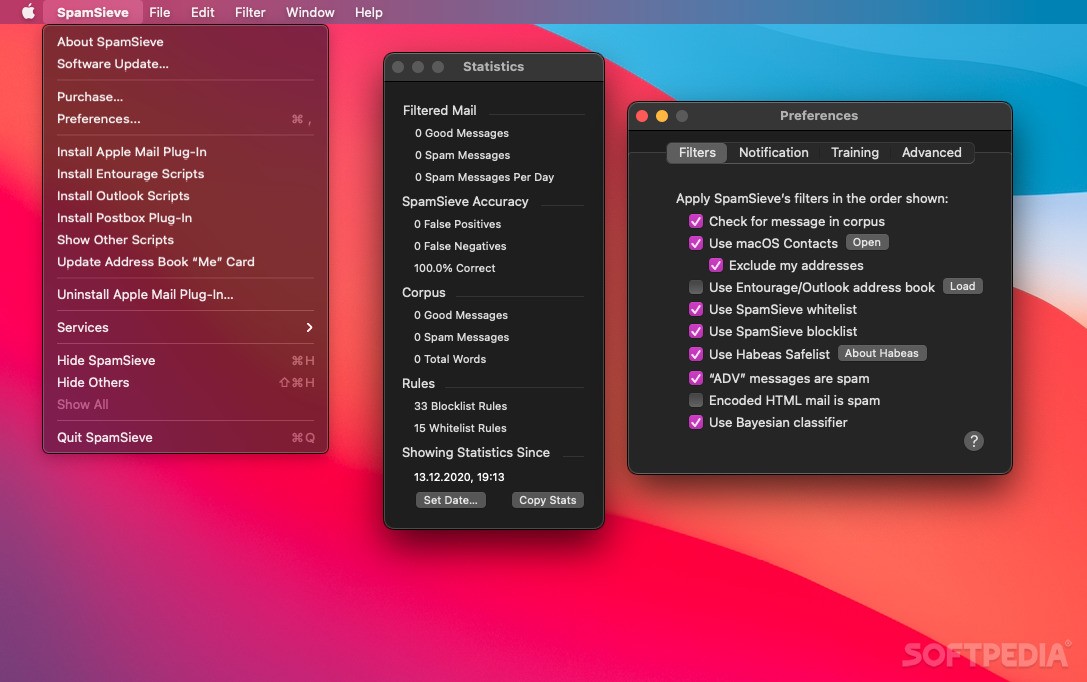
SpamSieve is a user-friendly macOS app designed from the get-go to give back control over your e-mail inbox by adding a powerful Bayesian spam filtering to your e-mail client.
Moreover, SpamSieve is both quick and easy to control from within your mail client, and you can also adjust how it interacts with the rest of your e-mail messages sorting rules.
Other spam filters will get worse over time as spammers adapt to their spam rules. In contrast, SpamSieve will actually get better over time as it will adjust to your mailing habits and contacts.
By learning how the e-mail messages you receive look like, SpamSieve can block almost all of your spam mail, without having to redirect your good e-mails in the spam mailbox.
SpamSieve comes with a built-in blocklist tool, designed from the get-go to make it quicker and easier to automatically block e-mails from known spam domains.
When using SpamSieve with your e-mail account, you can set the e-mail alert system to send notifications of messages that have passed the spam verification.
This way, you can focus more on getting work done and worry less about getting rid of pointless and time-consuming spam mail reading.
What's more, with the help of SpamSieve's whitelist feature, you can make sure that all contacts that you add within it will have their e-mails sent straight into your e-mail inbox, effectively skipping the spam filter validation.
If you need to know if SpamSieve works with your e-mail client before downloading it to your Mac, a detailed list of all supported e-mail clients is available on the Requirements page of SpamSieve's online Manual.
Download Hubs
SpamSieve is part of these download collections: Spam Blocker
What's new in SpamSieve 3.0.3:
- Apple Mail:
- Fixed a problem where, with certain unusual account configurations, SpamSieve would not see the new messages that needed to be filtered, so they would stay in the inbox.
- SpamSieve is better able to continue filtering messages when Mail is temporarily unable to look up account information.
- Worked around a macOS bug that could cause Mail to hang if it was preparing to send a message to the SpamSieve Mail extension while SpamSieve was filtering another mailbox.
SpamSieve 3.0.3
 Softpedia Editor's Pick
add to watchlist
add to download basket
send us an update
REPORT
Softpedia Editor's Pick
add to watchlist
add to download basket
send us an update
REPORT
- runs on:
- macOS 10.13 or later (Universal Binary)
- file size:
- 49.5 MB
- filename:
- SpamSieve-3.0.3.dmg
- main category:
- Internet Utilities
- developer:
- visit homepage
ShareX

Windows Sandbox Launcher

4k Video Downloader

Zoom Client

Microsoft Teams

Bitdefender Antivirus Free

IrfanView

7-Zip

Context Menu Manager

calibre

- 7-Zip
- Context Menu Manager
- calibre
- ShareX
- Windows Sandbox Launcher
- 4k Video Downloader
- Zoom Client
- Microsoft Teams
- Bitdefender Antivirus Free
- IrfanView