
A nice, customizable Twitter client. #Twitter client #Monitor account #Send tweet #Tweet #Twitter #Client
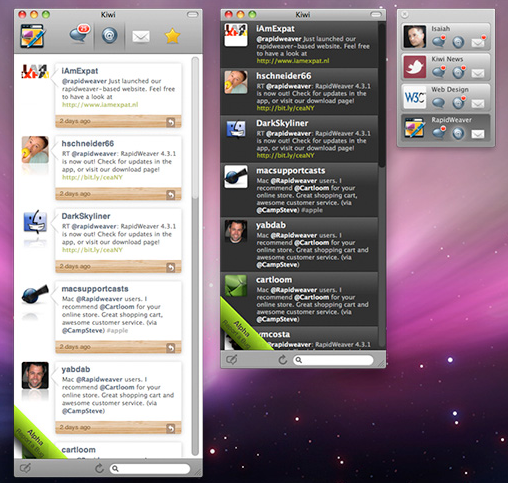
Kiwi is a Twitter client for Mac OS X. Kiwi enables you to view Twitter timelines on your Macintosh.
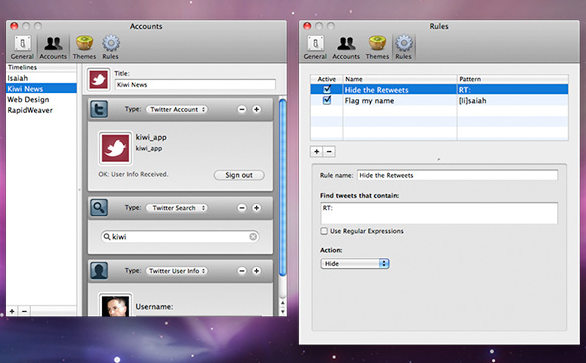
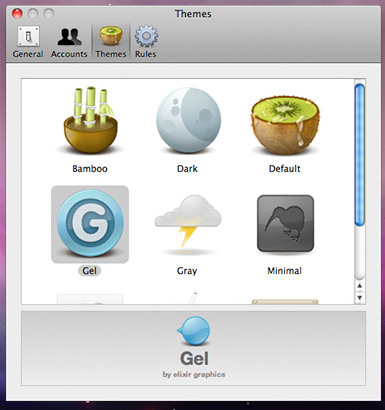
Kiwi enables you to keep up to date with Twitter without the need for launching a whole web browser. Kiwi is designed to seem simple and straightforward for new Twitter users, but also supports multiple accounts, account combinations, rules, and themes for power users.
To use Kiwi you'll need a Twitter account. If you don't already have one, then now is the perfect time to get one. Twitter is free and signing up takes only a a minute or two.
Just use your browser and visit http://Twitter.com and click the "Sign Up Now" button. Before moving forward in this manual, it's probably wise to do a quick test that your Twitter account is working normally by signing in to Twitter using their web site. Once your have your own Twitter account, you're ready to use Kiwi.
System requirements
- Twitter account
Download Hubs
Kiwi is part of these download collections: Twitter Clients, Twitter Notifier
What's new in Kiwi 3.2.0 Build 1529:
- Choose fonts.
- Disable unused timelines.
- Improved handling of embedded links
- Improved timeline marker support
Kiwi 3.2.0 Build 1529
add to watchlist add to download basket send us an update REPORT- runs on:
- Mac OS X 10.6 or later (Intel only)
- file size:
- 8.2 MB
- filename:
- Kiwi_3.2.0_1529.zip
- main category:
- Internet Utilities
- developer:
- visit homepage
Context Menu Manager

4k Video Downloader

IrfanView

Zoom Client

Bitdefender Antivirus Free

Microsoft Teams

ShareX

calibre

Windows Sandbox Launcher

7-Zip

- calibre
- Windows Sandbox Launcher
- 7-Zip
- Context Menu Manager
- 4k Video Downloader
- IrfanView
- Zoom Client
- Bitdefender Antivirus Free
- Microsoft Teams
- ShareX