
Compare two folders on your Mac or a local network, analyze differences and use various synchronization methods to keep their contents up to date, with this powerful utility #Compare folders #Sync folder #Folder synchronization #Synchronize #Sync #Comparison
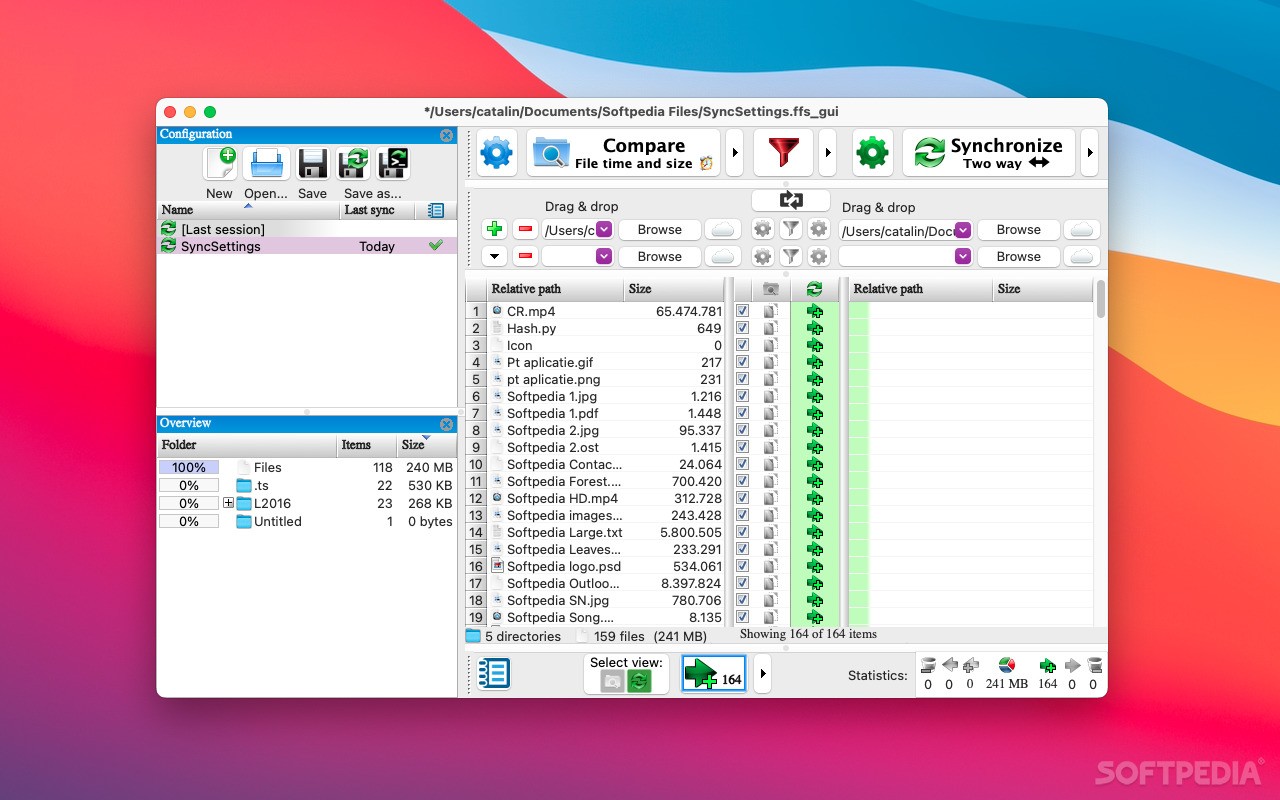
FreeFileSync is a multi-platform application designed to help you synchronize multiple folders, whether they are located on the same machine or shared on a local network. It offers a simple, intuitive interface, while also being equipped with a broad range of useful functions.
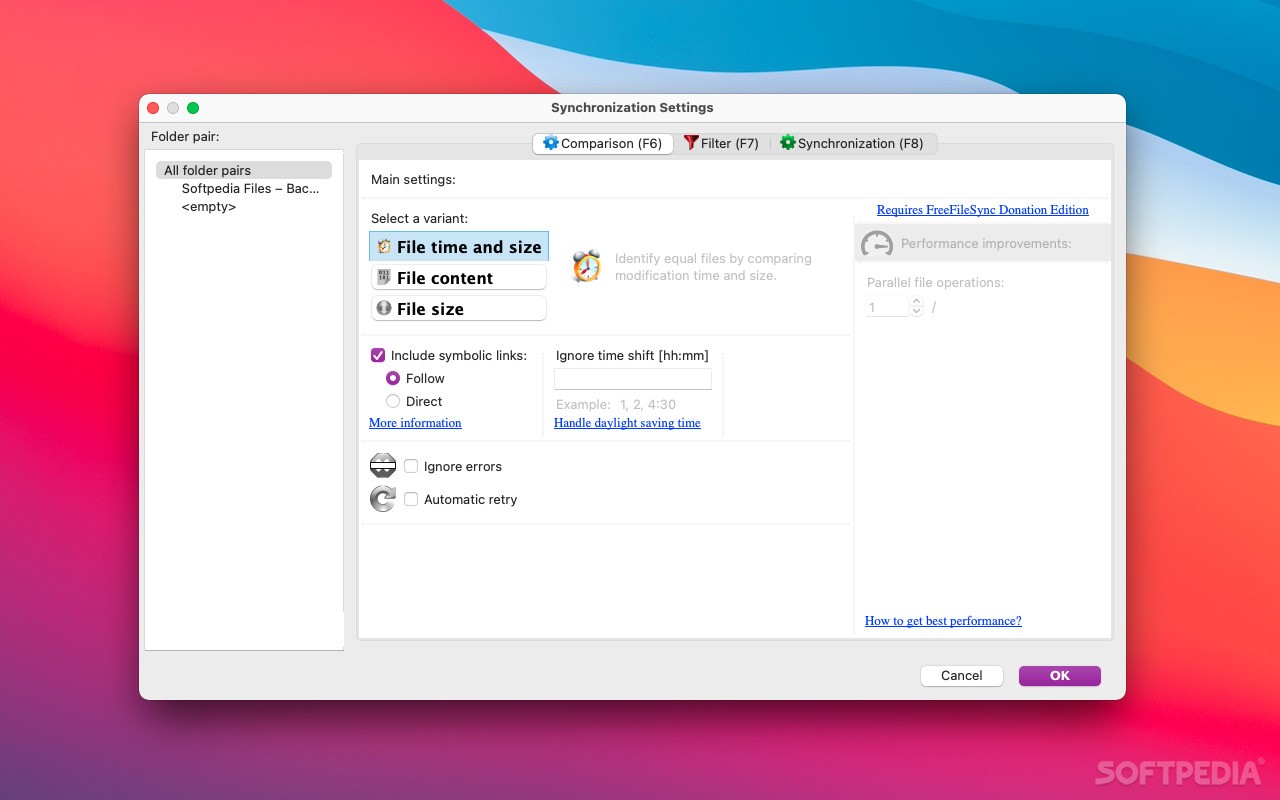
Setting up a sync job is a fairly simple matter, as you just need to create one or more pairs of directories and compare their contents. The app can check modification times, sizes and file contents.
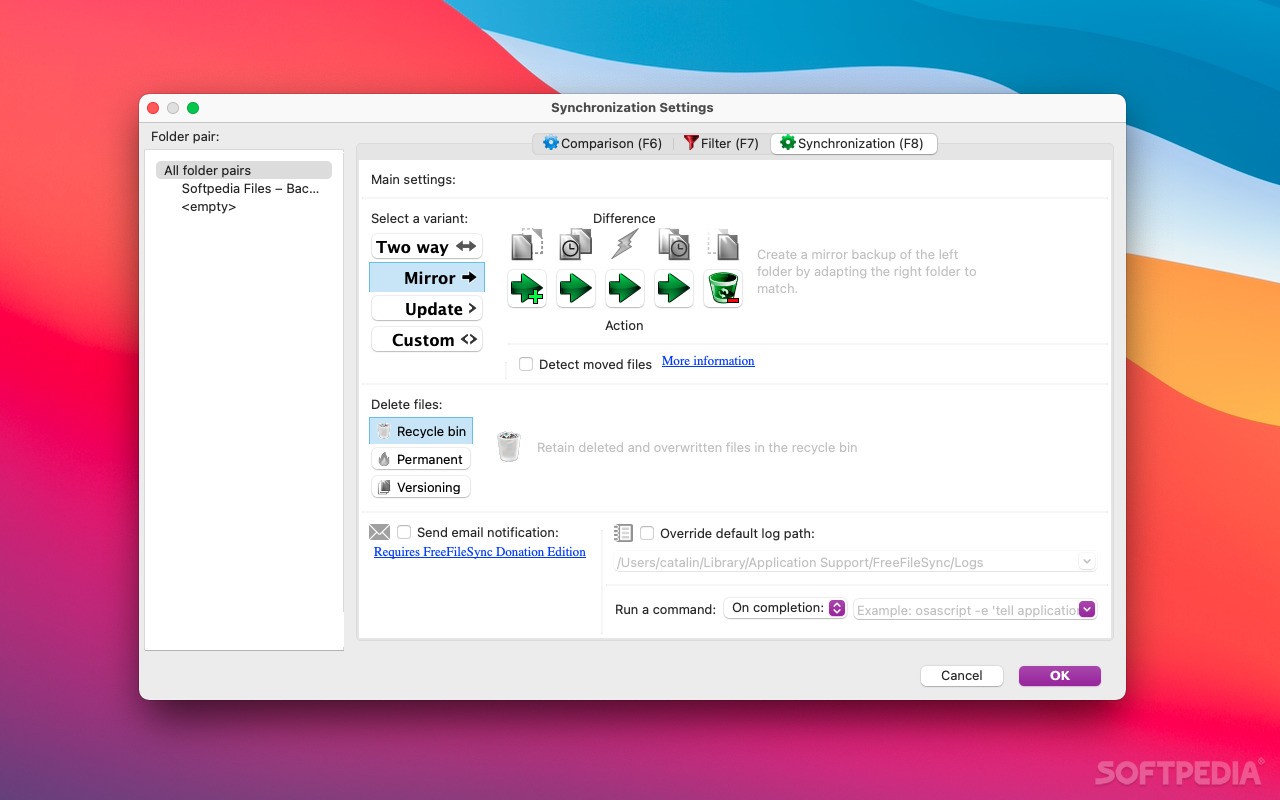
Once the comparison has been performed, you need to choose from one of the available synchronization methods, although you can also create your own. The application can either perform a two-way sync, create a mirror backup of the left folder or just copy new or updated files to the right directory.
All file transfers are logged and can be reviewed at a later date, and the app also displays general statistics to let you know how many new or modified items have been moved from one folder to another, as well as how many files have been deleted.
Moreover, you can save your folder configurations if you want to perform the same action at a later date.
Unfortunately, it is not possible to run an operation continuously and keep folders synchronized at all times or schedule jobs without being familiar with the command console.
FreeFileSync has a simple layout, and you move, resize, detach or even disable its various panels at any time, and then reset the interface to its default state. However, the app does appear to be rather outdated as far as looks are concerned, although this is not a major issue by any means.
Overall, FreeFileSync is a straightforward multi-platform utility that can help you transfer files between two or more directories and ensure their contents are synchronized at all times.
What's new in FreeFileSync 13.5:
- Wrap file grid folder paths instead of truncate
- Fixed sync operation arrows for RTL layout
- Fixed FTP hang during connection (libcurl regression)
- Consider user-defined file time tolerance for DB comparisons
FreeFileSync 13.5
add to watchlist add to download basket send us an update REPORT- runs on:
- macOS 10.10 or later (Universal Binary)
- file size:
- 30.6 MB
- filename:
- FreeFileSync_13.5_macOS.zip
- main category:
- Internet Utilities
- developer:
- visit homepage
Zoom Client

Context Menu Manager

ShareX

4k Video Downloader

7-Zip

Bitdefender Antivirus Free

Microsoft Teams

calibre

Windows Sandbox Launcher

IrfanView

- calibre
- Windows Sandbox Launcher
- IrfanView
- Zoom Client
- Context Menu Manager
- ShareX
- 4k Video Downloader
- 7-Zip
- Bitdefender Antivirus Free
- Microsoft Teams