
Free Flash cookie removal tool for OS X. #Delete flash cookie #Flash cookie deleter #Sol cookie remover #Delete #Flash cookie #Remove
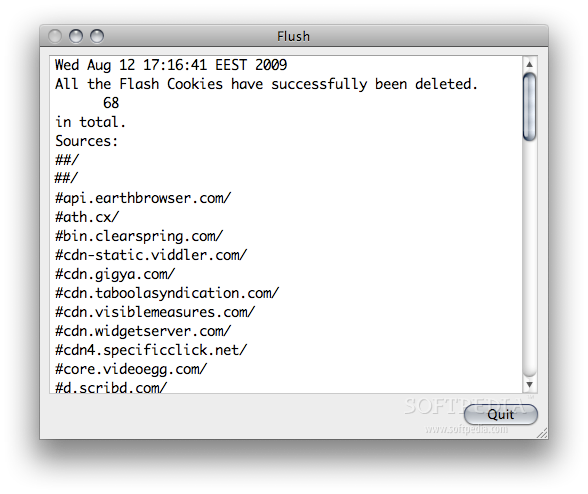
For those who do not know about Flash cookies, more properly referred to as Local Shared Objects (LSO), they operate in a similar way to regular browser cookies but are stored outside the purview of your browser, meaning you cannot delete them from within your browser, whether Safari, Firefox, Opera or any other.
Typically they are issued from sites or 3rd party sites that contain Adobe Flash content.
In Mac OS X they are stored in the following location: /User’s Home Folder/Library/Preferences/Macromedia/Flash Player/#SharedObjects
The settings for the Flash cookies are stored in: /User’s Home Folder/Library/Preferences/Macromedia/Flash Player/macromedia.com/support/flashplayer/sys
In OS X Local Shared Objects, or Flash Cookies, are appended with a .sol suffix. Flush is the tool that you need if you want deletes the Flash cookies (.sol) and their settings.
What's new in Flush 0.31:
- Now compatible with Leopard and Snow Leopard.
Flush 0.31
add to watchlist add to download basket send us an update REPORT- runs on:
- Mac OS X 10.4 or later (PPC & Intel)
- file size:
- 101 KB
- filename:
- Flush.zip
- main category:
- Internet Utilities
- developer:
- visit homepage
calibre

4k Video Downloader

ShareX

Microsoft Teams

7-Zip

Bitdefender Antivirus Free

Context Menu Manager

IrfanView

Zoom Client

Windows Sandbox Launcher

- IrfanView
- Zoom Client
- Windows Sandbox Launcher
- calibre
- 4k Video Downloader
- ShareX
- Microsoft Teams
- 7-Zip
- Bitdefender Antivirus Free
- Context Menu Manager