
A simple, fast and multi-platform file transfer tool for LAN users. #File transfer #File receiver #Send file #Transfer #Sender #Receiver
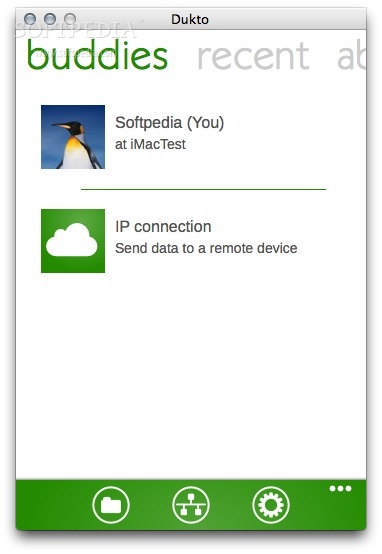
Dukto is a free and fast peer-to-peer GUI utility to help people share files over a local area network, regardless of the user permission, operating system and the network addressing.
Dukto is a simple utility to help people transfer files from one computer to another over a local area network. Very often it happens that you want to transfer a file from a PC to the one next to it, and you wonder "They are connected, they can talk, but how can I transfer this damn file???". Dukto is the answer.
Dukto is a standalone software, it doesn't need installation, it doesn't creates any configuration file or registry key on your PC, it doesn't require any software (apart from the operating system) to run, it doesn't require configuration or account registration.
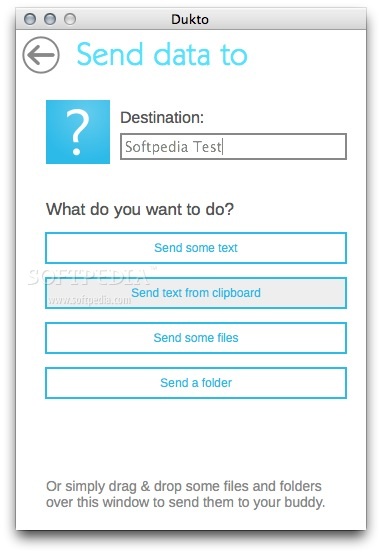
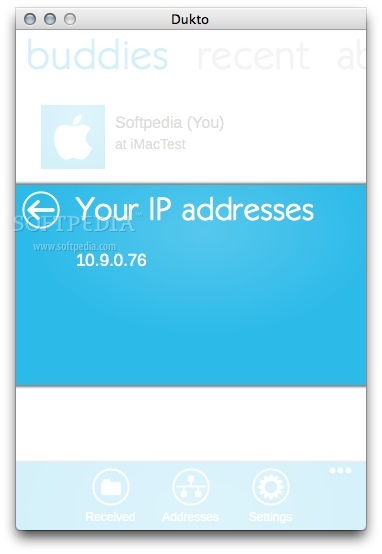
Dukto usage is very simple, just start it on the two PC connected over the LAN (or directly connected). On the buddy list will be showed the other peer. Now simply drag and drop your files and folders over the Dukto window and they'll be transferred to the other end. That's all.
Dukto comes with support for the three major operating systems currently available: Mac OS X, Windows, and Linux.
System requirements
- 64-bit processor
Dukto R6
add to watchlist add to download basket send us an update REPORT- runs on:
- Mac OS X 10.6 or later (Intel only)
- file size:
- 14.2 MB
- filename:
- DuktoR5-OSX.dmg
- main category:
- Internet Utilities
- developer:
- visit homepage
Windows Sandbox Launcher

Microsoft Teams

4k Video Downloader

calibre

IrfanView

ShareX

Bitdefender Antivirus Free

7-Zip

Zoom Client

paint.net

- 7-Zip
- Zoom Client
- paint.net
- Windows Sandbox Launcher
- Microsoft Teams
- 4k Video Downloader
- calibre
- IrfanView
- ShareX
- Bitdefender Antivirus Free