
A popular application that was specifically designed to help you create a house interior, place your furniture and preview it in 3D. #Interior designer #Design house #House planner #Interior #Designer #Planner
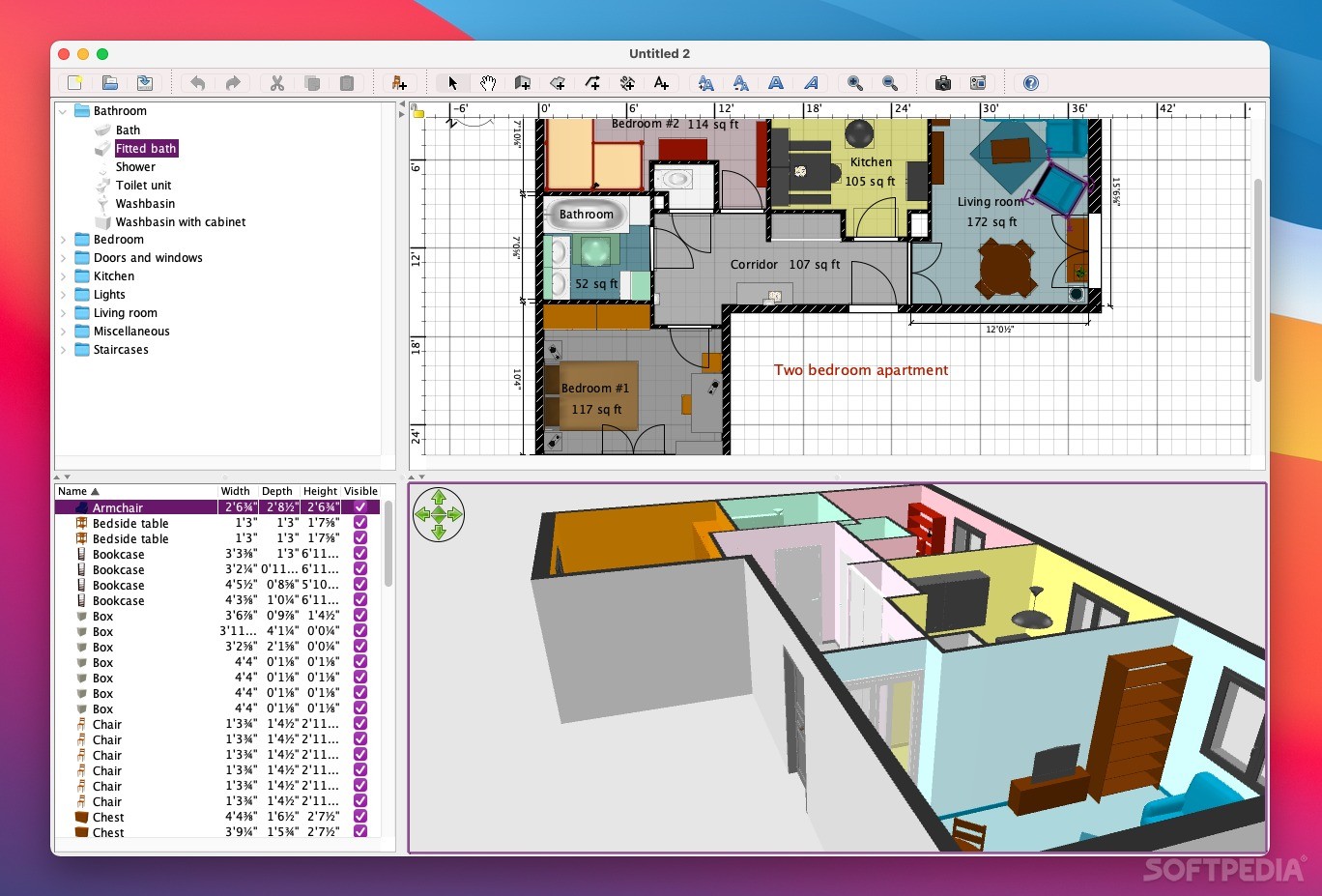
Placing furniture in your newly bought house can be a hassle, especially since you need a house plan in order to position each furniture piece in its designated place.
If you're in need of a tool to assist you create a digital plan of your house, Sweet Home 3D will provide you with an intuitive way to design your house plan, and with the ability to preview it in 3D.
The application enables you to draw walls with precision, using the keyboard or your mouse. After drawing the walls you can insert windows and doors anywhere you want.
On top of that, Sweet Home 3D makes it simple for you to add a large number of furniture types. The furniture is organized into categories, so you will get quick access to all items in a natural order.
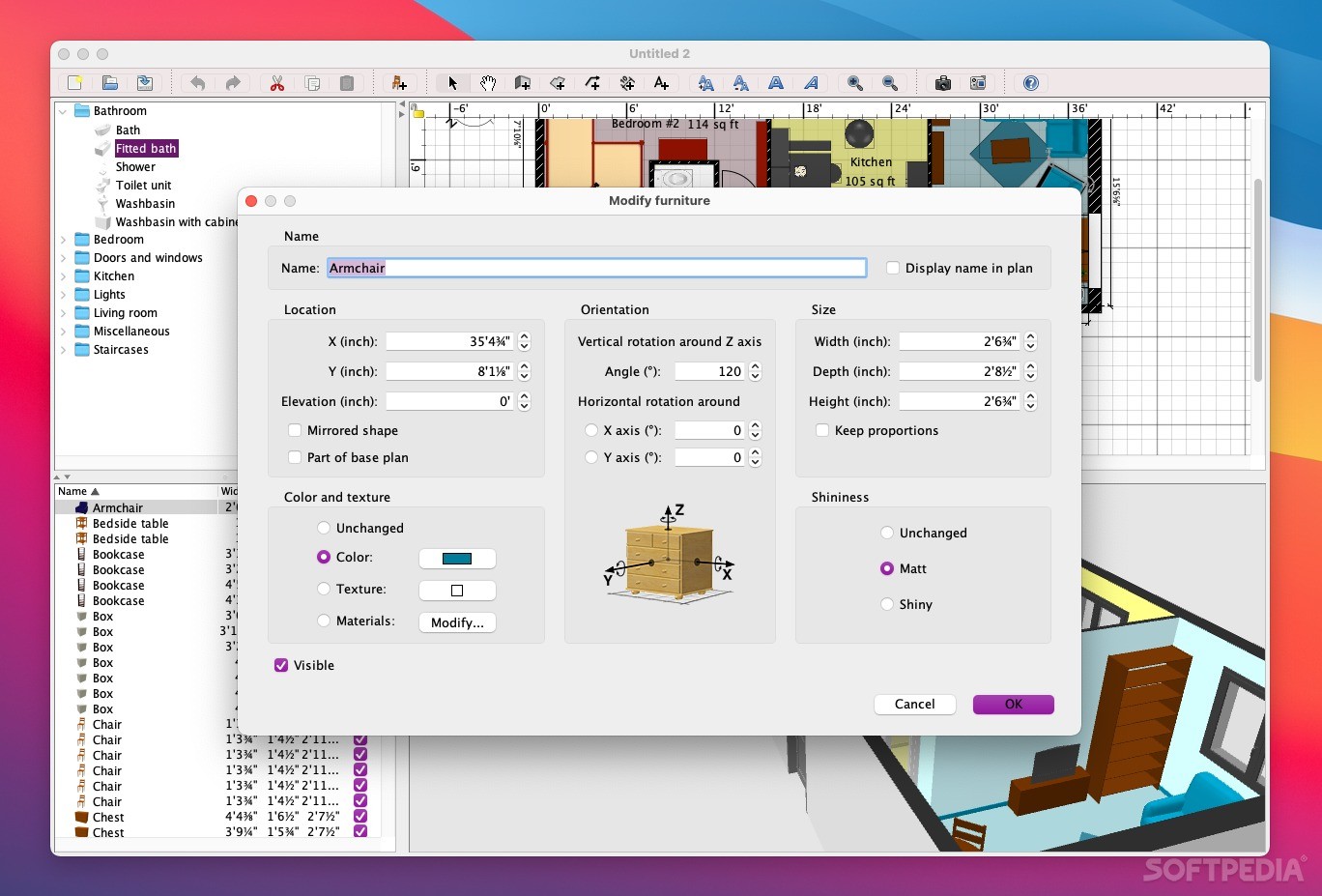
Sweet Home 3D also helps you to change the location, size, color and texture of any available item, including floors, furniture or ceilings with just a couple of mouse clicks.
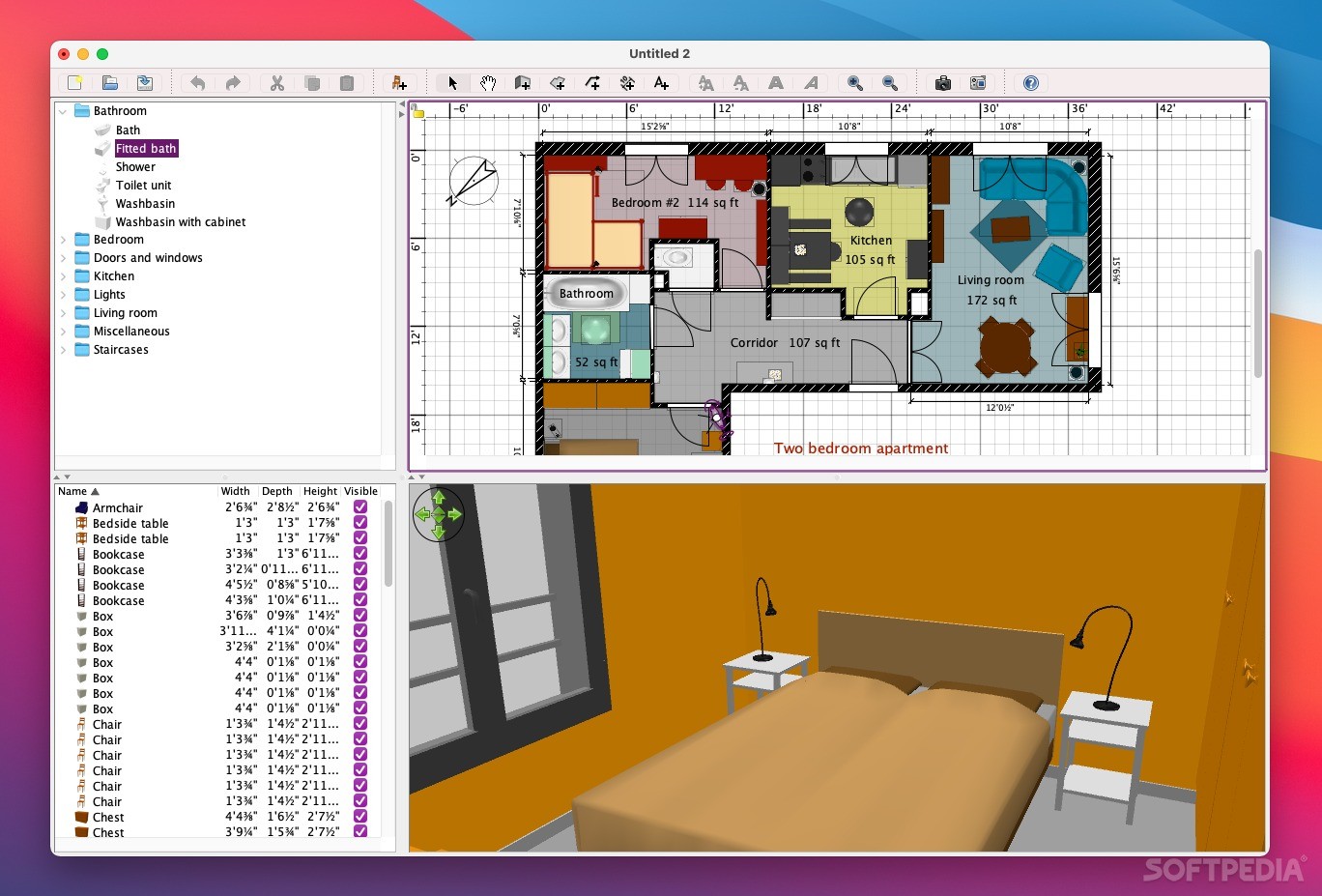
Sweet Home 3D gives you the ability to switch from 3D to 2D in an instant. While 2D is better for creating the house plan, the 3D mode is where you can see how your house will look like after the furniture is placed.
The application makes it easy and straightforward to annotate your house plan with multiple items like dimension lines, room areas or texts.
Sweet Home 3D may also be used to print and export the results to multiple formats, which include bitmap, 3D and PDF, among others. The utility also includes plugin support, so you can easily add your own plugins and extend the capabilities of the application.
As an added advantage, Sweet Home 3D is also a multi-language app that comes with complete support for more than 24 different languages, including French, Italian, Spanish, German or Polish, among others.
Download Hubs
Sweet Home 3D is part of these download collections: 3D Model Maker, Create 3D Model, Virtual Home Designers
What's new in Sweet Home 3D 7.3:
- Added up and down arrows to scroll the Go to point of view menu when it's too long on small screens.
- Fixed mirroring operation on a group of furniture containing rotated pieces.
- Prevented fixed parts in mirrored pieces from moving after an horizontal deformation.
- Allowed importing 3D models with missing deformation groups.
Sweet Home 3D 7.3
add to watchlist add to download basket send us an update REPORT- runs on:
- macOS 10.4 or later (Universal Binary)
- file size:
- 83.6 MB
- filename:
- SweetHome3D-7.3-macosx.dmg
- main category:
- Graphics
- developer:
- visit homepage
7-Zip

calibre

Context Menu Manager

Bitdefender Antivirus Free

ShareX

Zoom Client

Microsoft Teams

IrfanView

4k Video Downloader

Windows Sandbox Launcher

- IrfanView
- 4k Video Downloader
- Windows Sandbox Launcher
- 7-Zip
- calibre
- Context Menu Manager
- Bitdefender Antivirus Free
- ShareX
- Zoom Client
- Microsoft Teams