
A free software package that provides a series of legacy plug-ins, presets and extensions which have been removed from Photoshop CS5. #Photoshop CS5 plug-in #Photoshop CS5 preset #Photoshop CS5 plugin #Plug-in #Photoshop CS5 #Preset
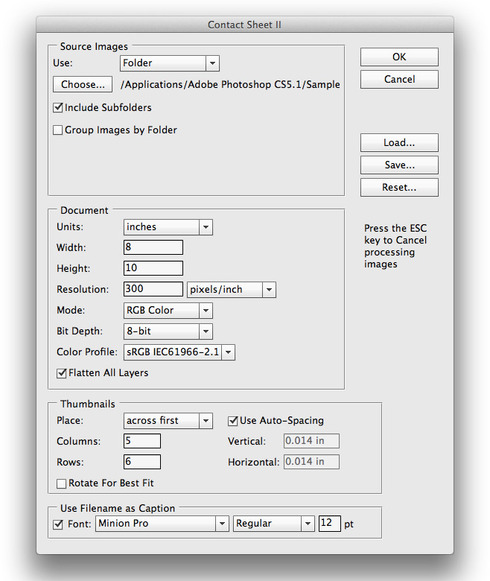
Photoshop CS5 Optional Plugins is a free collection of plug-ins, extensions and presets for Photoshop CS5 that were no longer distributed with the CS5 disk or digital download.
These additional plug-ins were previously installed with Photoshop CS4. Moreover, some of the presets and plug-ins included in this distribution have been deprecated in Photoshop.
Photoshop CS5 Optional Plugins includes the following plug-ins:
· ContactSheetII · ExtractPlus · Picture Package · Texture presets for Texturizer · Layer Comps to WPG · Web Photo Gallery · (WebContactSheetII) · PatternMaker PhotomergeUI · TWAIN
Photoshop CS5 Optional Plugins also provides these legacy files:
File Formats: · Alias · Electricimage (OptionalMultiplugin) · SGIRGB · SoftImage
Optional Extensions: · ForceVMBuffering · DisableVMBuffering · RememberSlowFiles · Unlimited Clipboard Size · Unlimited Preview Size · DisableGetInfoComment · DisableScratchCompress · ForceVM Compression
Additional plug-ins: · Overscroll Always · Overscroll Floating Windows · DisableDragBoundingBox · HSBHSL (OptionalMultiplugin)
Additional information on how to use and install the plug-ins and legacy files is included inside the DMG disk image.
System requirements
- runs on:
- Mac OS X (-)
- file size:
- 13.7 MB
- filename:
- PSCS5OptionalPlugins_Mac_en_US.dmg
- main category:
- Graphics
- developer:
- visit homepage
Zoom Client

4k Video Downloader

7-Zip

IrfanView

ShareX

Bitdefender Antivirus Free

Context Menu Manager

Microsoft Teams

calibre

Windows Sandbox Launcher

- Microsoft Teams
- calibre
- Windows Sandbox Launcher
- Zoom Client
- 4k Video Downloader
- 7-Zip
- IrfanView
- ShareX
- Bitdefender Antivirus Free
- Context Menu Manager