
A very easy to use Mac OS X application that offers you the possibility to apply watermarks to your images, convert them to other file formats and more.. #Image watermark #Resize image #Image converter #Converter #Watermarker #Resizer
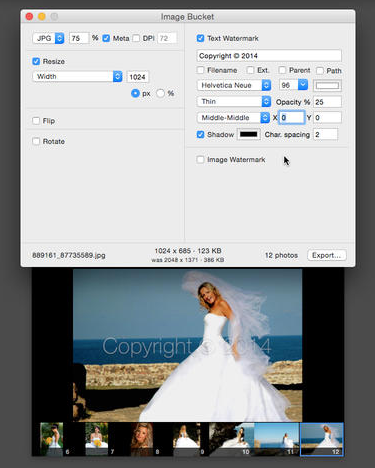
Easy to use image processing utilities that provide basic functionalities without making you deal with complex tools have the potential to greatly improve your productivity level. Image Bucket is a minimalist Mac OS X application that allows you to convert, watermark, resize or rotate your photos in no time.
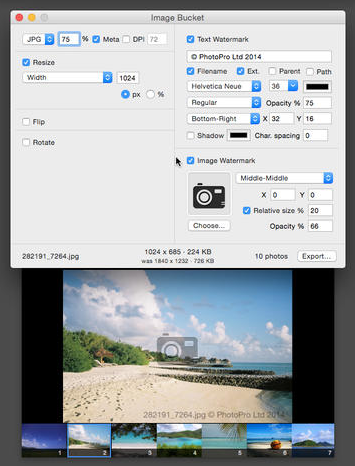
Image Bucket comes with a simple, organized and fairly intuitive user interface, most of its features being accessible through the app’s main window. On the bottom area you can preview the source and the output area while on top you can access the apps functionalities via 3 tabs: Save As, Transform and Watermark.
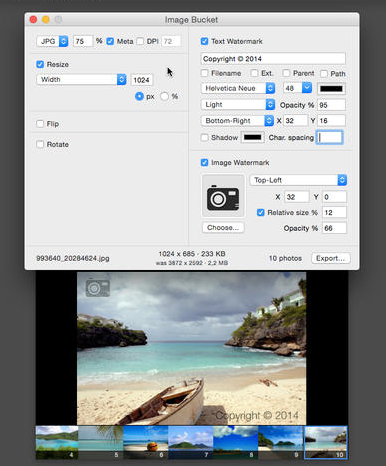
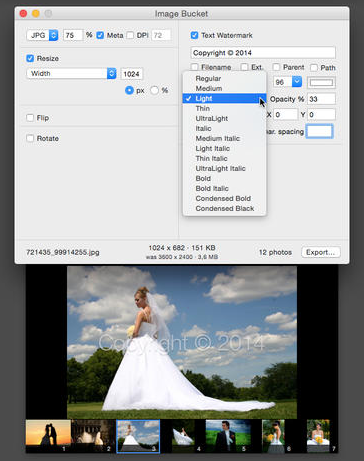
In the Watermark panel you must decide if you want to apply a text or an image stamp. For text watermarks you can input your own text, color, font style and size, alignment, character spacing and more. On the other hand, for image watermarks you can use your own logo, specify the alignment, opacity level or offset.
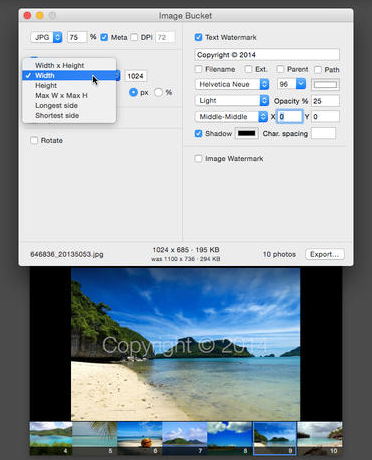
In the Transform panel you can select one of the 5 resizing methods (width & height, width with proportional height, height with proportional width, longest side with the other side proportional and proportional maximum width and maximum height), flip or rotate the source image.
Last but not least, the Save As offers you the possibility to convert the image to other popular file formats while adjusting the quality level. The same are allows you to add prefix and postfix strings to the output file name.
Image Bucket offers you the choice to preserve the file metadata, can display notifications if you are trying to overwrite a file and is able to include subfolders in the conversion.
Image Bucket delivers simple capabilities when it comes to image processing, allowing you to perform basic tasks without dealing with complex applications.
What's new in Image Bucket 2015.1:
- Fixed image watermark rendering issue on El Capitan when using the relative-size option.
Image Bucket 2015.1
add to watchlist add to download basket send us an update REPORT- runs on:
- Mac OS X 10.8 or later (Intel only)
- file size:
- 2.3 MB
- main category:
- Graphics
- developer:
- visit homepage
Bitdefender Antivirus Free

IrfanView

ShareX

4k Video Downloader

Microsoft Teams

Zoom Client

calibre

7-Zip

paint.net

Windows Sandbox Launcher

- 7-Zip
- paint.net
- Windows Sandbox Launcher
- Bitdefender Antivirus Free
- IrfanView
- ShareX
- 4k Video Downloader
- Microsoft Teams
- Zoom Client
- calibre