
Minimalist and feature packed image editing utility designed to help Mac OS X users enhance their photos quickly and effortlessly. #Photo editor #Image filter #Adjust image #Tilt shift #Filter #Effect
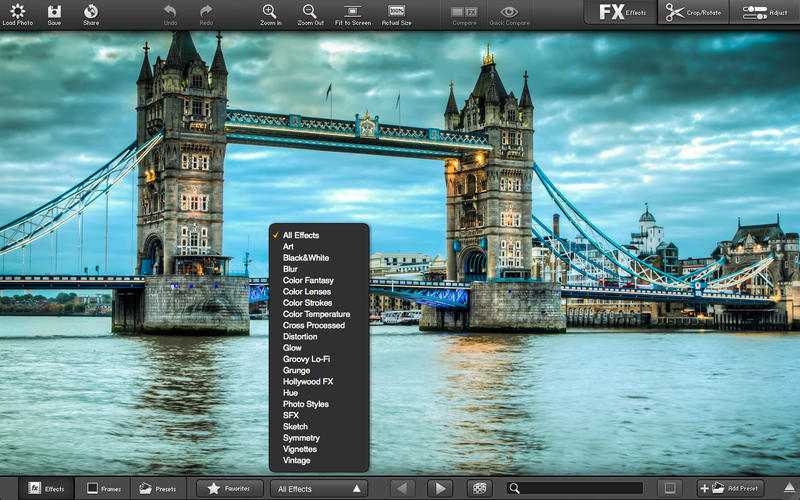
FX Photo Studio is both a minimal styled and full-featured OS X utility that makes it a breeze to adjust and edit your photos using a Mac. Unlike image managing suites like Adobe’s Photoshop or Apple’s Aperture, the FX Photo Studio application has been designed with the beginner user in mind.
Moreover, although it was created from scratch to be as easy to use as possible, FX Photo Studio also packs enough heat under its cover to make it simple to adjust and customize any photo in just a few easy steps.
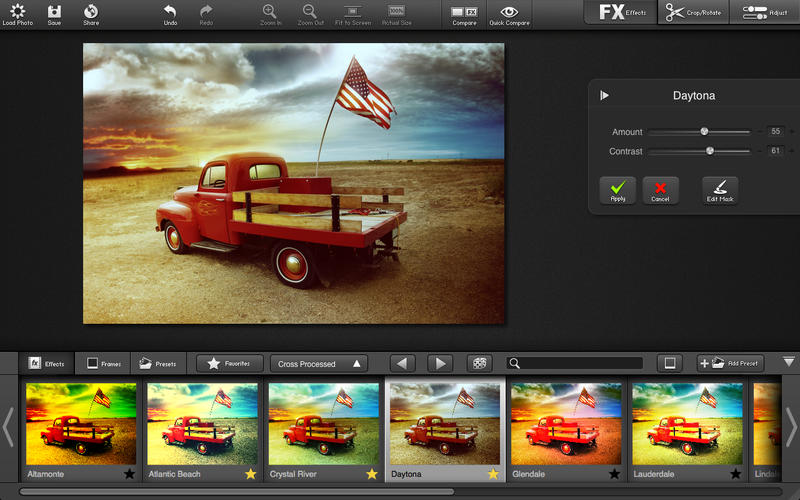
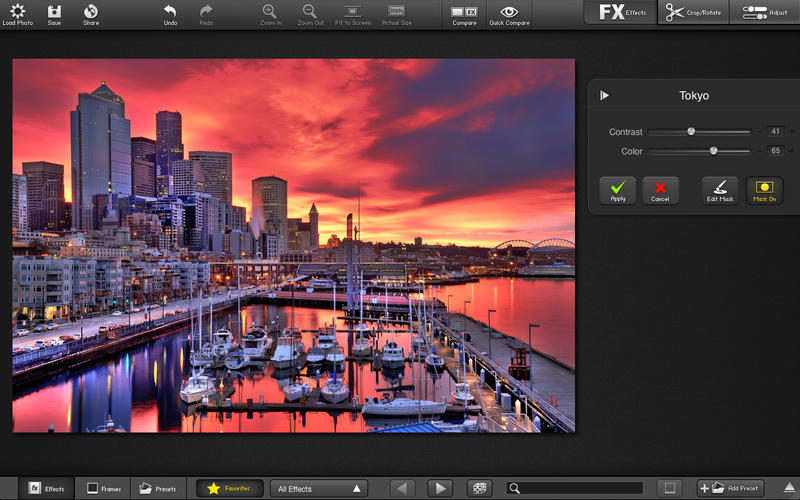
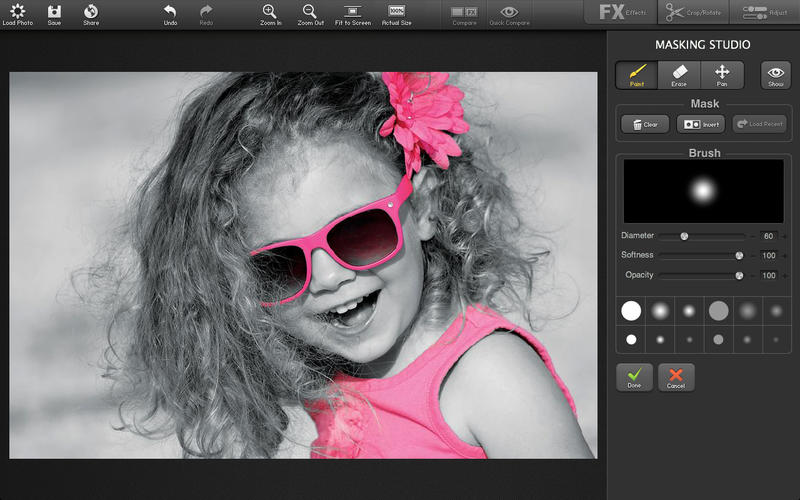
FX Photo Studio will allow you to add one of over 170 different image effects and filters to any picture you want to adjust or enhance using your Mac. As an added bonus, if you want to apply them only to select parts in your photo, FX Photo Studio enables you to create custom masks that help you choose the exact areas you want to edit.
Its built-in mask tool can also be used to successfully colorize parts of a photo, while draining all colors from others. This way, you can effortlessly create amazing color splash effects to draw the attention to the image zones that you want to highlight.
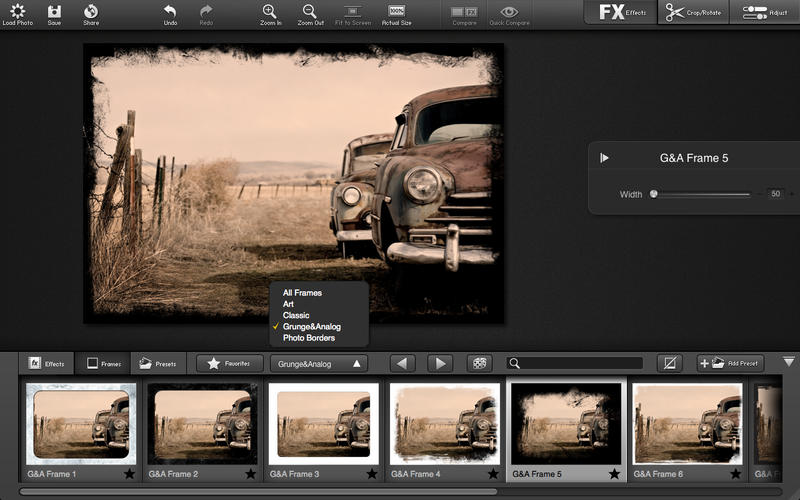
The FX Photo Studio app comes with a vast collection of borders and frames which will allow you to find the one that fits best with the output picture you get after you add effects and adjust the photo’s colors.
This tool also has Photoshop, Aperture, Lightroom and iPhoto integration and will also enable you to quickly share your work via various social networking websites with just a couple of mouse clicks.
To sum up, FX Photo Studio is the tool you need if you want to make quick adjustments to your photos and don’t want to open complex and resource consuming image processing suites like Adobe Photoshop.
What's new in FX Photo Studio 3.0.1:
- Critical bugs fixed
FX Photo Studio 3.0.1
add to watchlist add to download basket send us an update REPORT- runs on:
- OS X 10.8 or later (Intel only)
- file size:
- 158 MB
- main category:
- Graphics
- developer:
- visit homepage
Microsoft Teams

ShareX

IrfanView

Bitdefender Antivirus Free

Zoom Client

Context Menu Manager

4k Video Downloader

7-Zip

Windows Sandbox Launcher

calibre

- 7-Zip
- Windows Sandbox Launcher
- calibre
- Microsoft Teams
- ShareX
- IrfanView
- Bitdefender Antivirus Free
- Zoom Client
- Context Menu Manager
- 4k Video Downloader