Search Perform an advanced search query SOFTPEDIA
 
SOFTPEDIA
Updated one minute ago
HomeSubmit a program for being reviewedAdvertise on our websiteGet help on surfing our websitesSend us your feedbackGet information about our XML/RSS backend and how to use itBrowse the news archiveVisit our discussion forumVizitati forumul in limba romana


NormalFreeware onlyShareware only

Adobe Lightroom 2.0 Beta / 1.4.1

Click to download Adobe Lightroom
Add to download basket
Send update information
View more screenshots
Rating: Good (3.0/5)
Rated by: 12 user(s)
Recent news
- Creative Comes After Apple&...
- Apple Patent for Multiple D...
- Greenpeace Thinks It Made A...
- Apple and Full Sail Initiat...
- A Greener Apple
- Apple Revamps Apple Store S...
- iPhone Could Have A Bigger ...

 Downloads: 4,202
 Developer: Adobe Systems Incorporated | More programs by this producer
 License: Trial
 Price: 299 $ to buy 
 OS: Mac OS X 10.4 or later
 Binary format: Universal Binary
 Size: 42.8 MB
 Download time: 56K: 1h 44m   64K: 1h 31m   128K: 45m 39s  768K: 7m 36s
 Last Updated: April 11th, 2008 06:27
 Category: MAC HD :: Graphics
 Read reviews (0) Add a review Refer to friend Subscribe

Adobe Lightroom description Download
Adobe Lightroom is the efficient new way for professional photographers to import, select, showcase and develop large volumes of digital images.

So you can spend less time sorting and refining photographs, and more time actually shooting them.

Its clean, elegant interface literally steps out of the way and lets you quickly view and work with the images you shot today, as well as the thousands of images that you will shoot over the course of your career.

Because no two photographers work alike, Adobe Lightroom adapts to your workflow, not the other way around. Lightroom Beta lets you view, zoom in, and compare photographs quickly and easily.

Precise, photography-specific adjustments allow you to fine tune your images while maintaining the highest level of image quality from capture through output. And best of all, it runs on most commonly used computers, even notebook computers used on location.

Initially available as a beta for Macintosh, Lightroom will later support both the Windows and Macintosh platforms.

Here are some key features of "Adobe Lightroom":

Import

· Robust tools to handle large shoots
Speedily process high-volume shoots by automatically importing images whenever media cards or cameras are connected to your computer. Then automatically rename files, organize folders, and make nondestructive adjustments as images are imported.

· Import/export presets
Streamline the importing and exporting of your files by saving your frequently used settings in stored presets, which you can recall and apply when needed.

· Automatic conversion to DNG
If desired, automatically convert your images from proprietary file formats to the publicly available Digital Negative (DNG) format as they are imported, or easily export photographs from your Library in DNG format.

Manage

· Multiple viewing options
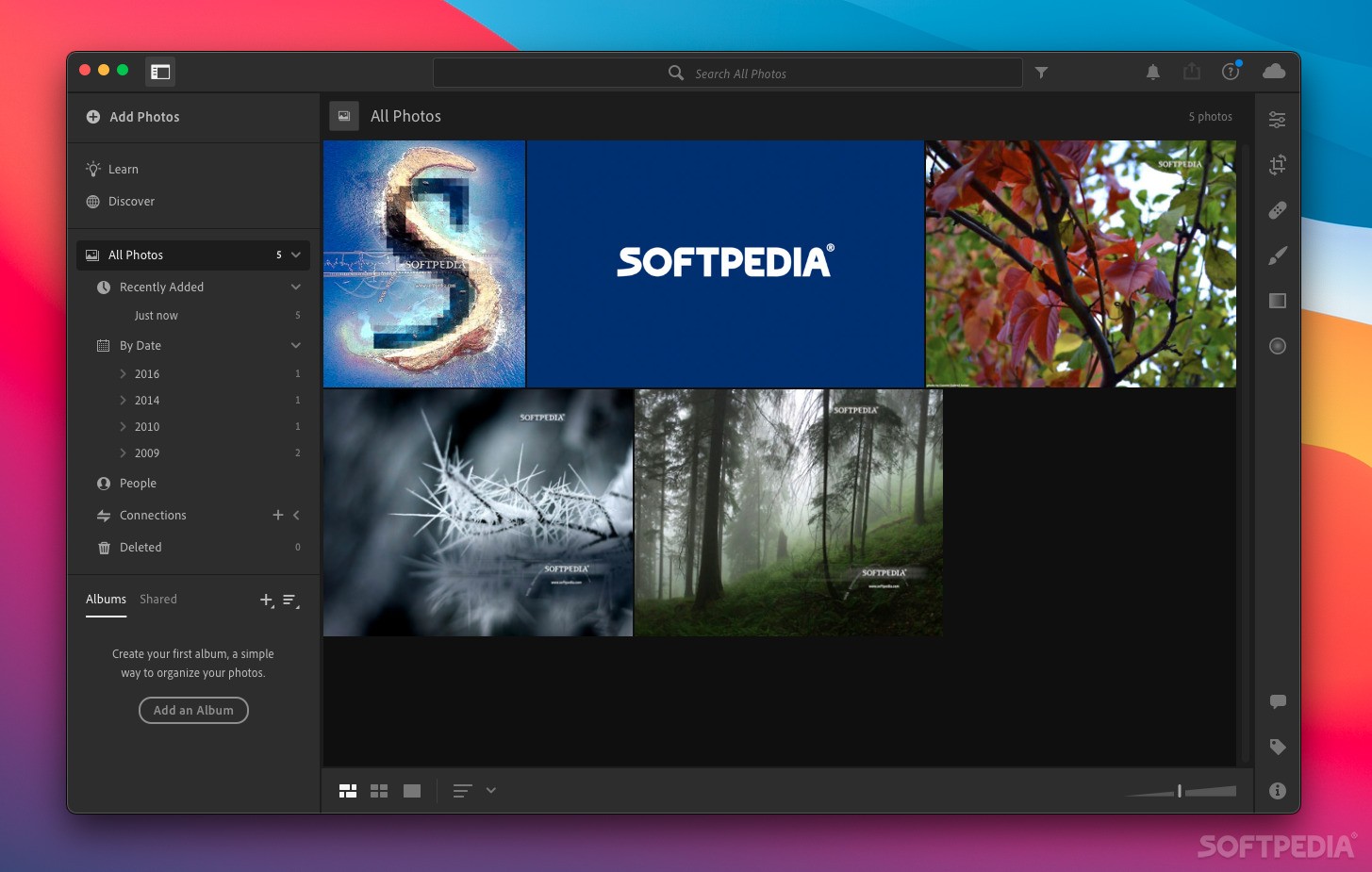
Quickly find and select your best shots with flexible display options like the Grid view for groups of thumbnails, the Loupe view for zeroing in on fine detail in a single image, or the Compare view for displaying two or more images side by side.

· Flexible organization of images
Bring order to voluminous image libraries by grouping your photographs in stored collections. Create collections for different tasks or subjects, and group similar images within a collection to organize them further.

· Manual thumbnail reordering
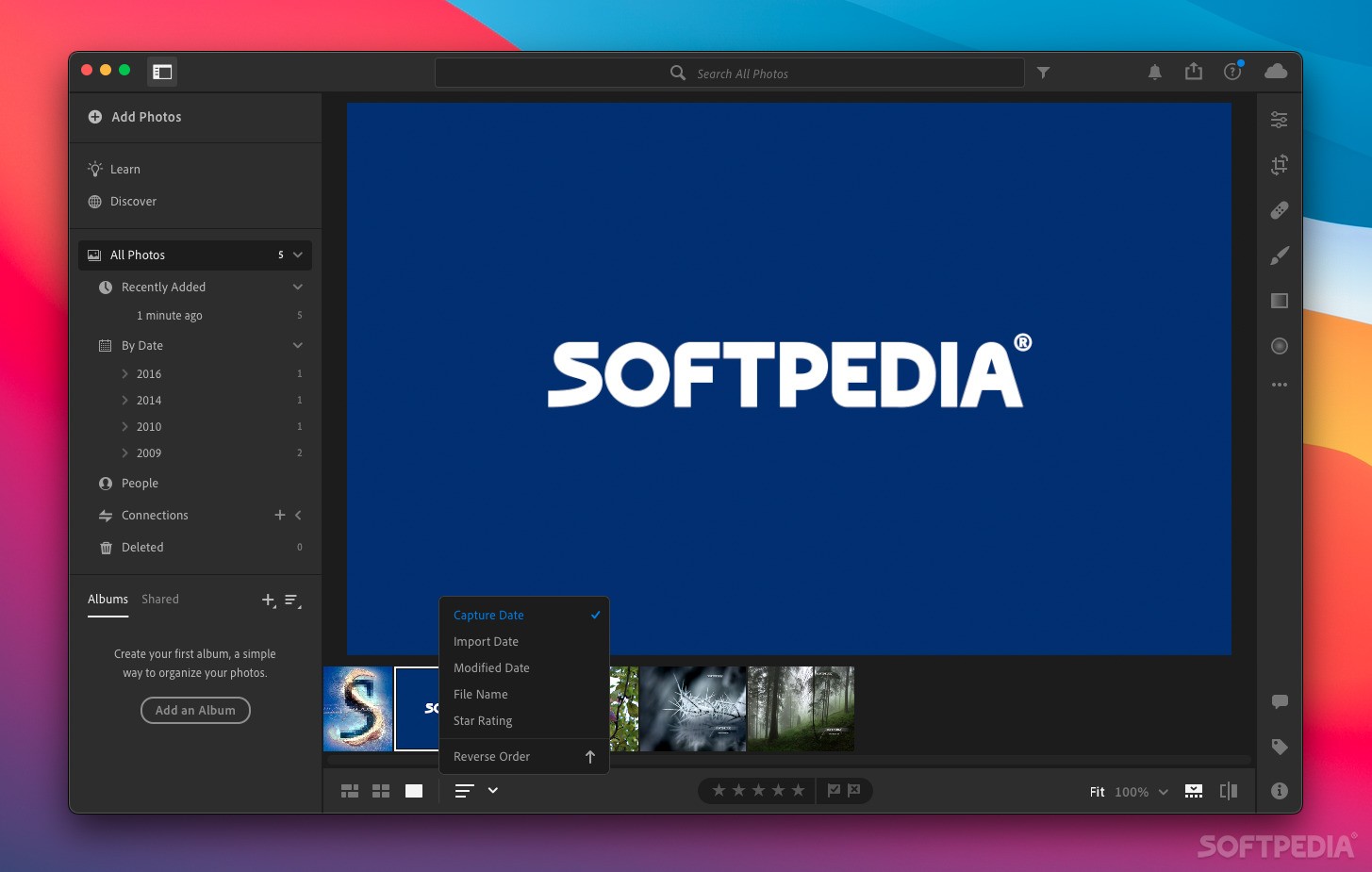
Put your images in the order that you need them for any particular task by selecting any number of photographs in your Library — continuous or not — and then simply dragging them to a new location on the Grid.

· Easy file renaming
Make your photographs easier to find and keep in sensible order using the Lightroom renaming feature. Simply set naming rules, and Lightroom automatically renames your images as they're imported.

· Single or group metadata stamping
Organize and annotate your images by adding metadata to a single photo or to groups of selected images. Save metadata sets as presets, which you can apply with one click.

· Image versions without duplication
Create as many alternate versions of an image as you desire without overloading your hard drive. Then, switch between versions with a single click.

· IPTC/EXIF/XMP metadata support
Read, add, or edit a comprehensive set of metadata entries, including IPTC, EXIF, and XMP data.

· Metadata stamping on output
Stamp crucial metadata — such as copyright notification, captions, and keywords — on print jobs or exported images so you can search on it later.

· Keyword synchronization
Make keywords consistent even if you're using Lightroom on two different computers by importing and exporting keyword sets to external, transferable files.

· Offline image management
Work with your image library in Lightroom even when some or all of the actual photo files are stored on offline media.

· Easy Library backup to CD/DVD
Help ensure the safety and preservation of your photographs by backing them up to CD or DVD using simple built-in tools.

· Simple keywording
Easily organize your photographs and make them searchable with keywords that make sense to you. Assign keywords to a single image or groups of selected images — just type and apply.

Develop

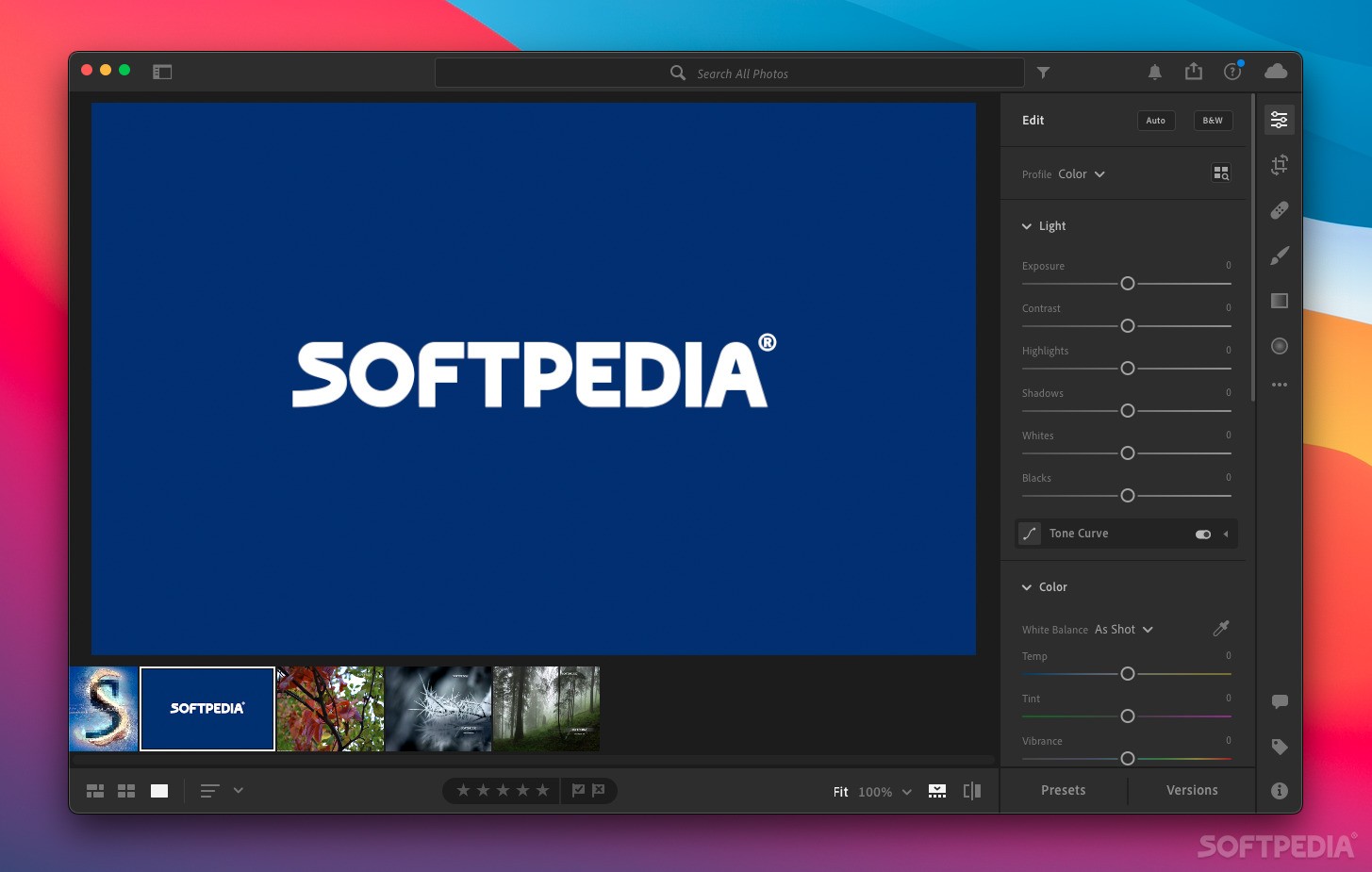
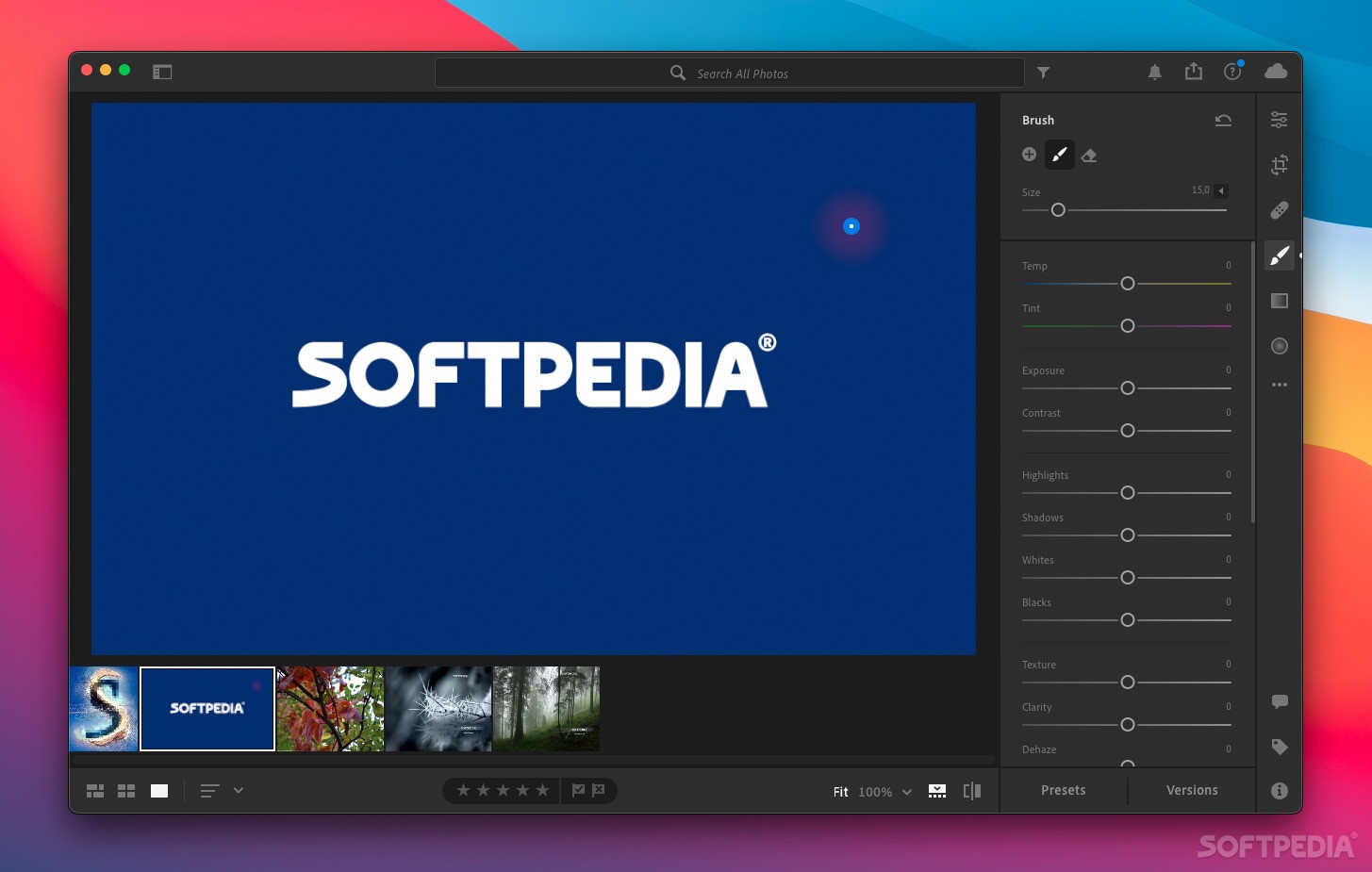
· Easy-to-use white balance, exposure, and contrast controls
Quickly perfect white balance, exposure, and tone curves in your images, including camera raw files, with familiar slider controls, or enter numeric values for the most precise adjustments.

· Simple yet powerful tone curve editor
Precisely control the tonality and contrast of your images by individually targeting highlights, midtones, and shadows using sliders and visual controls.

· Integration with Adobe Photoshop
Instantly send any number of images to Adobe Photoshop (sold separately) for advanced editing, and see the changes you've made reflected in the Lightroom Library when you're done.

· Advanced hue, saturation, and luminance editing
Enhance color saturation and remove color casts in your images with individual control over six color ranges each for hue, saturation, and luminance.

· Nondestructive editing
Enjoy robust support for more than 140 camera raw formats, and experiment with confidence. Adjustments you make to images in Lightroom won't alter the original data, whether you're working on a JPEG, TIFF, DNG, or camera raw file.

· Fast zooming
Check sharpness, noise, or small details with nearly instant zooming — a simple keyboard command or mouse click toggles between 100% magnification and a full-image view. Smoothly navigate highly magnified areas using the Hand tool in the photo preview pane.

· Convenient before/after comparison mode
View a side-by-side display of your original picture and a duplicate that shows the effects of your edits as you make them, or display the before and after states in a split view of the image. Toggle either view between portrait and landscape modes, and even see images in "lights out" view.

· Finely tuned black-and-white conversions
Convert color images to black-and-white with precision. Familiar sliders allow you to control the contrast and detail based on the colors in the original photograph.

· Synchronized adjustments across multiple images
Edit large numbers of images faster by creating presets that you can apply to many photographs at once, or edit one image and then synchronize your adjustments to other photos you select.

· Explicit history tracking
Retrace your adjustments to any image — the History panel tracks them automatically as you edit — and instantly return to any state of the photo that you choose.

· Dust buster
Erase dust spots from an image with a single click.

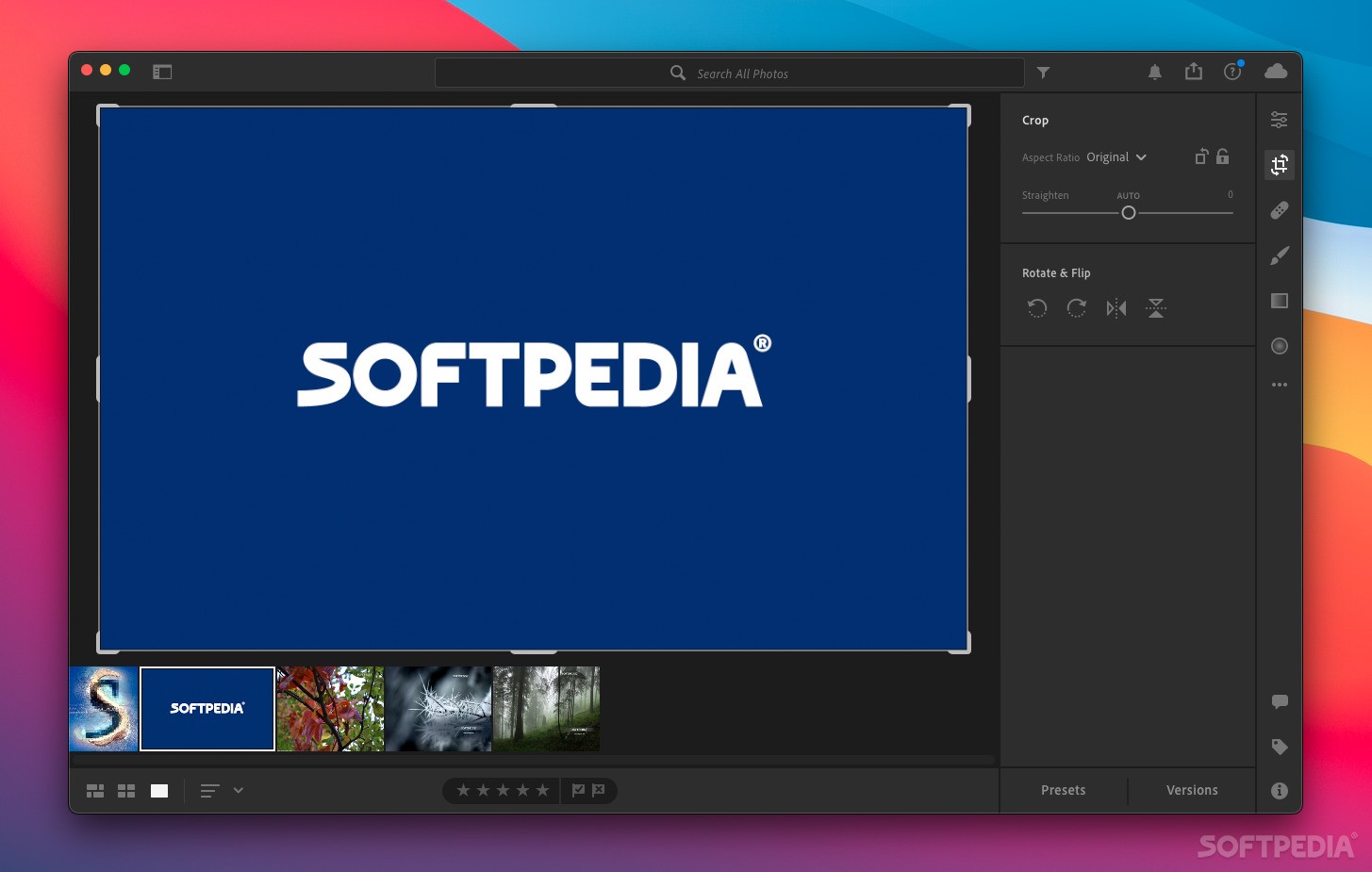
· Easy-to-use crop and straighten tools
Crop and straighten your photographs in a snap.

· Red-eye removal
Quickly eliminate red eye when it occurs in your flash photos.

Present

· Fast, high-quality printing
Quickly and visually format high-quality prints, whether working with one photo or 100, on one page or many. Recall your favorite layouts with saved presets and enjoy speedy output, even of large files.

· Live preview of HTML or Flash based web galleries
Create HTML or Adobe Flash based web galleries for online presentation with little effort and no programming, and preview the results in Lightroom before you publish them to your site.

· Single-click web publishing
Save your web server information in Lightroom as an FTP preset, and then publish your Flash or HTML galleries with a single click. There's no more need for a separate FTP client application in your imaging workflow.

· Sophisticated slide shows
Use the simple controls in Lightroom to create and play elegant slide shows, and include background music from your digital music library, including iTunes.

· Signature stamps
Stamp your slide shows, web galleries, and printed output with your studio or business logo for an added professional touch.


Requirements:

· PowerPC G4, G5, or Intel-based Mac
· 768MB of RAM (1GB recommended)
· 1GB of available hard-disk space
· 1,024x768 screen resolution
· CD-ROM drive


Limitations:

· 30 days trial


What's New in This Release:

· Additional camera support for the Canon EOS 450D (Digital Rebel XSi/EOS Kiss X2), Nikon D60, Sony A350 and more
· Updated printer driver compatibility for Mac OS X 10.5 (Leopard)
· Includes several corrections for issues introduced by the Lightroom 1.4 release
· Lightroom 1.4 incorrectly modified the EXIF time date field of images that had a metadata update applied. This incorrect modification does not appear in Lightroom or Bridge and is only viewable through third party EXIF tools. This error has been corrected in Lightroom 1.4.1 and all files in a Lightroom catalog that have been incorrectly modified will be corrected on their next metadata update. (Metadata can be updated by selecting the files in the Library grid view and choosing Command or CTRL + S to save and update the metadata.)
· Olympus JPEG files could render incorrectly in Lightroom 1.4, displaying an artifact in the exported file.
· Any conversion to DNG in Lightroom 1.4 would cause the DNG file to become unreadable by Lightroom’s Develop Module or Camera Raw 4.4 in Photoshop. The issue has been corrected and files should be converted to DNG again in order to resolve the issue for existing files. Returning to the original native raw files is not necessary. The affected DNG files can be selected and converted again using the DNG Converter 4.4.1 available at www.adobe.com/dng/
· Lightroom 1.4 provided degraded import performance relative to Lightroom 1.3.
· The Lightroom 1.4.1 update also reflects the Lightroom 1.4 notes below.
· The Lightroom team apologizes for the inconvenience caused by the issues presented in the initial Lightroom 1.4 update.... [ read full changelog ]


Softpedia guarantees that Adobe Lightroom 2.0 Beta / 1.4.1 is 100% CLEAN, which means it does not contain any form of malware, including but not limited to: spyware, viruses, trojans and backdoors.

This software product was tested thoroughly and was found absolutely clean, therefore it can be installed with no concern by any computer user.However, it should be noted that this product will be retested periodically and the award may be withdrawn, so you should check back on this page from time to time.

Adobe Lightroom Download Adobe Lightroom Screenshots
Find Related Downloads Buy Adobe Lightroom


RECOMMENDED PROGRAMS IN THIS CATEGORY ( Graphics )  

Macromedia FreeHand MX 11.0.2
Macromedia FreeHand MX is a professional image illustration program
41.6 MB | Mac OS X 10.2.6 or later | Demo
screenshot
pick | update
Adobe Illustrator CS 12.0.1
Adobe Illustrator CS is an professional vector graphics tool for web and print
428.9 MB | Mac OS X 10.2 or later | Trial
screenshot
update
GraphicConverter 6.1
GraphicConverter is an excellent all-purpose image editing program that can import 96 different graphic-based formats
42.4 MB | Mac OS X 10.4.4 or later | Shareware
screenshot
pick | update
iZoom 1.2
iZoom is a photo resizing and cropping tool that can be a good companion with an iPod photo or photoblog
233 KB | Mac OS X 10.2 or later | Freeware
screenshot
update
PhotoBooth 1.7.3
PhotoBooth - Print full-size or cropped pictures directly from your iPhoto library, or any other location
640 KB | Mac OS X 10.3.9 and up | Demo
screenshot
update
Gordon Flash Decompiler 1.7.4
Gordon Flash Decompiler - Decompile ActionScript & Flash animation
1.04 MB | Mac OS X 10.3 or later | Demo
screenshot
update
Adobe Photoshop 6.0
Professional photo and graphic design editing application
49.9 MB | Mac OS 7.5 or later. | Demo
screenshot
update

MOST POPULAR PROGRAMS IN THIS CATEGORY ( Graphics )  

Adobe Photoshop 7.0.1
Industry-standard image editing software.
353 MB | Mac OS 8.1 or later. | Demo
screenshot
new
Painting 2.0.2
Painting - Standard paint and image editing tool
800 KB | System 7.5 or later | Freeware
screenshot
update
Adobe Photoshop CS 1.0
Standard in desktop digital image editing.
254.3 MB | Mac OS 10.2.6 or later. | Demo
screenshot
new
Macromedia FreeHand MX 11.0.2
Macromedia FreeHand MX is a professional image illustration program
41.6 MB | Mac OS X 10.2.6 or later | Demo
screenshot
pick | update
Adobe Illustrator CS 12.0.1
Adobe Illustrator CS is an professional vector graphics tool for web and print
428.9 MB | Mac OS X 10.2 or later | Trial
screenshot
update
GraphicConverter 6.1
GraphicConverter is an excellent all-purpose image editing program that can import 96 different graphic-based formats
42.4 MB | Mac OS X 10.4.4 or later | Shareware
screenshot
pick | update
iZoom 1.2
iZoom is a photo resizing and cropping tool that can be a good companion with an iPod photo or photoblog
233 KB | Mac OS X 10.2 or later | Freeware
screenshot
update

go to top  


Welcome!
Hello, Guest

Login if you have a Softpedia.com account.

Otherwise, register for one.

Main categories:
  • Dashboard Widgets
  • Automator Actions & Workflows
  • Spotlight Plugins & Utilities
  • Antivirus
  • Audio
  • Business
  • Communications
  • Compression Tools
  • Developer Tools
  • Development
  • Drivers
  • DTP/Prepress
  • Educational
  • Finance
  • Font Tools
  • Games
  • Graphics
  • HTML Tools
  • Internet Utilities
  • iPod Tools
  • Math/Scientific
  • Multimedia
  • Network/Admin
  • Screensavers
  • Security
  • System Utilities
  • Utilities
  • Video
  • Desktop
  • Word Processing
  • Week's best:
  • OpenOffice.org 3.0 B...
  • Easy Translator 2.9....
  • ReelBean 3.6 Build 1...
  • SoundConverter 20080...
  • Sound Studio 3.5.6
  • OpenOffice.org 3.0 B...
  • Microsoft Messenger ...
  • DayLite 3.7.3
  • OnyX 1.9.5
  • Adium 1.2.5
  • Opera 9.50 Beta 2 Bu...
  • CheckUp 1.1.1
  • MediaEdit 3.0.4
  • phpMyAdmin 2.11.6.0
  • LimeWire X 4.17.9 Be...
  • VueScan 8.4.71
  • Cyberduck 3.0 Beta 3...
  • GraphicConverter 6.1
  • Mac Cleanse 1.1.8
  • MacTracker 5.0.2
  • © 2001 - 2008 Softpedia. All rights reserved.
    Softpedia™ and Softpedia™ logo are registered trademarks of SoftNews NET SRL.
    Copyright Information | Privacy Policy | Terms of Use | Contact Softpedia | Update your software | Archive