
A straightforward macOS app that helps you control your personal finances by tracking bank transactions, incomes, expenses, credits and debts. #Income tracker #Expense tracker #Transaction manager #Expense #Income #Balance
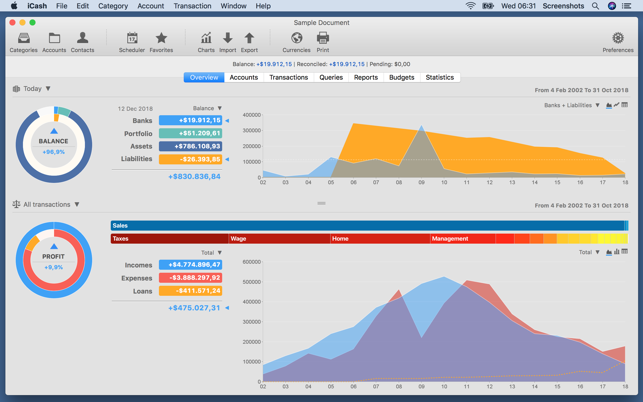
iCash SE is a versatile yet easy-to-use macOS application that enables you to manage your personal finances from a flexible user interface. You can use iCash SE to track your expenses, incomes, Bank transactions or debts. An advantage of using iCash SE is that it’s accessible to anyone.
In other words, you don’t need to be an accounting expert in order to enjoy all the functions of iCash SE. Moreover, the iCash SE app comes with a wide array of features that gives you total control over your finances and it enables you to create an unlimited number of accounts, contacts and categories.
The nature of iCash SE is also to help you organize your accounts and transactions as simply and logically as possible. You have the power to control each currency unit in your accounts’ balance. Accounts can also be classified by type and category.
What’s more iCash SE provides support for more than one currency and implements a reliable exchange rate tool that can be accessed with one click.
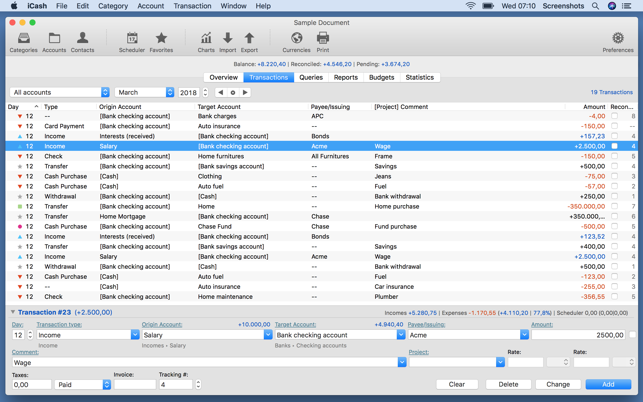
The iCash SE application adds the ability to manage recurring and scheduled transactions as well. A custom-made calculator also allows you to compute your full budget and account balance.
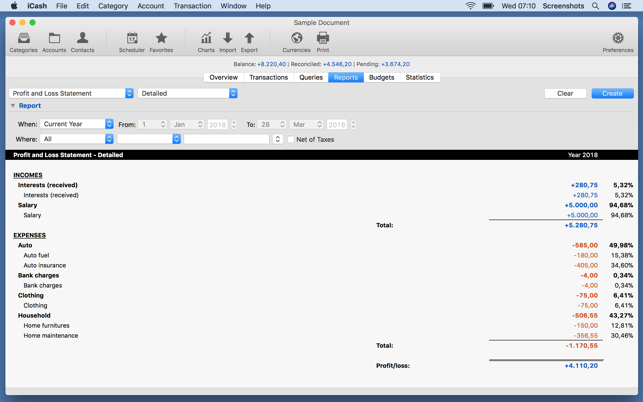
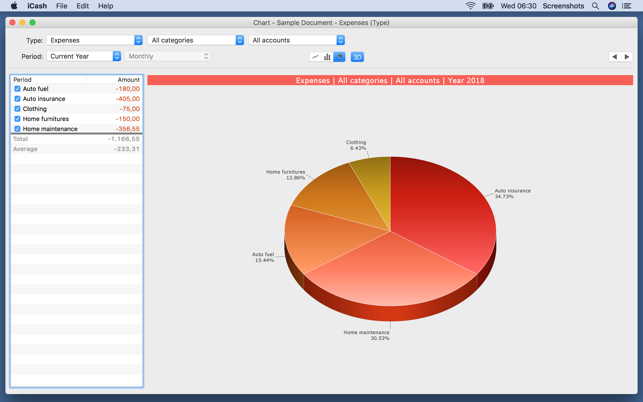
iCash SE's list of features also includes a flexible report generator that can contain specific criteria or all included records. In order to streamline queries and reports, iCash SE also supports project categorization of transactions.
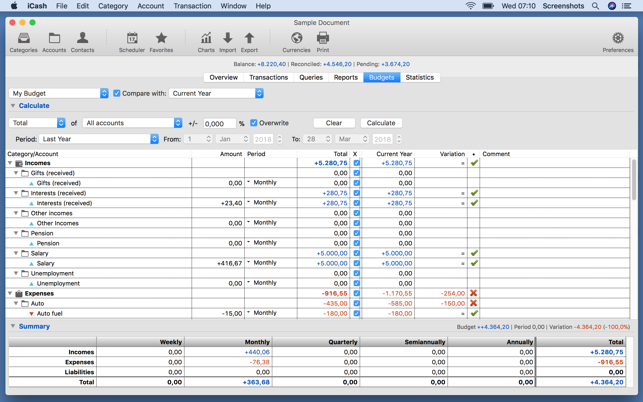
The app’s main window includes an upper toolbar with buttons for the most commonly used actions such as Accounts, Categories, Contacts, Currencies, Scheduler, Favorites and more.
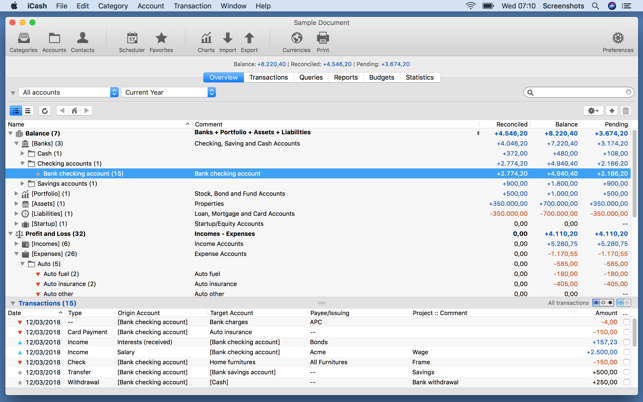
Moreover, iCash SE's main pane is split into 5 different tabs: Overview (of your accounts), Transactions, Queries, Reports, Budgets and Statistics. The Overview tab displays all your accounts in a detailed list that includes columns for the account name, comment, as well as reconciled, balance and pending sums.
On the whole, given the multi-purpose nature of the iCash SE utility, it can fit the accounting needs of various kinds users. Whether you’re a small business owner, self-employed or private user, iCash SE can help you seamlessly control your finances.
What's new in iCash SE 7.8.8:
- Cryptocurrencies support. You can now have accounts with the currency set to a cryptocurrency (386 supported).
- It is possible to update cryptocurrency rates through the internet like regular currencies automatically.
iCash SE 7.8.8
add to watchlist add to download basket send us an update REPORT- runs on:
- macOS 10.11 or later (Universal Binary)
- file size:
- 85.1 MB
- main category:
- Finance
- developer:
- visit homepage
7-Zip

paint.net

IrfanView

Windows Sandbox Launcher

Zoom Client

ShareX

4k Video Downloader

Microsoft Teams

Bitdefender Antivirus Free

calibre

- Microsoft Teams
- Bitdefender Antivirus Free
- calibre
- 7-Zip
- paint.net
- IrfanView
- Windows Sandbox Launcher
- Zoom Client
- ShareX
- 4k Video Downloader